
1. Inleiding
This manual provides detailed instructions for the setup, operation, and maintenance of your edaiser Swivel Keyboard Case. Please read this manual thoroughly before using the product to ensure proper function and longevity. This keyboard case is designed to enhance your iPad mini experience by providing a physical keyboard and trackpad, along with robust protection and versatile viewhoeke.
2. Pakketinhoud
- edaiser Swivel Keyboard Case
- USB-C-laaikabel
- Gebruikershandleiding
3. Verenigbaarheid
Hierdie sleutelbordkas is spesifiek ontwerp vir die volgende iPad-modelle:
- 2021 iPad mini 6th Generation (8.3-inch): Model Numbers A2567, A2568, A2569
- 2024 iPad mini 7th Generation (8.3-inch): Model Numbers A2993, A2995, A2996
To verify your iPad model number, check the back of your iPad or go to Settings > General > About > Model Number.

Image: Compatible iPad models and their model numbers.
4. Produkkenmerke
4.1 Draai en Rotasie
The keyboard case features a 360-degree rotatable hinge and 180-degree fold, allowing for multiple viewing and typing modes:
- Skootrekenaarmodus: Standard laptop-like setup for typing.
- Standmodus: Ideal for watching videos or presentations.
- Tent Mode: Suitable for touch-based interactions or drawing.
- Tabletmodus: Fold the keyboard back for a traditional tablet experience.

Image: iPad mini in laptop mode, demonstrating swivel and rotation.

Image: Different usage modes of the keyboard case.
4.2 RGB Backlit Keyboard and Trackpad
The integrated keyboard features RGB backlighting for comfortable typing in low-light conditions. The precision trackpad supports multi-touch gestures for enhanced navigation within iPadOS.
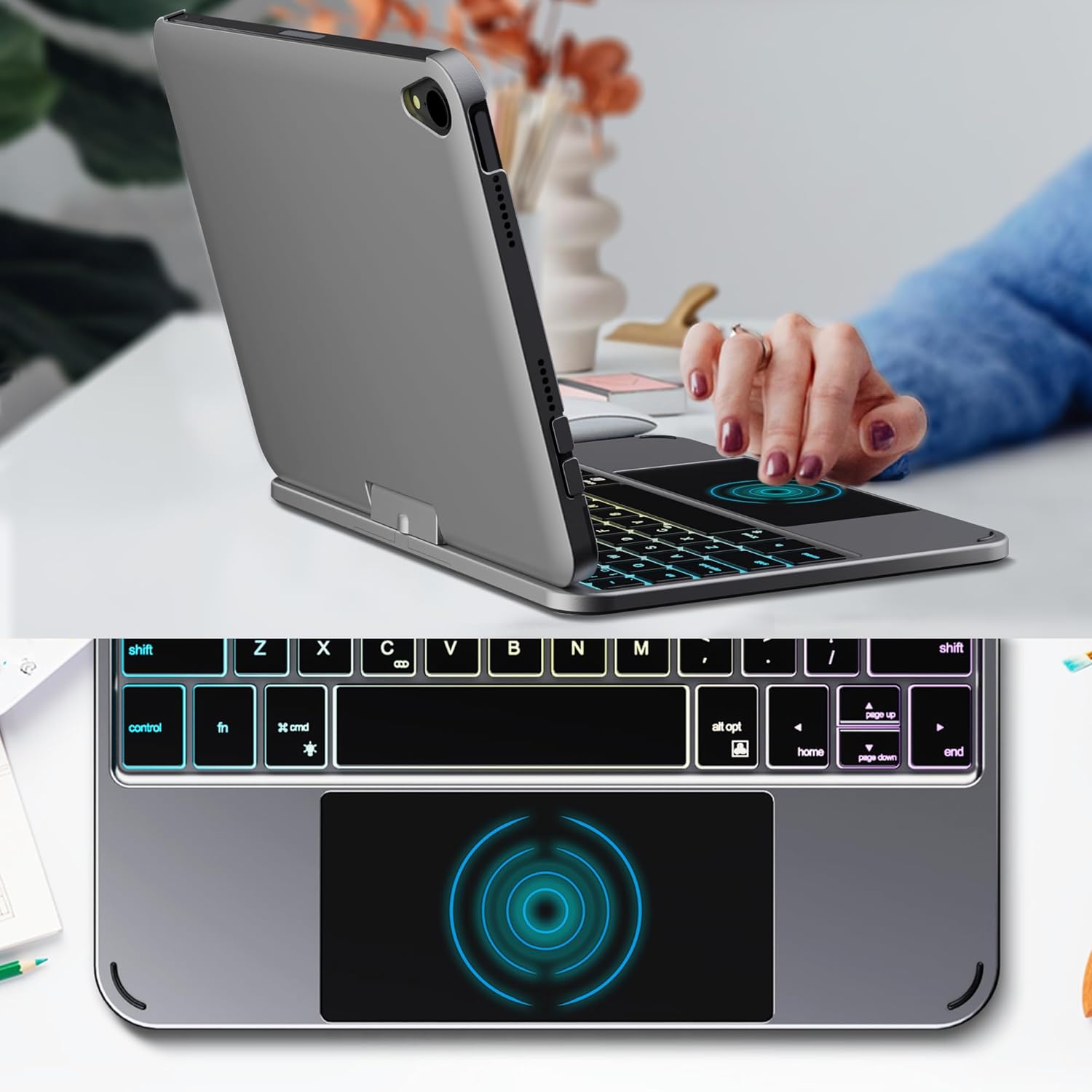
Image: Backlit keyboard and trackpad in use.

Image: Keycap and touchpad dimensions, and available colors.
4.3 Protection and Design
The case provides comprehensive protection for your iPad mini, safeguarding it from scratches and minor impacts. It features precise cutouts for the camera, charging port, and speakers.

Image: Case features and drop protection illustration.
5. Opstelinstruksies
5.1 Installing Your iPad mini
- Gently align your iPad mini with the case.
- Press the iPad firmly into the case until it is securely seated. Ensure all edges are properly covered and ports/buttons are accessible.
Video: Demonstrates the installation of the iPad mini into the keyboard case, followed by usage in laptop mode, trackpad interaction, and backlight activation.
5.2 Bluetooth -koppeling
- Skakel die sleutelbord aan: Locate the power button on the keyboard and press it to turn on the device.
- Activate Bluetooth on the keyboard: Press the "Fn" key and the "C" key simultaneously to activate Bluetooth pairing mode. The Bluetooth indicator light will flash.
- Open iPad Settings: Op jou iPad, gaan na Instellings > Bluetooth.
- Koppel: In the Bluetooth device list, find "iPad keyboard" and tap to connect. A pairing request may appear; confirm it.
- The Bluetooth indicator light on the keyboard will stop flashing once successfully paired.
Video: Demonstrates the rotation of the iPad within the case, various usage modes, and the Bluetooth pairing process for the keyboard.
6. Bedryfsinstruksies
6.1 Sleutelbordfunksies
The keyboard includes standard keys and function keys specific to iPadOS:
- fn+c: Activates Bluetooth pairing mode.
- Fn + Light Bulb icon: Toggles keyboard backlight on/off and cycles through brightness levels.
- Fn + RGB icon: Changes backlight color (if multiple colors are supported).
- Huissleutel: Returns to the iPad home screen.
- Soek sleutel: Activates iPad search.
- Volume sleutels: Adjusts iPad volume.
- Mediabeheersleutels: Play/Pause, Previous Track, Next Track.
6.2 Trackpad Gestures
The trackpad supports various multi-touch gestures for efficient navigation:
- Enkelvinger kraan: Left-click.
- Twee-vinger tik: Right-click (context menu).
- Tweevingerrol: Scroll up/down or left/right.
- Swiep met drie vingers op: Go to the home screen.
- Three-finger swipe up and hold: Open the App Switcher.
- Three-finger swipe left/right: Switch between open apps.
- Knyp om in te zoem: Zoom in/out on content.
7. Laai en Battery
The keyboard case is powered by a built-in rechargeable battery. Use the provided USB-C cable to charge the keyboard.
- Battery kapasiteit: 500mAh
- Bystandtyd: Tot 90 dae
- Werkstyd: Up to 180 hours (without backlight)
- Laai aanwyser: The LED indicator will show charging status.
Connect the USB-C cable to the charging port on the keyboard and the other end to a USB power adapter (not included).

Image: Battery specifications and charging port location.
8. Onderhoud
- Keep the keyboard case away from liquids and extreme temperatures.
- Clean the case and keyboard with a soft, damp lap. Vermy harde chemikalieë.
- Moenie probeer om die produk uitmekaar te haal nie.
9. Probleemoplossing
9.1 Sleutelbord verbind nie via Bluetooth nie
- Maak seker dat die sleutelbord aangeskakel en volledig gelaai is.
- Make sure Bluetooth is enabled on your iPad.
- Press "Fn" + "C" on the keyboard to enter pairing mode.
- Vergeet die toestel in jou iPad se Bluetooth-instellings en probeer om weer te koppel.
- Herbegin beide jou iPad en die sleutelbord.
9.2 Sleutels reageer nie
- Check the battery level of the keyboard.
- Maak seker dat die sleutelbord behoorlik via Bluetooth gekoppel is.
- Maak rondom die sleutels skoon om enige puin te verwyder.
9.3 Trackpad Not Working
- Maak seker dat die sleutelbord via Bluetooth gekoppel is.
- Check iPad settings: Instellings > Algemeen > Trackpad & Mouse to ensure it's enabled and sensitivity is adjusted.
- Herbegin beide jou iPad en die sleutelbord.
10. Spesifikasies
| Kenmerk | Spesifikasie |
|---|---|
| Handelsmerk | edaiser |
| Modelnommer | edaiser Swivel 83ATS |
| Versoenbare modelle | Apple iPad mini 6th Gen (8.3-inch), iPad mini 7th Gen (A17 Pro) |
| Konnektiwiteit | Bluetooth |
| Tipe sleutelbord | Compact with RGB Backlight |
| Trackpad | Integrated, Multi-touch |
| Kragbron | Battery aangedrewe |
| Battery kapasiteit | 500mAh |
| Bystandtyd | Tot 90 dae |
| Werkstyd | Tot 180 uur (sonder agterlig) |
| Laaipoort | USB-C |
| Aantal sleutels | 64 |
| Keycap Size | 11.5 mm x 12.9 mm |
| Aanraakpaneelgrootte | 98.4 mm x 49.7 mm |
11. Waarborg en Ondersteuning
For warranty information and customer support, please refer to the official edaiser webwebwerf of kontak hul kliëntediens direk. Bewaar u aankoopbewys vir waarborgeise.