
1. Inleiding
Thank you for choosing the Baseus E13 TWS Bowie Headphones. This manual provides essential information for setting up, operating, and maintaining your new wireless earbuds. Please read it carefully before use to ensure optimal performance and longevity of your device.
2. Pakketinhoud
Verifieer dat alle items in jou pakket teenwoordig is:
- Baseus E13 TWS Bowie Headphones (Left and Right Earbuds)
- Laaikas
- USB-laaikabel
- Oorkussings (verskeie groottes)
- Gebruikershandleiding (hierdie dokument)

Image: The Baseus E13 TWS Bowie Headphones, including the earbuds, charging case, and the included USB charging cable.
3. Produk verbyview
The Baseus E13 TWS Bowie Headphones feature a compact design with a charging case for portability and extended battery life.

Image: The Baseus E13 TWS Bowie Headphones, showing both earbuds resting in their open charging case.
4. Opstelling
4.1 Laai die oordopjes en houer
- Aanvanklike heffing: Laai die oordopjes en laaikassie volledig voor die eerste gebruik.
- Laai die saak: Connect the provided USB charging cable to the charging port on the case and a compatible USB power source. The indicator light on the case will show charging status.
- Laai die oordopjes: Place the earbuds into the charging case. Ensure they are correctly seated; the indicator lights on the earbuds will confirm charging.
A full charge provides up to 30 hours of total playback time with the charging case.
4.2 Bluetooth -koppeling
- Krag aan: Maak die laaikas oop. Die oorfone sal outomaties aanskakel en in paringsmodus gaan.
- Aktiveer Bluetooth: Aktiveer Bluetooth op jou toestel (slimfoon, tablet, ens.).
- Kies Toestel: Soek vir "Baseus E13" in the list of available Bluetooth devices and select it to connect.
- Bevestiging: 'n Stemboodskap sal suksesvolle paring bevestig.
Die oorfone sal outomaties weer aan die laaste gekoppelde toestel koppel wanneer dit uit die houer gehaal word, indien Bluetooth op die toestel geaktiveer is.
4.3 Toepassingsbeheer
Enhance your experience by downloading the official Baseus app. The app allows for customizable controls, EQ settings, and other features.
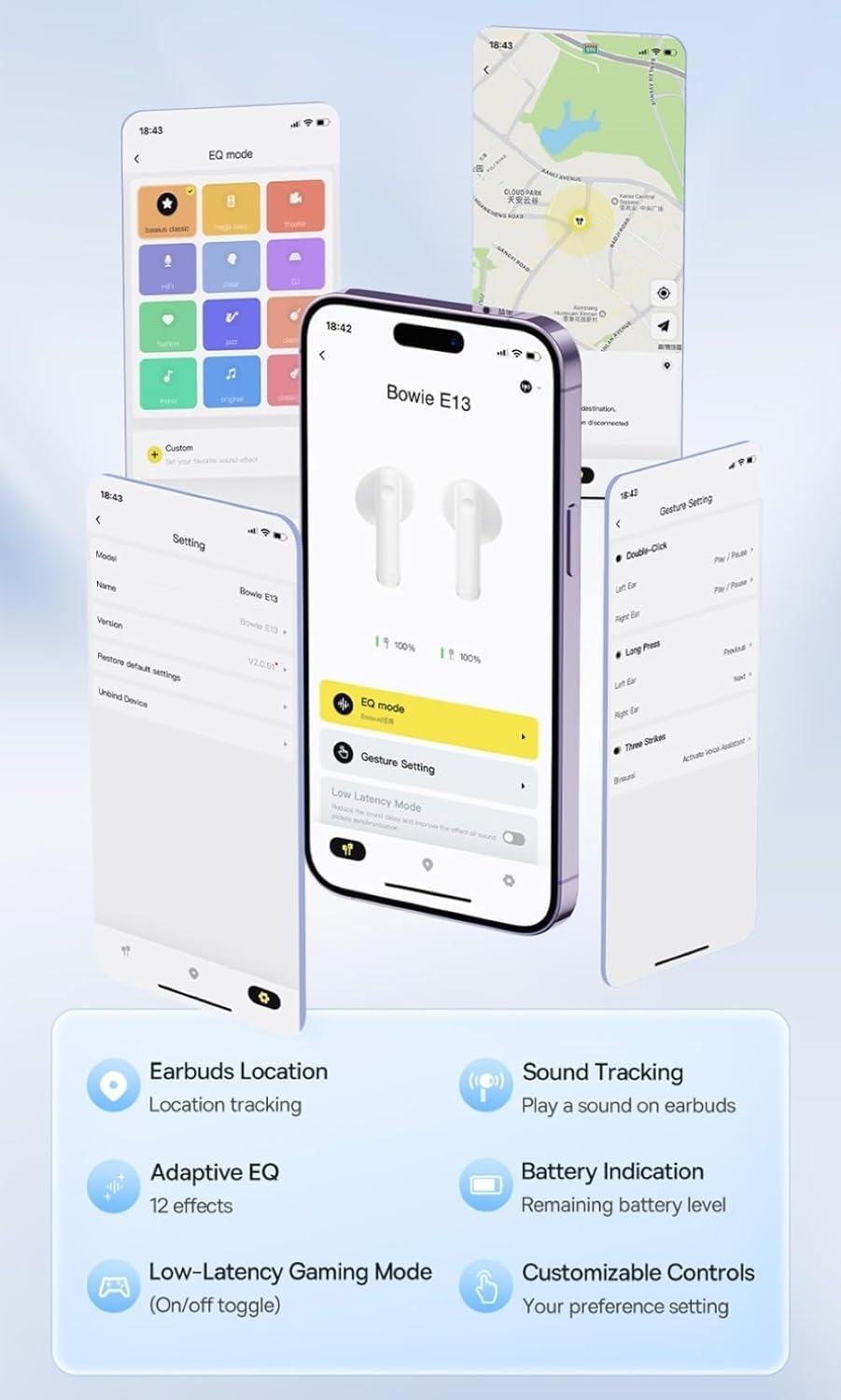
Image: Multiple smartphone screens displaying the Baseus app interface, highlighting features such as EQ mode, gesture settings, low-latency gaming mode, earbud location tracking, sound tracking, adaptive EQ with 12 effects, battery indication, and customizable controls.
5. Operasie
5.1 Basiese kontroles
The Baseus E13 TWS Bowie Headphones feature touch controls for easy management of audio and calls. Specific gestures can be customized via the Baseus app.
- Speel/pouse: Enkele tik op enige van die oordopjes.
- Volgende snit: Dubbeltik op die regteroorfone.
- Vorige snit: Dubbeltik op die linker oordopje.
- Beantwoord/beëindig oproep: Enkele tik op enige van die oordopjes.
- Verwerp oproep: Druk lank op enige oordopjes.
- Aktiveer stemassistent: Tik drie keer op enige oordopjes.
5.2 Low-Latency Gaming Mode
For an optimized gaming experience, activate the 0.06s ultra-low latency gaming mode through the Baseus app. This reduces audio delay, providing faster response times.
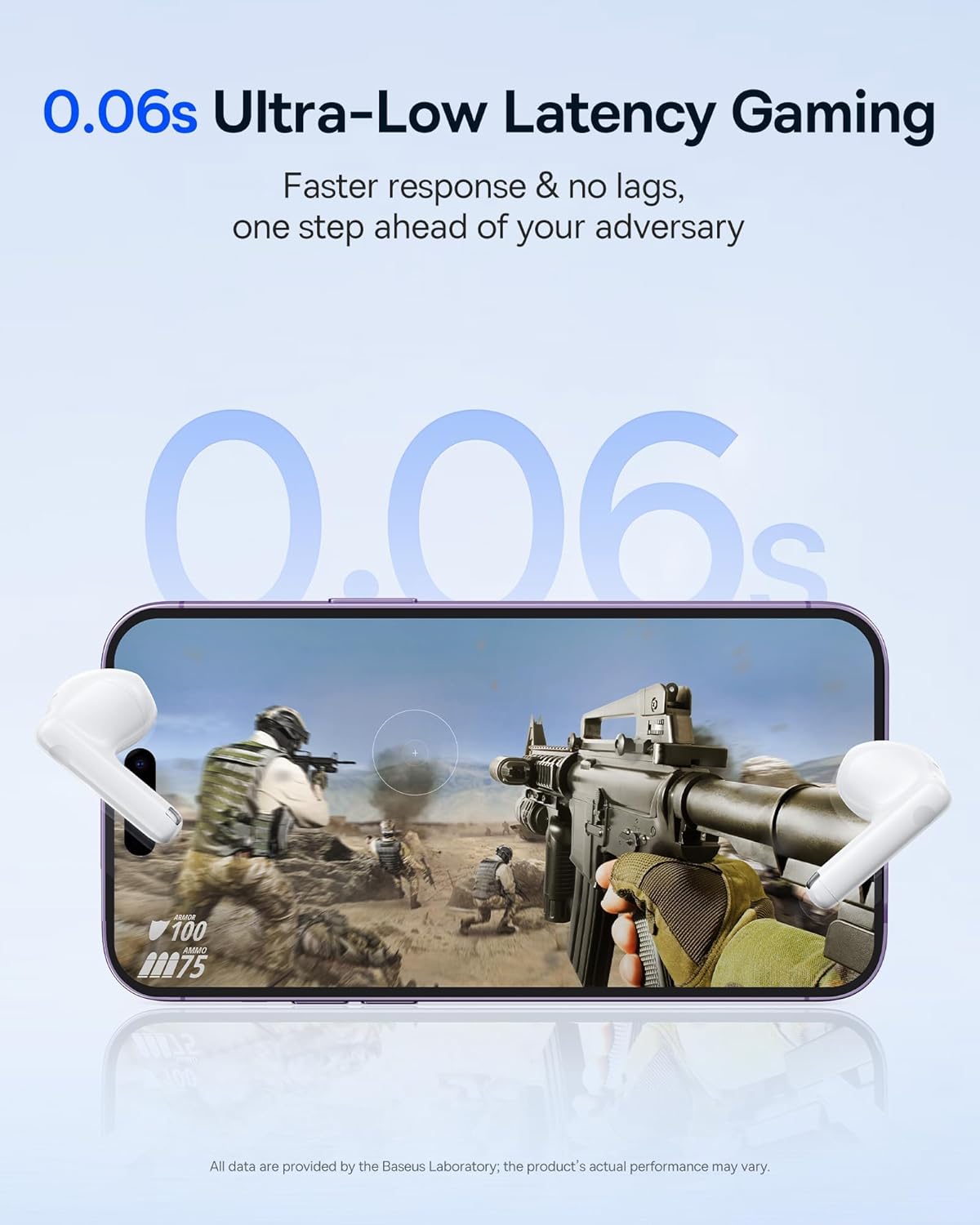
Image: The Baseus E13 TWS Bowie Headphones positioned near a smartphone screen displaying a fast-paced first-person shooter game, emphasizing the 0.06s ultra-low latency feature for gaming.
5.3 Oudio-terugspeel
Enjoy up to 30 hours of continuous audio playback with the assistance of the charging case. Each earbud provides several hours of playback on a single charge, with the case offering multiple recharges.

Image: The Baseus E13 TWS Bowie Headphones and their charging case, overlaid with a graphic prominently displaying '30H', signifying the total audio playback time achievable with the case.
5.4 Klankkwaliteit
The earbuds are equipped with a large 12mm diaphragm, designed to restore each note with remarkable depth and accuracy, providing a powerful low-frequency audio experience.

Image: A detailed cutaway diagram of a Baseus E13 TWS earbud, focusing on the internal structure of the large 12mm diaphragm and its contribution to sound quality.
5.5 Konnektiwiteit
Utilizing Bluetooth 5.3 technology, the headphones offer a faster and more stable wireless connection, ensuring smooth audio transmission and enhanced sound quality.

Beeld: 'n Deursigtige view of a Baseus E13 TWS earbud, revealing its internal circuitry and specifically highlighting the integrated Bluetooth 5.3 chip for advanced wireless connectivity.
6. Dra van die oordopjes
The earbuds are designed with a mini stem and a lightweight profile, featuring a 45° wearing angle for a comfortable and secure fit.

Image: A woman wearing a Baseus E13 TWS earbud, illustrating the ergonomic design with a mini stem and lightweight construction for a comfortable user experience.
7. Onderhoud
- Skoonmaak: Maak die oorfone en laaikas gereeld skoon met 'n sagte, droë, pluisvrye lap. Moenie harde chemikalieë of skuurmiddels gebruik nie.
- Waterweerstand: The earbuds are water resistant. Avoid submerging them in water or exposing them to excessive moisture. Dry thoroughly if they come into contact with liquids.
- Berging: Wanneer dit nie gebruik word nie, bêre die oorfone in hul laaikassie om hulle te beskerm en gelaai te hou. Bêre op 'n koel, droë plek weg van uiterste temperature.
- Batterysorg: Om die batterylewe te behou, vermy om die oorfone en houer gereeld heeltemal te ontlaai. Laai hulle gereeld, selfs al word hulle nie voortdurend gebruik nie.
8. Probleemoplossing
If you encounter issues with your Baseus E13 TWS Bowie Headphones, refer to the following common solutions:
- Geen klank:
- Maak seker dat die oorfone gelaai is.
- Check Bluetooth connection to your device.
- Verstel die volume op beide oorfone en gekoppelde toestel.
- Oorfone koppel nie:
- Plaas die oorfone terug in die houer, maak toe en maak dit dan weer oop om weer in paringsmodus te gaan.
- Forget "Baseus E13" from your device's Bluetooth list and attempt to pair again.
- Maak seker dat oorfone binne die bereik van jou toestel is.
- Laai kwessies:
- Verify the charging cable is securely connected to both the case and power source.
- Probeer 'n ander USB-poort of kragadapter.
- Ensure charging contacts on earbuds and in case are clean and free of debris.
- Een oordopjes werk nie:
- Maak seker dat beide oordopjes gelaai is.
- Try resetting the earbuds (refer to app or Baseus support for specific instructions).
9. Spesifikasies
| Handelsmerk | Baseus |
| Model Naam | E13 TWS |
| Verbindingstegnologie | Draadloos (Bluetooth 5.3) |
| Oorplasing | In Oor |
| Vormfaktor | Ware draadloos |
| Impedansie | 32 ohm |
| Tipe beheer | Touch controls, App |
| Materiaal | Plastiek |
| Item gewig | 0.07 kilogram |
| Waterweerstandvlak | Waterbestand |
| Maksimum bedryfsafstand | 10 meter |
| Battery Gemiddelde Lewe | Tot 30 uur (met laadkas) |
| Spesiale kenmerke | 0.06s ultra-low latency, Faster and more stable 5.3 wireless chip, Lightweight and Mini Design, Powerful low frequency controller |
10. Waarborg en Ondersteuning
Baseus products are designed for reliability and performance. For warranty information, please refer to the warranty card included with your purchase or visit the official Baseus website. For technical support or further assistance, please contact Baseus customer service or visit the Baseus Winkel op Amazon.