
1. Inleiding
Thank you for choosing the SBS 30000 mAh Power Bank. This portable charger is designed to provide reliable and fast power to your electronic devices on the go. Featuring multiple charging ports and high capacity, it ensures your devices remain powered throughout your day. This manual provides essential information for the safe and efficient use of your power bank.

Image 1.1: The SBS 30000 mAh Power Bank, a portable charging device.
2. Veiligheidsinligting
- Moenie die kragbank blootstel aan uiterste temperature (bo 45°C of onder 0°C), direkte sonlig of hoë humiditeit nie.
- Avoid dropping, disassembling, or attempting to repair the device yourself. This may void the warranty and pose safety risks.
- Hou die kragbank weg van water en ander vloeistowwe.
- Gebruik slegs gesertifiseerde laaikabels en adapters.
- Hou buite bereik van kinders.
- Gooi die kragbank verantwoordelik weg volgens plaaslike regulasies.
- This power bank is designed to be airline portable, adhering to common regulations for carry-on luggage.

Image 2.1: The power bank is suitable for air travel as carry-on luggage.
3. Pakketinhoud
Die pakket sluit gewoonlik in:
- SBS 30000 mAh Power Bank
- USB-laaikabel
- Gebruikershandleiding (hierdie dokument)
4. Produk verbyview
The SBS 30000 mAh Power Bank features multiple ports for versatile charging and LED indicators to show battery status.
4.1 Poorte en aanwysers
- USB-C 1 Input/Output (PD 20W): This port can be used to recharge the power bank or to charge compatible devices with Power Delivery.
- USB-C 2 Output (PD 20W): Dedicated output port for fast charging devices with Power Delivery.
- USB-A 1 Output (AFC 18W): Output port for charging devices with Adaptive Fast Charge.
- USB-A 2 Output (AFC 18W): Output port for charging devices with Adaptive Fast Charge.
- AAN/UIT-knoppie: Aktiveer die kragbank en kontroleer die batteryvlak.
- LED-aanwysers: Four LED lights indicate the remaining battery charge level.

Image 4.1: Technical diagram illustrating the ON/OFF button, LED indicators, and the four charging ports (2x USB-C, 2x USB-A) with their respective power outputs.

Image 4.2: Visual representation of the power bank's ports, including two USB-A ports (18W Adaptive Fast Charge) and two USB-C ports (one 20W Power Delivery output, one Type-C input).
5. Opstelling
5.1 Aanvanklike gebruik
The power bank is pre-charged upon delivery and ready for immediate use. For optimal performance and to ensure full capacity, it is recommended to fully charge the power bank before its first extensive use.
6. Bedryfsinstruksies
6.1 Herlaai van die kragbank
- Connect the included USB charging cable to the USB-C 1 Input/Output port on the power bank.
- Connect the other end of the cable to a compatible USB wall adapter (not included) or a computer's USB port.
- The LED indicators will flash to show the charging progress. All four LEDs will be solid when the power bank is fully charged.
6.2 Laai jou toestelle
The power bank can charge up to four devices simultaneously, including smartphones, tablets, speakers, TWS earphones, and e-readers.
- Connect your device's charging cable to one of the available output ports (USB-C 1, USB-C 2, USB-A 1, or USB-A 2) on the power bank.
- Verbind die ander punt van die kabel met u toestel.
- The power bank will automatically begin charging your device. If not, press the ON/OFF button once.
- The USB-C ports offer 20W Power Delivery for ultra-fast charging of compatible devices.
- The USB-A ports provide 18W Adaptive Fast Charge for devices not compatible with Power Delivery.

Image 6.1: The power bank is capable of charging multiple devices at the same time, even while it is being recharged itself, thanks to Dual Charge technology.
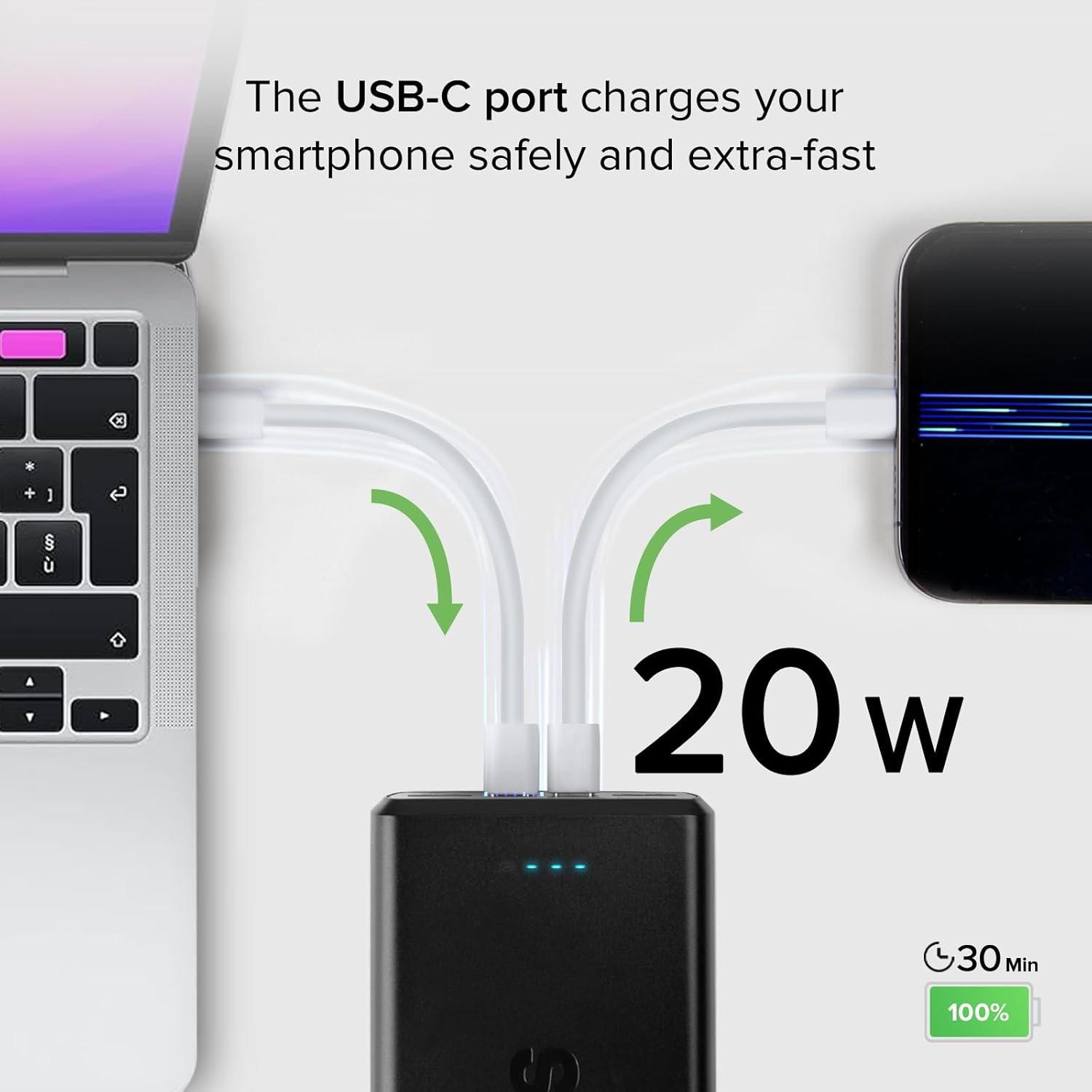
Image 6.2: A USB-C port delivering 20W of power to rapidly charge a smartphone, reaching 100% in approximately 30 minutes.

Image 6.3: A USB-A port providing 18W Adaptive Fast Charge, capable of fully charging a smartphone in about 45 minutes.
6.3 Kontroleer batteryvlak
Press the ON/OFF button once to view the current battery charge level indicated by the four LED lights.
- 4 LED's: 75-100% heffing
- 3 LED's: 50-75% heffing
- 2 LED's: 25-50% heffing
- 1 LED: 0-25% heffing
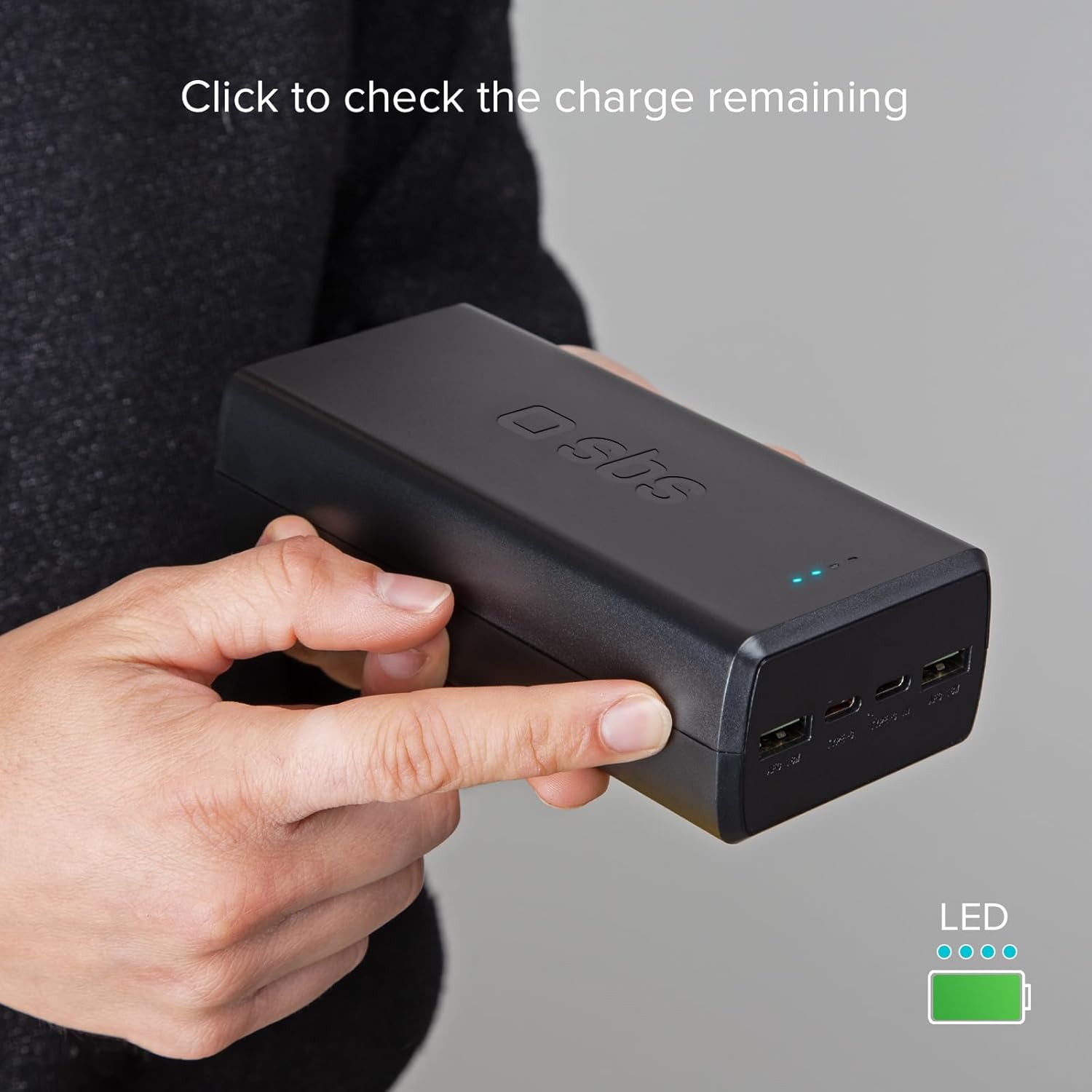
Image 6.4: A user pressing the side button to activate the LED indicators and check the remaining charge of the power bank.
7. Onderhoud
- Maak die kragbank skoon met 'n sagte, droë lap. Moenie harde chemikalieë of skuurmiddels gebruik nie.
- Berg die kragbank op 'n koel, droë plek wanneer dit nie gebruik word nie.
- If storing for an extended period, recharge the power bank every 3-6 months to maintain battery health.
8. Probleemoplossing
8.1 Kragbank laai nie
- Ensure the charging cable is securely connected to both the power bank's USB-C input port and the power source.
- Verify that the wall adapter or USB port is functional. Try a different adapter or port.
- Check if the charging cable is damaged. Try using a different cable.
8.2 Toestel laai nie vanaf kragbank nie
- Maak seker dat die kragbank voldoende gelaai is (kontroleer LED-aanwysers).
- Press the ON/OFF button to activate the power bank.
- Verify that the charging cable is securely connected to both the power bank's output port and your device.
- Probeer 'n ander uitvoerpoort op die kragbank.
- Check if your device's charging cable is damaged. Try a different cable.
- Some devices may require specific charging protocols. Ensure compatibility.
8.3 Stadige Laai
- Ensure you are using a fast-charging compatible cable and adapter for recharging the power bank or charging your devices.
- Verify that your device supports Power Delivery (PD) or Adaptive Fast Charge (AFC) for optimal speeds.
- Charging multiple devices simultaneously may distribute power, potentially reducing individual charging speeds.
9. Spesifikasies
| Handelsmerk | SBS |
| Model | 30000 mAh |
| Battery samestelling | Litium-polimeer |
| Kapasiteit | 30000 mAh |
| Input (USB Type-C 1) | 5V D.C. 3A, 9V D.C. 2.22A, 12V D.C. 1.67A (PD 20W) |
| Output (USB Type-C 1) | 5V D.C. 3A, 9V D.C. 2.22A, 12V D.C. 1.67A (PD 20W) |
| Output (USB Type-C 2) | 5V D.C. 3A, 9V D.C. 2.22A, 12V D.C. 1.67A (PD 20W) |
| Output (USB-A 1 & 2) | 5V D.C. 3A, 9V D.C. 2A, 12V D.C. 1.5A (18W) |
| Spesiale kenmerke | Fast Charge, Short Circuit Protection, Discharge Protection, LED Indicator |
| Kleur | Swart |
| Produk afmetings | 14L x 6.7W x 4H sentimeter |
10. Waarborginligting
This SBS Power Bank is covered by a manufacturer's warranty. Please refer to the warranty card included with your purchase or visit the official SBS webwebwerf vir gedetailleerde bepalings en voorwaardes rakende waarborgdekking en eise.
11. Ondersteuning
For technical assistance, product inquiries, or customer service, please visit the official SBS webwebwerf of kontak hul kliëntediensspan deur die kontakinligting wat op hul webwerf verskaf word webwebwerf. Hou asseblief u produkmodel en aankoopbesonderhede gereed wanneer u ondersteuning kontak.