
1. Produk verbyview
The Roku 40" Select Series 1080p Full HD Smart RokuTV offers a seamless entertainment experience with its integrated Roku platform. Enjoy bright, full HD picture quality and clear audio. The customizable home screen provides quick access to streaming apps, inputs, and free live TV. This model features a bezel-less design and comes with a voice remote for easy navigation.
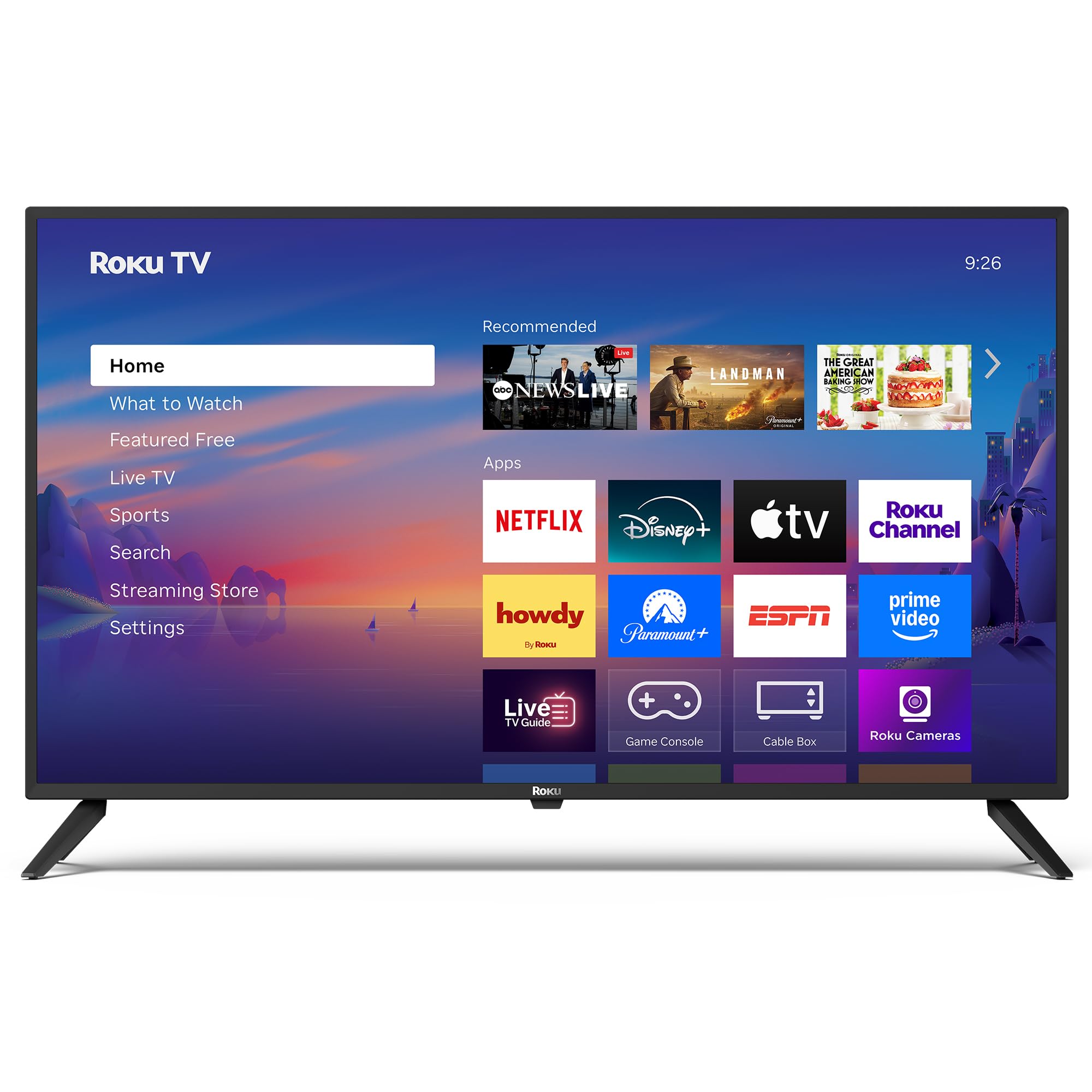
Beeld: Voorkant view of the Roku 40" Select Series Full HD Smart TV.
2. Wat is in die boks
- Roku 40” Select Series Full HD Smart TV
- Roku voice remote with batteries
- TV-staanders (2)
- Stand screws (4)
- Gebruikershandleiding (hierdie dokument)

Image: Diagram illustrating the components included in the Roku TV package.
3. Opstelgids
3.1 Bevestiging van die TV-staanders
- Plaas die TV-skerm versigtig met die skerm na onder op 'n sagte, skoon oppervlak om skrape te voorkom.
- Rig elke TV-staander met die ooreenstemmende skroefgate aan die onderkant van die TV.
- Insert the provided screws into the holes and tighten them securely with a screwdriver.
- Ensure both stands are firmly attached before proceeding.
3.2 Aansluiting van krag en aanvanklike opstelling
- Connect the power cord to the TV and then to a standard electrical outlet (100-240 VAC, 50-60 Hz).
- Insert the AAA batteries into the Roku voice remote.
- Druk die aan/uit-knoppie op die afstandbeheerder om die TV aan te skakel.
- Volg die instruksies op die skerm om jou taal te kies, aan jou Wi-Fi-netwerk te koppel en jou Roku-rekening te aktiveer.
- The TV will guide you through adding your preferred streaming apps and setting up any connected devices.

Beeld: Nabyskoot view of the TV's side panel, showing various input ports like HDMI, USB, and antenna connection.
4. Operating Your Roku TV
4.1 Tuisskermnavigasie
The Roku home screen provides a centralized hub for all your entertainment. Easily access streaming apps, connected devices (like game consoles or cable boxes), and free live TV channels. The interface is designed for quick and intuitive navigation using your Roku voice remote.

Image: The Roku TV home screen, showing a grid of streaming applications and input selections.
4.2 Gebruik van die stemafstandbeheerder
The included voice remote simplifies your TV experience. Use voice commands to search for movies, shows, or songs across thousands of streaming apps. Dedicated shortcut buttons provide instant access to popular services like Netflix, Disney+, and Apple TV. Volume controls are conveniently located on the side of the remote.

Image: Close-up of the Roku voice remote, highlighting the voice command button and dedicated app shortcuts.
4.3 Beeld- en klankinstellings
The Roku TV delivers a bright, full HD picture with exceptional clarity. It features direct LED backlighting for better brightness and uniformity. Enhanced audio output is provided by built-in speakers. You can adjust picture modes, screen brightness, and other advanced settings through the TV's menu to optimize your viewondervinding.
4.4 Slimhuis-integrasie
The Roku TV is compatible with various smart home ecosystems, including Apple AirPlay 2, Apple Home, Alexa, and Google Home. This allows for integrated control and seamless interaction with your existing smart devices.

Image: Icons representing compatibility with various smart home platforms.
5. Onderhoud
Om die lang lewensduur en optimale werkverrigting van jou Roku TV te verseker, volg hierdie onderhoudsriglyne:
- Skoonmaak van die skerm: Use a soft, lint-free cloth specifically designed for electronics. Gently wipe the screen to remove dust and smudges. Avoid harsh chemicals or abrasive materials.
- Skoonmaak van die buitekant: Wipe the TV's exterior with a soft, dry cloth. Do not use liquid cleaners directly on the TV.
- Ventilasie: Ensure the TV's ventilation openings are not blocked to prevent overheating. Maintain adequate space around the TV for air circulation.
- Kragbestuur: Ontkoppel die TV uit die kragtoevoer tydens elektriese storms of wanneer dit vir lang tye sonder toesig gelaat sal word.
6. Probleemoplossing
If you encounter issues with your Roku TV, try the following basic troubleshooting steps:
- Geen krag: Ensure the power cord is securely plugged into both the TV and the electrical outlet. Check if the outlet is functioning by plugging in another device.
- Geen Beeld/Klank: Verify that the correct input source is selected on the TV. Check all cable connections (HDMI, AV, etc.) for looseness.
- Afstandsbediening reageer nie: Replace the batteries in the remote. Ensure there are no obstructions between the remote and the TV. Re-pair the remote if necessary (refer to the on-screen instructions during initial setup or the Roku support site).
- Netwerkverbindingsprobleme: Restart your Wi-Fi router and modem. Go to the TV's network settings to reconnect to your Wi-Fi network.
- App vries/ineenstort: Restart the specific app. If the issue persists, restart the TV by unplugging it from the power outlet for 30 seconds and then plugging it back in.
For more detailed troubleshooting or persistent issues, visit the official Roku support webwebwerf.
7. Spesifikasies
| Kenmerk | Detail |
|---|---|
| Skerm grootte | 40 duim |
| Handelsmerk | Roku |
| Modelnommer | 40R2A5R |
| Vertoon tegnologie | LED |
| Resolusie | 1080p Full HD |
| Herlaaitempo | 60 Hz |
| Bedryfstelsel | Roku OS |
| Spesiale kenmerke | Bezel-Less Design, Voice Remote |
| Verbindingstegnologie | HDMI, USB, Wi-Fi |
| Totale HDMI-poorte | 3 |
| Total USB 3.0 Ports | 1 |
| Klankuitvoermodus | Verbeterde |
| Beheer metode | App Control, Remote Control, Voice Control |
| Screen Mirroring Technology | AirPlay 2, Miracast |
| Produk Afmetings (D x B x H) | 8.7" D x 35.5" B x 22.6" H |
| Item Weight Without Stand | 11.2 pond |
| VESA-monteringsstandaard | 200 x 100 mm |
8. Waarborg en Ondersteuning
8.1 Beperkte waarborg
Roku warrants the hardware of this device against defects in materials and workmanship under normal use for a period of one (1) year from the date of purchase ("Warranty Period"), provided it is used in accordance with the provided documentation. If a hardware defect is determined during the Warranty Period, Roku's sole obligation and your exclusive remedy will be to either repair or replace the unit with a new or rebuilt device, at Roku's option.
Important information about warranty returns and replacements is available on the Roku support site.
8.2 Produkterugsendings
You may return a device for any reason, subject to the terms of the applicable return policy:
- Within thirty (30) days from the date of purchase from Roku.
- Within the applicable return period if purchased from an authorized reseller or distributor.
Additional details regarding product returns can be found on the Roku support site.