
1. Inleiding
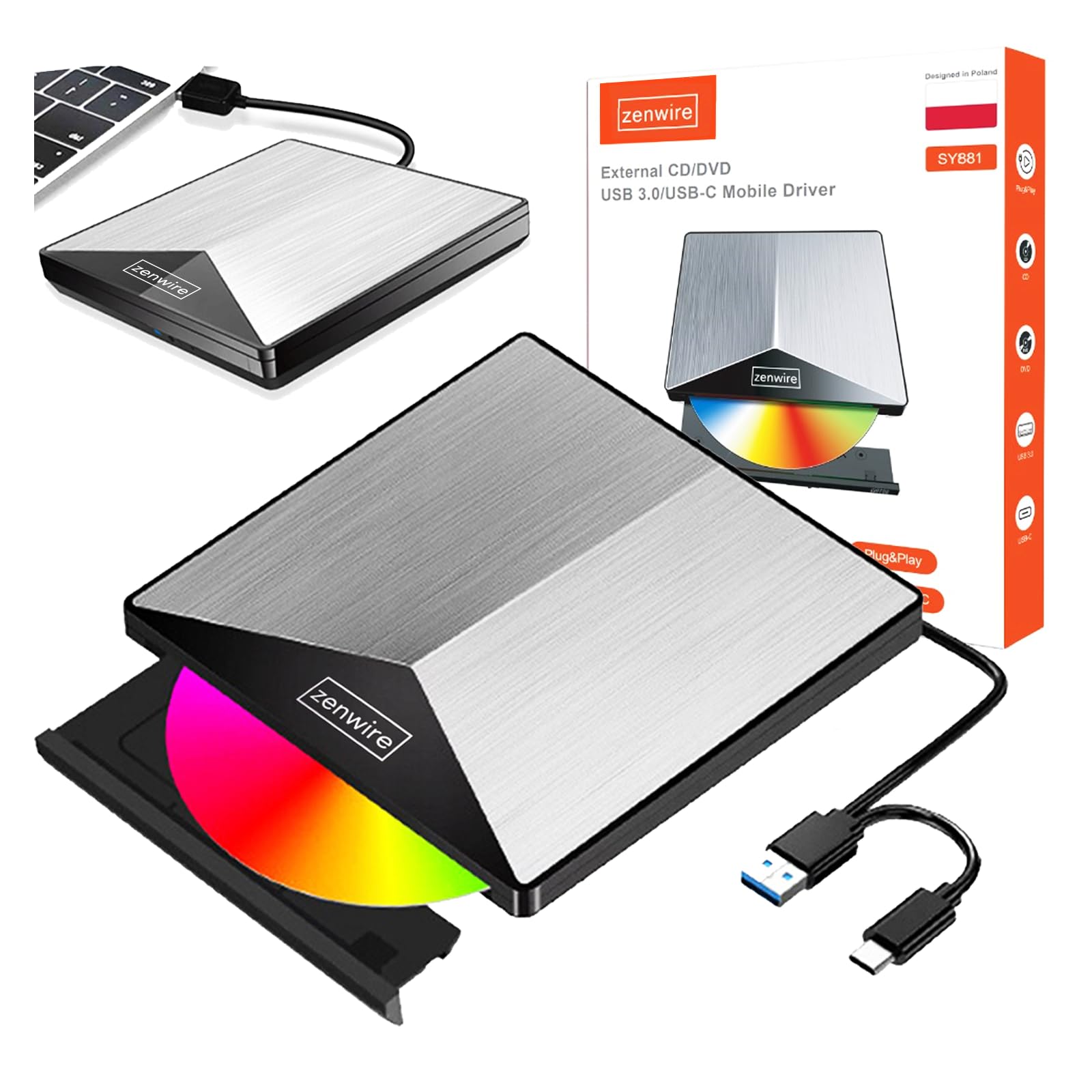
Thank you for choosing the Zenwire External CD/DVD Drive. This device is a versatile and portable solution for both reading and writing optical discs, designed for use with laptops and desktop computers. It features modern USB 3.0 and USB-C 3.1 interfaces, ensuring rapid data transfer speeds up to 5 Gb/s. Its durable aluminum casing provides efficient heat dissipation and a sleek design. This drive is compatible with various operating systems, including Windows, Mac OS, and Linux, offering broad utility for a wide range of users.
Sleutel kenmerke sluit in:
- USB 3.0 and USB-C 3.1 Support: Offers very high data transfer speeds up to 5 Gb/s, enhancing efficiency for large files and multimedia.
- Aluminium Casing: Durable and elegant, effectively dissipates heat for long-lasting and safe use.
- Bedryfstelselversoenbaarheid: Seamless operation across multiple platforms, including Windows, Mac OS, and Linux.
- Draagbaarheid: Slim design and low weight allow for easy transport, ideal for users on the go.
- Plug and Play: Simple installation without the need for additional drivers, enabling quick use immediately after connection.
2. Veiligheidsinligting
Lees asseblief hierdie veiligheidsriglyne en volg dit om behoorlike werking te verseker en skade aan die toestel of beserings te voorkom:
- Moenie die toestel aan water, vog of uiterste temperature blootstel nie.
- Vermy om die toestel te laat val of aan sterk impakte te onderwerp.
- Moenie probeer om die toestel self uitmekaar te haal of te herstel nie. Raadpleeg gekwalifiseerde dienspersoneel.
- Use only compatible discs and cables.
- Hou die toestel weg van sterk magnetiese velde.
3. Pakketinhoud
Verifieer dat alle items in jou pakket teenwoordig is:
- Zenwire External CD/DVD Drive
- Integrated USB 3.0 / USB-C 3.1 Cable
- Gebruikershandleiding (hierdie dokument)
4. Produk verbyview
Familiarize yourself with the components and dimensions of your Zenwire External CD/DVD Drive.

Prent: Close-up views of the Zenwire External CD/DVD Drive, highlighting the integrated USB cable, the disc eject button, and the anti-slip feet on the bottom. These details illustrate the device's connectivity and stable design.

Prent: The Zenwire External CD/DVD Drive displayed with its approximate dimensions: 5.9 inches (148mm) in length, 5.9 inches (149mm) in width, and 0.6 inches in thickness. This illustrates the compact and slim profile van die toestel.
5. Opstelling
The Zenwire External CD/DVD Drive is designed for simple plug-and-play operation. No additional drivers are typically required for most operating systems.
- Locate an available USB 3.0 or USB-C port on your computer (laptop or desktop).
- Connect the integrated USB cable from the Zenwire drive directly into the chosen port on your computer.
- Die bedryfstelsel behoort outomaties die nodige drywers op te spoor en te installeer. Hierdie proses kan 'n paar oomblikke neem.
- Once installed, the drive will appear as a removable storage device in your computer's file verkenner of lessenaar.
Prent: The Zenwire External CD/DVD Drive shown connected to a laptop via its integrated USB cable. This illustrates the simple plug-and-play connection process.
6. Bedryfsinstruksies
6.1 'n Skyf Insit
- Druk die uitwerpknoppie aan die voorkant van die aandrywer. Die skyflaai sal uitskuif.
- Carefully place the disc onto the tray with the label side facing up. Ensure the disc is seated correctly in the center.
- Gently push the tray back into the drive until it clicks into place. Do not force the tray.

Prent: A hand carefully inserting a CD into the open disc tray of the Zenwire External CD/DVD Drive. This demonstrates the correct method for disc placement.
6.2 Reading and Writing Discs
Once a disc is inserted and recognized by your computer, you can perform various operations:
- Lees: For data discs, open 'This PC' or 'My Computer' (Windows) or 'Finder' (Mac) and click on the drive icon to access its contents. For movie DVDs or audio CDs, your operating system may prompt you to open a media player.
- Writing (Burning): To burn data to a blank CD or DVD, insert a blank disc. Your operating system or third-party burning software will guide you through the process of selecting files and initiating the burn.
6.3 Ondersteunde skyfformate
The drive supports a variety of optical disc formats:
- CD-ROM, CD-R, CD-RW
- DVD-ROM, DVD-R, DVD+R, DVD-RW, DVD+RW
- VCD

Prent: The Zenwire External CD/DVD Drive displayed alongside icons representing VCD, CD, and DVD, clearly indicating the range of optical disc formats supported by the device.
6.4 Bedryfstelselversoenbaarheid
The drive is compatible with the following operating systems:
- Windows (XP, Vista, 7, 8, 10, 11)
- Mac OS
- Linux

Prent: The Zenwire External CD/DVD Drive depicted in a setup demonstrating its compatibility with multiple operating systems, including various versions of Windows, Mac OS, and Linux. This highlights its universal usability.
7. Onderhoud
Proper maintenance ensures the longevity and optimal performance of your drive.
- Skoonmaak van die aandrywer: Use a soft, dry, lint-free cloth to wipe the exterior of the drive. Do not use liquid cleaners or abrasive materials. For the optical lens, use a specialized CD/DVD lens cleaning kit if necessary, following its instructions carefully.
- Skoonmaak van skywe: Always handle discs by their edges. If a disc is dirty, gently wipe it from the center outwards with a soft, lint-free cloth.
- Berging: Store the drive in a cool, dry place away from direct sunlight and extreme temperatures when not in use. Keep discs in their cases to prevent scratches and dust accumulation.
- Beskermende film: Upon first use, you may need to remove any protective film from the device's surface.

Prent: A hand demonstrating the removal of a protective film from the surface of the Zenwire External CD/DVD Drive. This step is often performed during the initial setup or maintenance to ensure optimal appearance and function.
8. Probleemoplossing
If you encounter issues with your Zenwire External CD/DVD Drive, refer to the following common problems and solutions:
- Drive not recognized by the computer:
- Maak seker dat die USB-kabel stewig aan beide die skyf en die rekenaar gekoppel is.
- Probeer om die skyf aan 'n ander USB-poort op jou rekenaar te koppel.
- Toets die skyf op 'n ander rekenaar om 'n rekenaarspesifieke probleem uit te sluit.
- Herbegin jou rekenaar.
- Disc not reading or writing:
- Check the disc for scratches, dirt, or damage. Try a different disc.
- Maak seker dat die skyf korrek geplaas is met die etiketkant na bo.
- For writing, ensure you are using a blank, compatible disc (CD-R/RW, DVD-R/RW, DVD+R/RW).
- Clean the drive's optical lens using a specialized cleaning disc.
- Slow data transfer speed:
- Ensure the drive is connected to a USB 3.0 or USB-C 3.1 port on your computer for optimal speed. USB 2.0 ports will result in slower performance.
- Avoid using USB hubs if possible, or ensure the hub is powered and supports USB 3.0/USB-C speeds.
- Drive makes unusual noises:
- This can sometimes occur with unbalanced or damaged discs. Try a different disc.
- Maak seker dat die aandrywer op 'n stabiele, plat oppervlak geplaas is.
9. Spesifikasies
| Kenmerk | Beskrywing |
|---|---|
| Handelsmerk | Zenwire |
| Modelnommer | 5904507529123 |
| Koppelvlak | USB 3.0, USB Type C |
| Data-oordragspoed | Up to 5 Gb/s (via USB 3.0 / USB-C 3.1) |
| Optical Write Speed | 10x |
| Ondersteunde bedryfstelsels | Windows, Mac OS, Linux |
| Spesiale kenmerk | Plug & Play |
| Materiaal | Aluminium Casing |
| Afmetings (ongeveer) | 148mm (L) x 149mm (W) x 15mm (H) / 5.9in (L) x 5.9in (W) x 0.6in (H) |
10. Waarborginligting
Warranty terms and conditions are typically provided with your purchase documentation. Please refer to the specific warranty information included with your product or contact the retailer/manufacturer for details regarding warranty coverage and claims.
11. Ondersteuning
If you require further assistance or have questions not covered in this manual, please contact Zenwire customer support or your product retailer. Please have your model number (5904507529123) and purchase details ready when contacting support.