
1. Inleiding
This manual provides essential information for the proper use and maintenance of your SCS Sentinel RFID Badges. These badges are designed for secure access control with compatible SCS Sentinel systems operating at a frequency of 125 kHz.
Pakketinhoud:
- 5 x RFID Badges (125 kHz)
- 5 x Metal Key Rings
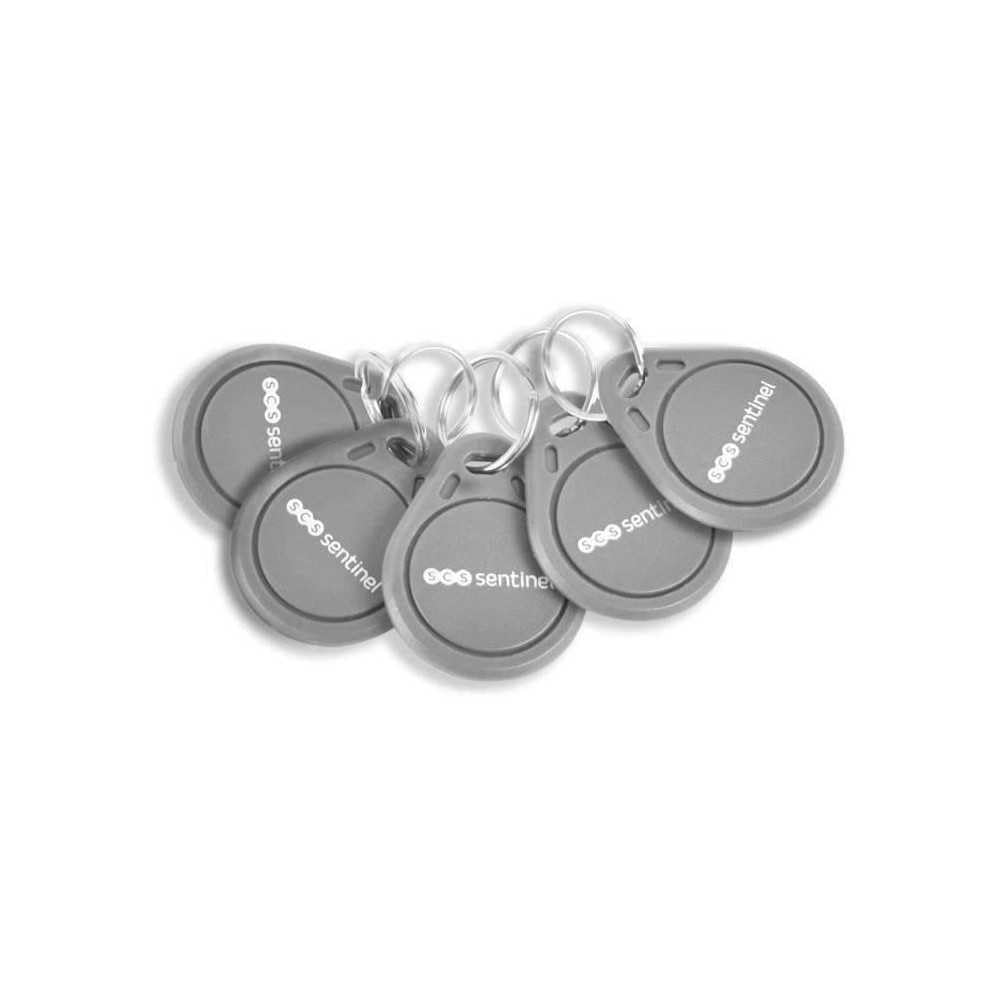
This image displays the five SCS Sentinel RFID badges, each with a metal key ring, as they appear in the package.
2. Veiligheidsinligting
Please read and understand all safety instructions before using the RFID badges to ensure safe operation and prevent damage.
- Read all instructions thoroughly before initial use.
- Keep the badges out of reach of children.
- Do not attempt to open, modify, or repair the badges. This will void any potential warranty.
- Avoid exposing the badges to extreme temperatures (hot or cold), direct sunlight for prolonged periods, or strong magnetic fields.
- Do not immerse the badges in water or other liquids.
- Handle the badges with care to prevent physical damage from dropping or impact.
3. Opstelling
The SCS Sentinel RFID badges operate at a frequency of 125 kHz and are designed for use with specific SCS Sentinel access control systems. These badges are passive and do not require batteries or internal setup.
Verenigbaarheid:
These badges are compatible with the following SCS Sentinel access control systems:
- CodeAccess A
- CodeAccess RFID
- CodeAccess 501
- VisioDoor 7+ RFID
- VisioKit 7 RFID
Registration with Access Control System:
To integrate the badges with your system, refer to the instruction manual of your specific SCS Sentinel access control device (e.g., CodeAccess keypad or VisioDoor intercom). Typically, this involves a programming mode on the access control device to register new RFID tags. Follow the steps outlined in your system's manual to add each badge.
Attaching Key Rings:
Attach the provided metal key rings to the badges for convenient carrying and easy attachment to your existing keychains.
4. Bedryfsinstruksies
Once registered with your compatible SCS Sentinel access control system, the RFID badge can be used to grant access.
Using the RFID Badge:
- Approach the compatible SCS Sentinel RFID reader on your access control device.
- Present the RFID badge within close proximity (typically 1-5 cm or 0.4-2 inches) of the RFID reader.
- Hold the badge steady against the reader until you receive a confirmation. The device will typically emit an audible signal (e.g., a beep) or provide a visual indication (e.g., an LED change from red to green) to confirm successful recognition and access granted.
- If access is not granted, ensure the badge is held correctly and try again.
5. Onderhoud
Proper care and maintenance will ensure the longevity and reliable performance of your RFID badges.
- Skoonmaak: Clean the badges with a soft, dry cloth. Do not use abrasive cleaners, solvents, or harsh chemicals, as these can damage the badge material.
- Berging: Store badges in a cool, dry place away from direct sunlight and extreme temperatures when not in use.
- Hantering: Avoid dropping the badges or subjecting them to strong impacts, which could damage the internal RFID chip.
- Batteryvry: The badges are passive RFID tags and do not require batteries or any internal maintenance.
6. Probleemoplossing
If you encounter issues with your RFID badges, refer to the following common problems and solutions:
- Badge not recognized by the reader:
- Ensure the badge is held correctly and close enough to the reader (within 1-5 cm).
- Verify that the badge has been properly registered with your access control system. Refer to your system's manual for registration procedures.
- Check for any physical obstructions between the badge and the reader.
- Ensure the access control system is powered on and functioning correctly.
- Intermittent recognition:
- This could be due to electromagnetic interference. Try using the badge away from other electronic devices or large metal objects that might cause interference.
- Ensure the badge is not physically damaged (e.g., cracked casing).
If the problem persists after attempting these solutions, please contact SCS Sentinel customer support.
7. Spesifikasies
| Modelnommer | SCS3701085204662 |
| Handelsmerk | SCS Sentinel |
| Frekwensie | 125 kHz |
| Verenigbaarheid | CodeAccess A, CodeAccess RFID, CodeAccess 501, VisioDoor 7+ RFID, VisioKit 7 RFID |
| Afmetings (ongeveer) | Lengte: 4.17 mm, Breedte: 40.36 mm, Hoogte: 31.97 mm |
| Materiaal | Plastic with metal key ring |
| Kragbron | Passive (no battery required) |
| Aantal stukke | 5 RFID badges, 5 metal rings |
| Land van oorsprong | Frankryk |
8. Waarborg en Ondersteuning
For technical support, warranty inquiries, or further assistance, please contact SCS Sentinel customer service. Refer to the documentation provided with your primary SCS Sentinel access control system for the most up-to-date contact details.
Information regarding spare parts availability for these badges is not provided at this time.