
1. Inleiding
Thank you for choosing the mollie A03-RV-002-30W-WH Robot Vacuum and Mop. This device is designed to provide efficient and convenient cleaning for your home, featuring both vacuuming and mopping capabilities, strong 2800Pa suction, and smart navigation. This manual provides essential information for the safe operation, setup, maintenance, and troubleshooting of your robot vacuum. Please read it thoroughly before use and retain it for future reference.
2. Veiligheidsinstruksies
To reduce the risk of injury or damage, read these safety instructions carefully and keep them accessible for future reference.
- Hierdie toestel kan gebruik word deur kinders van 8 jaar en ouer en persone met verminderde fisiese, sensoriese of geestelike vermoëns of 'n gebrek aan ervaring en kennis indien hulle toesig of instruksies ontvang het oor die gebruik van die toestel op 'n veilige manier en die betrokke gevare verstaan .
- Kinders moet onder toesig wees om te verseker dat hulle nie met die toestel speel nie.
- Skoonmaak en gebruikersinstandhouding mag nie deur kinders sonder toesig gedoen word nie.
- Gebruik slegs die oorspronklike kragadapter wat deur die vervaardiger verskaf word.
- Moenie die robot in omgewings met oop vlamme of brose voorwerpe gebruik nie.
- Ensure the charging dock is placed against a wall on a level surface, free from obstacles.
- Before cleaning, remove loose cables, small objects, or anything that could entangle the robot.
- Do not allow the robot to pick up large or sharp objects, liquids, or burning/smoking materials.
- Do not immerse the robot or its electronic components in water.
- Die robot is slegs vir binnenshuise gebruik ontwerp.
3. Pakketinhoud
Verify that all components are present and in good condition. If any items are missing or damaged, please contact customer support.
- Robot stofsuier
- Laaidok
- AC Adapter
- Syborsels (2x)
- Skoonmaak Borsel
- Watertenk
- Dry Mop
- Afstandbeheer
- Gebruikershandleiding
4. Produk verbyview
Familiarize yourself with the main components of your mollie robot vacuum.

Figuur 4.1: Ontplof view showing the robot vacuum's internal and external components, including the swivel wheel, dual side brushes, main brush, drive suspension tires, 500ml dustbin, 150ml water tank, and mopping cloth.
- Hoof Eenheid: The primary body of the robot, housing the motor, sensors, and control systems.
- Dustbin (500ml): Collects dust and debris during vacuuming.
- Watertenk (150ml): Holds water for mopping functionality.
- Syborsels: Sweep debris from edges and corners into the robot's path.
- Hoofborsel: Agitates and lifts dirt from floors and carpets.
- Aandryfwiele: Propel the robot across various surfaces.
- Swivel Wheel: Provides directional control and maneuverability.
- Sensors: Anti-fall, anti-collision, and navigation sensors for safe and efficient operation.
5. Opstelling
5.1 Laaidokplasing
Place the charging dock against a wall in an open area, ensuring there are no obstacles within 1 meter (3 feet) to the front and 0.5 meters (1.5 feet) to the sides. Connect the AC adapter to the charging dock and plug it into a power outlet.

Figuur 5.1: The robot vacuum automatically returns to its charging dock when the battery is low or cleaning is complete.
5.2 Aanvanklike laai
Before first use, fully charge the robot vacuum. Place the robot onto the charging dock, ensuring the charging contacts align. The indicator light on the robot will show charging status. A full charge typically takes 4-6 hours.
5.3 Installering van syborsels
Press the side brushes onto the posts at the bottom of the robot until they click into place. Ensure they are securely attached.
5.4 Voorbereiding vir mopping (opsioneel)
To use the mopping function, fill the 150ml water tank with clean water. Attach the dry mop cloth to the water tank. Insert the filled water tank assembly into the designated slot at the rear of the robot until it clicks.

Figuur 5.2: The robot vacuum with its 150ml water tank and mopping cloth attached, ready for simultaneous sweeping and mopping.
5.5 Wi-Fi/App Connection
Download the Tuya Smart app from your mobile device's app store. Follow the in-app instructions to connect your robot vacuum to your home Wi-Fi network. This enables remote control, scheduling, and real-time monitoring.

Figuur 5.3: The robot vacuum can be managed using either the included remote control or the Tuya Smart application on a smartphone.
6. Bedryfsinstruksies
6.1 Begin en Stop Skoonmaak
- Handmatige aanvang: Press the power button on the robot or the "Clean" button on the remote control.
- Toepassing begin: Use the Tuya Smart app to initiate a cleaning cycle.
- Pouse/Stop: Press the power button again or the pause button on the remote/app to pause or stop cleaning.
6.2 Skoonmaakmodusse
The robot offers multiple cleaning modes to suit different needs:
- Outomatiese modus: The robot intelligently navigates and cleans the entire floor area using its GYRO-based localization system.
- Kolmodus: Fokus op 'n spesifieke vuil area en maak skoon in 'n spiraalpatroon.
- Randmodus: Maak skoon langs mure en meubelrande.
- Skedulemodus: Set specific times for the robot to automatically start cleaning via the Tuya Smart app.

Figuur 6.1: The robot vacuum utilizes adaptive navigation to efficiently clean and avoid obstacles in various room layouts.
6.3 Suction Power and Floor Types
With 2800Pa suction, the robot effectively cleans various floor types, including hardwood, marble, ceramic tile, and low-to-medium pile carpets.

Figuur 6.2: The robot vacuum's 2800Pa strong suction ensures thorough cleaning and efficiency on hard surfaces.
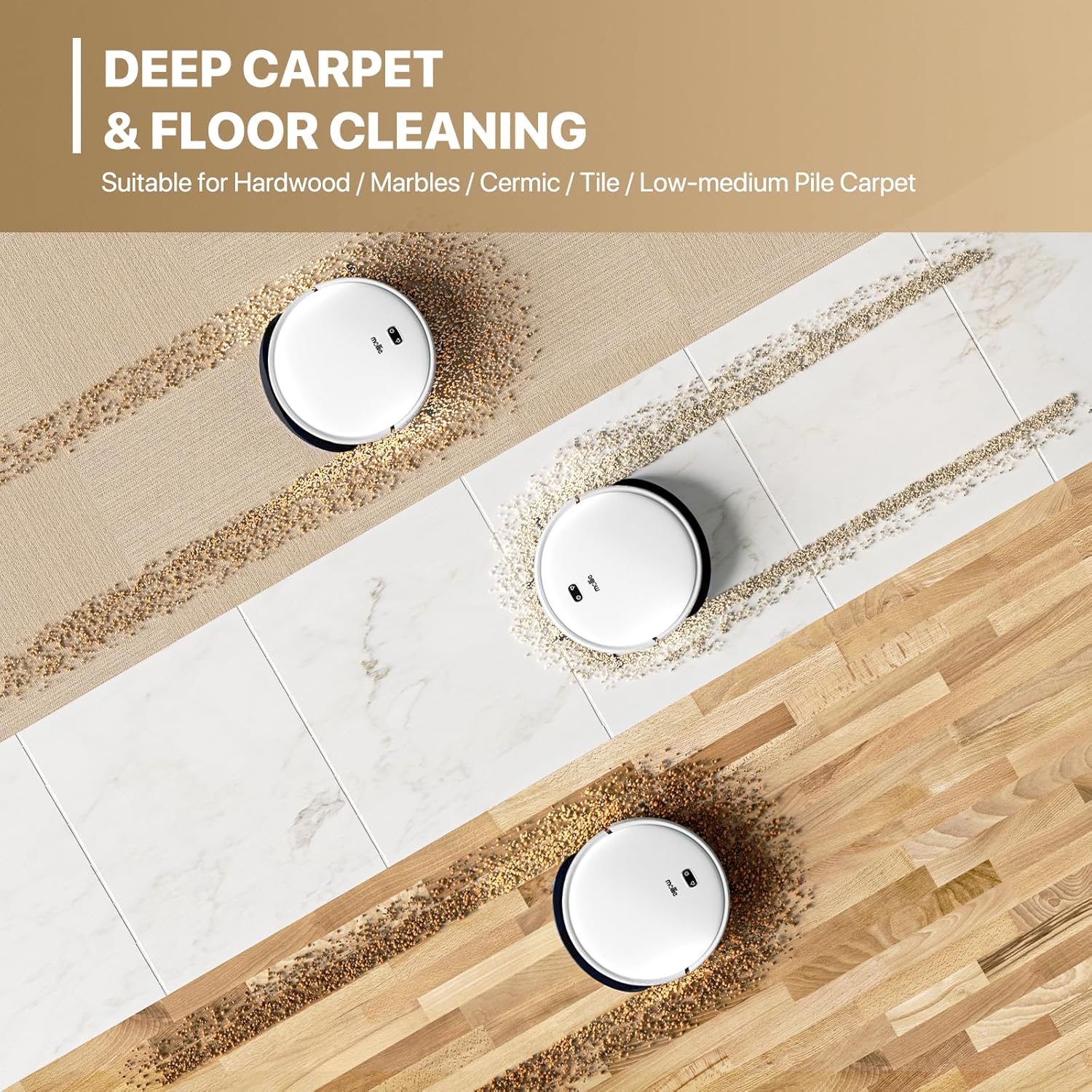
Figuur 6.3: The mollie robot vacuum is suitable for deep cleaning on various surfaces including hardwood, marble, ceramic tile, and low-to-medium pile carpets.
6.4 Anti-Fall and Anti-Collision Features
The robot is equipped with sensors to detect cliffs and obstacles, preventing falls down stairs and collisions with furniture.

Figuur 6.4: Cliff detection technology prevents the robot vacuum from falling down stairs, ensuring safe operation.
7. Onderhoud
Gereelde onderhoud verseker optimale werkverrigting en verleng die lewensduur van jou robotstofsuier.
7.1 Leegmaak van die vullisdrom
After each cleaning cycle, or when the dustbin is full, remove it from the robot and empty its contents into a trash bin.
7.2 Skoonmaak van die filter
The HEPA filter should be cleaned regularly (e.g., weekly) using the provided cleaning brush. Tap the filter gently to remove dust. Replace the filter every 3-6 months, depending on usage.
7.3 Skoonmaakborsels
- Syborsels: Periodically remove and clean any hair or debris wrapped around them. Replace if damaged.
- Hoofborsel: Remove the main brush cover and lift out the brush. Use the cleaning tool to cut and remove tangled hair or fibers.
7.4 Cleaning the Water Tank and Mop Cloth
After mopping, empty any remaining water from the tank and rinse it thoroughly. Remove the mop cloth, wash it by hand or machine, and allow it to air dry completely before reattaching.
7.5 Skoonmaak van sensors en laaikontakte
Wipe the anti-fall sensors, anti-collision sensors, and charging contacts on both the robot and the charging dock with a clean, dry cloth to ensure proper function.
8. Probleemoplossing
If your robot vacuum encounters issues, refer to this section for common solutions.
| Probleem | Moontlike oorsaak | Oplossing |
|---|---|---|
| Robot begin nie | Lae battery; Kragskakelaar af; Obstruksie | Laai die robot; Maak seker dat die kragskakelaar AAN is; Verwyder enige obstruksies. |
| Swak skoonmaakprestasie | Vol stofhouer; Verstopte filter; Verstrengelde borsels | Maak die stofhouer leeg; Maak die filter skoon/vervang dit; Maak die hoof- en syborsels skoon. |
| Robot kan nie laaidok vind nie | Dock obstructed; Dock unplugged; Robot too far from dock | Clear area around dock; Plug in dock; Manually place robot near dock. |
| Robot val van die trappe af | Dirty cliff sensors | Clean cliff sensors with a dry cloth. |
| Wi-Fi-verbindingskwessies | Incorrect password; Router too far; App error | Verify Wi-Fi password; Move robot closer to router; Restart app/robot. |
9. Spesifikasies
| Kenmerk | Detail |
|---|---|
| Handelsmerk | mollie |
| Model Naam | mollie A03-RV-002-30W-WH |
| Suigkrag | 2800 Pa |
| Vullishouer kapasiteit | 500 milliliter |
| Watertenk kapasiteit | 150 milliliter |
| Batterylewe | Tot 120 minute |
| Laai tyd | 4-6 uur |
| Dekkingsgebied | Tot 2150 vk |
| Produk afmetings | 13 cm L x 13 cm B x 3.1 cm H |
| Filter tipe | HEPA-filter |
| Beheer metode | App (Tuya WIFI), Remote Control |
| Navigasiestelsel | High-Precision GYRO |
| Kragbron | Batteryaangedrewe (1 litiumioonbattery ingesluit) |
| Versoenbare toestelle | Slimfone |
| Item gewig | 8.21 pond |
| UPC | 840256426052 |
10. Waarborg en Ondersteuning
For warranty information or technical support, please refer to the contact details provided with your purchase documentation or visit the official mollie webwebwerf. Bewaar u aankoopbewys as bewys van aankoop.
Vervaardiger: mollie