
Inleiding
Dankie vir die aankoopasing the Emerson EPD-1001 Portable 10-inch DVD Player. This manual provides essential information for setting up, operating, and maintaining your device. Please read these instructions carefully before use to ensure proper functionality and to maximize your viewondervinding.
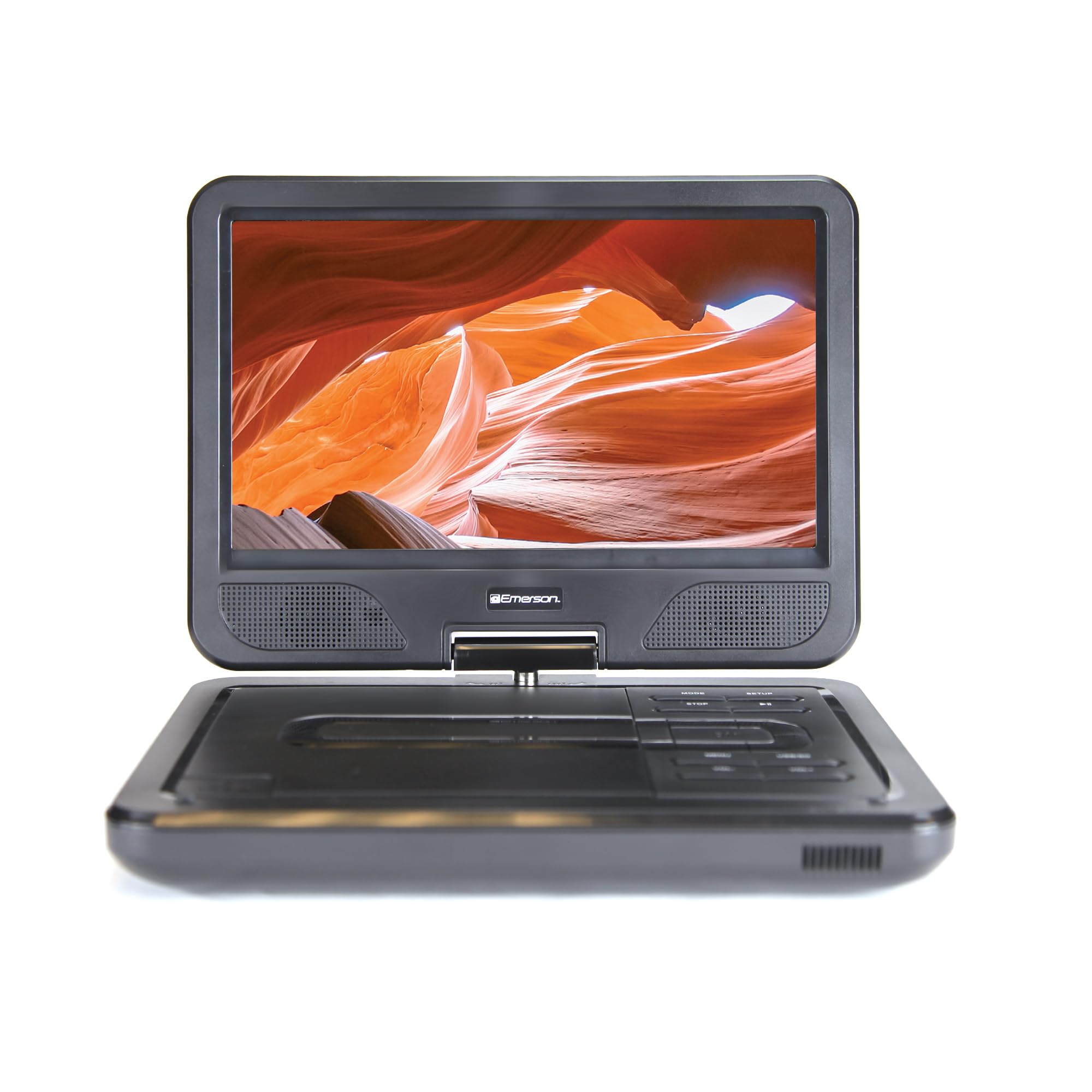
Image: The Emerson EPD-1001 Portable 10-inch DVD Player shown with its screen open, displaying a vibrant image.
Wat is in die boks
Verifieer dat alle items in die verpakking teenwoordig is:
- Emerson EPD-1001 Portable 10-inch DVD Player
- Afstandbeheer
- Wisselstroomadapter
- GS-motorkoord
- AV Cable
- Gebruikershandleiding (hierdie dokument)
- Waarborgkaart

Image: The Emerson EPD-1001 Portable 10-inch DVD Player displayed alongside its remote control.
Produk Kenmerke
- 10-inch Swivel Screen: The large 10-inch screen swivels 180 degrees, allowing for flexible viewhoeke.
- Ingeboude luidspreker: Integrated speaker provides clear audio for an immersive experience.
- Herlaaibare battery: Enjoy portable viewing with the built-in rechargeable battery, offering hours of playback.
- Afstandbeheer: Navigate menus and control playback effortlessly with the included remote.
- Kompakte ontwerp: Lightweight and compact for easy transport during travel.
- Multi-Format Compatibility: Supports a wide range of DVD formats, as well as media from USB flash drives and SD cards.
Video: A 360-degree product overview of the Emerson EPD-1001 Portable DVD Player, showcasing its design and features from various angles.
Opstelling
- Uitpak: Verwyder alle komponente versigtig uit die verpakking. Bewaar die verpakking vir toekomstige berging of versending.
- Laai die battery: Before first use, fully charge the internal rechargeable battery. Connect the AC power adapter to the DC IN 9-12V port on the DVD player and plug it into a standard wall outlet. The charging indicator light will illuminate. A full charge typically takes several hours.
- Car Power (Optional): For in-car use, connect the DC car cord to the DC IN 9-12V port and plug the other end into your vehicle's 12V accessory socket.
- External Display Connection (Optional): To connect to an external display (e.g., TV), use the provided AV cable. Connect the AV OUT port on the DVD player to the corresponding AV IN ports on your television.

Image: A hand plugging a 12V car adapter into a vehicle's power outlet, demonstrating how to power the DVD player on the go.
Bedryfsinstruksies
Skakel aan/af
- Om aan te skakel, hou die KRAG knoppie totdat die skerm oplig.
- Druk en hou die. In om uit te skakel KRAG knoppie weer totdat die skerm afskakel.
Inserting and Playing a DVD
- Open the disc cover by gently lifting the OOP grendel.
- Place a DVD disc onto the spindle with the label side facing up. Gently press the center of the disc to secure it.
- Maak die skyfdeksel toe.
- The player will automatically detect the disc and begin playback. If not, press the SPEEL/POUSEER knoppie.
Using the Swivel Screen
The screen can be rotated up to 180 degrees. Gently swivel the screen to your desired viewing angle. You can also fold the screen flat against the base for a tablet-like viewondervinding.

Image: A woman using the Emerson EPD-1001 Portable DVD Player, demonstrating the swivel screen feature for comfortable viewing.
Media Playback (USB/SD Card)
- Plaas 'n USB-flash drive in die USB poort of 'n SD-kaart in die SD KAART gleuf.
- Gebruik die MODUS button on the player or remote to select the appropriate input (USB or SD).
- Navigeer deur jou media files using the arrow buttons and press ENTER te speel.

Image: A hand inserting a USB flash drive into the side port of the portable DVD player, illustrating media playback from external storage.
Gebruik die afstandbeheer
Point the remote control directly at the infrared sensor on the DVD player. The remote allows access to functions such as Play, Pause, Stop, Fast Forward, Rewind, Chapter Skip, Volume Control, Menu Navigation, and Input Selection.
Oudio-uitset
- Ingeboude luidsprekers: Audio will play automatically through the integrated speakers. Adjust volume using the VOL+ en VOL- knoppies.
- Koptelefoonaansluiting: For private listening, plug standard 3.5mm headphones into the OORFOON jack. This will mute the built-in speakers.
Onderhoud
- Skoonmaak: Use a soft, dry cloth to clean the exterior of the DVD player. For the screen, use a soft, lint-free cloth specifically designed for electronics screens. Do not use liquid cleaners or abrasive materials.
- Skyfversorging: Handle discs by their edges. Keep discs clean and free of scratches. Use a soft, lint-free cloth to wipe discs from the center outwards if cleaning is necessary.
- Batterysorg: To prolong battery life, avoid fully discharging the battery frequently. If storing the device for an extended period, charge the battery to approximately 50% and store in a cool, dry place. Recharge every few months to prevent deep discharge.
- Berging: Store the DVD player in a cool, dry environment away from direct sunlight, extreme temperatures, and excessive dust.
Probleemoplossing
| Probleem | Moontlike oorsaak | Oplossing |
|---|---|---|
| Speler skakel nie aan nie. | Die battery is leeg of die kragadapter is nie gekoppel nie. | Connect the AC power adapter and allow the battery to charge. Ensure the power button is pressed and held. |
| Geen prentjie op die skerm nie. | Disc is dirty/scratched, incorrect input selected, or screen is folded incorrectly. | Clean the disc. Ensure the screen is properly opened and swiveled. If connected to an external display, verify AV cable connections and TV input selection. |
| Geen klank nie. | Volume is too low, headphones are connected, or disc has no audio track. | Increase the volume. Disconnect headphones if using built-in speakers. Check disc for audio content. |
| Die skyf speel nie of spring oor. | Die skyf is vuil, gekrap of in 'n onversoenbare formaat. | Clean the disc thoroughly. Try a different disc. Ensure the disc format is supported by the player. |
| Afstandbeheer werk nie. | Batteries are dead or remote is not pointed at sensor. | Replace remote control batteries. Ensure direct line of sight to the player's IR sensor. |
Spesifikasies
| Kenmerk | Detail |
|---|---|
| Handelsmerk | Emerson |
| Modelnommer | EPD-1001 |
| Skerm grootte | 10 duim |
| Tipe vertoon | LCD |
| Inheemse resolusie | 1280x720 |
| Verbindingstegnologie | USB |
| Versoenbare toestelle | Mobile Phone, Television (via AV out) |
| Media tipe | DVD, CD, MP3, USB, SD Card |
| Itemafmetings (L x B x H) | 1.8 cm L x 10 cm B x 7.35 cm H |
| Item gewig | 2.2 pond |
| Kleur | Swart |
| Kragopsies | Built-in rechargeable battery, AC adapter, 12V car adapter |

Image: A diagram illustrating the dimensions (length, width, height) and weight of the Emerson EPD-1001 Portable DVD Player.
Waarborg en Ondersteuning
The Emerson EPD-1001 Portable 10-inch DVD Player comes with a warranty covering 1 Year for Parts en 90 Days for Labor vanaf die aankoopdatum.
For technical support, warranty claims, or service inquiries, please contact the manufacturer, Naxa Electronics, Inc. Refer to the warranty card included in your product packaging for specific contact details and procedures.
Bewaar asseblief u aankoopbewys vir waarborgvalidering.