
SUNOL K8
GM20 True Wireless Earbuds User Manual
Model: K8
Inleiding
Thank you for choosing the SUNOL GM20 True Wireless Earbuds. This manual provides detailed instructions on how to set up, operate, and maintain your earbuds to ensure optimal performance and longevity. Please read this manual thoroughly before using the product.
Produk verbyview

Image: The GM20 True Wireless Earbuds in orange, shown with their matching charging case. The charging case features an LED display indicating battery percentage.
The GM20 True Wireless Earbuds are designed for a superior audio experience with advanced features:
- Bluetooth 5.3 Tegnologie: Ensures faster pairing, more stable connection, and lower power consumption with an effective range of up to 10 meters.
- Geïntegreerde mikrofoon: High-quality microphone with environmental noise reduction for clear hands-free calls.
- Uitgebreide afspeel: Up to 48 hours of total playback time with the 600mAh charging case, which can recharge the earbuds four times.
- LED skerm: The charging case features an LED display to show the power levels of both the earbuds and the charging case.
- Waterdigte ontwerp: IPX8 waterproof nano-coating makes the earbuds suitable for various activities, including sports.
- Gerieflike pasvorm: Ergonomic in-ear design with multiple ear tip sizes for prolonged comfortable wear.
Wat is in die boks
Upon opening your GM20 True Wireless Earbuds package, you should find the following items:
- GM20 True Wireless Earbuds (Left and Right)
- Laaikas
- Laai kabel
- Multiple sizes of Ear Tips
- Gebruikershandleiding (hierdie dokument)
Opstelling
1. Laai die oordopjes en houer
Maak seker dat beide die oordopjes en die laaikas volledig gelaai is voor die eerste gebruik.
- Place the earbuds into the charging case. Ensure they are correctly seated; the LED display on the case will show charging status.
- Connect the charging cable to the charging port on the case and to a USB power source. The LED display will indicate the charging progress of the case.
- A full charge for the case typically takes a few hours. The earbuds will charge automatically when placed inside the powered case.

Image: The GM20 charging case displaying "100" on its LED screen, indicating a full charge. An earbud is shown next to it, ready for use.
2. Koppeling met jou toestel (Eenstap-koppeling)
The GM20 earbuds feature automatic pairing for convenience.
- Aanvanklike paring:
- Maak die laaikas oop en haal albei oorfone uit. Hulle sal outomaties aanskakel en in paringsmodus gaan.
- Aktiveer Bluetooth op jou toestel (slimfoon, tablet, ens.).
- Soek vir Bluetooth devices and select "GM20 TWS" from the list.
- Sodra dit gekoppel is, sal jy 'n bevestigingstoon hoor, en die oorfone sal gereed wees vir gebruik.
- Herparing: The earbuds will automatically connect to the last paired device when taken out of the charging case.
- If the earbuds do not connect automatically, ensure Bluetooth is enabled on your device and select "GM20 TWS" from your Bluetooth settings.
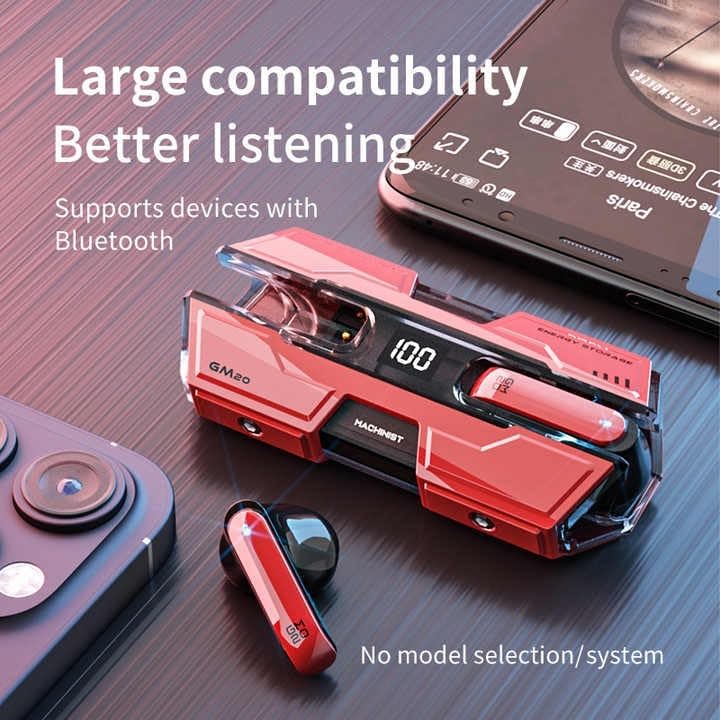
Image: The GM20 earbuds and charging case positioned near a smartphone, emphasizing their broad compatibility with Bluetooth-enabled devices.
Bedryfsinstruksies
Oorfoonkontroles
The GM20 earbuds feature a multifunction button on each earbud for easy control of audio playback and calls.
| Aksie | Funksie |
|---|---|
| Single Press (Left/Right Earbud) | Speel/Pauseer Musiek, Beantwoord/Beëindig Oproep |
| Dubbeldruk (linkeroorknoppie) | Vorige Liedjie |
| Dubbeldruk (regteroorknoppie) | Volgende Liedjie |
| Lang druk (2 sekondes) | Verwerp oproep, aktiveer stemassistent |
| Lang druk (5 sekondes) | Krag aan/af |
Dra die oordopjes
For optimal sound quality and comfort, ensure the earbuds are properly seated in your ears. Experiment with the different sizes of ear tips provided to find the best fit for your ears.

Beeld: 'n Ontplofte view diagram of an earbud, illustrating its internal components such as the 13mm moving coil and composite diaphragm, which contribute to high-resolution sound.
Onderhoud
Proper maintenance will extend the life of your GM20 earbuds.
- Skoonmaak: Maak die oorfone en laaikas gereeld skoon met 'n sagte, droë, pluisvrye lap. Moenie skuurmiddels of oplosmiddels gebruik nie.
- Waterweerstand: The earbuds are IPX8 waterproof, meaning they are protected against prolonged immersion in water. However, the charging case is not waterproof. Avoid exposing the charging case to liquids. Always ensure earbuds are dry before placing them back in the charging case.
- Berging: Wanneer dit nie gebruik word nie, bêre die oorfone in hul laaikassie om hulle te beskerm en gelaai te hou. Bêre op 'n koel, droë plek weg van uiterste temperature.
- Batterysorg: Om die batterylewe te behou, vermy om die oorfone en laaikas gereeld heeltemal te ontlaai. Laai hulle gereeld, selfs al word hulle nie voortdurend gebruik nie.
Probleemoplossing
If you encounter issues with your GM20 earbuds, try the following solutions:
- Oordopjes koppel nie:
- Maak seker dat albei oordopjes ten volle gelaai is.
- Skakel Bluetooth op jou toestel af en skakel dit dan weer aan.
- Forget "GM20 TWS" from your device's Bluetooth settings and attempt to re-pair.
- Plaas die oorfone terug in die houer, maak die deksel toe, wag 'n paar sekondes, maak dan oop en probeer weer.
- Geen geluid of lae volume:
- Kontroleer die volumevlak op beide jou toestel en die oordopjes.
- Maak seker dat die oorfone behoorlik aan jou toestel gekoppel is.
- Maak enige puin van die oorfone se luidsprekermaas skoon.
- Sound distortion or crackling:
- Maak seker dat die oorfone binne die 10-meter Bluetooth-bereik van jou toestel is.
- Reduce interference by moving away from other wireless devices or strong electromagnetic fields.
- Probeer om die oordopjes weer te koppel.
- Oorfone laai nie:
- Maak seker dat die laaikabel stewig aan beide die kas en die kragbron gekoppel is.
- Kontroleer of die laaipoort op die kas skoon en vry van puin is.
- Probeer 'n ander laaikabel of kragadapter.
Spesifikasies
| Kenmerk | Detail |
|---|---|
| Model Naam | K8 |
| Bluetooth weergawe | 5.3 |
| Bluetooth-reeks | 10 meter |
| Batterylewe (Oorfone) | Approx. 8-10 hours (single charge) |
| Batterylewe (met laaikas) | Tot 48 ure |
| Laaikas batterykapasiteit | 600mAh |
| Waterweerstandvlak | IPX8 (slegs oordopjes) |
| Frekwensierespons | 20 Hz - 20 kHz |
| Impedansie | 32 ohm |
| Beheer metode | Aanraking/Knoppie |
| Materiaal | Akrielnitril Butadieen Styreen (ABS) |
| Item gewig | 14.4 onse (totale pakket) |
Waarborg en Ondersteuning
For warranty information and customer support, please refer to the documentation included with your purchase or visit the official SUNOL website. If you experience any issues not covered in this manual, please contact SUNOL customer service for assistance.
Behou asseblief jou aankoopbewys vir waarborgeise.
Verwante Dokumente - K8
 |
TREBLAB X3-Pro Wireless Earbuds Gebruikershandleiding Omvattende gebruikershandleiding vir die TREBLAB X3-Pro draadlose oordopjes, wat opstelling, paring, klankterugspeel, oproepbestuur, spelmodus, probleemoplossing, skoonmaak, veiligheid en spesifikasies dek. |
 |
Kurdene S8 Pro Wireless Earbuds: User Guide and Setup Comprehensive guide to setting up, pairing, and using Kurdene S8 Pro wireless Bluetooth earbuds. Learn about controls, power management, and troubleshooting. |
 |
K8 Draadlose Oordopjes Gebruikershandleiding en Spesifikasies Amptelike gebruikershandleiding vir die K8 Draadlose Oordopjes. Vind gedetailleerde spesifikasies, laai-instruksies, paringsgidse, funksiekontroles, probleemoplossingswenke en veiligheidsmaatreëls vir jou K8-oordopjes. |
 |
EAVAN D19 Ware Draadlose Oordopjes Gebruikershandleiding en Spesifikasies Gebruikershandleiding vir EAVAN D19 Ware Draadlose Oordopjes, wat warm wenke, paklys, laai, kragwerking, Bluetooth-verbinding, oordopfunksies, produkspesifikasies en vrae oor probleemoplossing dek. |
 |
ONIKUMA K8 Gaming Headset Gebruikershandleiding - Kenmerke, Spesifikasies en Probleemoplossing Omvattende gebruikershandleiding vir die ONIKUMA K8-speelheadset. Sluit produkbeskrywing, gedetailleerde spesifikasies, opstellingsgids, probleemoplossingswenke, waarborginligting en weggooi-instruksies in. |
 |
S23 Ware Draadlose Oorfone Instruksiehandleiding Instruksiehandleiding vir S23 True Wireless-oordopjes, wat verband hou met verbinding, werking, probleemhantering en veiligheidsinstruksies. Leer hoe om te koppel, kontroles te gebruik en algemene probleme op te los. |
Ask a question about this manual
Ask about setup, troubleshooting, compatibility, parts, safety, or missing instructions. Manuals+ will review the question and use this page’s manual context to help answer it.