
1. Inleiding en oorview
The Epson PowerLite 97H is a versatile XGA conference room projector designed for clear and vibrant presentations. Utilizing 3LCD technology, it delivers bright, true-to-life images with excellent color brightness and a wide color gamut. This projector offers a native resolution of 1024x768 (XGA) and a brightness of 2,700 ANSI Lumens, making it suitable for various environments.
Sleutel kenmerke sluit in:
- Helderheid: 2,700 ANSI lumen
- Resolusie: 1024x768 (XGA)
- Aspekverhouding: 4:3
- Kontras: 10,000:1
- Vertoon tegnologie: 3LCD for vibrant colors
- Verbinding: Multiple options including HDMI, USB, LAN, VGA, S-Video, Composite, and Audio inputs/outputs.
2. Veiligheidsinligting
Please read all safety instructions before using the projector to ensure safe operation and to prevent damage to the unit. Keep this manual for future reference.
- Waarskuwing: Die projektor lamp and surrounding areas can become extremely hot during operation and immediately after shutdown. Avoid touching these areas.
- Ventilasie: Ensure adequate ventilation around the projector. Do not block ventilation openings, as this can lead to overheating and potential damage.
- Lamp Vervanging: Always turn off the projector and allow the lamp to cool completely before attempting to replace it. Refer to the lamp replacement instructions in the Maintenance section.
- Kragbron: Use only the specified power supply and cable. Do not overload power outlets.
- Vloeistof en vog: Moenie die projektor aan reën, vog of oormatige humiditeit blootstel nie. Moenie voorwerpe gevul met vloeistowwe op of naby die projektor plaas nie.
- Skoonmaak: Ontkoppel die kragkabel voor skoonmaak. Gebruik 'n sagte, droë lap. Moenie vloeibare of aërosol skoonmaakmiddels gebruik nie.
3. Pakketinhoud
Verifieer dat alle items in jou pakket teenwoordig is:
- Epson PowerLite 97H Projector
- Afstandbeheer
- Kragkabel
- HDMI kabel
4. Opstelling
4.1 Fisiese Plasing
Place the projector on a stable, flat surface. Ensure there is sufficient space around the projector for proper ventilation. Avoid placing it in direct sunlight or near heat sources. The projector is designed to be portable and can be used for tabletop projection.
4.2 Koppel toestelle
The PowerLite 97H offers a wide range of connectivity options. Refer to the image below for port identification.

Figure 1: Rear panel of the Epson PowerLite 97H Projector showing various input and output ports.
- USB-A: Connect USB storage devices or a document camera.
- USB-B: Connect to a computer for USB display or control.
- LAN (RJ-45): Connect to a network for control and monitoring.
- HDMI 1 & HDMI 2/MHL: Connect to devices with HDMI output (e.g., laptops, Blu-ray players, gaming consoles). HDMI 2 also supports MHL for compatible mobile devices.
- Computer1 (VGA) & Computer2 (VGA): Connect to computers using a VGA cable.
- Audio1 (Mini Jack) & Audio2 (Mini Jack): Connect audio from computers or other devices.
- S-video: Connect to devices with S-Video output.
- Video (RCA): Connect to devices with composite video output.
- Audio In (RCA R/L): Connect stereo audio from devices with RCA audio output.
- mic: Koppel 'n mikrofoon.
- RS-232C: Vir seriële beheer van die projektor.
- Monitor Uit (VGA): Connect an external monitor to display the projector's input signal.
- Audio Out (Mini Jack): Connect external speakers or an audio system.
4.3 Skakel aan
- Connect the power cable to the projector's AC inlet and then to a power outlet.
- Druk die Krag button on the projector's control panel or the remote control. The power light will illuminate, and the projector will begin its startup sequence.
5. Bedryf
5.1 Basiese kontroles
The projector can be operated using the control panel on the top of the unit or the included remote control. The top panel provides essential functions.

Figure 2: Top control panel of the Epson PowerLite 97H Projector.
- Kragknoppie: Skakel die projektor aan of af.
- Source Search: Blaai deur beskikbare invoerbronne.
- Spyskaart: Maak die skermvertoning (OSD)-kieslys oop.
- H/V (Horizontal/Vertical Keystone): Adjusts image shape to correct trapezoidal distortion.
- Esc: Verlaat die huidige kieslys of funksie.
- Voer in: Bevestig 'n keuse in die kieslys.
- Pyltjie knoppies: Navigate through menu options and adjust settings.
- Volume knoppies: Pas die klankuitsetvlak aan.
- Hulp: Provides on-screen assistance.
- Status lig: Indicates projector status (e.g., power on, standby, error).
- Lamp Temp Light: Indicates lamp temperature status.
5.2 Aanpassing van die beeld
To achieve a clear and properly sized image:
- Fokusring: Rotate the focus ring located near the lens to sharpen the image.
- Zoemhefboom: Use the zoom lever (if present, typically near the lens) to adjust the image size without moving the projector.
- Keystone-korreksie: If the image appears trapezoidal, use the H/V keystone buttons on the control panel or remote to correct the shape.

Figuur 3: Voorkant/kant view showing the projector lens and ventilation.
5.3 Invoerkeuse
Druk die Bron Soek button on the control panel or remote control to cycle through the connected input sources (e.g., HDMI 1, Computer1, USB-A). The projector will automatically detect and display the active input.
6. Onderhoud
Gereelde onderhoud verseker optimale werkverrigting en verleng die lewensduur van u projektor.
6.1 Lamp Vervanging
Die projektor lamp het 'n beperkte lewensduur. Wanneer die lamp die einde van sy lewe bereik, die Lamp Temp indicator may light up, or the image brightness may decrease significantly. Always use genuine Epson replacement lamps.

Figuur 4: Kant view of the projector, showing a caution label regarding hot surfaces.
WARNING: Turn off the projector and wait until the lamp has cooled down completely before attempting replacement. Failure to do so can result in severe burns or damage to the projector. Refer to the specific lamp replacement instructions provided in the full Epson service manual for your model.
6.2 Skoonmaak/Vervanging van Lugfilter
The air filter prevents dust from entering the projector and affecting performance. Clean the air filter regularly (e.g., every 100 hours of use) or when prompted by the projector. If the filter is damaged or excessively dirty, replace it.
- Turn off the projector and disconnect the power cable.
- Locate the air filter cover (refer to your full service manual for exact location).
- Remove the cover and carefully extract the filter.
- Use a small vacuum cleaner or soft brush to remove dust from the filter. If replacing, insert a new filter.
- Maak die filterdeksel stewig weer vas.
6.3 Algemene sorg
- Lens skoonmaak: Gently wipe the lens with a soft, non-abrasive lens cleaning cloth. Do not use harsh chemicals.
- Buitenste skoonmaak: Vee die buitekant van die projektor af met 'n sagte, droë lap. Vir hardnekkige vuilgoed, gebruik 'n effens droë lap.amp lap en sagte skoonmaakmiddel, en vee dit dan af.
- Berging: Wanneer dit nie vir lang tye gebruik word nie, bêre die projektor op 'n koel, droë plek, verkieslik in sy oorspronklike verpakking of 'n beskermende omhulsel.
7. Probleemoplossing
If you encounter issues with your projector, try the following solutions:
- Geen beeld:
- Ensure the projector is powered on and the power indicator is solid.
- Check all cable connections (HDMI, VGA, etc.) are secure at both the projector and the source device.
- Druk die Bron Soek button to cycle through inputs.
- Verifieer dat die brontoestel aangeskakel is en 'n sein uitstuur.
- Adjust the focus and zoom.
- Geen klank:
- Increase the projector's volume using the volume buttons.
- Check audio cable connections (if using separate audio cables).
- Ensure the audio output on your source device is enabled and turned up.
- Afstandbeheer werk nie:
- Ensure there are no obstructions between the remote and the projector's remote sensor.
- Vervang die batterye in die afstandbeheer.
- Waarskuwing oor oorverhitting:
- Ensure all ventilation openings are clear and not blocked.
- Maak die lugfilter skoon soos beskryf in die Onderhoud-afdeling.
- Gebruik die projektor in 'n goed geventileerde area.
8. Spesifikasies
| Kenmerk | Spesifikasie |
|---|---|
| Vervaardiger | Epson |
| Model | PowerLite 97H |
| Tipe vertoon | 3LCD |
| Inheemse resolusie | 1024 x 768 (XGA) |
| Helderheid | 2700 ANSI lumen |
| Kontrasverhouding | 10000:1 |
| Aspekverhouding | 4:3 |
| Verbindingstegnologie | HDMI, USB, LAN, VGA, S-Video, Composite |
| Oudio-insette | Mini Jack x 2, RCA (L/R), Mic |
| Oudio-uitset | Mini Jack |
| Beheerpoort | RS-232C |
| Aanbevole gebruike | Besigheid |
| Spesiale kenmerk | Draagbaar |
| Item gewig | 6 pond |
9. Waarborginligting
For specific warranty details regarding your Epson PowerLite 97H projector, please refer to the warranty card included with your product or contact the seller/manufacturer directly. Warranty terms typically cover manufacturing defects for a specified period from the date of purchase.
10. Ondersteuning
For technical support, service, or additional assistance with your Epson PowerLite 97H projector, please use the contact information below:
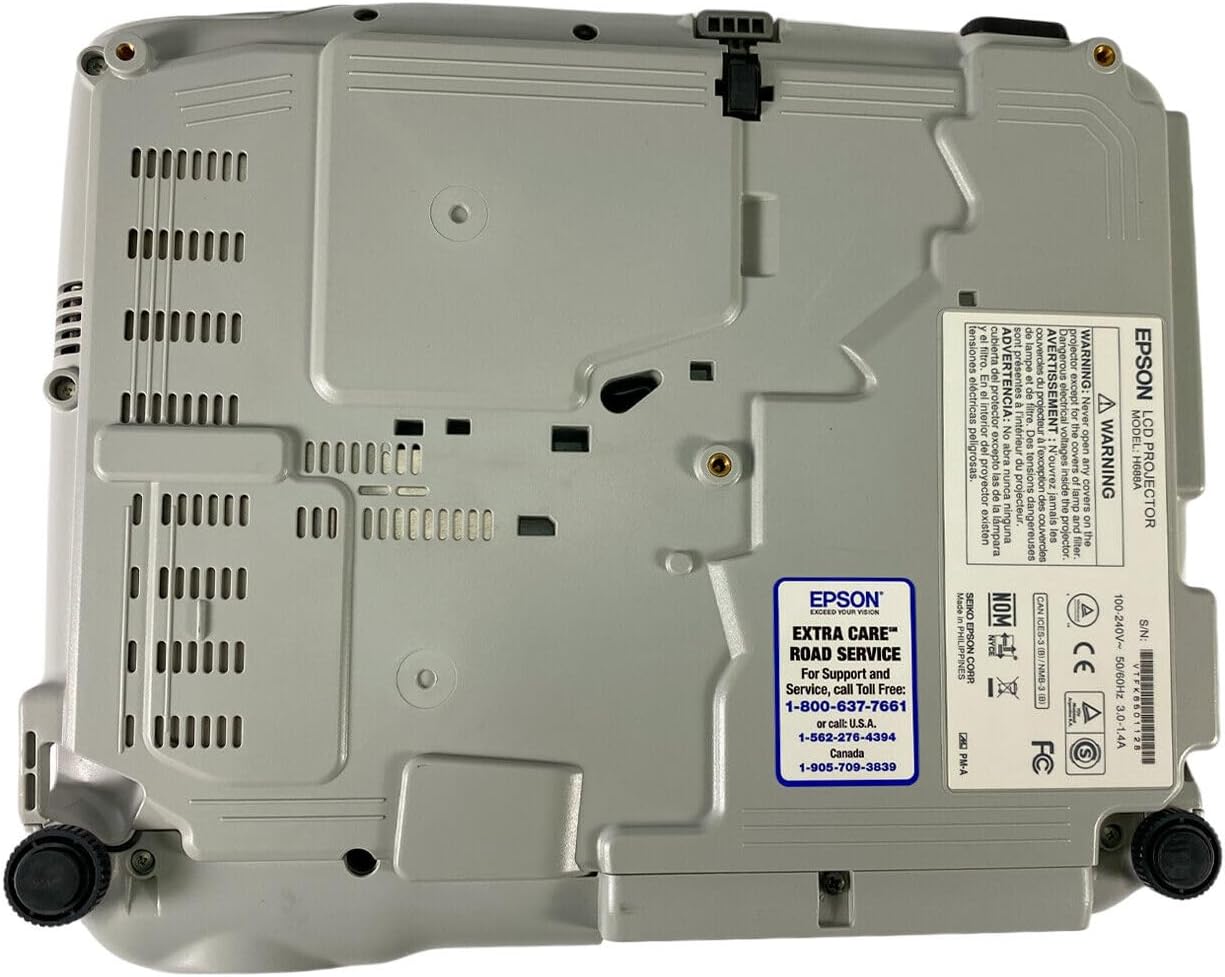
Figure 5: Bottom panel of the projector showing support contact details.
Epson Extra Care Road Service
- For support and service, call:
- VSA: 1-800-637-7661
- VSA: 1-866-276-4394
- Kanada: 1-905-709-3839