
About Your Ray-Ban Meta Smart Glasses
Tap into timeless style and advanced technology designed to help you move effortlessly through life. Collaborate with Meta AI* on ideas and answers based on what you see. Capture photos and videos from your POV, listen to music, make calls and even send texts on the fly—all without taking out your phone. From legendary Wayfarer to trendsetting Skyler, these are statement-making frames with a slim, comfortable fit that are perfect for everyday wear. Whether you’re remembering a parking spot or translating foreign languages in real-time, get the most out of life with Ray-Ban Meta glasses.
Sleutel kenmerke
- Hands-Free Capture: Record exactly what you see and hear with an ultra-wide 12 MP camera and a five-mic system. Livestream directly to Facebook and InstagRAM.
- Oop-oor oudio: Enjoy music, podcasts, and calls through discreet open-ear speakers, allowing you to stay aware of your surroundings.
- Meta KI-integrasie: Get real-time answers and context-rich suggestions based on your surroundings, all from your smart glasses.
- Handvrye Kommunikasie: Make calls, send texts, and join meetings via Bluetooth directly from your glasses.
- Intydse vertaling: Experience live translations between French, Italian, Spanish, English, German, and Portuguese without needing Wi-Fi.
- Privaatheidsbeheer: Manage voice commands and other privacy preferences through intuitive settings.
Pakketinhoud
Your Ray-Ban Meta Smart AI Glasses package includes the following items:
- Ray-Ban Meta Smart AI Glasses
- Laaikas
- Skoonmaakdoek
- Gebruikershandleiding
- Vinnige Begingids

Image: Ray-Ban Meta Smart Glasses shown inside their brown leather charging case.
Video: A user unboxes the Ray-Ban Meta Smart Glasses, showcasing the charging case, glasses, and included accessories like the cleaning cloth and quick start guide.
Aan die gang
Aanvanklike opstelling
- Laai die Meta af View Toepassing: Scan the QR code provided in the Quick Start Guide or search for 'Meta View' in your device's app store.
- Laai jou bril: Place your glasses in the charging case. Ensure the charging contacts align. The case itself can be charged via the USB-C port.
- Bind saam met jou toestel: Volg die instruksies op die skerm in die Meta View app to pair your glasses via Bluetooth.
Video: A user demonstrates how to charge the Ray-Ban Meta Wayfarer Smart Glasses by placing them into their charging case and connecting the case via USB-C.
Using Your Smart Glasses
Neem foto's en video's vas
Capture photos and videos from your perspective with the integrated 12 MP ultra-wide camera. Simply tap the capture button on the temple or use voice commands like "Hey Meta, take a photo."

Image: A woman wearing Ray-Ban Meta Smart Glasses, with text highlighting the built-in HD camera and voice command feature.
Video: A user demonstrates how to record video using the Ray-Ban Meta Smart Glasses, showing the process of starting and stopping recording and importing the video to a smartphone.
Oudio-kenmerke
Listen to music, podcasts, and other audio content through the discreet open-ear speakers. These speakers deliver quality audio without blocking ambient noises, keeping you aware of your surroundings. You can also manage playback and volume via touch controls on the temples.

Image: A man wearing Ray-Ban Meta Smart Glasses, with text highlighting the open-ear audio feature for listening to music without blocking ambient sounds.
Meta AI and Voice Commands
Engage with Meta AI to get real-time answers and context-rich suggestions. Simply activate Meta AI with a voice command to ask questions about your surroundings, get directions, or summarize information.

Image: A man wearing Ray-Ban Meta Smart Glasses, with text indicating interaction with Meta AI for real-time suggestions and answers.
Oproepe en Boodskappe
Take calls, text friends, or join work meetings hands-free. The integrated microphones and open-ear speakers allow for seamless communication directly from your glasses via Bluetooth.
Regstreekse vertaling
Utilize the live translation feature to hear real-time translations between supported languages, such as French, Italian, Spanish, English, German, and Portuguese. This feature operates without Wi-Fi, making it ideal for travel.

Image: A man wearing Ray-Ban Meta Smart Glasses, with text explaining the live translation feature for real-time language conversion.
Privaatheidsbeheer
Your privacy is paramount. The Ray-Ban Meta glasses provide controls to manage your data. You can enable or disable voice commands at any time and adjust other privacy settings through the Meta View app.
Laai en Battery
The Ray-Ban Meta Smart Glasses are designed for extended use, with fully charged glasses lasting up to four hours with moderate use. The included charging case provides an additional 32 hours of charge, allowing you to recharge your glasses multiple times on the go. Simply place the glasses in the case to begin charging.

Image: A person holding the brown leather charging case for the Ray-Ban Meta Smart Glasses, with text detailing the battery life of the glasses and the additional charge provided by the case.
Fit and Lenses
Raamgrootte
The Ray-Ban Meta Wayfarer glasses are available in different sizes to ensure a comfortable and secure fit. Use your face width to determine the best frame size for you. Regular frames offer a balanced, natural fit, while large frames provide comfort for wider faces.
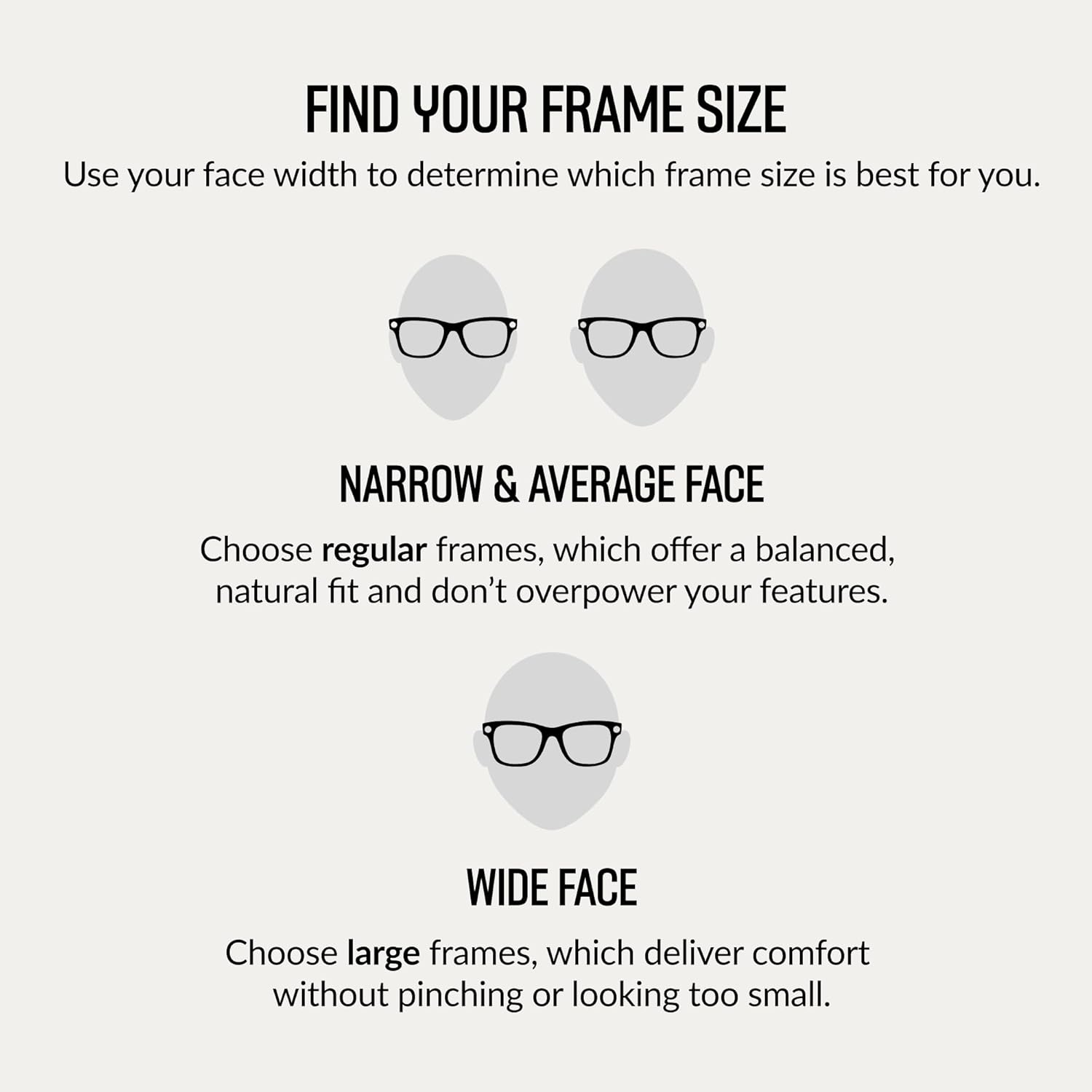
Image: A diagram illustrating how to determine the correct frame size for your face, distinguishing between narrow/average and wide faces.
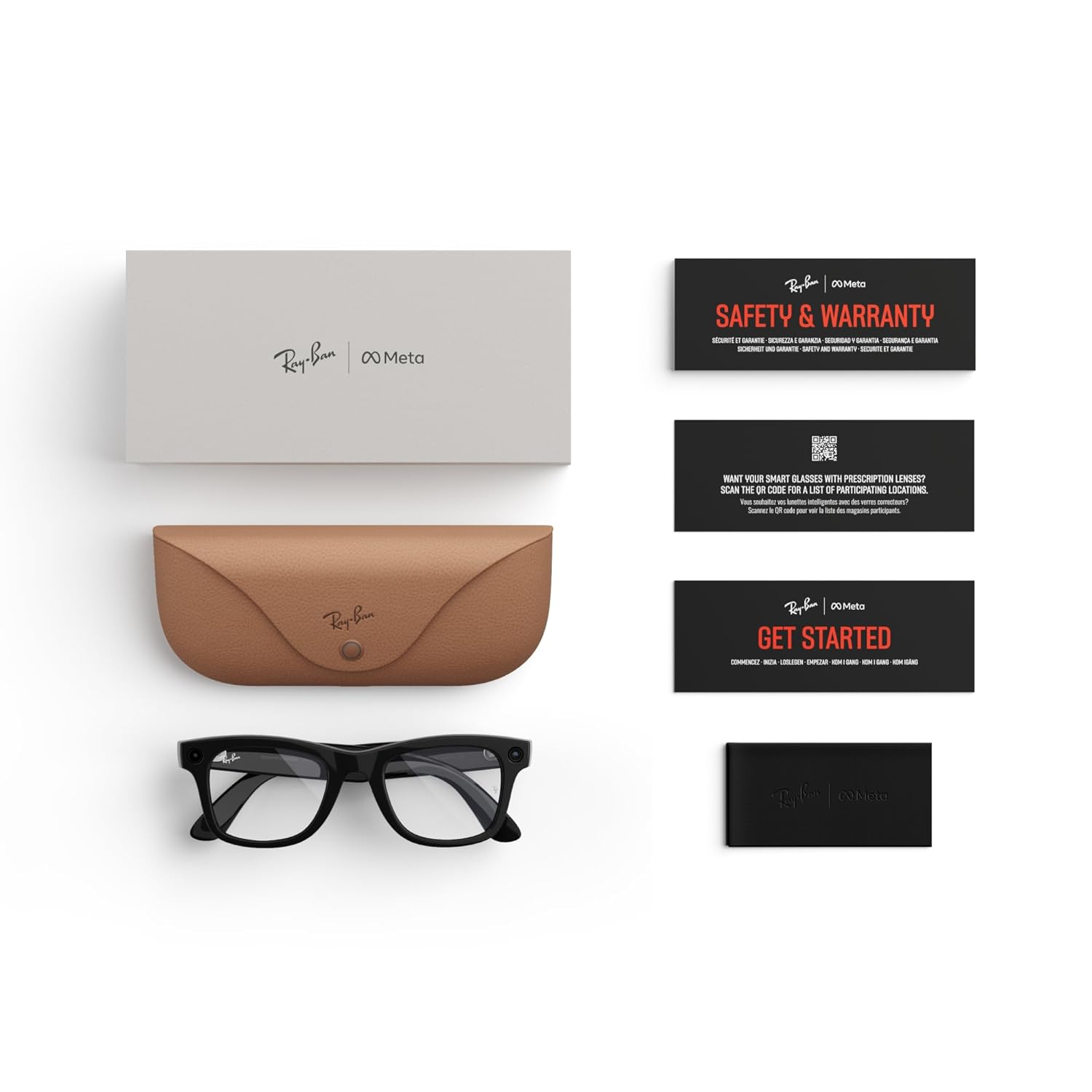
Image: A detailed diagram displaying the dimensions (hinge to hinge, lens height, bridge width, temple length) for regular fit Ray-Ban Meta Wayfarer glasses.
Lens tipes
Choose from a variety of high-performance lenses to suit your needs, all offering exceptional clarity, comfort, and protection. All frames can be fitted with prescription (Rx) lenses.
- Sonlense: Bied gevorderde oogbeskerming in helder toestande met 100% UVA- en UVB-beskerming.
- Deursigtige lense: Blue light filter lenses designed to improve visual comfort by filtering at least 20% of blue light between 380-450nm from digital screens, indoor fluorescent lights, and even sun rays.
- Transitions®-lense: Pas naatloos aan by veranderende ligtoestande, van heeltemal helder of effens gekleurd binnenshuis tot heeltemal donker buite.
- Gepolariseerde lense: Polêre tegnologie onderskep weerkaatsings en verminder glans vir beter kontras en verbeterde helderheid, met 100% UVA- en UVB-beskerming.

Beeld: 'n Oorview wysasing various lens types available for Ray-Ban Meta Smart Glasses, including sun, clear, and Transitions lenses.
Produkspesifikasies
| Kenmerk | Detail |
|---|---|
| Handelsmerk | Meta |
| Model Naam | Ray-ban | Meta Smart Glasses |
| Modelnommer | 0RW4006 |
| Kleur | Shiny Black/Clear |
| Item gewig | 310 gram |
| Item afmetings | 5.91 x 3.94 x 3.94 duim |
| Kamera | 12 MP Ultra-Wide |
| Oudio | Open-Ear Speakers, Five-Mic System |
| Verbindingstegnologie | Bluetooth, 5 GHz radiofrekwensie |
| Geheue berging kapasiteit | 32 GB |
| Battery sel tipe | Litiumioon |
| Bykomende kenmerke | Voice Control, Meta AI, Live Translation |
| Vervaardiger | Luxottica |
Opsporing van algemene probleme
If you encounter any issues with your Ray-Ban Meta Smart Glasses, please try the following steps:
- Gaan batteryvlak na: Ensure both your glasses and charging case are sufficiently charged.
- Herbegin toestelle: Try restarting your smart glasses and your paired smartphone.
- Koppel Bluetooth weer: Disconnect and re-pair your glasses via Bluetooth in the Meta View app.
- Dateer sagteware op: Maak seker dat jou Meta View app and glasses firmware are up to date.
- Consult App Help: The Meta View app often has a comprehensive help section for common problems.
- Kontak ondersteuning: If issues persist, refer to the Warranty and Support section for contact information.
Sorg en Onderhoud
To ensure the longevity and optimal performance of your Ray-Ban Meta Smart Glasses, follow these care guidelines:
- Skoonmaak van lense: Use the provided microfiber cleaning cloth to gently wipe lenses. Avoid abrasive materials or harsh chemicals.
- Skoonmaakrame: Vee die rame af met 'n sagte, damp lap. Moenie die glase in water dompel nie.
- Berging: Always store your glasses in the charging case when not in use to protect them from scratches and damage.
- Vermy uiterste toestande: Do not expose your glasses to extreme temperatures, direct sunlight for prolonged periods, or high humidity.
Waarborg en kliëntediens
Your Ray-Ban Meta Smart AI Glasses come with a 1 jaar waarborg. For detailed warranty information, product support, or service inquiries, please visit the official Meta Store on Amazon or contact customer service through the Meta View app.
Jy kan besoek die Meta Store vir bykomende hulpbronne en ondersteuning.