
1. Inleiding
The BOTSLAB W302 Outdoor Dual-Lens Security Camera is designed to provide comprehensive surveillance for your home or business. Featuring advanced dual-lens technology, it offers a 170° super-wide viewing angle and crystal-clear 4MP resolution. This manual provides detailed instructions for setting up, operating, and maintaining your security camera to ensure optimal performance.
2. Pakketinhoud
Verifieer asseblief dat al die items wat hieronder gelys word in u pakket ingesluit is. Indien enige items ontbreek of beskadig is, kontak asseblief kliëntediens.
- Kamera-eenheid x 1
- Hakie x 1
- Posisionering plakker x 1
- Warning sticker x 1
- Vinnige begingids x 1
- Kragadapter x 1
- Skroefpak x 1

Figure 2.1: All components included in the BOTSLAB W302 camera package.
3. Produkkenmerke
- Dual-Lens Vision: Captures a wide 170° super-wide viewing angle with 4MP (2MP+2MP) resolution for seamless panoramic images without blind spots.
- Kleur Nag Visie: Provides continuous color views 24/7, even in low light, thanks to automatic light adaptation (ColorGuard) and up to 100ft night vision range.
- Smart Security & Precise Alerts: Detects people and vehicles with motion detection, sending precise alerts. Features a customizable siren and light alarm for enhanced security.
- AI-Powered Tracking: Intelligently focuses on humans, offering close-up views and dual live views (wide panorama and close-up) simultaneously via the Botslab app.
- Naatlose verbinding: Supports faster and more stable dual-band Wi-Fi (2.4GHz/5GHz).
- Tweerigting-klank: Stay connected and communicate with visitors or deter intruders.
- Weerbestande ontwerp: IP66 rated, ensuring reliable performance in temperatures from -20°C to 60°C.
- Slim huis-integrasie: Seamlessly integrates with Amazon Alexa and Google Assistant for voice control.

Figure 3.1: Dual-Lens Vision with 170° Super-Wide Angle.

Figure 3.2: Non-Stop Color Night Vision.

Figure 3.3: Smart Security with Person, Vehicle, and Motion Detection.
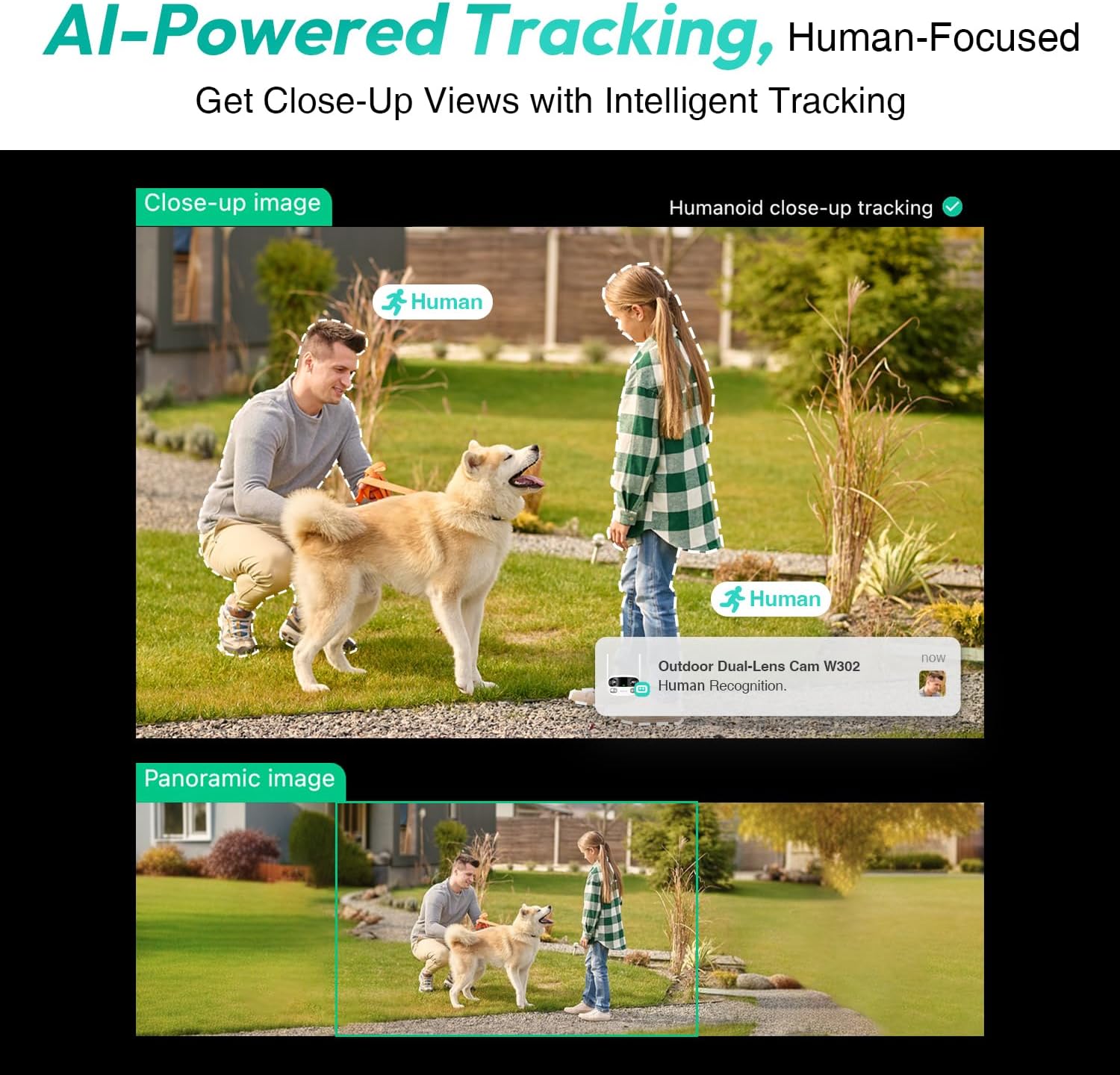
Figure 3.4: AI-Powered Human Tracking with Dual Live Views.
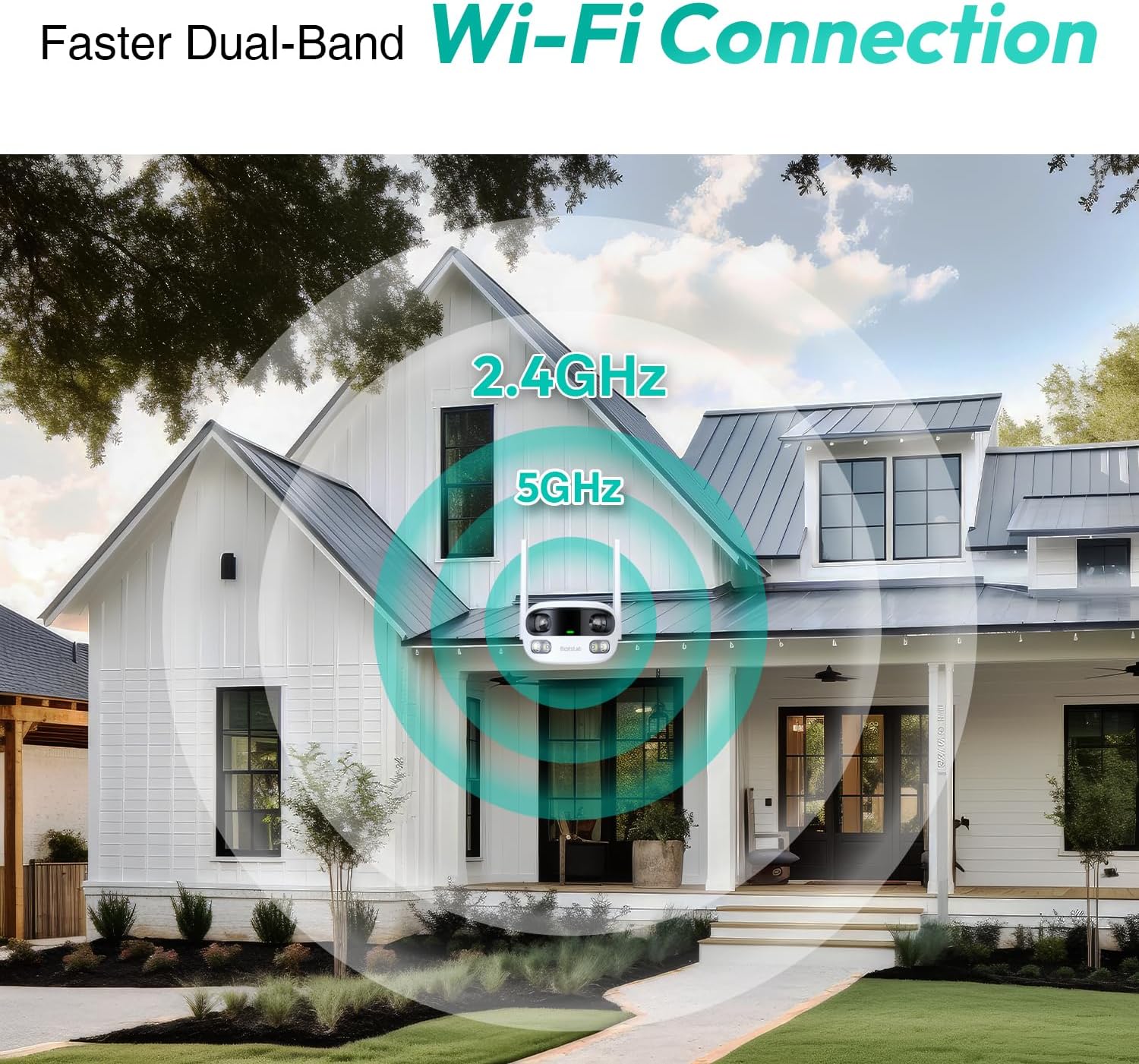
Figure 3.5: Faster Dual-Band Wi-Fi Connection.

Figure 3.6: Two-Way Audio Communication.

Figure 3.7: IP66 Weatherproof Design.

Figure 3.8: Alexa & Google Assistant Integration.
4. Opstelling en installering
Follow these steps to properly install your BOTSLAB W302 camera.
- Kies 'n ligging: Kies 'n buitelugligging met 'n duidelike view of the area you wish to monitor. Ensure it's within Wi-Fi range and near a power outlet.
- Monteer die beugel: Use the provided positioning sticker to mark drill holes on the wall or ceiling. Drill the holes, insert expansion tubes, and securely fasten the bracket with screws.
- Heg die kamera aan: Rotate the camera body and screw it onto the bracket. Adjust the camera's position and tighten the bracket.
- Koppel krag: Plug the power adapter into the camera and then into a power outlet. The indicator light will turn green and start flashing when ready for pairing.

Figure 4.1: Versatile Installation Options (Wall and Ceiling).
Video 4.1: 'n Oorview of the Botslab Security Camera Outdoor, including its features and installation process. This video is provided by Botslab Security.
5. App-konfigurasie
The Botslab app is essential for controlling and monitoring your camera. Download and install the app on your smartphone (available on App Store and Google Play).
- Registreer/Teken Aan: Open the Botslab app and register a new account or log in with an existing one.
- Voeg toestel by: Tap 'Add Device' or the '+' icon in the app.
- Skandeer QR -kode: Skandeer die QR-kode aan die onderkant van u kamera.
- Koppel aan Wi-Fi: Follow the in-app instructions to connect the camera to your 2.4GHz or 5GHz Wi-Fi network. Ensure your phone is near the camera during this process.
- Toestelbinding: The app will bind the device to your account. Once connected, the indicator light on the camera will turn solid blue.
Video 5.1: 'n Gedetailleerde oorsigview of the Botslab W302 Outdoor Dual Lens Security Camera, including app setup and features. This video is provided by Galaxy Tech Review.
6. Bedryfsinstruksies
Once configured, you can access and control your camera through the Botslab app.
- Leef View: Access the live feed from both lenses. You can switch between close-up and panoramic views, or use the left/right mode for individual lens feeds.
- Pan/zoem: In panoramic mode, slide the bottom image to pan left or right. Pinch to zoom on the close-up image.
- Tweerigting-klank: Tap the phone icon to speak through the camera's speaker. Tap the mute icon to silence audio from the camera's microphone.
- Siren & Light Alarm: Activate the siren and floodlights manually from the app to deter intruders.
- Motion/Vehicle/Person Detection: Enable these features in the app settings to receive precise alerts.
- Privaatheidsones: Stel spesifieke areas binne die kamera se view that will not be monitored for privacy.
- Nagvisie: The camera automatically adapts to low light. You can choose between full-color night vision (using floodlights) or infrared night vision.

Figure 6.1: Dual Live Views on the Botslab App.

Figure 6.2: Siren & Light Alarm for Instant Deterrence.

Figure 6.3: Configuring Privacy Zones.

Figure 6.4: Smart Security with Precise Alerts.
7. Bergingsopsies
The BOTSLAB W302 offers flexible storage solutions for your recorded footage.
- Botslab Cloud Storage: Includes a one-year trial with 7-day storage for motion-detected clips at 5-minute intervals.
- Plaaslike berging: Supports up to 256GB MicroSD cards (not included). The MicroSD card slot is located under a protective cover at the bottom of the camera.

Figure 7.1: Cloud and Local Storage Options.
8. Spesifikasies
| Kenmerk | Spesifikasie |
|---|---|
| Video-opname-resolusie | 4 MP |
| Viewing Hoek | 170 grade |
| Verbindingstegnologie | 2.4GHz/5GHz Wi-Fi |
| Internasionale Beskermingsgraad | IP66 |
| Bedryfstemperatuur | -20°C tot 60°C |
| Slimhuisversoenbaarheid | Amazon Alexa, Google Assistant |
| Plaaslike berging | Up to 256GB MicroSD (Not Included) |
| Kragbron | Wired (AC power cord included) |
| Kleur | White Pro |
| Item gewig | 1.63 pond |
9. Onderhoud
- Skoonmaak: Vee die kameralens en -liggaam gereeld af met 'n sagte, damp lap om stof en vuiligheid te verwyder. Moenie harde chemikalieë gebruik nie.
- Firmware -opdaterings: Check the Botslab app periodically for firmware updates to ensure optimal performance and security.
- Kragtoevoer: Ensure the camera is connected to a stable power source. Avoid using unofficial power adapters.
- SD-kaartbestuur: If using local storage, regularly back up important footage and format the MicroSD card to maintain performance.
10. Probleemoplossing
- Kamera vanlyn: Check Wi-Fi connection and power supply. Try restarting the camera and your router.
- Swak videogehalte: Ensure the lens is clean. Check your Wi-Fi signal strength. Adjust camera placement if necessary.
- Bewegingsopsporingskwessies: Verify detection zones are correctly set in the app. Adjust sensitivity settings.
- Probleme met tweerigting-klank: Gaan mikrofoon- en luidsprekerinstellings in die toepassing na. Maak seker dat die volumevlakke voldoende is.
- SD-kaart neem nie op nie: Ensure the MicroSD card is inserted correctly and is not full. Format the card if issues persist.
11. Waarborg en Ondersteuning
BOTSLAB is committed to providing high-quality products and excellent customer service.
- Kwaliteit waarborg: Enjoy a 365-day quality guarantee.
- Tegniese hulp: Lewenslange tegniese ondersteuning is beskikbaar.
- Terugsendings: 30-day free returns.
- Fast Support: Expect support within 48 hours.
Vir verdere hulp, besoek asseblief global.botslab.com of kontak service@botslab.com.