
1. Produk verbyview
The ECOPAD 10.1 Inch Android 15 Tablet is designed for versatile use, offering a balance of performance and portability. It features a quad-core processor, the Android 15 operating system, and a 10.1-inch IPS HD touchscreen for clear visuals. With ample storage and expansion options, dual cameras, and robust connectivity, this tablet is suitable for various tasks from entertainment to productivity.
- Bedryfstelsel: Android 15
- Vertoon: 10.1-inch IPS HD (1280x800 pixels)
- Verwerker: Quad-core ARM RK3562
- Geheue: 12GB RAM (4GB physical + 8GB virtual)
- Berging: 64GB ROM, expandable up to 1TB via SD card (sold separately)
- Kameras: 2.0MP voor, 8.0MP agter
- Battery: 6000mAh Lithium Battery (up to 8 hours video playback)
- Verbinding: Dual Band Wi-Fi (2.4/5GHz), Bluetooth 5.0
- Sertifisering: GMS Certified for full Google Play access
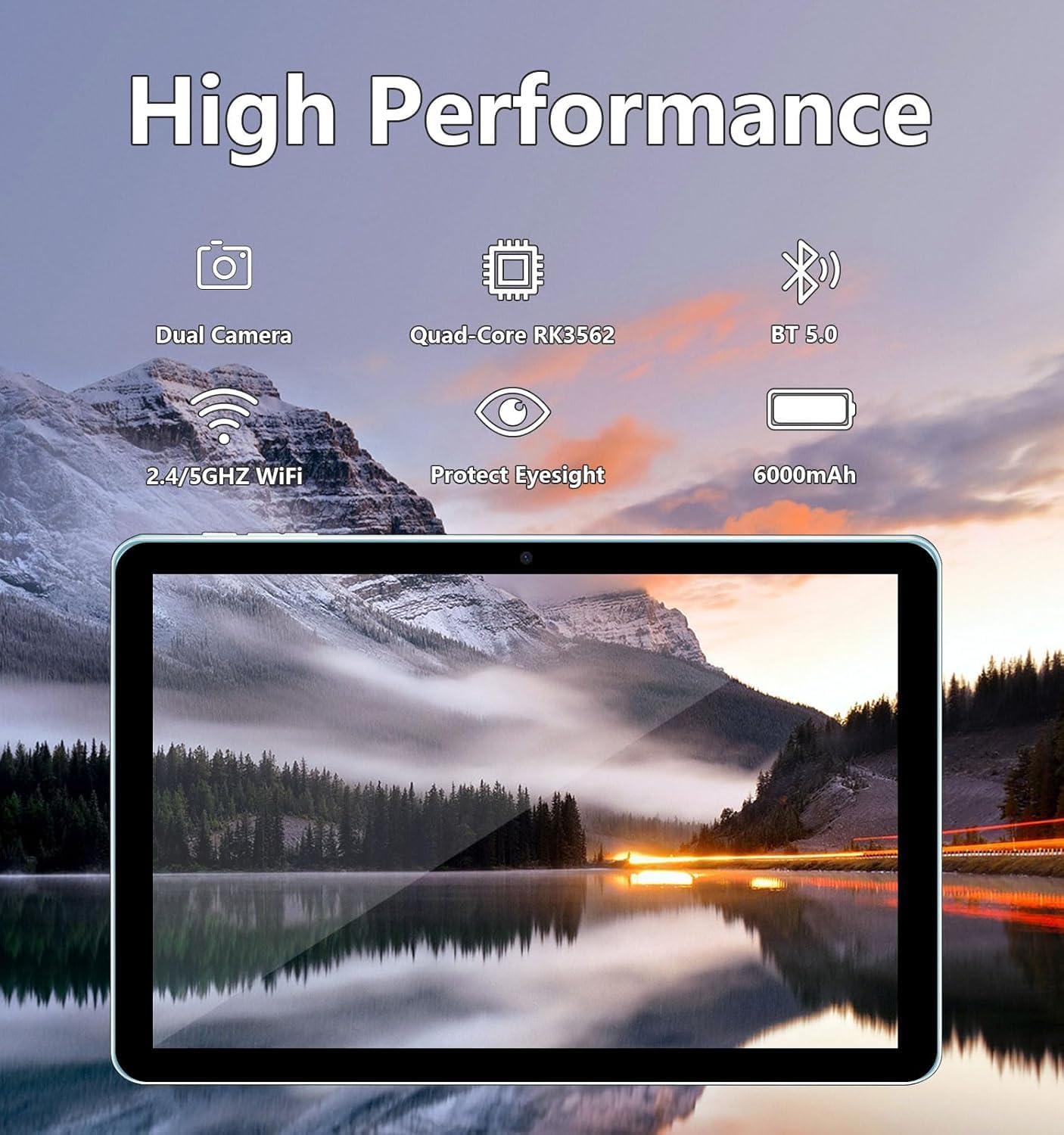
Image: The ECOPAD tablet showcasing its high-performance features including dual cameras, quad-core processor, Bluetooth 5.0, dual-band Wi-Fi, and 6000mAh battery.
2. Aan die gang
2.1 Unboxing Your Tablet
Carefully remove all items from the packaging. The box should contain the ECOPAD 10.1 Inch Tablet, a protective case, a USB-C charging cable, and a screen protector. Please check for any damage during transit.
2.2 Fisiese kenmerke
Familiarize yourself with the tablet's ports and buttons:

Image: A detailed diagram illustrating the location of the USB-C Port, SD Card Slot, Volume buttons, Power On/Off button, Reset button, Microphone, Front Camera, Headphone Jack, Speakers, Rear Camera, and Flash on the ECOPAD tablet.
- USB-C-poort: Vir laai en data-oordrag.
- SD-kaartgleuf: Plaas 'n mikro-SD-kaart in vir uitgebreide berging.
- Volume - / Volume +: Pas die klankvolume aan.
- Krag aan/af: Press and hold to power on or off. Short press to sleep/wake.
- Reset (Reboot): A small pinhole for force restarting the device if unresponsive.
- Mikrofoon: For audio input during calls or recordings.
- Voorste kamera: Vir video-oproepe en selfies.
- Koptelefoonaansluiting: Koppel 3.5 mm -koptelefoon.
- Luidsprekers: Vir oudio-uitvoer.
- Agterste kamera: Vir die neem van foto's en video's.
- Flits: Verskaf beligting vir die agterste kamera.
2.3 Laai die tablet
Before first use, fully charge your tablet. Connect the provided USB-C cable to the tablet's USB-C port and the other end to a compatible USB power adapter (not always included) or a computer's USB port. The battery indicator on the screen will show charging status.
2.4 Aan-/afskakel
- Om aan te skakel: Press and hold the Power On/Off button until the ECOPAD logo appears on the screen.
- Om af te skakel: Press and hold the Power On/Off button until a power menu appears. Select 'Power Off' and confirm.
- Om te slaap/wakker te word: Briefly press the Power On/Off button.
2.5 Aanvanklike opstelling
Upon first power-on, the tablet will guide you through the initial setup process. This typically includes:
- Kies jou taal.
- Koppel aan 'n Wi-Fi-netwerk.
- Aanmeld met jou Google-rekening of skep 'n nuwe een.
- Setting up screen lock (PIN, pattern, password).
- Reviewing and accepting Google services terms.
3. Bediening van u tablet
3.1 Aanraakskermnavigasie
The tablet's 10.1-inch IPS HD touchscreen supports multi-touch gestures:
- Tik: Kies 'n item of maak 'n toepassing oop.
- Raak en hou: Kry toegang tot kontekstuele spyskaarte of skuif items.
- Swiep: Navigeer deur skerms, blaai deur lyste of maak kennisgewings toe.
- Knyp-om-te-Zoem: Zoem in of uit op beelde en web bladsye.
3.2 Koppel aan Wi-Fi
Om aan die internet te koppel:
- Gaan na Instellings > Netwerk en internet > Wi-Fi.
- Wi-Fi wissel On.
- Kies jou verlangde netwerk uit die lys.
- Voer die wagwoord in indien gevra en tik Koppel.
3.3 Google Play Winkel
As a GMS Certified device, your tablet has full access to the Google Play Store. You can download a wide variety of applications, games, movies, and books.
- Tik die Play Winkel ikoon op jou tuisskerm of toepassinglaai.
- Browse or search for apps.
- Tik Installeer to download and install an app.

Image: The tablet display featuring the Google Play Store icon and other Google Mobile Services (GMS) applications, indicating full access to the Android ecosystem.
3.4 Bergingbestuur
The tablet comes with 64GB of internal storage (ROM) and 12GB of RAM (4GB physical + 8GB virtual for enhanced performance). You can expand storage further:
- Mikro-SD-kaart: Insert a Micro SD card (up to 1TB, sold separately) into the SD card slot to store additional photos, videos, and files.
- To manage storage, go to Instellings > Berging.

Image: The tablet screen displaying its storage capabilities, including 12GB RAM, 64GB ROM, and the option for 1TB SD card expansion, allowing users to store a large volume of data.
3.5 Kameragebruik
The tablet is equipped with a 2.0MP front camera and an 8.0MP rear camera.
- Maak die oop Kamera app.
- Tik die kamera-ikoon om tussen die voorste en agterste kameras te wissel.
- Tik die sluiterknoppie om 'n foto te neem of video-opname te begin/stop.

Image: The tablet screen showing a video conference with four participants, demonstrating the clarity of the 10.1-inch 1280x800 HD display for communication.
3.6 Bluetooth-konnektiwiteit
Connect your tablet to Bluetooth devices like headphones, speakers, or keyboards.
- Gaan na Instellings > Gekoppelde toestelle > Bluetooth.
- Wissel Bluetooth On.
- The tablet will scan for available devices. Select your device from the list to pair.
4. Onderhoud
4.1 Batterysorg
To maximize your tablet's battery life and longevity:
- Vermy uiterste temperature.
- Moenie die battery gereeld heeltemal laat leegloop nie.
- Unplug the charger once the tablet is fully charged.
- Reduce screen brightness and disable unnecessary features (e.g., Bluetooth, Wi-Fi) when not in use.
4.2 Maak jou tablet skoon
Gebruik 'n sagte, pluisvrye lap om die skerm en liggaam van die tablet skoon te maak. Vir hardnekkige vlekke, vee dit effens af.ampMaak die lap skoon met water of 'n skermskoonmaakoplossing. Vermy harde chemikalieë of skuurmiddels.
5. Probleemoplossing
If you encounter issues with your ECOPAD tablet, try the following common solutions:
- Tablet reageer nie: Press and hold the Power On/Off button for about 10-15 seconds to force a restart. If this doesn't work, locate the small 'Reset' pinhole and use a thin object (like a paperclip) to press it gently.
- Apps are crashing or running slowly: Close unused apps, clear app caches (Settings > Apps > [App Name] > Storage & cache > Clear cache), or restart the tablet. Ensure your apps are updated.
- Wi-Fi-verbindingskwessies: Ensure Wi-Fi is enabled. Try restarting your router and the tablet. Forget the network and reconnect.
- Battery dreineer vinnig: Reduce screen brightness, disable background app refresh, turn off GPS, Bluetooth, and Wi-Fi when not needed. Check battery usage in Settings to identify power-hungry apps.
- Screen is not responding to touch: Herbegin die tablet. Indien die probleem voortduur, maak seker dat die skerm skoon en vry van puin is.
Indien hierdie stappe nie u probleem oplos nie, verwys asseblief na die Waarborg- en Ondersteuningsafdeling vir verdere hulp.
6. Spesifikasies
| Kenmerk | Spesifikasie |
|---|---|
| Vertoongrootte van die staande skerm | 10.1 duim |
| Skermresolusie | 1280 x 800 piksels |
| Maksimum skermresolusie | 1280*800 piksels |
| Draadlose tipe | Bluetooth |
| Gemiddelde batterylewe (in ure) | Tot 8 uur (videoterugspeel) |
| Handelsmerk | EKOPAD |
| Reeks | THTH-K12C |
| Item model nommer | THTH-K12C |
| Bedryfstelsel | Android 15 |
| Item gewig | 2.02 pond |
| Produk afmetings | 9.5 x 6.2 x 0.28 duim |
| Item Afmetings LxBxH | 9.5 x 6.2 x 0.28 duim |
| Kleur | Blou |
| Agter Webcam resolusie | 8 MP |
| Verwerker handelsmerk | ARM |
| Batterye | 1 Litium-polimeerbatterye benodig. (ingesluit) |
| Geheue berging kapasiteit | 64 GB (expandable to 1TB) |
7. Waarborg en Ondersteuning
ECOPAD offers comprehensive support for your product.
- Waarborg: Your ECOPAD tablet comes with a 1-year warranty. This warranty covers product failures due to manufacturing defects.
- Kontak ondersteuning: If you have any questions, encounter issues, or require technical assistance, please do not hesitate to contact ECOPAD customer service. Most questions are answered within 24 hours.
ECOPAD is committed to providing high-quality products and excellent customer service, continuously improving products and services through sharing and communication.