
Inleiding
The Polaroid Go Instant Camera Generation 2 is designed for capturing real-life moments with ease. This compact instant camera has been upgraded with a large aperture range, precise light sensor, and optimized exposure settings to enhance your photographs. Despite its small size, it includes features like a built-in selfie mirror, self-timer, and double-exposure modes. It is rechargeable via USB-C and exclusively compatible with Polaroid Go film.
Sleutel kenmerke:
- Draagbare ontwerp: As Polaroid’s smallest instant camera, the Polaroid Go is easy to carry and fits in most bags, pockets, and packs.
- Improved Image Quality: Features a large aperture range, precise light sensor, and on-point exposure settings for clearer, brighter pictures.
- Built-in Selfie Mirror: The reflective viewfinder doubles as a selfie mirror for easy self-portraits.
- Kreatiewe modusse: Includes double-exposure mode for artistic shots and a self-timer for perfect group photos or self-portraits.
- Langdurige battery: Shoots up to 15 film packs on a single USB-C charge.
Wat is in die boks
- Polaroid Go Generation 2 Camera Body
- USB-C-laaikabel
- Polsband
- Vinnige Begingids
- Veiligheid- en Nakomingspamflet
- Sticker Sheet (for customization)
Opstelling
- Laai die kamera: Connect the included USB-C cable to the camera's charging port and a power source. The battery indicator will show charging status. A full charge allows for approximately 15 film packs.
- Voeg film in:
- Open the film door by pressing the button on the side of the camera.
- Insert a fresh pack of Polaroid Go film, ensuring the darkslide is facing up.
- Close the film door. The darkslide will automatically eject.
- Heg polsband aan: Securely attach the wrist strap to the designated loop on the camera for added security during use.
Bedryfsinstruksies
Neem 'n foto:
- Krag aan: Press and hold the power button on the back of the camera until the film counter lights up.
- Raam jou skoot: Kyk deur die viewfinder to compose your image. For selfies, use the reflective surface next to the lens as a selfie mirror.
- Flitsbeheer: Press the flash button (small button next to the shutter) to toggle the flash on or off. The flash is recommended for indoor shots or low-light conditions.
- Vasvang: Press the large red shutter button to take the picture. The photo will eject from the front of the camera.
- Ontwikkel: Place the ejected photo face down on a flat surface to protect it from light while it develops. Development typically takes 10-15 minutes.
Spesiale kenmerke:
- Selfontspanner: Press and hold the flash button for 2 seconds to activate the self-timer. The LED will blink to indicate it's active. You have 9 seconds to get into position before the photo is taken.
- Dubbele blootstelling: To take a double exposure, press the flash button twice quickly. The LED will blink. Take your first photo, then take your second photo. Both images will be combined onto a single film.

Image: The Polaroid Go Generation 2 camera ejecting a newly taken instant photo.

Image: A developed instant photo showing a couple kissing, demonstrating the camera's output.

Beeld: 'n Nabyskoot view of the Polaroid Go Generation 2 camera's lens, flash, and light sensor, highlighting its improved optics.

Image: A box of Polaroid Go Color Go Film, indicating the specific film type required for the camera.

Image: Three Polaroid Go cameras in white, black, and blue, hanging by their wrist straps, emphasizing their portable and wearable design.
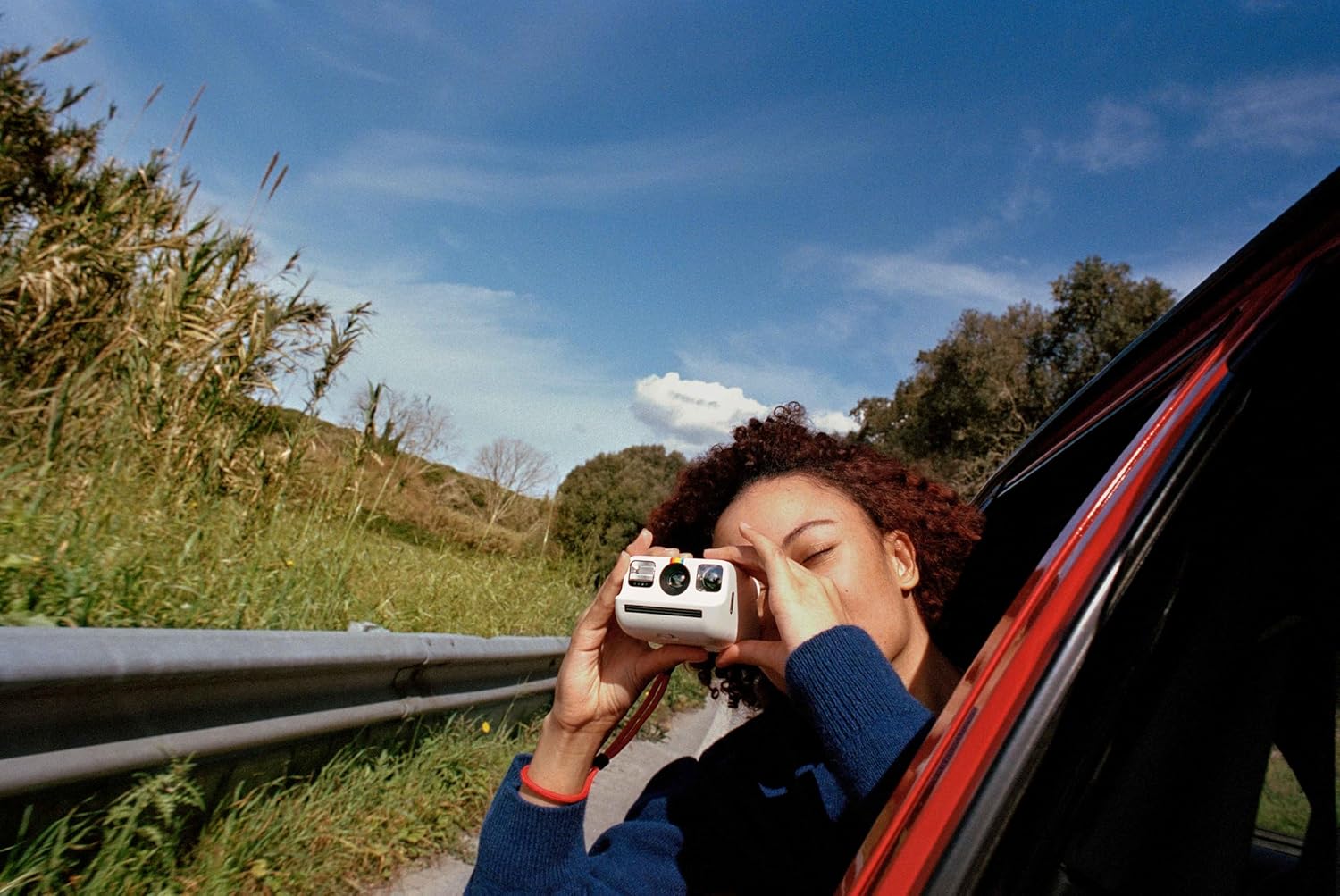
Image: A person holding the Polaroid Go camera and taking a photo from a car window, illustrating its ease of use for capturing moments on the go.
Video: 'n Amptelike produkvideovertoningasing the Polaroid Go Generation 2 Instant Film Camera, highlighting its compact size, improved features, and the instant photo development process.
Onderhoud
- Skoonmaak: Gebruik 'n sagte, droë lap om die kamera se liggaam en lens skoon te maak. Vermy skuurmiddels of harde chemikalieë.
- Berging: Bêre die kamera op 'n koel, droë plek weg van direkte sonlig en uiterste temperature.
- Filmhantering: Always store film in its original packaging in a cool, dry place. Avoid exposing film to light before use.
Probleemoplossing
- Foto's is vaag: Ensure you are holding the camera steady when taking a picture. Check lighting conditions and use the flash if necessary.
- Film word nie uitgewerp nie: Verify that the film pack is correctly inserted and that there is still film remaining (check the film counter). Ensure the battery is charged.
- Kamera skakel nie aan nie: Charge the camera using the provided USB-C cable. If the issue persists, contact customer support.
Spesifikasies
| Kenmerk | Detail |
|---|---|
| Handelsmerk | Polaroid |
| Model Naam | Polaroid Go Gen2 |
| Kleur | Wit |
| Item gewig | 240 gram |
| Itemafmetings (L x B x H) | 4.13 x 3.3 x 2.42 duim |
| Filmformaat tipe | Instant (Polaroid Go Film) |
| Spesiale kenmerk | Built-In Flash, Self-Timer, Double Exposure |
| Maksimum sluiterspoed | 1/300 - 1 Seconds |
| Beheer van blootstelling | Outomatiese |
| Viewvinder | LCD skerm |
| Waterweerstandvlak | Nie waterbestand nie |
Waarborg & Ondersteuning
The Polaroid Go Generation 2 Mini Instant Film Camera comes with a 1 jaar waarborg from the manufacturer. For technical support, troubleshooting assistance, or warranty claims, please visit the official Polaroid support webwebwerf of kontak hul kliëntediens direk. Bewaar u bewys van aankoop vir waarborgvalidering.