
1. Inleiding
This manual provides instructions for the assembly, operation, maintenance, and troubleshooting of your FLEXISPOT E6 Pro Electric Standing Desk. Please read this manual thoroughly before use to ensure proper function and safety.

Figure 1: FLEXISPOT E6 Pro Electric Standing Desk
2. Veiligheidsinligting
Belangrike veiligheidsmaatreëls:
- Ensure the desk is properly anchored to the wall or floor when height is adjusted, especially if loading heavy items.
- Hou kinders en troeteldiere weg van die lessenaar tydens gebruik om beserings deur bewegende dele te voorkom.
- Do not place hands or other body parts near the lifting mechanism while the desk is in motion.
- Moenie die lessenaar oorlaai nie. Verwys na die spesifikasies-afdeling vir maksimum gewigskapasiteit.
- Gebruik slegs die meegeleverde kragadapter en komponente.
- If any unusual sounds or movements occur, immediately stop operation and unplug the desk.
3. Monteer-instruksies
Assembly is required for this product. It is recommended to have two people for assembly due to the weight and size of the components. All necessary hardware and tools are typically included. Follow the steps below for a smooth assembly process.
3.1 Uitpak en Voorbereiding
- Maak die verpakking versigtig oop en verwyder al die komponente.
- Verifieer dat alle onderdele teenwoordig is teen die ingeslote onderdelelys.
- Plaas al die komponente op 'n sagte, skoon oppervlak om skrape te voorkom.
3.2 Raamsamestelling
Attach the desk legs to the crossbar and feet. Ensure all screws are tightened securely.
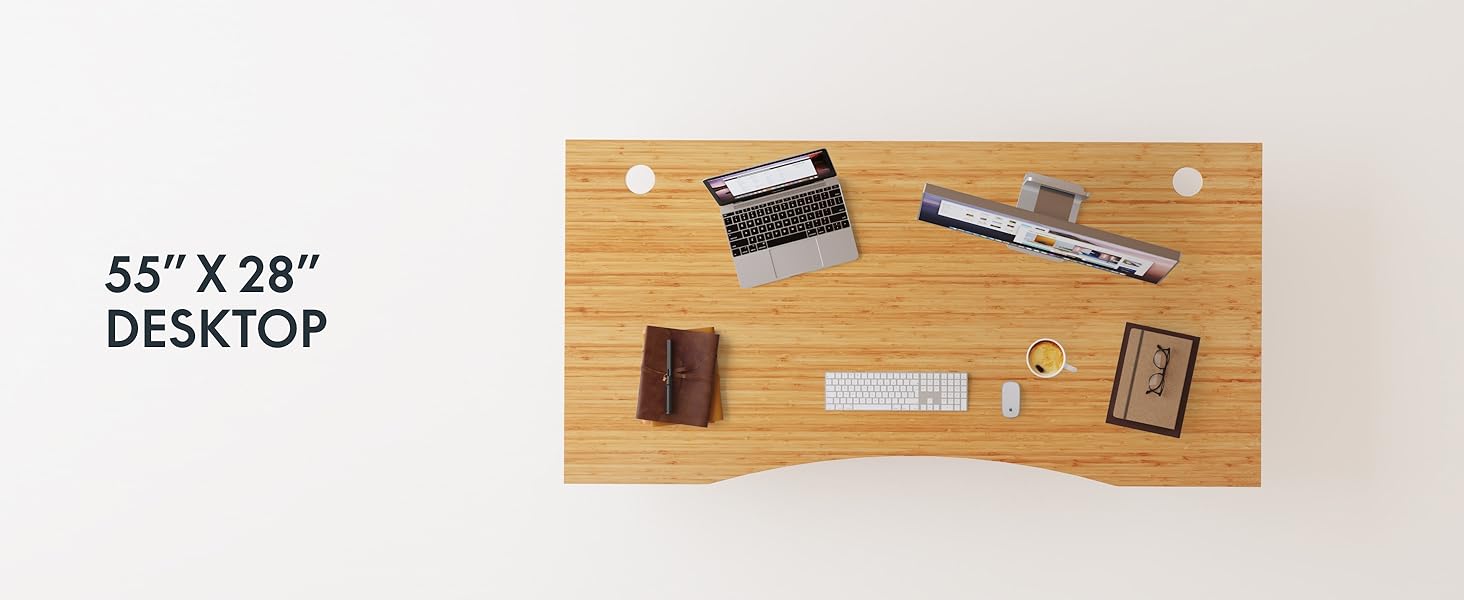
Figure 2: Desk Frame Assembly
3.3 Desktop Attachment
Carefully place the bamboo desktop onto the assembled frame. Align the pre-drilled holes and secure the desktop with the provided screws. The desktop features a curved design for ergonomic comfort.

Figure 3: Curved Bamboo Desktop
3.4 Control Panel and Cable Management
Mount the digital control panel to the underside of the desk. Connect all motor and power cables according to the diagram. Utilize the integrated cable management holes to organize wires and prevent clutter.

Figure 4: Control Panel and Cable Management

Figure 5: Cable Management Hole
4. Bedryfsinstruksies
The FLEXISPOT E6 Pro desk features a user-friendly digital control panel for height adjustment and memory presets.

Figuur 6: Digitale Beheerpaneel
4.1 Aanpassing van lessenaarhoogte
- Druk die Pyltjie op knoppie om die lessenaar op te lig.
- Druk die Afpyltjie knoppie om die lessenaar te laat sak.
- Laat die knoppie los op die verlangde hoogte.
4.2 Geheuevoorinstellings instel
The control panel allows you to save up to two preferred height settings.
- Verstel die lessenaar tot jou verlangde hoogte.
- Druk die "M" knoppie. Die skerm sal flikker.
- Druk óf die "1" or "2" button within 3 seconds to save the current height to that preset.
- To recall a saved height, simply press the corresponding "1" or "2" button. The desk will automatically move to the saved position.
4.3 USB-laaipoort
A USB port is integrated into the control panel for convenient charging of your devices.
4.4 Antibotsingsfunksie
The desk is equipped with an anti-collision system that automatically stops and slightly reverses movement if it encounters an obstruction during height adjustment. This feature helps prevent damage and injury.

Figuur 7: Botsingsteenstelsel in aksie
5. Onderhoud
Gereelde onderhoud verseker die lang lewensduur en optimale prestasie van jou staande lessenaar.
- Skoonmaak: The bamboo desktop has a smooth, waterproof surface, making it easy to clean. Use a soft, damp cloth with mild soap to wipe down the surface. Avoid abrasive cleaners or harsh chemicals.
- Inspeksie: Kontroleer gereeld alle skroewe en verbindings om te verseker dat hulle styf vas is. Draai weer vas indien nodig.
- Kabelbestuur: Ensure cables are neatly organized and not pinched or tangled, which could affect desk operation.

Figure 8: Waterproof Bamboo Surface
6. Probleemoplossing
If you encounter issues with your FLEXISPOT E6 Pro desk, refer to the following common problems and solutions:
| Probleem | Moontlike oorsaak | Oplossing |
|---|---|---|
| Die lessenaar beweeg nie. | Power cable disconnected, control panel locked, or motor error. | Check power connections. Unlock control panel if applicable. Unplug for 10 seconds and plug back in to reset. |
| Ongelyke hoogteverstelling. | Uneven load, loose connections, or motor synchronization issue. | Ensure weight is evenly distributed. Check all frame connections. Perform a reset procedure (refer to full manual if available). |
| Desk stops unexpectedly. | Anti-collision system activated, or overload. | Check for obstructions. Reduce weight on the desk if exceeding maximum capacity. |
| Geraas tydens operasie. | Loose components or normal motor sound. | Tighten all screws. A low hum from the dual motors (less than 45 dB) is normal. |
If the problem persists, please contact FLEXISPOT customer support.
7. Spesifikasies
| Kenmerk | Detail |
|---|---|
| Handelsmerk | FLEXISPOT |
| Modelnommer | ET365 |
| Produk afmetings | 77.9" D x 29.5" B x 23.6" H |
| Desktop-grootte | 78"x30" Whole-piece |
| Kleur | Black Frame + Curved Bamboo Top |
| Basis materiaal | Metaal |
| Top materiaal tipe | Hout (Bamboes) |
| Hefmeganisme | Electric Dual Motor |
| Minimum Hoogte | 23.6 duim |
| Maksimum Hoogte | 48.8 duim |
| Maksimum gewig aanbeveling | 352 pond |
| Geraasvlak | Minder as 45 dB |
| Vereiste samestelling | Ja |
8. Waarborg en ondersteuning
8.1 Waarborginligting
FLEXISPOT provides the following warranty coverage for your E6 Pro Electric Standing Desk:
- 10-Year Coverage: Desk frame and motor.
- 2-Year Coverage: Control panel and electronics.
This warranty covers manufacturing defects and malfunctions under normal use. Please retain your proof of purchase for warranty claims.
8.2 Kliëntediens
For any assistance, questions, or warranty claims, please contact FLEXISPOT customer support. You can find more information and contact details on the official FLEXISPOT webwebwerf of deur jou aankoopplatform.
Visit the official FLEXISPOT Store: FLEXISPOT Store on Amazon