Welcome to the user manual for your new Lenovo ThinkPad P16 Gen 2 mobile workstation. This powerful laptop is designed for demanding professional tasks, featuring an Intel Core i9-13980HX processor, NVIDIA RTX 4000 Ada graphics, and a stunning 16-inch WQUXGA display. This manual provides essential information for setting up, operating, maintaining, and troubleshooting your device to ensure optimal performance and longevity.
Figure 1: Lenovo ThinkPad P16 Gen 2, an open view wysasing sy skerm en sleutelbord.
2. Opstelling
2.1 Uitpak en Aanvanklike Inspeksie
Carefully remove your ThinkPad P16 Gen 2 and its accessories from the packaging. The box should contain the following items:
Lenovo ThinkPad P16 Gen 2 skootrekenaar
Integrated Battery (pre-installed)
230W Slim Tip Power Adapter
Inspect the laptop for any visible damage. If you find any, contact your vendor immediately.
2.2 Aansluitkrag
Before first use, connect the laptop to a power source using the provided 230W Slim Tip Power Adapter.
Plug the power adapter into the power connector on your laptop.
Steek die kragkabel in 'n elektriese aansluiting.
Die battery sal outomaties begin laai.
2.3 Aanvanklike opstart en Windows-opstelling
Press the power button to turn on your laptop. Follow the on-screen instructions to complete the Windows 11 Pro setup process. This includes setting up your region, language, network connection, and user account.
2.4 Opstelling van vingerafdrukleser
For enhanced security, configure the integrated fingerprint reader during the Windows setup or later via Windows Settings. This allows for quick and secure login.
3. Operating Your ThinkPad P16 Gen 2
3.1 Sleutelbord en raakvlak
Your ThinkPad P16 Gen 2 features a full-sized, backlit QWERTY keyboard for comfortable typing. The integrated TrackPoint pointing device and large multi-touch touchpad provide precise navigation.
Agterligbeheer: Adjust keyboard backlight brightness using the Fn + Spacebar keys.
Funksie sleutels: Utilize the Fn keys (F1-F12) for quick access to system functions like volume, brightness, and external display control.
Figuur 2: Close-up view of the keyboard, TrackPoint, and touchpad.
3.2 Vertoon
The 16-inch WQUXGA (3840 x 2400) IPS display offers exceptional clarity and color accuracy, with 800 nits brightness and 100% DCI-P3 color gamut. It is ideal for professional content creation and detailed work.
Helderheid aanpassing: Use the F5 and F6 keys to adjust screen brightness.
Eksterne skerms: Connect external monitors via the HDMI or DisplayPort outputs for extended workspace.
3.3 Poorts en Konnektiwiteit
The ThinkPad P16 Gen 2 provides a variety of ports for connecting peripherals and external devices.
USB-poorte: Connect USB devices such as external drives, keyboards, and mice.
HDMI/DisplayPort: Vir die koppeling van eksterne skerms.
SD-kaartleser: Vir die oordrag van data vanaf SD-kaarte.
Wi-Fi: Koppel aan draadlose netwerke vir internettoegang.
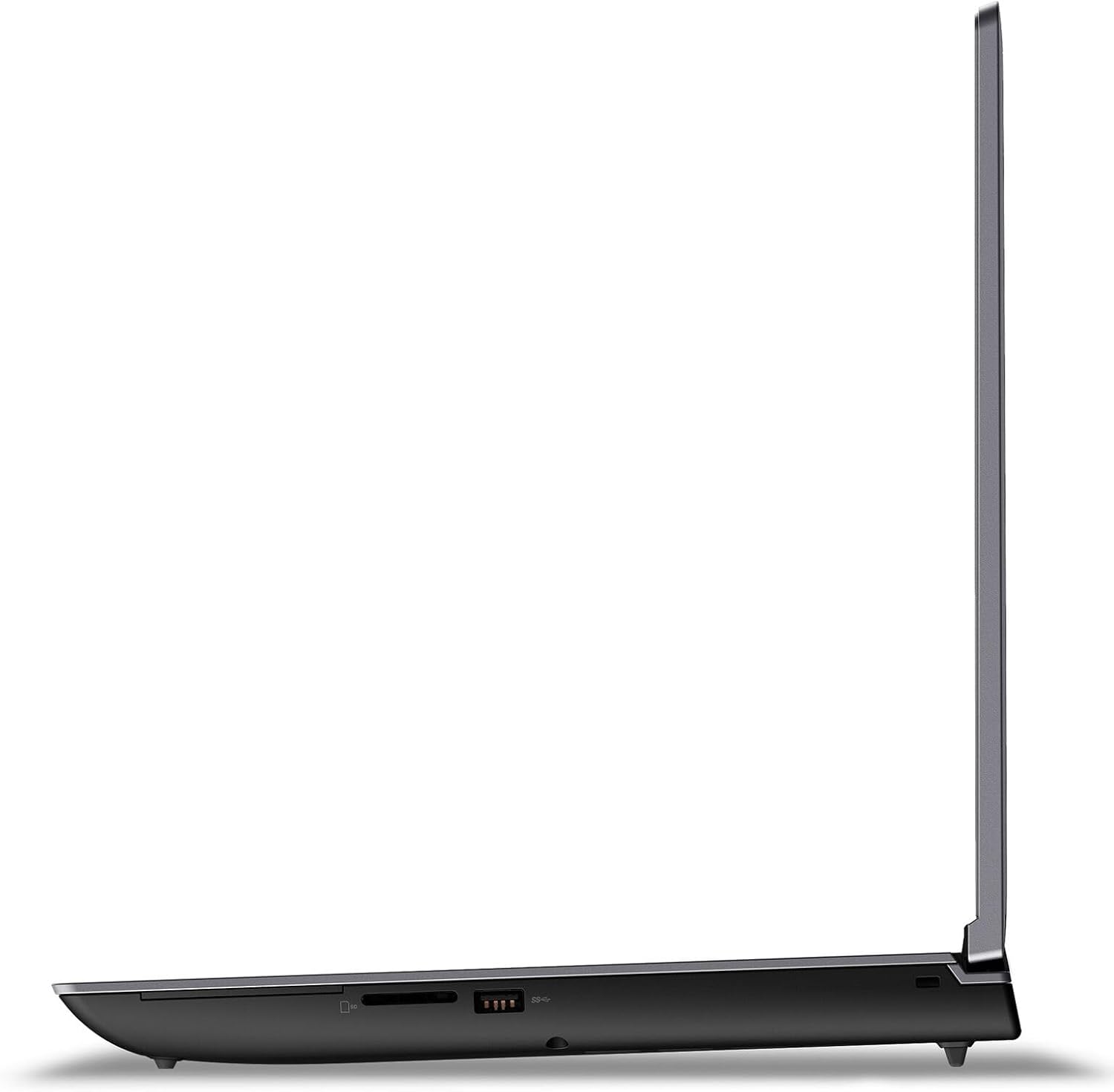
Figure 3: Left side ports of the ThinkPad P16 Gen 2.
Figure 4: Right side ports of the ThinkPad P16 Gen 2.
3.4 Kamera en klank
The laptop features a 1080P FHD IR/RGB Hybrid camera with a privacy shutter, along with dual array microphones for clear communication. Stereo speakers with Dolby Atmos provide immersive audio.
Privaatheidsluiter: Slide the shutter to cover the camera lens when not in use for privacy.
Oudiokontroles: Adjust volume using the dedicated function keys (F1-F4).
4. Onderhoud
4.1 Maak jou skootrekenaar skoon
Regular cleaning helps maintain the appearance and functionality of your ThinkPad P16 Gen 2.
Skerm: Gebruik 'n sagte, pluisvrye lap liggies dampmet water of 'n skermreiniger afgespoel. Moenie vloeistof direk op die skerm spuit nie.
Sleutelbord en Onderstel: Gebruik 'n sagte lap om oppervlaktes af te vee. Vir hardnekkige vuiligheid, gebruik 'n effens damp lap kan gebruik word. Vermy harde chemikalieë.
4.2 Batterysorg
The integrated 94Wh battery is designed for long-lasting performance. To optimize battery life:
Vermy uiterste temperature.
Moenie die battery gereeld heeltemal ontlaai nie.
Adjust power settings in Windows to 'Balanced' or 'Power Saver' when not performing intensive tasks.
4.3 Sagteware-opdaterings
Keep your operating system and drivers updated to ensure optimal performance, security, and compatibility.
Windows-opdaterings: Regularly check for and install updates via Windows Settings > Update & Security.
Bestuurderopdaterings: Besoek die amptelike Lenovo-ondersteuning website to download the latest drivers for your specific model.
5. Probleemoplossing
This section addresses common issues you might encounter with your ThinkPad P16 Gen 2.
Probleem
Moontlike Oplossing
Skootrekenaar skakel nie aan nie.
Ensure the power adapter is securely connected to both the laptop and a working electrical outlet. Check the power adapter's indicator light. Try a different outlet.
Die skerm is leeg of flikker.
Adjust screen brightness (Fn + F6). Connect an external monitor to check if the issue is with the laptop's display or graphics card. Update graphics drivers.
Wi-Fi-verbindingsprobleme.
Ensure Wi-Fi is enabled (check Windows settings). Restart your router and modem. Update wireless network drivers.
Die stelsel is stadig of reageer nie.
Close unnecessary applications. Check Task Manager for processes consuming high CPU/RAM. Run a virus scan. Ensure sufficient free storage space.
Indien u nie 'n probleem met hierdie stappe kan oplos nie, verwys asseblief na die Waarborg en Ondersteuning-afdeling vir verdere hulp.
6. Spesifikasies
Detailed technical specifications for the Lenovo ThinkPad P16 Gen 2 (Model: 21FA0028US).
Verwerker: Intel Core i9-13980HX (24 Cores, 32 Threads, P-core up to 5.6GHz, E-core up to 4.0GHz, 36MB Cache)
Grafika: NVIDIA RTX 4000 Ada Generasie Skootrekenaar GPU 12GB GDDR6
Chipset: Intel WM790
Geheue: 64GB DDR5 SO-DIMM (expandable up to 192GB across four slots)
Berging: 2TB SSD M.2 2280 PCIe 4.0x4 Performance NVMe (supports up to two M.2 SSDs)
Vertoon: 16-inch WQUXGA (3840 x 2400) IPS, Anti-Glare, Non-Touch, HDR 400, 100% DCI-P3, 800 nits, 60Hz, Low Blue Light
Oudio: High Definition (HD) Audio, Realtek ALC3306 codec, Stereo speakers (2W x2) with Dolby Atmos
Kamera: 1080P FHD IR/RGB Hybrid with Privacy Shutter
Mikrofoon: 2x, reeks
Battery: Geïntegreerde 94Wh
Kragadapter: 230 W skraal punt (3-pen)
Sleutelbord: Backlit, English QWERTY layout
Omhulselkleur: Storm Grey (Top), Villi Black (Bottom)
Afmetings (BxDxH): 364 x 266 x 30.23 mm (14.3 x 10.5 x 1.2 duim)
Ask about setup, troubleshooting, compatibility, parts, safety, or missing instructions. Manuals+ will review the question and use this page’s manual context to help answer it.