
NXGKET 2AYV7YG-813
NXGKET Herlaaibare Walkie-Talkie Gebruikershandleiding
Model: 2AYV7YG-813
Inleiding
Thank you for choosing the NXGKET Rechargeable Walkie-Talkie. This manual provides detailed instructions for the safe and effective use of your new device. Designed for both children and adults, these walkie-talkies offer reliable communication with a long range, making them ideal for outdoor activities, camping, and general recreational use. Please read this manual thoroughly before operating the device and keep it for future reference.
Veiligheidsinligting
Om veilige werking te verseker en skade te voorkom, neem asseblief die volgende voorsorgmaatreëls in ag:
- Do not disassemble or modify the walkie-talkie. Unauthorized modifications can void the warranty and pose safety risks.
- Keep the device away from water and moisture. It is water-resistant but not waterproof.
- Avoid exposing the walkie-talkie to extreme temperatures, direct sunlight, or open flames.
- Use only the provided USB Type-C charging cable and a compatible power adapter (not included) for charging.
- Supervise children during use to ensure proper handling and safety.
- Do not operate the walkie-talkie near medical devices or in areas where radio communication is restricted (e.g., hospitals, aircraft).
- Gooi batterye en elektroniese komponente verantwoordelik weg volgens plaaslike regulasies.
Pakketinhoud
Nadat u die pakkie oopgemaak het, maak asseblief seker dat alle items teenwoordig en in 'n goeie toestand is:
- 2 x NXGKET Rechargeable Walkie-Talkies (Blue)
- 2 x Built-in 1200mAh Lithium Polymer Batteries
- 1 x USB Type-C Charging Cable (for dual charging)
- 1 x Gebruikershandleiding (hierdie dokument)

Image: The NXGKET Walkie-Talkie package showing two blue walkie-talkies, a charging cable, and the product box, illustrating the typical contents.
Produk verbyview
Familiarize yourself with the various components and controls of your walkie-talkie:

Image: A detailed diagram labeling the key components of the NXGKET Walkie-Talkie, including the antenna, PTT button, LCD display, lamp button, menu/lock button, sound speaker, power/scan button, up/down buttons, call/ring button, Type-C charging port, and removable belt clip.
- Antenna: Vir die oordrag en ontvangs van seine.
- PTT (druk-om-te-praat)-knoppie: Druk en hou in om jou stem oor te dra.
- Op-knoppie: Navigeer spyskaarte opwaarts of verhoog waardes.
- Lamp Knoppie: Aktiveer die ingeboude LED-flitslig.
- Kieslys/Sluitknoppie: Voer kieslysinstellings in of sluit/ontsluit die sleutelbord.
- Sound Speaker: Uitsette ontvangde klank.
- Aan/af-/skandeerknoppie: Turns the device on/off (long press) or initiates channel scanning (short press).
- Af-knoppie: Navigeer spyskaarte afwaarts of verlaag waardes.
- Bel-/Lui-knoppie: Sends a call tone to other walkie-talkies on the same channel.
- Tipe C-laaipoort: For connecting the USB Type-C charging cable.
- Remove Belt Clip: Point for attaching or detaching the belt clip.
- LCD-skerm: Shows channel, volume, battery status, and other indicators.
Opstelling
1. Aanvanklike laai
Your walkie-talkie comes with a built-in 1200mAh lithium polymer battery. For optimal performance, fully charge the device before first use.
- Connect the provided USB Type-C charging cable to the charging port on the side of the walkie-talkie.
- Connect the other end of the USB cable to a compatible USB power source (e.g., wall adapter, computer USB port, power bank).
- The battery indicator on the LCD display will show charging status. A full charge typically takes approximately 2 hours.
- Once fully charged, the battery can provide up to 24 hours of work time and up to 3 days of standby time.

Image: An illustration demonstrating the 1200mAh lithium polymer battery and its charging time (2 hours for full charge) and work time (24 hours), alongside a diagram of the high-volume speaker.
2. Skakel aan/af
- To turn on the walkie-talkie, press and hold the Power/Scan-knoppie totdat die LCD-skerm oplig.
- To turn off the walkie-talkie, press and hold the Power/Scan-knoppie totdat die LCD-skerm afskakel.
Bedryfsinstruksies
1. Setting Channels and Privacy Codes
For two or more walkie-talkies to communicate, they must be set to the same channel and privacy code (CTCSS/DCS).
- The NXGKET walkie-talkie has 16 main channels and 121 privacy codes (38 CTCSS codes and 83 DCS codes).
- Druk die Kieslys/Slot-knoppie once to enter channel selection mode. Use the Up or Af-knoppies to select your desired channel (1-16). Press PTT te bevestig of Spyskaart again to move to privacy code setting.
- Druk die Kieslys/Slot-knoppie twice to enter privacy code selection mode. Use the Up or Af-knoppies to select your desired privacy code (0-121). Code 0 means no privacy code.
- Druk die PTT-knoppie to confirm your selection and exit the menu.
- Ensure all walkie-talkies intended for communication are set to the identical channel and privacy code.
2. Uitsending en Ontvangs
- Om jou stem oor te dra, druk en hou die PTT-knoppie. Speak clearly into the microphone (located near the speaker). Release the PTT-knoppie when you finish speaking to allow the other party to respond.
- Wanneer die PTT-knoppie is not pressed, the walkie-talkie is in receive mode. You will hear incoming transmissions through the speaker.
3. Aanpassing van volume
Gebruik die Up en Af-knoppies (when not in menu mode) to adjust the speaker volume. The volume level will be displayed on the LCD screen.
4. Bel Tone
Druk die Bel-/Lui-knoppie once to send an audible call tone to other walkie-talkies on the same channel and privacy code, alerting them to an incoming transmission.
5. VOX (Stembedrywige Uitruiling) Funksie
VOX allows hands-free operation. When activated, the walkie-talkie will automatically transmit when it detects your voice.
- Druk die Kieslys/Slot-knoppie multiple times until "VOX" appears on the LCD display.
- Gebruik die Up or Af-knoppies to select the VOX sensitivity level (e.g., 1-3, with 3 being most sensitive). Select "OFF" to disable VOX.
- Druk die PTT-knoppie om te bevestig en te verlaat.
6. Kanaalskandering
The scan function allows you to automatically scan through channels to find active conversations.
- Druk kortliks die Power/Scan-knoppie (when the device is on) to initiate channel scanning. The walkie-talkie will cycle through channels until it detects a signal.
- It will pause on an active channel. To stop scanning, press the Power/Scan-knoppie weer of die PTT-knoppie.
7. LED-flitslig
The built-in LED flashlight can be used for illumination in low-light conditions.
- Druk die Lamp Knoppie een keer om die flitslig aan te skakel.
- Druk die Lamp Knoppie weer om die flitslig af te skakel.
8. Toetsblokkieslot
Om te verhoed dat jy per ongeluk knoppies druk, kan jy die sleutelbord sluit.
- Druk en hou die Kieslys/Slot-knoppie for a few seconds until a lock icon appears on the LCD display.
- Om te ontsluit, druk en hou die Kieslys/Slot-knoppie weer totdat die slotikoon verdwyn.
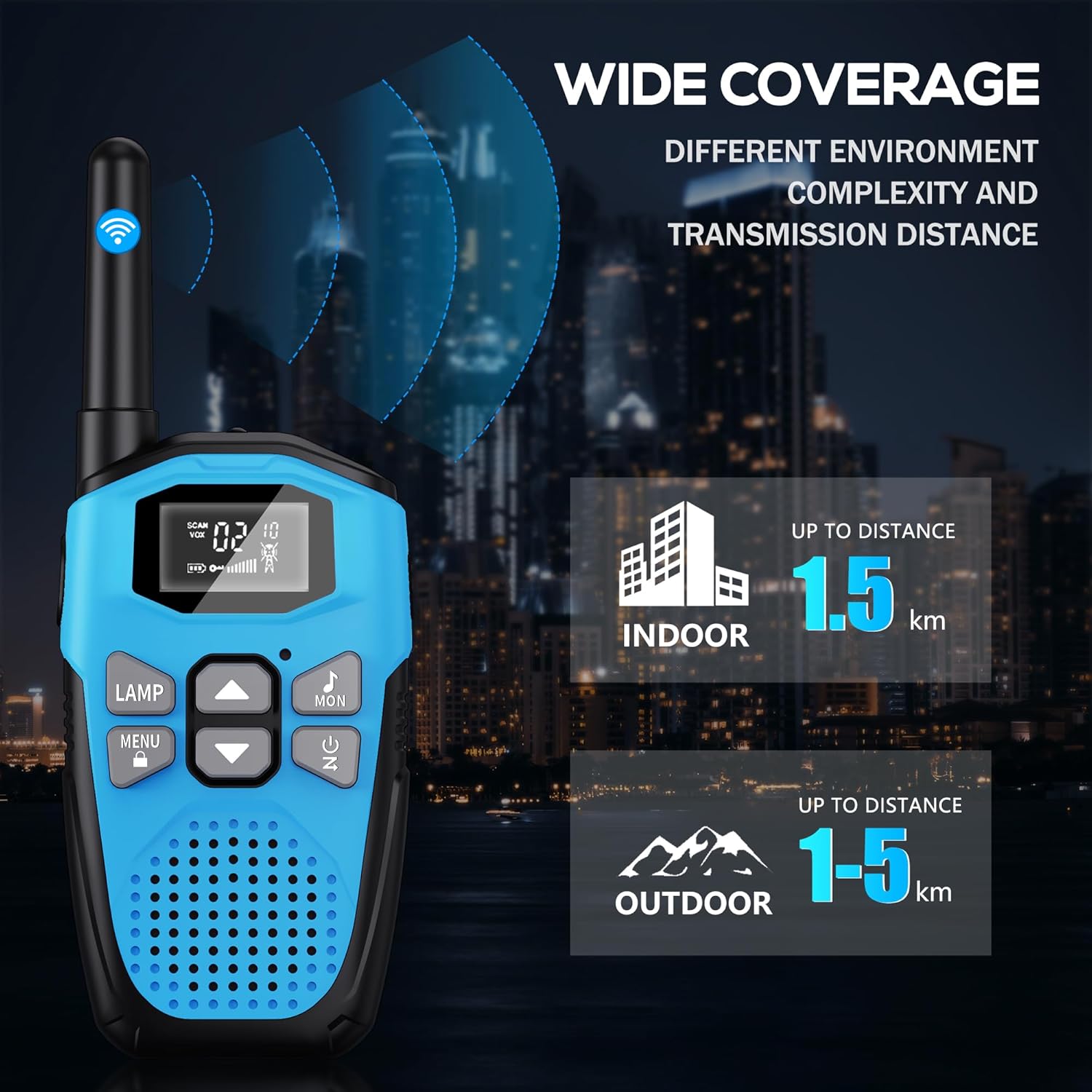
Image: An illustration showing the wide coverage capabilities of the walkie-talkie, indicating an indoor range of up to 1.5 km and an outdoor range of 1-5 km, depending on environmental complexity and transmission distance.
Onderhoud
- Skoonmaak: Vee die walkie-talkie af met 'n sagte, damp lap. Moenie harde chemikalieë of skuur skoonmaakmiddels gebruik nie.
- Berging: Bêre die toestel op 'n koel, droë plek weg van direkte sonlig en uiterste temperature wanneer dit nie gebruik word nie.
- Batterysorg: For long-term storage, it is recommended to charge the battery to about 50% every 3-6 months to maintain battery health.
- Valbeskerming: The walkie-talkie features a hard shell and anti-drop design for environmental protection. However, avoid excessive drops or impacts to prevent damage.

Image: A visual representation highlighting the walkie-talkie's hard shell, anti-drop design, and key features such as VOX hands-free, keypad lock, clear sound, drop protection, noise reduction, and LED emergency light.
Probleemoplossing
| Probleem | Moontlike oorsaak | Oplossing |
|---|---|---|
| Geen krag nie | Battery is leeg. | Charge the walkie-talkie fully. |
| Cannot communicate with other walkie-talkies | Different channels or privacy codes. | Ensure all walkie-talkies are on the same channel and privacy code. |
| Swak klankgehalte of statiese | Out of range; low battery; interference. | Move closer to the other unit; charge battery; move away from sources of interference. |
| Kort kommunikasiereeks | Obstacles (buildings, terrain); environmental factors. | Move to an open area; range is reduced in urban/dense environments. |
| Sleutelbord reageer nie | Sleutelbord is gesluit. | Druk en hou die Kieslys/Slot-knoppie te ontsluit. |
Spesifikasies
| Kenmerk | Detail |
|---|---|
| Handelsmerk | NXGKET |
| Modelnommer | 2AYV7YG-813 |
| Kleur | Blou |
| Battery Tipe | Built-in 1200mAh Lithium Polymer (rechargeable) |
| Laaipoort | USB Tipe-C |
| Aantal kanale | 16 |
| Privaatheidskodes | 121 (38 CTCSS, 83 DCS) |
| Frekwensiereeks | 446 MHz (UHF) |
| Maximum Range (Open Area) | Up to 5 Kilometers (approx. 3.1 miles) |
| Maximum Range (Urban Area) | Up to 1.5 Kilometers (approx. 0.9 miles) |
| Voltage | 3.7 Volt |
| Waterweerstandvlak | Waterbestand (nie waterdig nie) |
| Spesiale kenmerke | Rechargeable Battery, Volume Control, Long Range, Lightweight, Noise Reduction, VOX, LCD Display with Backlight, LED Flashlight, Keypad Lock, Low Battery Alert, Drop Protection. |
Waarborg en Ondersteuning
The NXGKET walkie-talkie has been tested to meet CE certification standards.
- Waarborg: Hierdie produk kom met 'n 1-jaar waarborg vanaf die datum van aankoop.
- Kliëntediens: For any questions, issues, or warranty claims, please contact NXGKET customer service via email. Refer to your purchase documentation for specific contact details or visit the official NXGKET webwebwerf.
Ask a question about this manual
Ask about setup, troubleshooting, compatibility, parts, safety, or missing instructions. Manuals+ will review the question and use this page’s manual context to help answer it.