
Kinganda Q71
Kinganda Bluetooth-oorfone gebruikershandleiding
Model: V71
Handelsmerk: Kinganda
Inleiding
Thank you for choosing Kinganda Bluetooth Headphones. This user manual provides detailed instructions on how to set up, operate, and maintain your new headphones. Please read this manual thoroughly before use to ensure optimal performance and longevity of your device.
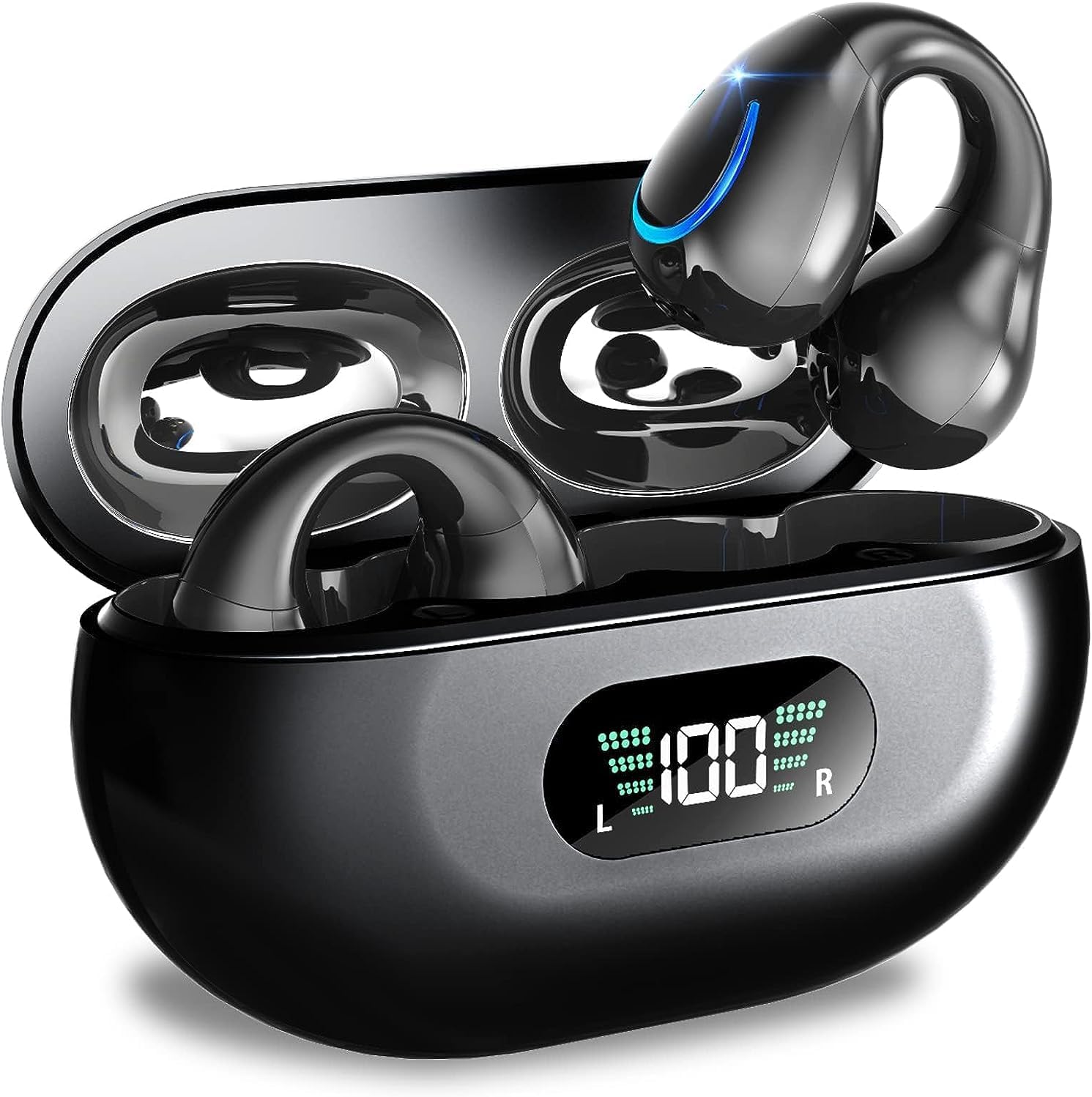
Image: Kinganda Bluetooth Headphones (Model Q71) in their charging case, showcasindie slanke ontwerp en LED-skerm.
Wat is in die boks
Kontroleer asseblief die inhoud van die pakket om seker te maak dat alle items teenwoordig is:
- Wireless Headphones (Left and Right)
- Draadlose laaikas
- USB-C-laaikabel
- Gebruikershandleiding

Image: An illustration showing the Kinganda headphones, charging case, USB-C cable, and user manual, representing the package contents.
Veiligheidsinligting
To ensure safe operation and prevent damage to your headphones, please observe the following safety guidelines:
- Do not swim underwater or take hot baths with the headphones. Exposure to high temperatures or prolonged submersion can cause damage to the internal components.
- Keep the headphones and charging case away from extreme temperatures, direct sunlight, and high humidity.
- Vermy om die toestel te laat val of aan sterk impakte te onderwerp.
- Do not attempt to disassemble, repair, or modify the headphones yourself. Contact qualified service personnel for any repairs.
- Hou buite bereik van kinders en troeteldiere.
Produk verbyview en kenmerke
The Kinganda Q71 headphones are designed for comfort and high-quality audio, featuring advanced technology for an enhanced listening experience.
Sleutel kenmerke:
- Gevorderde Bluetooth 5.3-tegnologie: Ensures a stable, low-latency connection with lower power consumption and faster transmission.
- Comfortable Open Ear Clip Design: Ergonomically designed to fit the contours of the ear, providing a secure and comfortable fit without entering the ear canal. This design allows you to remain aware of your surroundings.
- 36 uur speeltyd: Enjoy up to 6 hours of continuous playback on a single charge, with an additional 30 hours provided by the compact magnetic charging case.
- LED digitale skerm: The charging case features an LED screen that clearly shows the remaining power of both the headphones and the charging case.
- IPX7 Waterdigte Gradering: Designed to withstand sweat and light rain, making them suitable for various activities.
- 10mm-drywers: Deliver deep bass and stereo sound for a rich audio experience.
- Built-in ENC Mic: Enhanced Noise Cancellation microphone for clear calls.
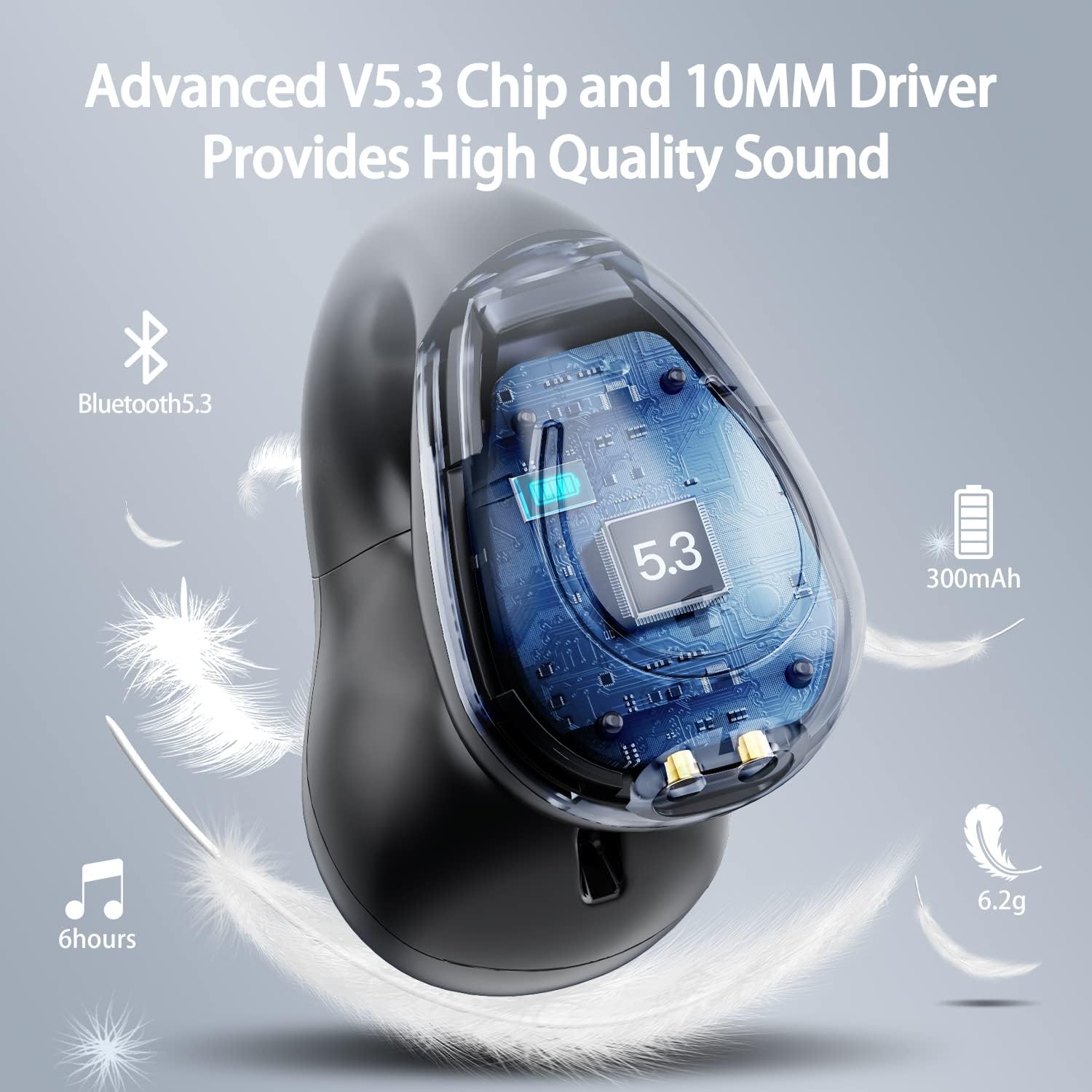
Beeld: 'n Uitsnyding view of the Kinganda earbud, highlighting the advanced V5.3 chip and 10mm driver for high-quality sound.

Image: A person wearing the Kinganda Q71 headphones, demonstrating the comfortable and secure open-ear clip design.
Opstelling
Pairing Your Headphones:
- Laai die oorfone: Before first use, ensure both the headphones and the charging case are fully charged. Place the earbuds into the charging case and connect the USB-C cable to a power source. The LED display on the case will indicate charging status.
- Krag aan: Open the charging case. The headphones will automatically power on and enter pairing mode.
- Aktiveer Bluetooth: On your device (smartphone, tablet, laptop, etc.), go to the Bluetooth settings and turn on Bluetooth.
- Kies Toestel: In the list of available Bluetooth devices, look for "YYK-Q71" and select it to connect.
- Bevestiging: Once connected, you will hear an audio prompt from the headphones, and the device will show "YYK-Q71" as connected.
The headphones are widely compatible with iOS, Android, and Windows devices.

Image: An illustration demonstrating the simple one-step pairing process and wide compatibility of the Kinganda Q71 headphones with various devices.
Bedryfsinstruksies
Laai die oorfone en omhulsel:
- Oorfone laai: Place the earbuds back into the charging case. They will automatically begin charging. The LED display on the case will show the charging status of each earbud.
- Saaklaai: Connect the provided USB-C cable to the charging port on the case and the other end to a USB power adapter (not included). The LED display will show the battery percentage van die saak.
- A full charge of the earbuds provides approximately 6 hours of playtime. The charging case provides an additional 30 hours of battery life, allowing for multiple recharges on the go.
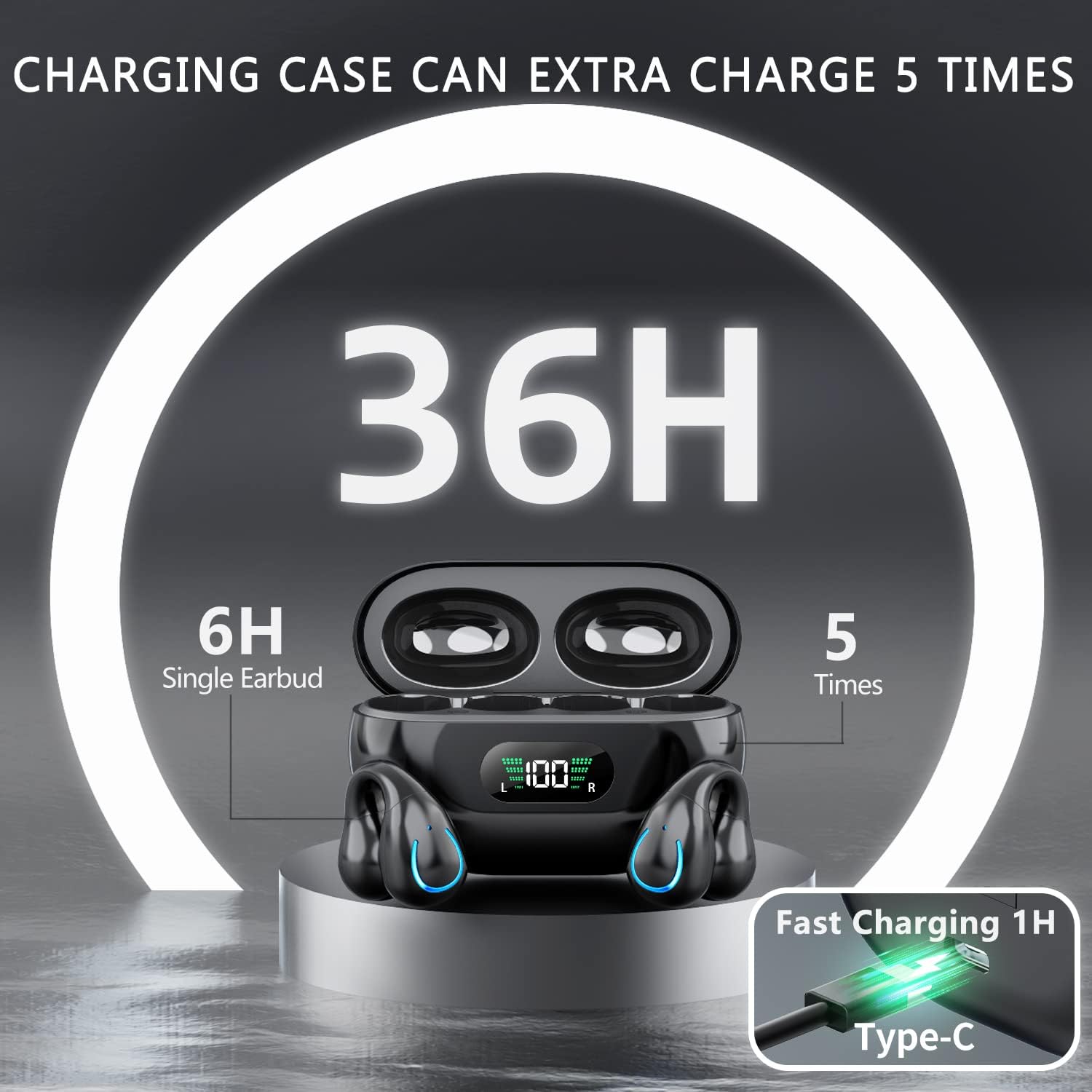
Image: The Kinganda charging case displaying "36H" total playtime, indicating 6 hours from a single earbud charge and 5 additional charges from the case.
Raakkontroles:
The Kinganda Q71 headphones feature physical buttons for precise control, preventing accidental touches.
| Aksie | Beheer |
|---|---|
| Krag aan/af | Automatically On/Off when taken out/put into case. |
| Beantwoord/beëindig oproep | Click 1 time (either earbud) |
| Verwerp oproep | Druk en hou (een van die oorfone) |
| Speel/Pause Musiek | Click 1 time (either earbud) |
| Volgende Snit | Click Right earbud 2 times |
| Vorige Snit | Click Left earbud 2 times |
| Aktiveer stemassistent (Siri, Google Assistent) | Click 3 times (either earbud) |

Image: Diagram illustrating the one-button physical controls for the Kinganda headphones, including call management, music playback, and voice assistant activation.
Onderhoud
Proper maintenance will extend the life of your Kinganda headphones:
- Skoonmaak: Gebruik 'n sagte, droë, pluisvrye lap om die oorfone en laaikas skoon te maak. Moenie harde chemikalieë, skoonmaakoplosmiddels of sterk skoonmaakmiddels gebruik nie.
- Berging: Wanneer dit nie gebruik word nie, bêre die oorfone in hul laaikassie om dit teen stof en skade te beskerm. Bêre op 'n koel, droë plek.
- Waterweerstand: While the headphones are IPX7 waterproof (resistant to sweat and light rain), they are not designed for swimming or submersion in water. Avoid exposure to hot water or steam.
- Batterysorg: To preserve battery life, charge the headphones regularly, even if not used for extended periods. Avoid fully draining the battery frequently.
Probleemoplossing
If you encounter any issues with your headphones, please refer to the following common problems and solutions:
Oorfone koppel nie:
- Maak seker dat albei oordopjes ten volle gelaai is.
- Maak seker dat Bluetooth op jou toestel geaktiveer is.
- Plaas die oordopjes terug in die laaikas, maak die deksel toe, wag 'n paar sekondes en maak dan die deksel weer oop om weer in paringsmodus te gaan.
- Vergeet "YYK-Q71" van jou toestel se Bluetooth-lys en probeer weer koppel.
- Ensure the headphones are within the effective Bluetooth range (typically 10 meters/33 feet) of your device.
Only one earbud is working:
- Plaas albei oordopjes terug in die laaikas en maak seker dat hulle korrek laai.
- Take both earbuds out simultaneously. They should automatically connect to each other.
- If the issue persists, try resetting the headphones (refer to the manufacturer's website or contact support for specific reset instructions if not detailed here).
Swak klankgehalte of ontkoppelings:
- Maak seker dat daar geen obstruksies tussen jou toestel en die oorfone is nie.
- Beweeg nader aan jou toestel om steuring te verminder.
- Kontroleer of die oordopjes skoon en vry van puin is.
- Probeer om klank vanaf 'n ander bron of toepassing te speel.
Oorfone laai nie:
- Ensure the USB-C charging cable is securely connected to both the case and the power source.
- Probeer 'n ander USB-C-kabel of kragadapter gebruik.
- Maak die laaikontakte op beide die oordopjes en die binnekant van die laaikas skoon met 'n droë wattestokkie.
Spesifikasies
| Kenmerk | Detail |
|---|---|
| Modelnommer | Q71 (YYK-Q71) |
| Handelsmerk | Kinganda |
| Verbindingstegnologie | Draadloos (Bluetooth 5.3) |
| Oorplasing | Oop oor |
| Vormfaktor | Knip aan |
| Geraasbeheer | Sound Isolation (via ENC Mic) |
| Produk afmetings | 3 x 3 x 3 cm; 6.2 g (per earbud) |
| Batterye | 2 Litium Polimeer batterye (ingesluit) |
| Ingesluit komponente | Wireless Headphones, User Manual, USB-C Charging Cable, Wireless Charging Case |
| Kleur | Swart |
| Vervaardiger | Kinganda |
Waarborg en Ondersteuning
Kinganda products are manufactured to the highest quality standards. For any warranty claims or technical support, please contact your original retailer or the manufacturer directly. Please retain your proof of purchase for warranty service.
For further assistance, please refer to the contact information provided with your purchase or visit the official Kinganda webwebwerf.