
HOCO W41_pink
HOCO W41 Bluetooth Headphones User Manual
Model: W41_pink
1. Inleiding
Thank you for choosing the HOCO W41 Bluetooth Headphones. This manual provides detailed instructions for setting up, operating, and maintaining your headphones to ensure optimal performance and longevity. Please read this manual carefully before use and retain it for future reference.
2. Veiligheidsinligting
- Moenie die oorfone blootstel aan uiterste temperature, humiditeit of korrosiewe stowwe nie.
- Vermy om die oorfone te laat val of aan harde impakte bloot te stel.
- Moenie die oorfone uitmekaar haal of wysig nie. Dit sal die waarborg ongeldig maak.
- Maak die oorfone skoon met 'n sagte, droë lap. Moenie harde chemikalieë of skuurmiddels gebruik nie.
- Luister teen matige volumevlakke om gehoorskade te voorkom.
3. Pakketinhoud
Kontroleer asseblief die inhoud van die pakket na uitpak:
- HOCO W41 Bluetooth Headphones (Pink)
- Laai kabel
- Oudiokabel (3.5 mm)
- Gebruikershandleiding
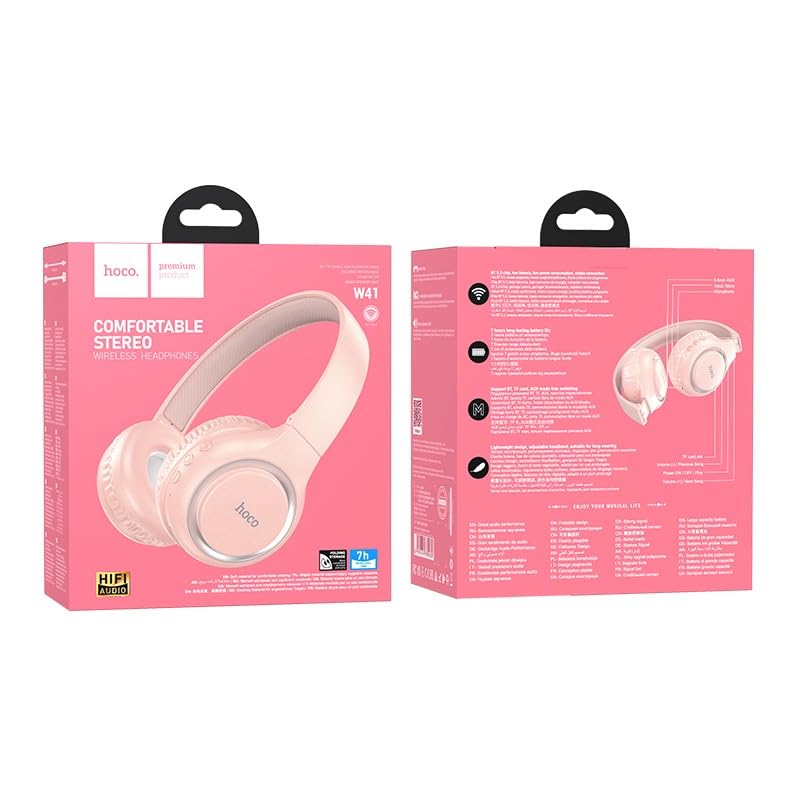
Image: The HOCO W41 Bluetooth Headphones in their retail packaging, showcasing the pink color variant.
4. Produk verbyview
Familiarize yourself with the various parts and controls of your HOCO W41 headphones.
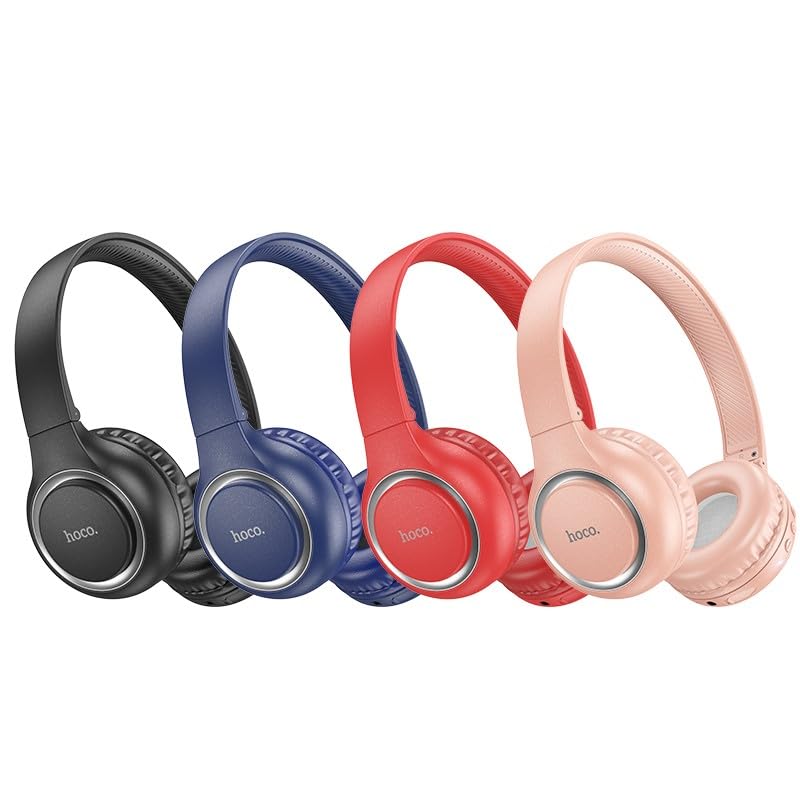
Image: A lineup of HOCO W41 headphones in various colors (black, blue, red, pink), illustrating the overall design.
Kontroles en poorte:
- Kragknoppie: On/Off, Play/Pause, Answer/End Call.
- Volume op (+): Verhoog volume, Volgende snit (lang druk).
- Volume af (-): Verlaag volume, Vorige snit (lang druk).
- Mikrofoon: Vir handvrye oproepe.
- Laaipoort: USB (Type-C, if applicable, otherwise micro USB).
- 3.5 mm oudio-aansluiting: Vir bedrade verbinding.
- LED-aanwyser: Shows power, charging, and pairing status.
5. Opstelling
5.1 Laai die oorfone
- Koppel die laaikabel aan die laaipoort op die oorfone.
- Koppel die ander kant van die kabel aan 'n USB-kragbron (bv. rekenaar se USB-poort, muuradapter).
- The LED indicator will illuminate (e.g., red) during charging and turn off or change color (e.g., blue) when fully charged.
- 'N Volledige lading duur ongeveer 1 uur.
5.2 Bluetooth -koppeling
- Maak seker dat die oorfone volledig gelaai is.
- Press and hold the Power button for approximately 3-5 seconds until the LED indicator flashes rapidly (e.g., blue and red alternately), indicating pairing mode.
- Aktiveer Bluetooth op jou toestel (slimfoon, tablet, skootrekenaar) en soek vir beskikbare toestelle.
- Select "HOCO W41" from the list of found devices.
- Once paired, the LED indicator will stop flashing and may show a solid blue light. A voice prompt may confirm the connection.
- Die oorfone sal outomaties weer aan die laaste gekoppelde toestel koppel wanneer dit aangeskakel word, indien die toestel se Bluetooth aktief en binne bereik is.
5.3 Bedrade verbinding (3.5 mm oudiokabel)
- Insert one end of the 3.5mm audio cable into the audio jack on the headphones.
- Insert the other end into the 3.5mm audio output jack of your device.
- Die oorfone sal outomaties na bedrade modus oorskakel. Bluetooth-funksionaliteit sal gedeaktiveer word.
6. Bedryfsinstruksies
6.1 Krag aan/af
- Krag aan: Press and hold the Power button for 3 seconds. The LED indicator will flash blue.
- Skakel af: Press and hold the Power button for 3 seconds. The LED indicator will turn off.
6.2 Musiekweergawe
- Speel/pouse: Druk kort op die Power-knoppie.
- Volume op: Druk kort op die "+" knoppie.
- Volume af: Druk kort op die "-" knoppie.
- Volgende snit: Druk die "+" knoppie lank.
- Vorige snit: Druk die "-" knoppie lank.
6.3 Oproepbestuur
- Beantwoord/beëindig oproep: Druk kort op die Power-knoppie.
- Verwerp oproep: Druk die Power-knoppie lank vir 2 sekondes.
- Herbel laaste nommer: Dubbeldruk die aan/uit-knoppie.
6.4 Stemassistent
- Aktiveer Stemassistent (Siri/Google Assistent): Druk die aan/uit-knoppie drie keer.
7. Onderhoud
- Skoonmaak: Gebruik 'n sagte, effens damp cloth to wipe the earcups and headband. Do not use alcohol, benzene, or other chemical cleaners.
- Berging: Wanneer dit nie gebruik word nie, bêre die oorfone op 'n koel, droë plek, weg van direkte sonlig en uiterste temperature.
- Batterysorg: To prolong battery life, charge the headphones regularly, even if not used frequently. Avoid fully discharging the battery for extended periods.
8. Probleemoplossing
| Probleem | Moontlike oorsaak | Oplossing |
|---|---|---|
| Oorfone skakel nie aan nie. | Lae battery. | Laai die oorfone ten volle. |
| Kan nie met toestel koppel nie. | Oorfone nie in paringsmodus nie; Toestel Bluetooth af; Te ver van toestel. | Ensure headphones are in pairing mode (flashing LED). Turn on device Bluetooth. Move headphones closer to device. |
| Geen klank nie. | Volume too low; Not connected; Wrong audio output selected. | Increase volume on headphones and device. Re-pair headphones. Check device's audio output settings. |
| Klank vervorming. | Interferensie; Toestel te ver; Lae battery. | Move away from sources of interference. Move closer to device. Charge headphones. |
9. Spesifikasies
| Model Naam: | W41_pink |
| Bluetooth weergawe: | 5.3 |
| Verbindingstegnologie: | Draadloos (Bluetooth), Bedraad (3.5mm-aansluiting) |
| Batterylewe: | Tot 12 ure speeltyd |
| Laai tyd: | Ongeveer 1 uur |
| Oorstukvorm: | Oor Oor |
| Mikrofoon: | Ingeboude mikrofoon |
| Geraasbeheer: | Klankisolasie |
| Waterweerstandvlak: | Waterbestand (Sweetbestand) |
| Item gewig: | 180 g |
| Vervaardiger: | HOCO |
| Land van oorsprong: | China |
10. Waarborg en Ondersteuning
The HOCO W41 Bluetooth Headphones come with a 1-jaar waarborg vanaf die aankoopdatum. Hierdie waarborg dek vervaardigingsdefekte en vakmanskap onder normale gebruik.
Die waarborg dek nie:
- Skade veroorsaak deur misbruik, misbruik, ongeluk of nalatigheid.
- Ongemagtigde herstelwerk of wysiging.
- Normale slytasie.
For warranty claims or technical support, please contact your retailer or the HOCO customer service department with your proof of purchase.
Kontakinligting: Please refer to the contact details provided on the product packaging or the official HOCO webwebwerf vir die mees onlangse ondersteuningsinligting.
Ask a question about this manual
Ask about setup, troubleshooting, compatibility, parts, safety, or missing instructions. Manuals+ will review the question and use this page’s manual context to help answer it.