
AWEI WH01 Pro
AWEI Smart Watch WH01 Pro User Manual
Model: WH01 Pro | Brand: AWEI
1. Inleiding
The AWEI Smart Watch WH01 Pro is a rugged and versatile smartwatch designed for active lifestyles. It features a 1.45-inch HD touch screen, Bluetooth call functionality, comprehensive health monitoring, and over 100 sports modes. Built with special aluminum alloy material, it is tested for extreme conditions, offering durability and reliability for both indoor and outdoor activities.
2. Wat is in die boks
Upon unboxing your AWEI Smart Watch WH01 Pro, please ensure all the following items are present:
- AWEI Smart Watch WH01 Pro (with Watch Band attached)
- Magnetiese laaikabel
- Gebruikershandleiding
3. Produk verbyview
Familiarize yourself with the components of your AWEI Smart Watch WH01 Pro:

Figuur 1: Voorkant view of the AWEI Smart Watch WH01 Pro, showcasing its circular display and rugged design.
- Vertoon: 1.45-inch HD full touch color screen for clear visuals and interactive experience.
- Syknoppies: Located on the right side of the watch, these buttons provide quick access to various functions such as power on/off, home, and sport modes.
- Sensors: Located on the back of the watch, these sensors are used for heart rate monitoring, blood oxygen measurement, and activity tracking.
- Laaipoorte: Magnetic charging points are located on the back of the watch for convenient power replenishment.

Figuur 2: Agter view of the AWEI Smart Watch WH01 Pro, highlighting the health sensors and magnetic charging points.
4. Opstelling
4.1 Aanvanklike laai
Before first use, fully charge your smartwatch. Connect the magnetic charging cable to the charging points on the back of the watch and plug the USB end into a power adapter (not included) or a computer's USB port. A full charge typically takes 2 hours.
4.2 Krag aan/af
- Krag aan: Druk en hou die aan/af-knoppie (gewoonlik die regter boonste knoppie) in totdat die skerm aanskakel.
- Skakel af: Druk en hou die aan/af-knoppie in, en kies dan 'Skakel af' op die skerm.
4.3 App-installasie en -paring
To unlock the full potential of your AWEI Smart Watch, download and install the companion app (e.g., Veryfit APP) on your smartphone. The app is available for both Android and iOS devices.
- Scan the QR code displayed on the watch screen or in the user manual to download the app.
- Aktiveer Bluetooth op jou slimfoon.
- Open the app and follow the on-screen instructions to search for and pair with your AWEI Smart Watch (e.g., AWEI WH1 Pro).
- Bevestig die paringsversoek op beide jou foon en die horlosie.

Figure 3: Visual guide for connecting the AWEI Smart Watch to your smartphone via the companion app.
Video 1: 'n Oorview of the AWEI Smart Watch, including unboxing, initial power-on, and a demonstration of its user interface and features.
5. Bedryfsinstruksies
5.1 Navigasie
Navigate the watch interface using touch gestures and physical buttons:
- Swiep op/af: Blaai deur spyskaarte en kennisgewings.
- Swiep links/regs: Access different feature screens (e.g., activity data, heart rate, weather).
- Tik: Kies 'n item of bevestig 'n aksie.
- Druk syknoppies: Return to the home screen or access specific modes (Home/Sport).
5.2 Horlosieskerms aanpas
The AWEI Smart Watch offers 200+ free watch faces via the app. You can also customize your dial wallpaper with personal photos.
- From the home screen, long-press the display to enter watch face selection.
- Swipe left or right to browse pre-installed faces.
- For more options, open the companion app and navigate to the watch face store to download new designs or upload your own photos.
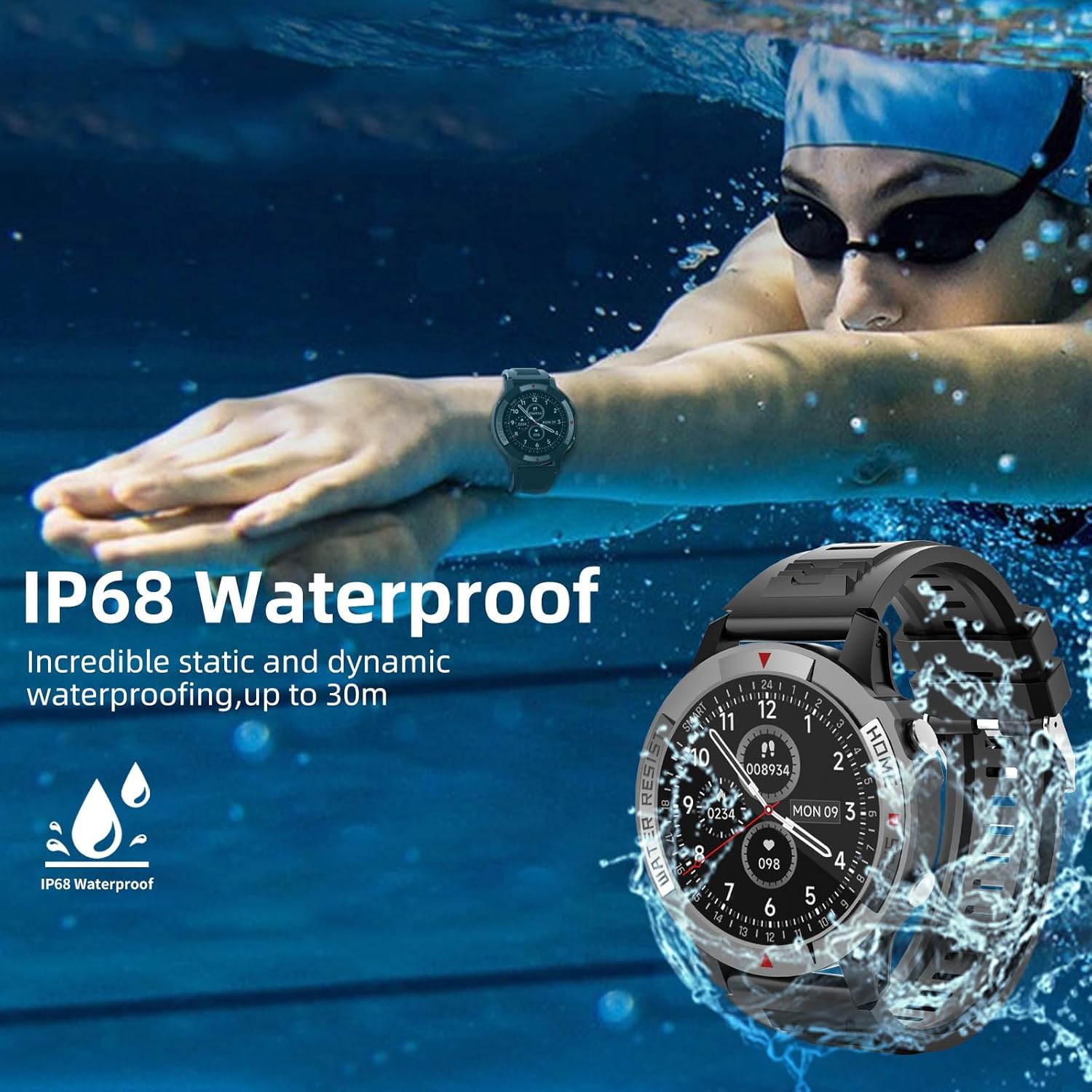
Figure 4: The watch display showing various customizable watch faces, including options for personalized photos.
5.3 Bluetooth Call and Message Reminder
With its built-in speakers and Bluetooth connectivity, the watch allows you to make and receive calls directly from your wrist. It also supports information reminders and social media notifications.
- Ensure your watch is paired with your smartphone via Bluetooth.
- Wanneer 'n oproep inkom, kan jy dit direk op die horlosie beantwoord of verwerp.
- Notifications from your phone (calls, messages, app alerts) will be displayed on your wrist and accompanied by a vibration.

Figure 5: The watch displaying an incoming call and icons representing call logs, microphone, and dial pad features.
6. Gesondheidsmonitering
The AWEI Smart Watch provides continuous monitoring of key health metrics:
- Hartslagmonitering: Accurately monitors your heart rate in real-time throughout the day.
- Slaap dop: Records your sleep patterns and provides a detailed analysis of your sleep quality.
- Bloedsuurstofversadiging (SpO2): Measures your blood oxygen levels to help you understand your physical state.
Access these features by swiping through the watch interface or selecting them from the main menu.

Figure 6: The watch interface showing real-time heart rate, blood oxygen saturation, and daily activity data.
7. Sportmodusse
The smartwatch supports over 100 sports modes, both indoors and outdoors. During exercise, it automatically records daily steps, distance, calories burned, and active minutes.
- To select a sport mode, navigate to the 'Sport' section on your watch.
- Choose from pre-selected modes or add more via the companion app.
- The watch will track your workout statistics in real-time.

Figure 7: The watch displaying a selection of over 100 available sports modes for tracking various physical activities.
8. Batterylewe
The AWEI Smart Watch WH01 Pro is equipped with a 300 mAh Lithium Polymer battery, offering extended usage times:
- Swaar gebruik: 5-7 dae
- Daaglikse gebruik: 10-15 dae
- Bystandtyd: Tot 60 dae
Actual battery life may vary based on usage patterns, features enabled, and environmental factors.

Figure 8: A visual representation of the AWEI Smart Watch's battery performance under different usage scenarios.
9. Waterweerstand
The AWEI Smart Watch WH01 Pro is IP68 waterproof, meaning it is resistant to dust and can withstand immersion in water up to 1.5 meters for 30 minutes. This allows you to wear it while washing hands, in the rain, or during swimming activities.
Let wel: While IP68 rated, it is not recommended for hot showers, saunas, or diving, as steam and high water pressure may compromise the seal.
Figure 9: The watch submerged in water, illustrating its IP68 waterproof capability.
10. Onderhoud
To ensure the longevity and optimal performance of your smartwatch, follow these maintenance guidelines:
- Skoonmaak: Maak die horlosieskerm en band gereeld skoon met 'n sagte, damp lap. Vermy die gebruik van harde chemikalieë of skuurmateriaal.
- Sensor sorg: Keep the heart rate and blood oxygen sensors on the back of the watch clean for accurate readings.
- Berging: Bêre die horlosie op 'n koel, droë plek wanneer dit nie gebruik word nie. Vermy uiterste temperature.
- Laai: Gebruik slegs die meegeleverde magnetiese laaikabel.
11. Probleemoplossing
If you encounter issues with your AWEI Smart Watch, try the following solutions:
- Horlosie skakel nie aan nie: Ensure the watch is fully charged. If the battery is completely drained, it may take a few minutes of charging before the screen responds.
- Kan nie koppel nie:
- Maak seker dat Bluetooth op jou slimfoon geaktiveer is.
- Maak seker dat die horlosie binne die Bluetooth-bereik van jou foon is.
- Herbegin beide jou horlosie en slimfoon.
- Vee die Bluetooth-kasgeheue op jou foon uit en probeer weer koppel.
- Onakkurate gesondheidslesings:
- Maak seker dat die horlosie styf om jou pols gedra word, nie te styf of te los nie.
- Maak die sensors aan die agterkant van die horlosie skoon.
- Bly stil tydens metings.
- Kennisgewings wat nie verskyn nie:
- Check app notification settings on your phone and within the companion app.
- Maak seker dat die horlosie via Bluetooth gekoppel is.
For persistent issues, refer to the detailed troubleshooting section in the companion app or contact AWEI customer support.
12. Spesifikasies
| Kenmerk | Spesifikasie |
|---|---|
| Handelsmerk | AWEI |
| Modelnommer | WH01 Pro |
| Skerm grootte | 1.45 duim |
| Skermvorm | Ronde |
| Verbindingstegnologie | Bluetooth |
| Draadlose kommunikasie standaard | Bluetooth |
| Bedryfstelsel | Android (Compatible with Android & iOS) |
| Battery kapasiteit | 300 miljoenamp Ure |
| Battery Tipe | Litium polimeer |
| Waterweerstand | IP68 |
| Item gewig | 4.6 onse (130 gram) |
| Produk afmetings | 6.54 x 3.07 x 1.46 duim |
| Spesiale kenmerke | Heart Rate Monitor, Time Display, Sleep Monitor, Email, Calendaring, Sedentary Reminder, Text Messaging, Alarm Clock, Activity Tracker, Pedometer, Camera, Notifications |
13. Waarborg en Ondersteuning
For warranty information, technical support, or service inquiries regarding your AWEI Smart Watch WH01 Pro, please refer to the warranty card included with your product or visit the official AWEI webwebwerf. Jy kan ook die verkoper direk kontak vir hulp.
Ask a question about this manual
Ask about setup, troubleshooting, compatibility, parts, safety, or missing instructions. Manuals+ will review the question and use this page’s manual context to help answer it.