
1. oorview
The Retevis RA79 is a versatile dual-band amateur radio designed for reliable communication across various environments. It features multi-frequency reception, including aviation AM band, and offers flexible programming options. This manual provides essential information for setting up, operating, and maintaining your RA79 walkie-talkie.
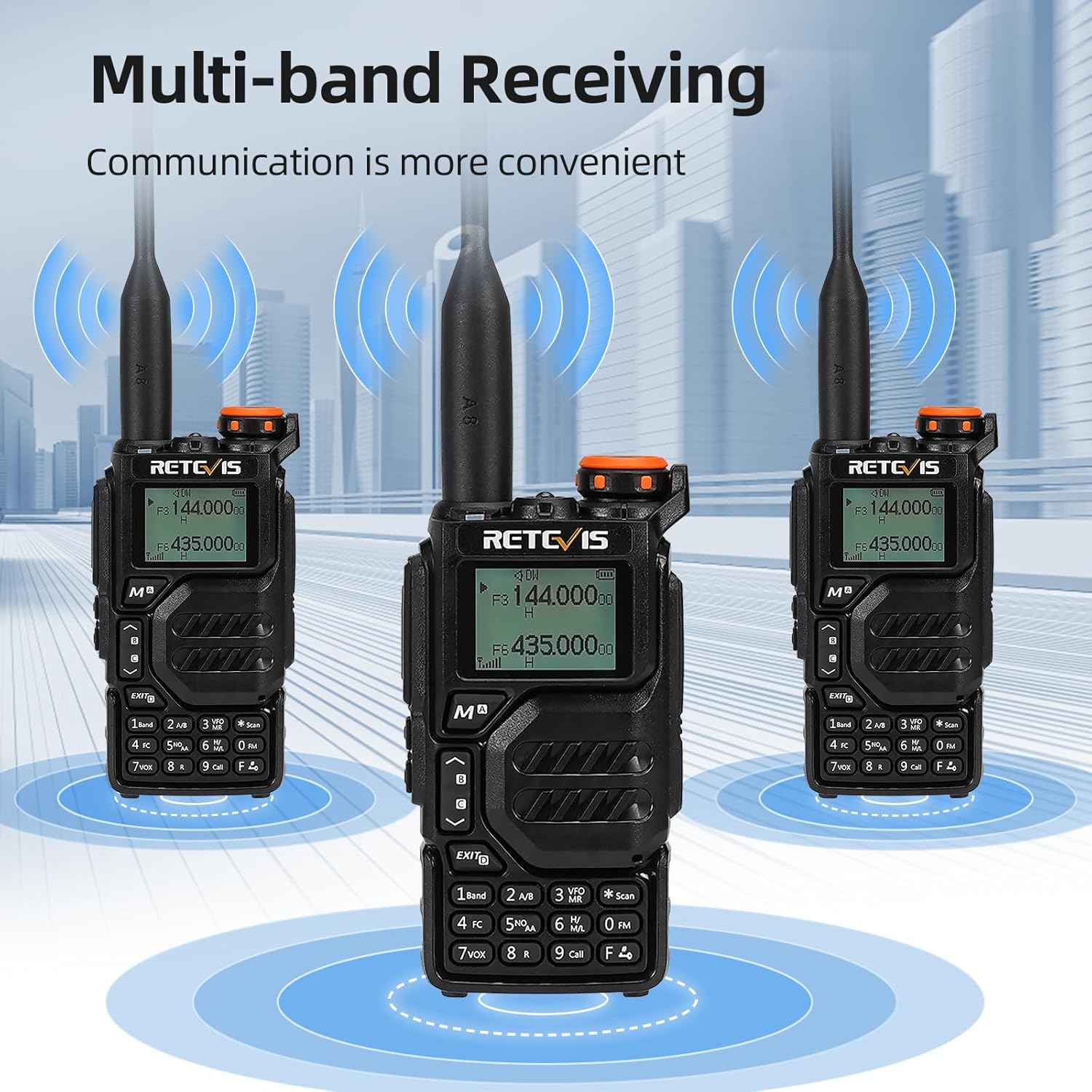
- Multi-frequency Reception: Supports 2m/70cm/FM/AM bands, including aviation AM reception, for diverse communication needs.
- Herlaaibare battery: Equipped with a 1400mAh Li-ion battery, offering extended standby and usage times. Features a convenient Type-C charging interface and USB charging port.
- Buigsame Programmering: Channels can be programmed manually via the keypad or using software with a data cable and CPS (Customer Programming Software).
- Geïntegreerde FM-radio: Allows for listening to FM broadcasts, providing entertainment during travel or downtime.
- Langafstandkommunikasie: Utilizes higher power output and a longer antenna to extend its effective range, suitable for amateur radio enthusiasts, hunters, and travelers.
- Gebruikersvriendelike ontwerp: Features an intuitive operating interface and user-friendly design, making it accessible for beginners.
2. Wat is in die boks
Upon unpacking your Retevis RA79, please ensure all items listed below are present:
- 2x Retevis RA79 Walkie-Talkie
- 2x Gordelklem
- 2x Handband
- 2x Antenna
- 2x USB Desktop Charger
- 2x Multi-language User's Manual

3. Produkkenmerke
The Retevis RA79 is equipped with several features to enhance your communication experience:
- AM Aviation Receiving: Monitor aircraft and tower communications.
- Multiband-ontvangs: Access 2m/70cm/FM/AM frequencies.
- One-Step Channel Capture: Easily pair two-way radios.
- Wireless Frequency Pairing: Convenient for outdoor team use.
- Speaker Microphone: Enhances communication clarity and security.
- USB Tipe C Laai: Multiple charging options including adapter, power bank, PC, and vehicle.
- VFO Function: Change radio settings directly without a computer.



4. Opstelling
4.1 Battery installasie
- Rig die batterypak met die agterkant van die radio in lyn.
- Skuif die battery opwaarts totdat dit in plek klik.
- To remove, press the release latch and slide the battery downwards.
4.2 Antenna-aanhegting
- Screw the antenna clockwise into the connector on top of the radio until it is firmly seated.
- Moenie te styf trek nie.
4.3 Gordelkleminstallasie
- Rig die gordelklip met die aangewese gleuwe aan die agterkant van die radio.
- Bevestig die gordelklip met die meegeleverde skroewe.
4.4 Laai die battery
The RA79 can be charged using the included USB desktop charger or directly via its Type-C port.
- Connect the USB desktop charger to a power source.
- Place the radio (with battery installed) into the charging cradle. The indicator light will show charging status.
- Alternatively, connect a USB Type-C cable directly to the radio's charging port.
5. Bedryfsinstruksies
5.1 Aan/Af-skakelaar en volume-aanpassing
- To power on, rotate the power/volume knob clockwise.
- Gaan voort met draai om die volume aan te pas.
- Om af te skakel, draai die knop antikloksgewys totdat dit klik.
5.2 Kanaalkeuse
The RA79 supports both Channel Mode and VFO (Frequency Mode).
- Kanaalmodus: Use the UP/DOWN arrow keys to select a pre-programmed channel.
- VFO-modus: Enter frequencies directly using the keypad. Press the 'VFO/MR' button to switch between modes.
5.3 Versend en Ontvangs
- To transmit, press and hold the PTT (Push-To-Talk) button on the side of the radio. Speak clearly into the microphone.
- Laat die PTT-knoppie los om te ontvang.
- Ensure the selected channel/frequency is clear before transmitting.
5.4 FM-radiowerking
To activate the FM radio function:
- Press the 'FM' button (often a dedicated button or a function key).
- Use the UP/DOWN arrow keys to scan for stations or enter a frequency directly.
5.5 Advanced Programming via Mobile App (Ailunce HA2 Example)
The RA79 may support mobile app connectivity for advanced channel and setting modifications. Refer to the specific app instructions for your model.
6. Onderhoud
6.1 Skoonmaak
Maak die buitekant van die radio gereeld skoon met 'n sagte, damp lap. Vermy die gebruik van harde chemikalieë of skuur skoonmakers.
6.2 Batterysorg
Om die batterylewe te verleng:
- Vermy oorlaai of heeltemal leegmaak van die battery.
- Bêre die radio en battery op 'n koel, droë plek wanneer dit nie gebruik word nie.
7. Probleemoplossing
| Probleem | Moontlike oorsaak | Oplossing |
|---|---|---|
| Radio skakel nie aan nie | Low or dead battery; incorrect battery installation | Laai die battery; maak seker dat die battery korrek geïnstalleer is. |
| Kan nie oordra of ontvang nie | Incorrect frequency/channel; antenna not properly attached; out of range | Verifieer frekwensie-/kanaalinstellings; kontroleer antennaverbinding; beweeg nader aan ander radio's. |
| Swak klank kwaliteit | Low volume; interference; damaged speaker/microphone | Adjust volume; move away from sources of interference; contact support if hardware is damaged. |
8. Spesifikasies
- Handelsmerk: Retevis
- Modelnommer: RA79
- Kleur: Swart
- Aantal kanale: 200
- Spesiale kenmerk: Dubbele band
- Frekwensiereeks: 144-146 MHz; 430-440 MHz
- Maksimum reeks: 5 kilometer
- Voltage: 7.4 Volt (DC)
- Waterweerstandvlak: Nie waterdig nie
- Produk afmetings: 65P x 28l x 115H millimeter
- Aantal batterye: 1 Litium-ioon (ingesluit)
- Versoenbare toestelle: Two-way radios operating in 144-146 MHz and 430-440 MHz frequency ranges
- Tuner Tipe: U;V
- Land van oorsprong: China
9. Waarborg en Ondersteuning
Retevis offers a 2-year warranty for the radio body and a 1-year warranty for accessories. A 30-day return policy is also provided without specific reason required. Beyond the warranty period, maintenance services are available, with buyers responsible for associated costs. For support, please contact Retevis on Amazon, and a response will be provided within 12 hours.