
Produk verbyview
The Kratos SW15 Smart Watch is a versatile wearable device designed for both men and women, offering a blend of style and functionality. It features Bluetooth calling, a vibrant 1.85-inch HD display, and comprehensive health monitoring capabilities. This manual provides essential information for setting up, operating, and maintaining your device.

Image: Kratos SW15 Smart Watch, showcasing its sleek design and green strap.
Wat is in die boks
Upon unboxing your Kratos SW15 Smart Watch, you will find the following components:
- Kratos SW15 Smart Watch
- Magnetiese laaikabel
- Gebruikershandleiding
Video: An unboxing video demonstrating the contents of the Kratos SW15 Smart Watch package, including the watch and its accessories.
Opstelgids
1. Aanvanklike laai
Before first use, fully charge your Kratos SW15 Smart Watch. Connect the magnetic charging cable to the charging points on the back of the watch and plug the USB end into a power source. A full charge typically takes approximately 2 hours.
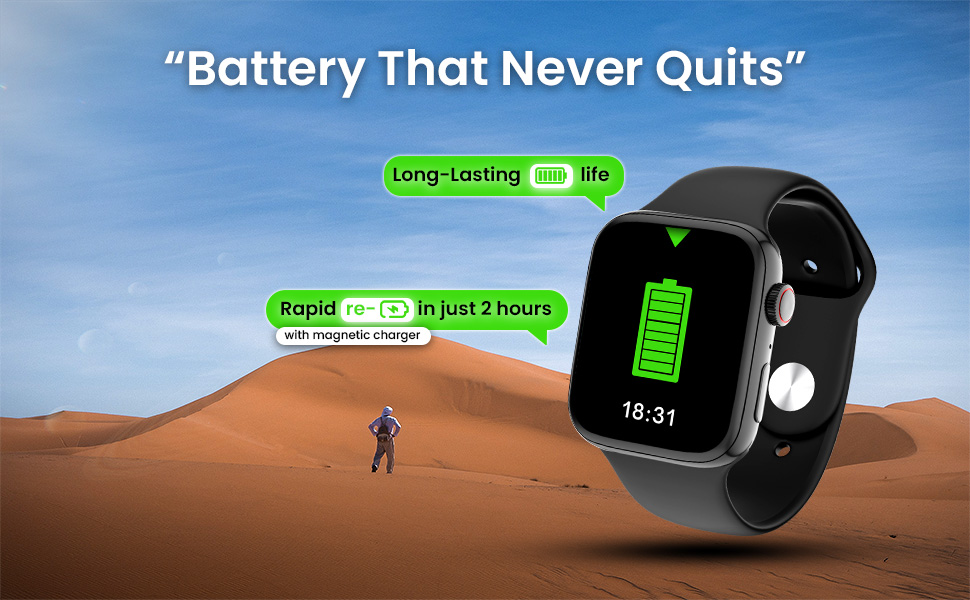
Image: The Kratos SW15 Smart Watch connected to its magnetic charger, illustrating the charging process.
2. Toepassing aflaai en saambind
- Scan the QR code provided in the product packaging or on the product page to download the companion app (HryFine). The app is compatible with both iOS and Android devices.
- Installeer die toepassing op jou slimfoon.
- Maak die toepassing oop en volg die instruksies op die skerm om 'n rekening te skep of aan te meld.
- Aktiveer Bluetooth op jou slimfoon.
- Within the app, search for your Kratos SW15 Smart Watch and select it to initiate the pairing process.
- Confirm the pairing request on both your smartphone and the smart watch.
Download the HryFine app from the Google Play Winkel.
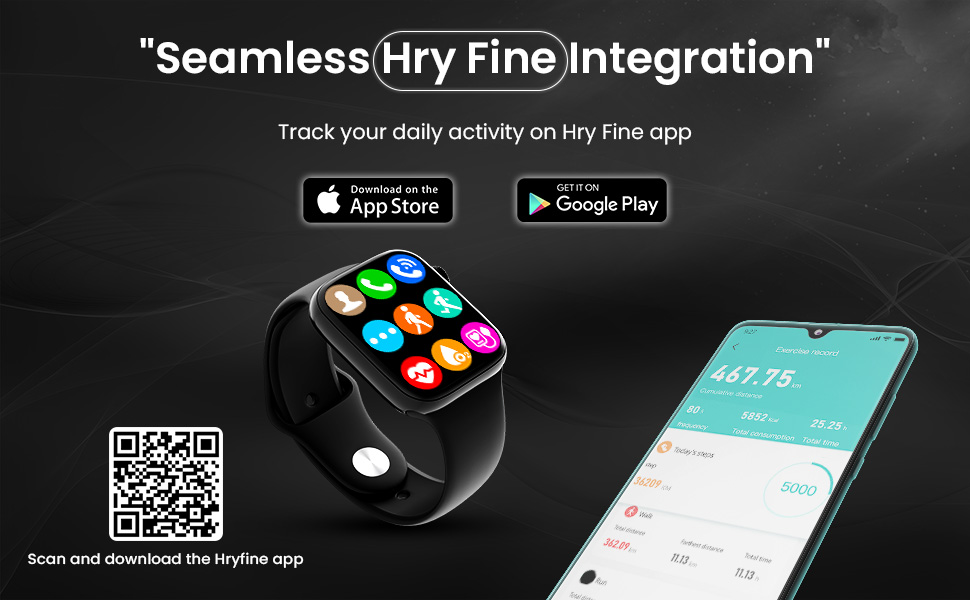
Image: The Kratos SW15 Smart Watch displaying its interface alongside a smartphone showing the HryFine app, illustrating seamless integration.
Bedryfsinstruksies
Vertoon en navigasie
The Kratos SW15 features a 1.85-inch HD IPS display with 550 nits brightness for clear visibility. Navigate through menus and features using the touchscreen and the digital rotating crown.

Image: The Kratos SW15 Smart Watch highlighting its 1.85-inch HD IPS large display.

Image: The Kratos SW15 Smart Watch showcasing its digital rotating crown for changing watch faces and navigating menus.
Sleutel kenmerke
- Bluetooth-oproepe: Maak en ontvang oproepe direk vanaf jou pols.
- Musiekbeheer: Manage playback of music on your connected smartphone.
- AI Voice Assistant: Kry toegang tot jou foon se stemassistent vir handvrye opdragte.
- Gesigte kyk: Choose from over 200 customizable watch faces to match your style.
- Split Screen Display: Access frequently used functions quickly.
- Smart Calculator: Perform basic calculations on your watch.
- Weerinligting: Kry intydse weeropdaterings.
- Find My Watch/Phone: Vind jou toestelle maklik op.
- Password Protected: Enhance security with a password lock.

Image: A visual representation of the Kratos SW15 Smart Watch's diverse features, including music control, weather, calculator, and find phone function.
Gesondheidsmonitering
The Kratos SW15 Smart Watch provides comprehensive health tracking features to help you monitor your well-being:
- 24x7 Heart Rate Monitoring: Hou jou hartklop voortdurend dop.
- SpO2 Blood Oxygen Level Monitoring: Meet jou bloedsuurstofversadiging.
- Bloeddrukmonitering: Keep an eye on your blood pressure levels.

Image: The Kratos SW15 Smart Watch displaying its health monitoring capabilities, including heart rate, blood pressure, and blood oxygen tracking.
Sports Modes and Water Resistance
Stay active and track your workouts with the Kratos SW15 Smart Watch:
- 25+ sportmodusse: Choose from a variety of sports modes to accurately track your activities and optimize your workouts.
- IP67 Waterbestand: The watch is resistant to water and dust, making it suitable for daily activities and light water exposure. Avoid prolonged submersion or hot water.

Image: The Kratos SW15 Smart Watch showcasing its 25+ sports modes for daily activity tracking.
Battery inligting
The Kratos SW15 Smart Watch is equipped with a 220 mAh battery, providing up to 2 days of usage on a single charge. Rapid charging allows the device to fully charge in approximately 2 hours using the magnetic charger.
Onderhoud
To ensure the longevity and optimal performance of your Kratos SW15 Smart Watch, follow these maintenance guidelines:
- Skoonmaak: Vee die horlosieskerm en -bandjie gereeld af met 'n sagte, droë lap. Vir hardnekkige vuilgoed, gebruik 'n effens droë lap.amp doek en droog deeglik af.
- Vermy chemikalieë: Moenie harde chemikalieë, skoonmaakoplosmiddels of sterk skoonmaakmiddels gebruik nie, aangesien dit die horlosie se afwerking of interne komponente kan beskadig.
- Berging: Wanneer dit nie vir lang tye gebruik word nie, bêre die horlosie op 'n koel, droë plek weg van direkte sonlig.
- Waterblootstelling: While IP67 water resistant, avoid exposing the watch to high-pressure water, hot water, or steam. Dry the watch thoroughly if it gets wet.
Probleemoplossing
If you encounter any issues with your Kratos SW15 Smart Watch, try the following basic troubleshooting steps:
- Horlosie skakel nie aan nie: Maak seker dat die horlosie volledig gelaai is. Koppel dit vir ten minste 30 minute aan die laaier.
- Kan nie met foon koppel nie: Make sure Bluetooth is enabled on your phone and the watch. Restart both devices and try pairing again. Ensure the HryFine app is installed and running.
- Onakkurate gesondheidsdata: Maak seker dat die horlosie styf om jou pols gedra word, nie te styf of te los nie. Maak die sensors aan die agterkant van die horlosie skoon.
- Kort batterylewe: Reduce screen brightness, disable unnecessary notifications, and limit continuous heart rate monitoring if not required.
- Raakskerm reageer nie: Herbegin die horlosie. Indien die probleem voortduur, maak seker dat die skerm skoon en droog is.
Vir verdere hulp, kontak asseblief kliëntediens.
Spesifikasies
| Kenmerk | Detail |
|---|---|
| Handelsmerk | Kratos |
| Modelnommer | KR SW 15 |
| Vertoon grootte | 1.85 duim |
| Tipe vertoon | HD IPS |
| Konnektiwiteit | Bluetooth |
| Bedryfstelsel | Android |
| Battery kapasiteit | 220 mAh |
| Gemiddelde batterylewe | 2 dae |
| Waterweerstand | IP67 |
| Item gewig | 64 g |
| Afmetings (LxBxH) | 32 x 69 x 184 Millimeter |
| Spesiale kenmerke | Activity Tracker, Blood Pressure Monitor, Heart Rate Monitor, Multisport Tracker, Phone Call |
Waarborg en Ondersteuning
The Kratos SW15 Smart Watch comes with a 1-year brand warranty. To avail the warranty, please register your purchase on the official Kratos webwerf (gokratos.com) within 10 days of purchase. Alternatively, you may contact customer support for assistance.
Kliëntedienskontak:
- Skakel: 81482 73270
- E-pos: hulp@gokratos.com