Tilta Full Camera Cage for Sony FX3/FX30 V2 Instruction Manual
Model: TA-T16-FCC-B
Produk verbyview
The Tilta Full Camera Cage for Sony FX3/FX30 V2 provides protective armor and enhanced mounting options for your Sony FX3 or FX30 camera. Designed to minimize wear and tear, this cage offers a robust framework while maintaining access to essential camera functions.
Key features include multiple mounting points for accessories, a convenient cable clamp, a modular design supporting various configurations, and an Arca-Swiss standard bottom plate for quick release.
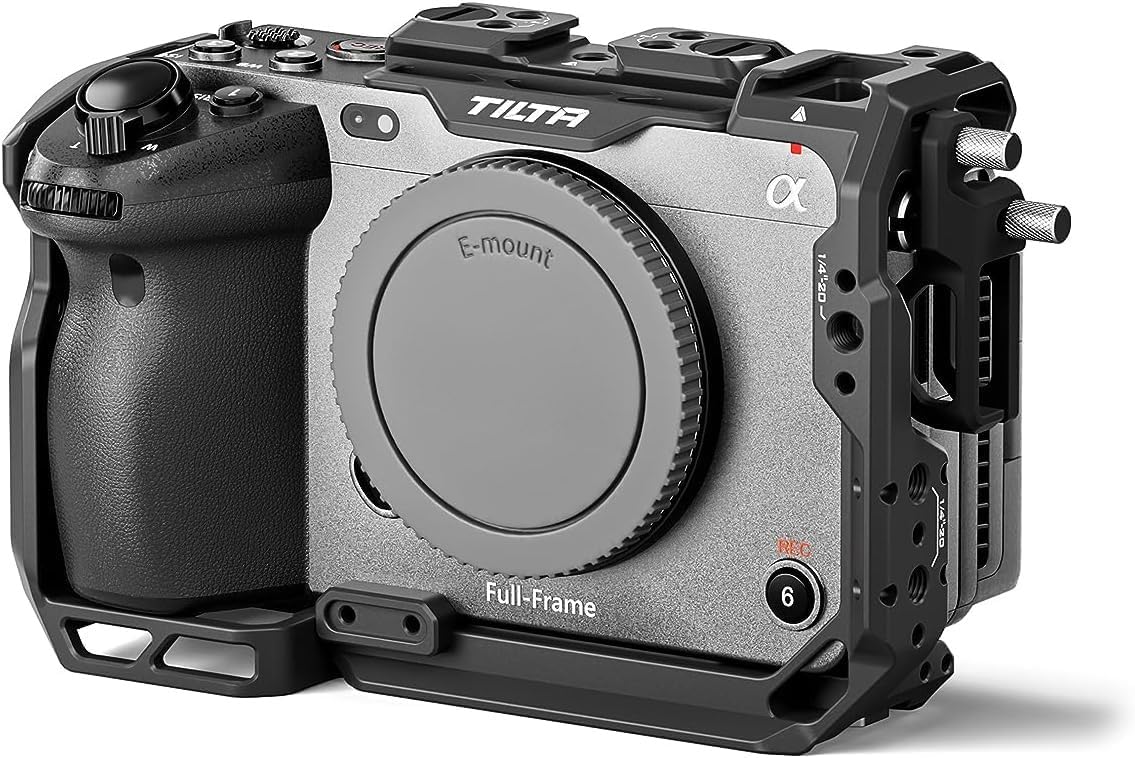
Image: The Tilta Full Camera Cage securely mounted on a Sony FX3 camera, showcasing its protective design and integrated mounting points.
Sleutel kenmerke:
Protective Armor: Designed specifically for Sony FX3 & FX30 to minimize wear and tear.
Bybehore montage: Features a top plate NATO rail, cold shoe receivers, 1/4"-20 and 3/8"-16 threads with locating pins.
Kabel Clamp: Secures cables in place with a convenient thumb screw design.
Modulêre ontwerp: Supports various configurations, including compatibility with the XLR top handle.
Arca-Swiss Ready: Integrated DJI Arca-Swiss standard bottom plate for quick mounting.
Video: Official product video demonstrating the Tilta Camera Cage compatible with Sony FX3/FX30 V2, highlighting its features and design.
Wat is ingesluit
The Tilta Full Camera Cage kit includes all necessary components for immediate use and assembly with your Sony FX3 or FX30 camera.
1x Full Camera Cage Compatible with Sony FX3/FX30 V2
1x HDMI Cable Clamp Attachment Compatible with Sony FX3/FX30 V2
1x Allen Key (32123.00001.00.00)
1x 2.5mm Allen Key (32123.00052.00.00)
Opstelgids
Follow these steps to properly install your Tilta Full Camera Cage onto your Sony FX3 or FX30 camera.
1. Attaching the Camera to the Cage:
Maak seker dat jou kamera afgeskakel is.
Align the camera with the base plate of the cage. The cage is designed for a custom fit, ensuring full access to ports and controls.
Secure the camera to the cage using the integrated 1/4"-20 screw on the bottom. Tighten firmly but do not overtighten.
Utilize the thumb screw design for easy and secure attachment.
Beeld: 'n Agterkant view of the Sony FX3 camera mounted within the Tilta Full Camera Cage, demonstrating the secure fit and accessibility to the camera's screen and controls.
2. Installing the HDMI Cable Clamp:
Locate the HDMI port on your camera.
Attach the HDMI cable clamp to the designated mounting point on the cage, typically near the HDMI port.
Route your HDMI cable through the clamp and tighten the thumb screw to secure the cable, preventing accidental disconnections or damage.
Image: The Tilta camera cage with an HDMI cable clamp attached, illustrating how cables are secured to prevent accidental disconnection.
3. Attaching Optional Accessories:
The cage provides various mounting points for additional accessories:
Top Plate NATO Rail: For quick attachment and release of top handles or other NATO-compatible accessories.
Cold Shoe Receivers: Ideal for mounting microphones, small LED lights, or wireless receivers.
1/4"-20 and 3/8"-16 Threads: Use these threaded holes with locating pins for secure attachment of articulating arms, monitor mounts, or other rigging components.
Image: The Tilta Full Camera Cage shown with an attached XLR top handle, demonstrating the modular design and accessory compatibility.
Operating the Camera Cage
The Tilta Full Camera Cage is designed to enhance your camera's functionality and protection during operation.
1. Maintaining Access to Camera Controls:
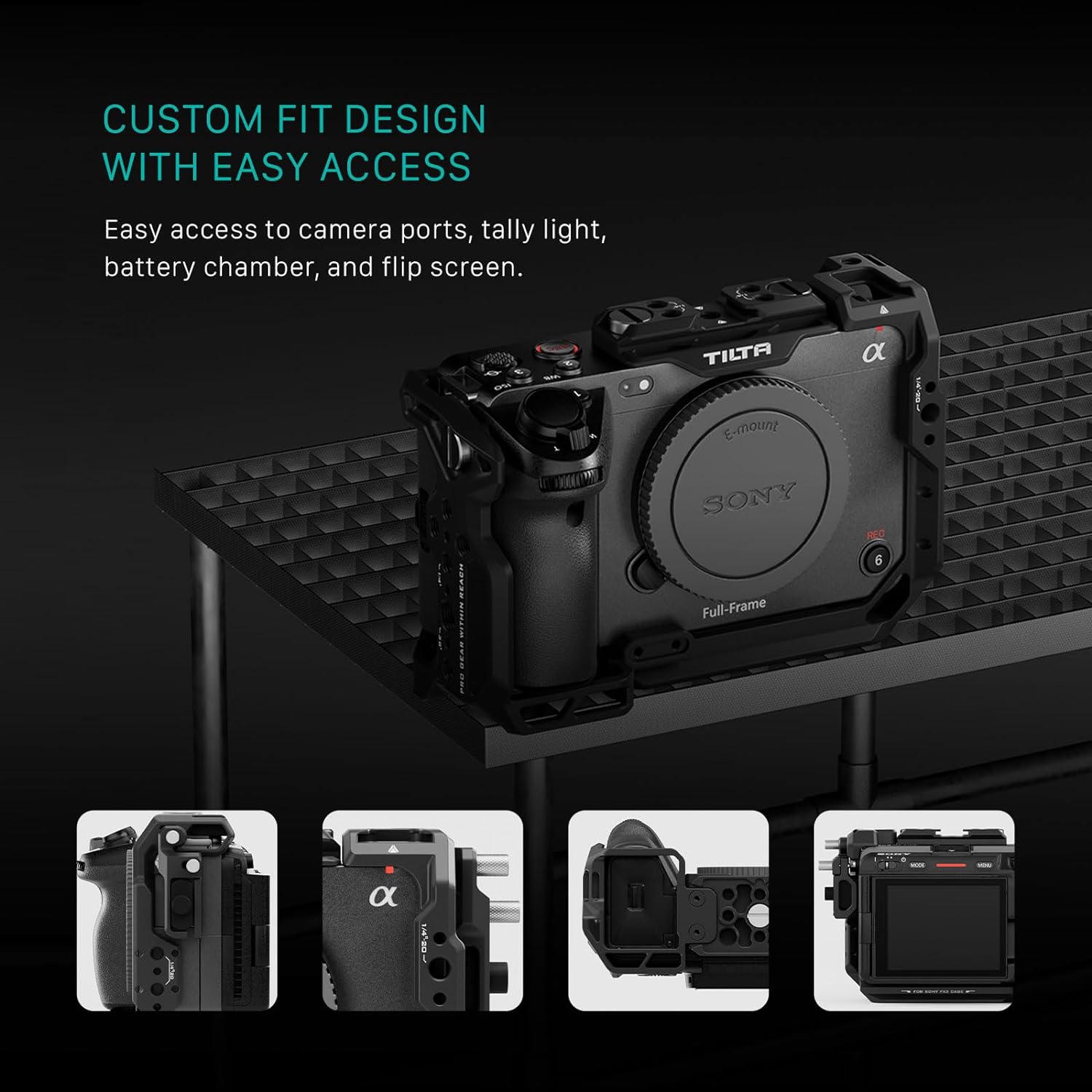
The custom-fit design ensures that all camera buttons, dials, battery compartments, and the flip screen remain fully accessible. This allows for uninterrupted operation and quick adjustments without removing the cage.
Image: The Tilta camera cage highlighting easy access to camera ports, tally light, battery chamber, and the flip screen.
2. Using the Arca-Swiss Quick Release:
The integrated DJI Arca-Swiss standard bottom plate allows for rapid transitions between handheld, tripod, and gimbal setups. Simply slide the camera and cage assembly onto any Arca-Swiss compatible baseplate for quick installation.
Image: The Tilta camera cage featuring an Arca-Swiss compatible bottom plate for quick installation onto baseplates and gimbals.
Video: Amptelike produkvideovertoningasing the Tilta Camera Cage for FX3/FX30, demonstrating its features and how it integrates with the camera.
Onderhoud
To ensure the longevity and optimal performance of your Tilta Full Camera Cage, follow these simple maintenance guidelines:
Skoonmaak: Wipe the cage regularly with a soft, dry cloth to remove dust and fingerprints. For stubborn dirt, use a slightly damp lap en droog deeglik af. Vermy harde chemikalieë of skuurmiddels.
Screw Inspection: Periodically check all screws and mounting points for tightness. Re-tighten any loose screws using the provided Allen keys to ensure the camera remains securely mounted.
Berging: When not in use, store the camera cage in a clean, dry environment, preferably in a padded bag or case to prevent scratches and impacts.
Vermy oormatige spanning: While securing components, avoid excessive force when tightening screws to prevent stripping threads or damaging the cage/camera.
Spesifikasies
Handelsmerk
Tilta
Model Naam
TA-T16-FCC-B
Versoenbare toestelle
Sony FX3, FX30
Kleur
Swart
Produk Afmetings (D x B x H)
3.5" D x 9" B x 6" H
Item gewig
259 gram
UPC
810076276519
Materiaal
Aluminiumlegering
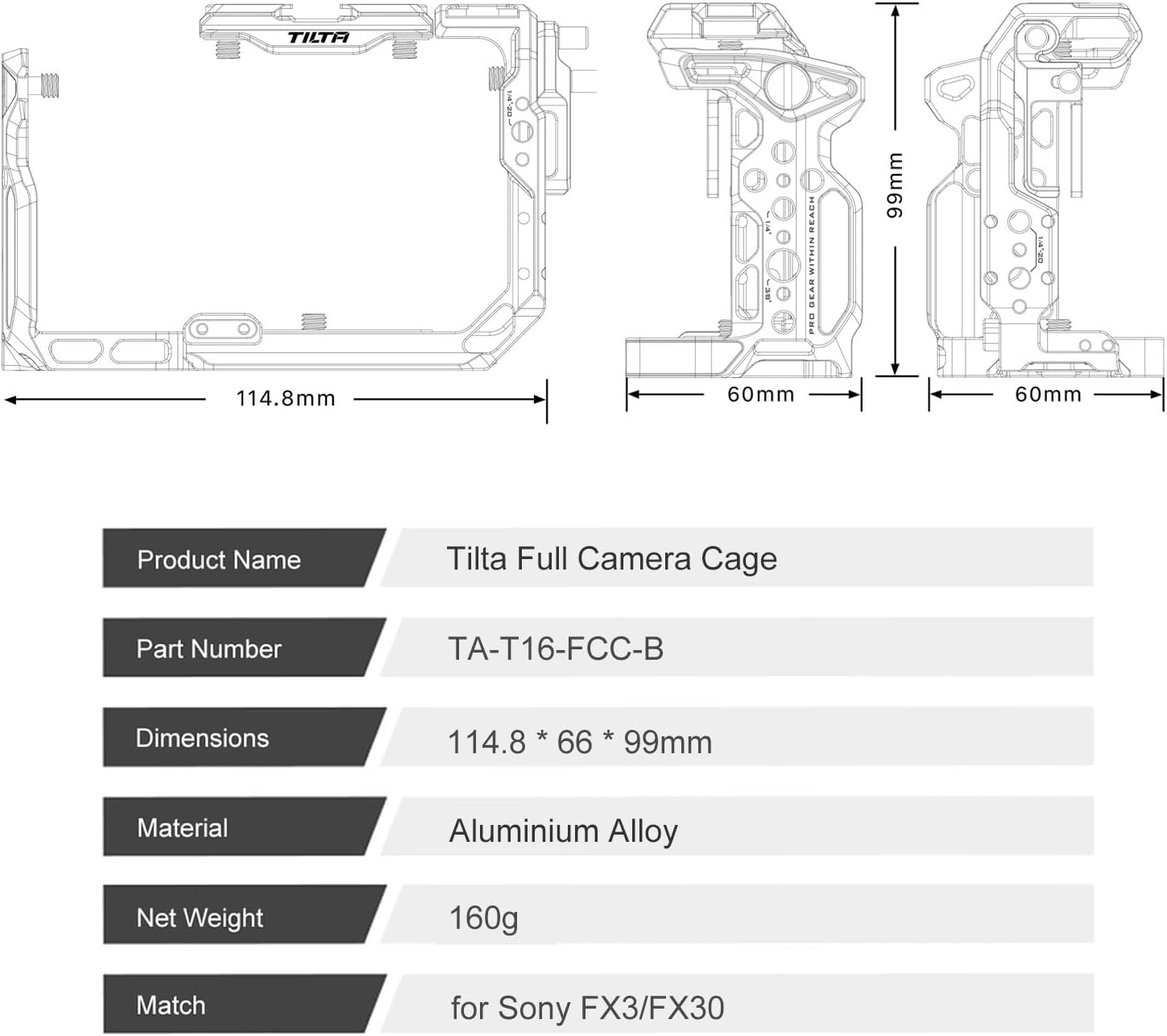
Netto gewig
160g
Image: Detailed specifications and dimensions of the Tilta Full Camera Cage, including material and weight.
Waarborg en Ondersteuning
Waarborginligting:
The Tilta Full Camera Cage comes with a 2-jaar meganiese waarborg en a 1-Year Electronic WarrantyDit dek defekte in materiale en vakmanskap onder normale gebruik.
For specific terms and conditions, please refer to the official Tilta warranty policy or contact customer support.
Kliëntediens:
For any questions, technical assistance, or warranty claims, please contact Tilta customer support through their official webwebwerf of die kleinhandelaar waar die produk gekoop is.
U kan ook die Tilta Store on Amazon vir meer produkinligting en ondersteuningsbronne.
Tilta Full Camera Cage for Sony A1 II/A9 III User Manual User guide and assembly instructions for the Tilta Full Camera Cage designed for Sony A1 II and A9 III cameras, detailing packing list, overview, assembly steps, and specifications. Includes instructions for switching between full and half cage configurations, cable clamp installation, and Arca-Swiss plate attachment.
TILTA Full Camera Cage for Sony FX2 User Guide Detailed user guide for the TILTA Full Camera Cage designed for the Sony FX2 camera, covering overview, specifications, and assembly instructions.
Tilta-kamerahok vir Sony A7C: Monterings- en installasiegids Omvattende gids vir die montering en installering van die Tilta-kamerahok en bykomstighede vir die Sony A7C-kamera. Sluit gedetailleerde instruksies in vir die bevestiging van boonste handvatsels, syhandvatsels, houthandvatsels en basisplate.
Ask about setup, troubleshooting, compatibility, parts, safety, or missing instructions. Manuals+ will review the question and use this page’s manual context to help answer it.