
1. Inleiding
This manual provides essential information for the proper setup, operation, and maintenance of your Xiaomi Mi Band 7 Pro. Designed as a comprehensive activity fitness tracker, the Mi Band 7 Pro features a high-resolution AMOLED display, extended battery life, and advanced health monitoring capabilities. Please read this manual thoroughly to ensure optimal performance and longevity of your device.

Image 1.1: The Xiaomi Mi Band 7 Pro, featuring a rectangular black display and a black silicone strap.
2. Opstelling
2.1 Uitpak en Aanvanklike Lading
- Carefully remove all components from the packaging. Verify that the Xiaomi Mi Band 7 Pro device, charging cable, and this user manual are present.
- Connect the charging cable to the charging contacts on the back of the Mi Band 7 Pro. Plug the USB end of the cable into a standard USB power adapter (5V/1A recommended) or a computer's USB port.
- Allow the device to charge fully before first use. A full charge typically takes approximately 2 hours. The display will indicate charging status.
2.2 Koppel met jou slimfoon
- Laai die af My fiksheid application from your smartphone's app store (available on iOS and Android).
- Maak seker dat Bluetooth op jou slimfoon geaktiveer is.
- Open the Mi Fitness app, create an account or log in, and follow the on-screen instructions to add a new device.
- Kies "Xiaomi Smart Band 7 Pro" uit die lys van beskikbare toestelle.
- Confirm the pairing request on both your smartphone and the Mi Band 7 Pro display.
2.3 Dra van die toestel
For accurate heart rate and SpO₂ monitoring, wear the Mi Band 7 Pro snugly on your wrist, about one finger's width above your wrist bone. The sensor should be in contact with your skin. Avoid wearing it too tightly, which can restrict blood flow, or too loosely, which can affect sensor accuracy.
3. Bedryfsinstruksies
3.1 Basiese navigasie
- Swiep op/af: Blaai deur spyskaarte en kennisgewings.
- Swiep links/regs: Kry toegang tot vinnige funksies of widgets (bv. musiekbeheer, weer).
- Tik: Kies 'n item of bevestig 'n aksie.
- Druk en hou: Pasmaak horlosieskerms vanaf die tuisskerm.
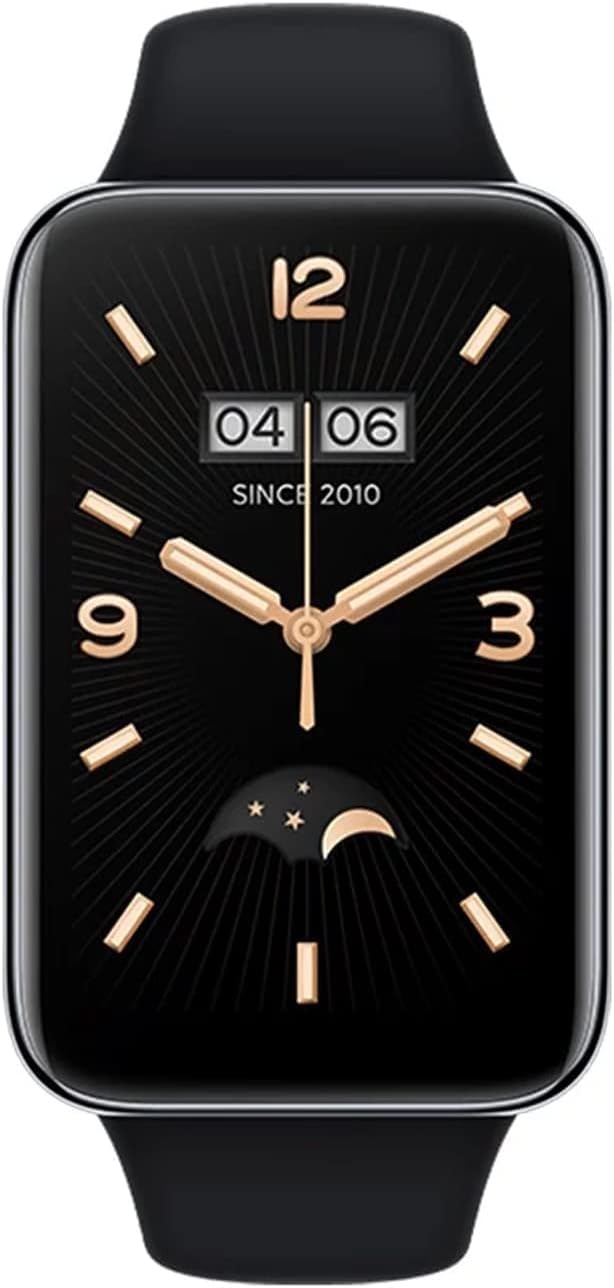
Image 3.1: A close-up of the Xiaomi Mi Band 7 Pro display showing a classic watch face with time and date.
3.2 Gesondheidsmonitering
- Hartklop: Access the Heart Rate app on the band to view real-time heart rate. Continuous monitoring can be enabled in the Mi Fitness app.
- SpO₂ (Bloedsuurstof): Navigate to the SpO₂ app to measure your blood oxygen saturation. Ensure your arm is still during measurement.
- Slaap dop: The band automatically tracks your sleep patterns when worn during sleep. Detailed analysis is available in the Mi Fitness app.
- Stresmonitering: The band can estimate your stress levels. View data in the Mi Fitness app.
3.3 Sportmodusse en GPS
The Mi Band 7 Pro supports over 110 sports modes. To start a workout:
- Swipe on the band to find the "Workout" or "Sports" icon and tap it.
- Kies jou verlangde aktiwiteit (bv. Buitelughardloop, Fietsry, Swem).
- For outdoor activities, the built-in GNSS (GPS) module will automatically search for a signal to track your route, distance, and pace independently.
- Tap the screen to start, pause, or end your workout.
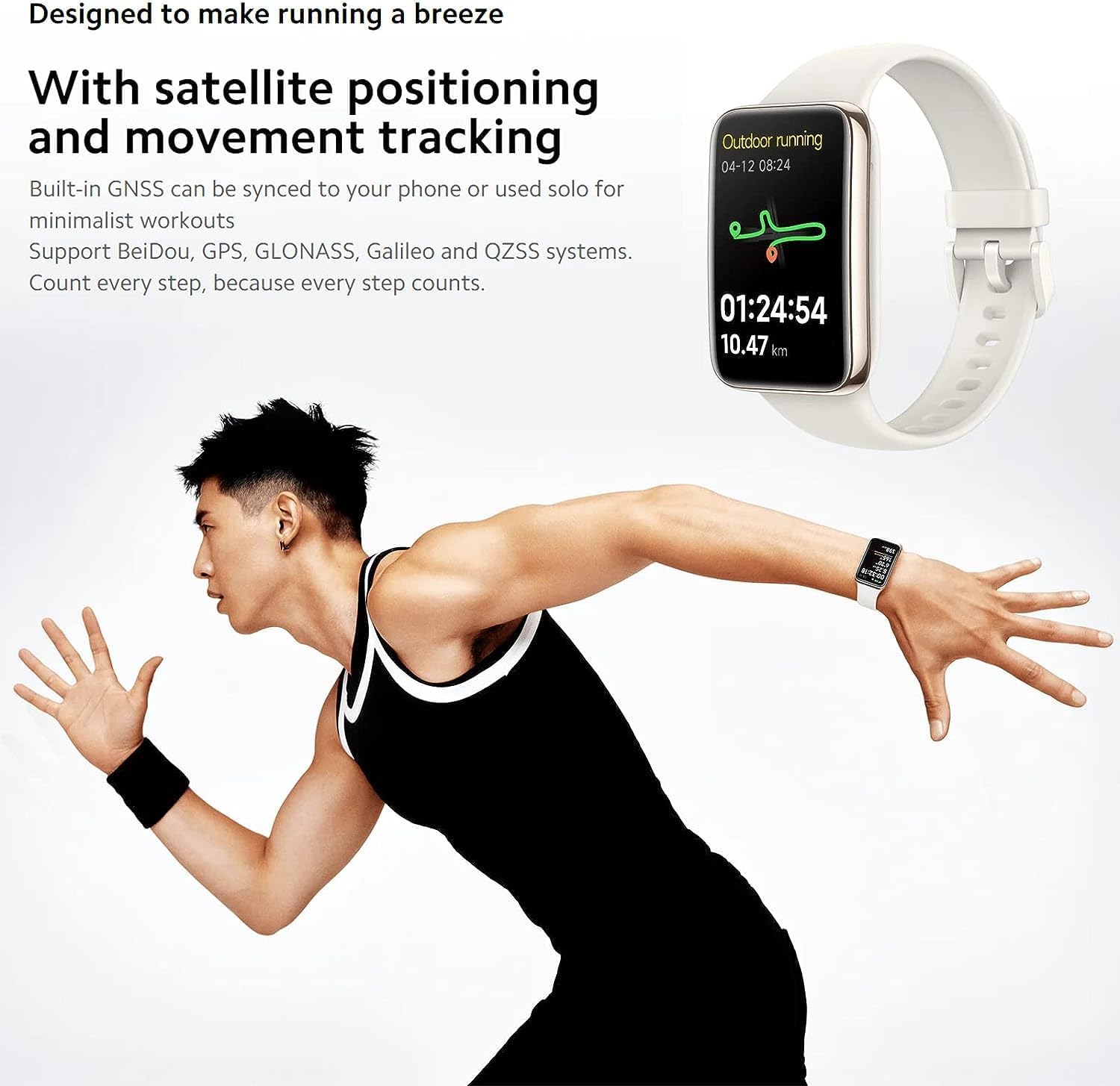
Image 3.2: The Mi Band 7 Pro displaying an outdoor running session with GPS tracking, showing duration and distance.

Image 3.3: Two Xiaomi Mi Band 7 Pro devices showing on-wrist running courses, one indicating 'Speed up' and another showing 'New record!'.
3.4 Pasmaak
- Gesigte kyk: Change watch faces directly on the band by pressing and holding the home screen, or explore a wider selection in the Mi Fitness app.
- Kennisgewings: Manage app notifications and call alerts through the Mi Fitness app settings.
- Alarms en onthounotas: Set alarms and sedentary reminders via the Mi Fitness app.
4. Sleutel kenmerke
- 1.64" AMOLED-skerm: A large, full-color rectangular screen offering clear visuals and easy interaction.
- Built-in GNSS: Supports Beidou, GPS, GLONASS, Galileo, and QZSS for accurate, independent outdoor activity tracking.
- 110+ sportmodusse: Comprehensive tracking for a wide range of physical activities.
- 12-dae batterylewe: Extended usage on a single charge under typical usage conditions.
- 24H Heart Rate & SpO₂ Monitoring: Continuous tracking of vital health metrics.
- Slaap dop: Monitor slaaptages en bied insigte in slaapkwaliteit.
- 5 OTM Waterbestandheid: Suitable for swimming and showering.

Beeld 4.1: 'n Oorview of the Xiaomi Mi Band 7 Pro's key features, including its AMOLED display, GNSS, sports modes, battery life, and health monitoring.
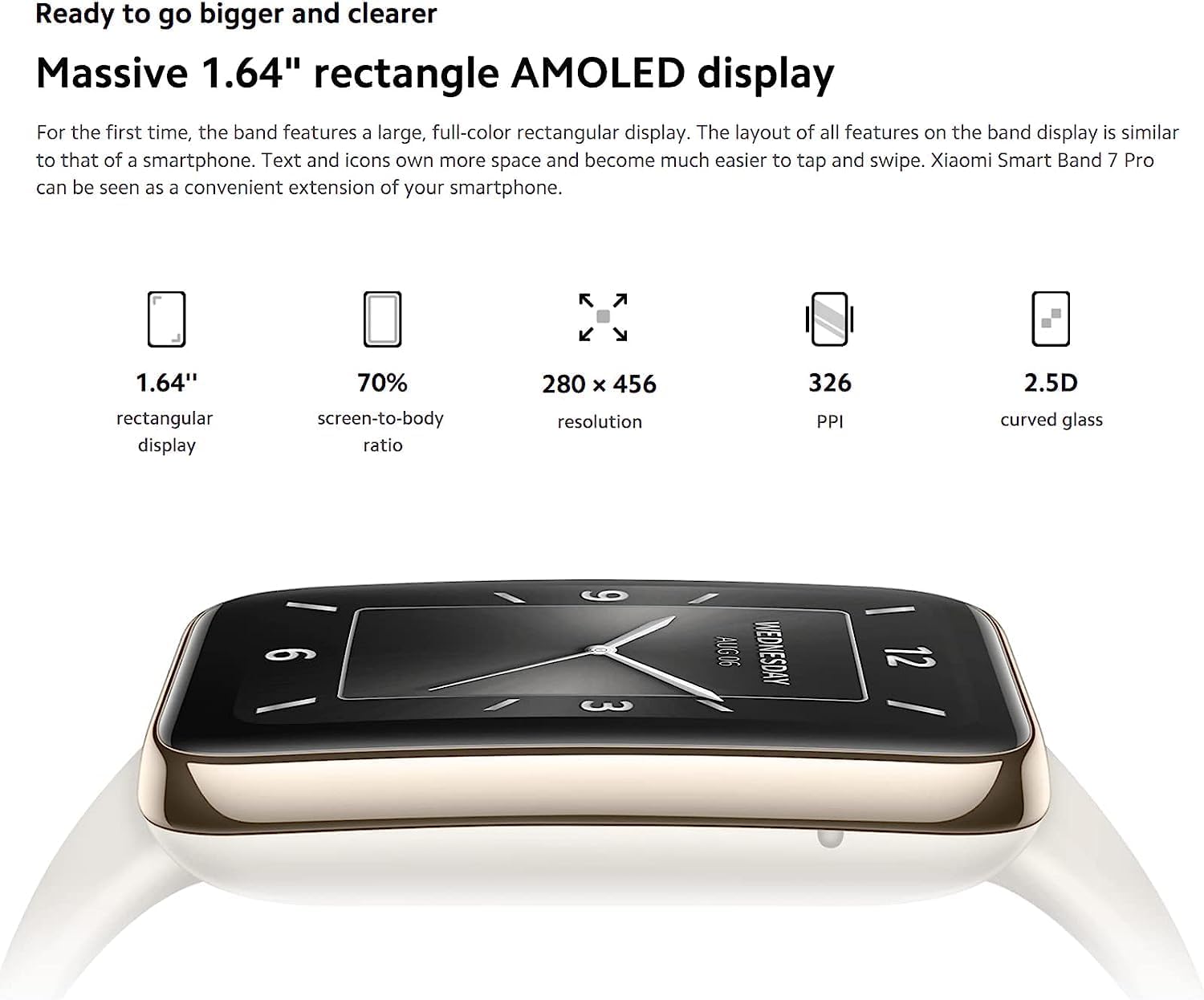
Image 4.2: Detailed specifications of the 1.64-inch rectangular AMOLED display, including 280x456 resolution and 326 PPI.

Image 4.3: Visual representation of the Mi Band 7 Pro's extended battery life (12 days typical) and 5 ATM water resistance.
5. Onderhoud
5.1 Die skoonmaak van die toestel
- Maak die band en die toestel se liggaam gereeld skoon met 'n sagte, damp lap.
- Vermy die gebruik van harde chemikalieë, skuurmiddels of oplosmiddels, aangesien dit die materiale kan beskadig.
- Maak seker dat die laaikontakte skoon en droog is voor laai om korrosie te voorkom.
5.2 Waterweerstand
The Xiaomi Mi Band 7 Pro has a 5 ATM water resistance rating, meaning it can withstand pressures equivalent to a depth of 50 meters. This makes it suitable for showering and swimming in shallow water. However, it is not suitable for hot showers, saunas, diving, or high-speed water sports, as steam, hot water, or high-pressure water jets can compromise the seal.
5.3 Batterysorg
- Vermy om die battery gereeld heeltemal te ontlaai.
- Bêre die toestel op 'n koel, droë plek wanneer dit nie vir lang tye gebruik word nie.
- Use only the provided charging cable or a certified replacement.
6. Probleemoplossing
6.1 Toestel skakel nie aan of reageer nie
- Maak seker dat die toestel volledig gelaai is. Koppel dit vir ten minste 30 minute aan die laaier.
- If unresponsive, try a soft reset by connecting it to the charger; some models automatically restart.
6.2 Paringsprobleme
- Make sure Bluetooth is enabled on your smartphone and the Mi Band 7 Pro is within range.
- Restart both your smartphone and the Mi Band 7 Pro.
- Vee die Bluetooth-kasgeheue op jou foon (Android) uit of vergeet die toestel in Bluetooth-instellings (iOS/Android) en probeer weer koppel.
- Maak seker dat die Mi Fitness-app na die nuutste weergawe opgedateer is.
6.3 Onakkurate Gesondheidsdata
- Verify the band is worn correctly: snug, one finger's width above the wrist bone, with the sensor in contact with the skin.
- Clean the sensor on the back of the device to remove any dirt or sweat residue.
- Avoid excessive movement during SpO₂ measurements.
6.4 Kort batterylewe
- Disable features you don't frequently use, such as always-on display, continuous heart rate monitoring, or excessive notifications.
- Verminder die helderheid van die skerm.
- Ensure the firmware is up to date via the Mi Fitness app.
7. Spesifikasies
| Kenmerk | Spesifikasie |
|---|---|
| Model Naam | Xiaomi Smart Band 7 Pro |
| Modelnommer | M2141B1 |
| Vertoon | 1.64" AMOLED, 280 x 456 pixels, 326 PPI |
| Konnektiwiteit | Bluetooth |
| GPS | Built-in GNSS (Beidou, GPS, GLONASS, Galileo, QZSS) |
| Waterweerstand | 5 OTM |
| Batterylewe | Tot 12 dae (tipiese gebruik) |
| Sensors | Heart Rate, SpO₂, Accelerometer, Gyroscope, Ambient Light Sensor |
| Item gewig | 2.22 ons |
| Kleur | Swart |
8. Waarborg en Ondersteuning
The Xiaomi Mi Band 7 Pro comes with a standard manufacturer's warranty. For specific warranty terms, duration, and conditions, please refer to the warranty card included with your product or visit the official XIAOMI webwebwerf.
For technical support, service, or further inquiries, please visit the official XIAOMI support page or contact their customer service. You can find more information and resources on the XIAOMI Winkel op Amazon.