
HAMMER Ellypsis E3500 (Model 11001)
HAMMER Ellypsis E3500 Elliptical Trainer User Manual
Model: Ellypsis E3500 (Model 11001)
1. Inleiding en oorview
Welcome to the user manual for your new HAMMER Ellypsis E3500 Elliptical Trainer. This modern elliptical trainer, presented in Stealth Black, combines first-class design with optimized ergonomics to provide an effective and comfortable workout experience. It is designed to support various fitness goals, from cardiovascular health to muscle strengthening and fat burning.
The E3500 features a generous stride length of 52 cm and an ergonomic pedal distance of 13 cm, ensuring natural and fluid movement. Its user-friendly LCD computer provides all essential training data and functions at a glance, including heart rate monitoring via integrated sensors. The trainer is also compatible with popular fitness apps like Zwift and Kinomap, allowing you to immerse yourself in virtual training worlds and interactive routes.

Figure 1: The HAMMER Ellypsis E3500 Elliptical Trainer, a sleek black fitness machine designed for ergonomic and effective home workouts.
2. Veiligheidsinligting
Please read all safety instructions carefully before assembling or using the HAMMER Ellypsis E3500. Failure to follow these instructions may result in injury or damage to the equipment.
- Raadpleeg 'n dokter: Before starting any new exercise program, especially if you have pre-existing health conditions, consult with a healthcare professional.
- Vergadering: Ensure all parts are correctly assembled and tightened according to the instructions. Do not use the machine if any parts are damaged or missing.
- Plasing: Place the elliptical trainer on a flat, stable surface. Ensure adequate clearance around the machine (at least 0.6 meters or 2 feet) for safe operation and movement.
- Gebruikersgewigsbeperking: Moenie die maksimum gebruikersgewig van 150 kg (330 lbs) oorskry nie.
- Kinders en Troeteldiere: Keep children and pets away from the machine during operation. This equipment is not a toy.
- Behoorlike drag: Dra gepaste sportklere en -skoene. Vermy los klere wat in bewegende dele kan vashaak.
- Opwarming en afkoeling: Always perform a warm-up before your workout and a cool-down afterwards to prevent muscle strain.
- Stop if Unwell: If you experience dizziness, nausea, chest pain, or any other abnormal symptoms, stop your workout immediately and consult a doctor.
- Onderhoud: Regularly inspect the machine for wear and tear. Do not attempt to service the machine beyond the maintenance instructions provided in this manual.
3. Pakketinhoud
Carefully unpack all components and verify that you have received all parts listed below. If any parts are missing or damaged, please contact customer support.
- Hoofraam vergadering
- Voorste en agterste stabiliseerders
- Pedal Arms and Pedals (2 sets)
- Handlebars (Fixed and Moving)
- Console/Display Unit
- Hardeware-stel (boute, wassers, moere, gereedskap)
- Kragadapter
- Gebruikershandleiding (hierdie dokument)
4. Monteer-instruksies
Assembly typically requires two people. Follow these steps carefully. Refer to the included assembly diagram for visual guidance.
- Uitpak en voorberei: Remove all components from the packaging. Lay out all parts on a clean, flat surface. Ensure all packing materials are removed from the main frame.
- Heg stabiliseerders aan: Secure the front and rear stabilizers to the main frame using the provided bolts and washers. Ensure they are tightly fastened for stability.
- Install Pedal Arms: Attach the pedal arms to the main drive mechanism. Pay attention to left and right markings. Secure with the appropriate hardware.
- Mount Handlebars: Connect the fixed handlebars to the main frame. Then, attach the moving handlebars to the pedal arms and the main frame's upper support. Ensure all pivot points are secure.
- Verbind Konsole: Carefully connect the sensor cables from the main frame to the console unit. Mount the console onto its designated bracket.
- Finale tjeks: Double-check all bolts and connections to ensure they are secure. Plug in the power adapter.
5. Bedryfsinstruksies
5.1. Console and Display
The user-friendly LCD console provides real-time feedback on your workout.

Figure 2: The elliptical trainer's console displaying workout data, alongside key features such as the 20 kg flywheel, 11 training programs, and 52 cm stride length.
- LCD-skerm: Toon tyd, afstand, spoed, kalorieë verbrand en hartklop.
- Knoppies: Navigate through menus, select programs, and adjust resistance. Refer to the console-specific section in the full manual for detailed button functions.
- Tablethouer: A convenient holder is integrated for your smartphone or tablet.
5.2. Training Programs
The Ellypsis E3500 offers a variety of programs to suit your fitness needs:
- 11 Training Programs: Pre-set programs designed for different fitness levels and goals.
- 4 Hartslagprogramme: Target specific heart rate zones for effective cardiovascular training.
- 4 Gebruiker Profiles: Save individual user data and progress.
- Handleiding Program: Adjust resistance and workout parameters manually during your session.
5.3. App Connectivity (Kinomap & Zwift)
Enhance your training experience by connecting your elliptical trainer to Kinomap and Zwift via Bluetooth.

Figure 3: A user interacting with the elliptical trainer's console, which displays connectivity with fitness apps like Kinomap and Zwift for interactive and live-streamed workouts.
- Download Apps: Download the Kinomap and/or Zwift apps from your device's app store.
- Aktiveer Bluetooth: Maak seker dat Bluetooth op jou slimfoon of tablet geaktiveer is.
- Koppel: Open the fitness app and follow the in-app instructions to connect to your HAMMER Ellypsis E3500. The app will typically detect the trainer automatically.
- Verken: Enjoy interactive routes, multiplayer functions, and live workouts.
5.4. Hellingverstelling
The Ellypsis E3500 features a 3-fold height adjustment, allowing you to vary your workout and target different muscle groups.
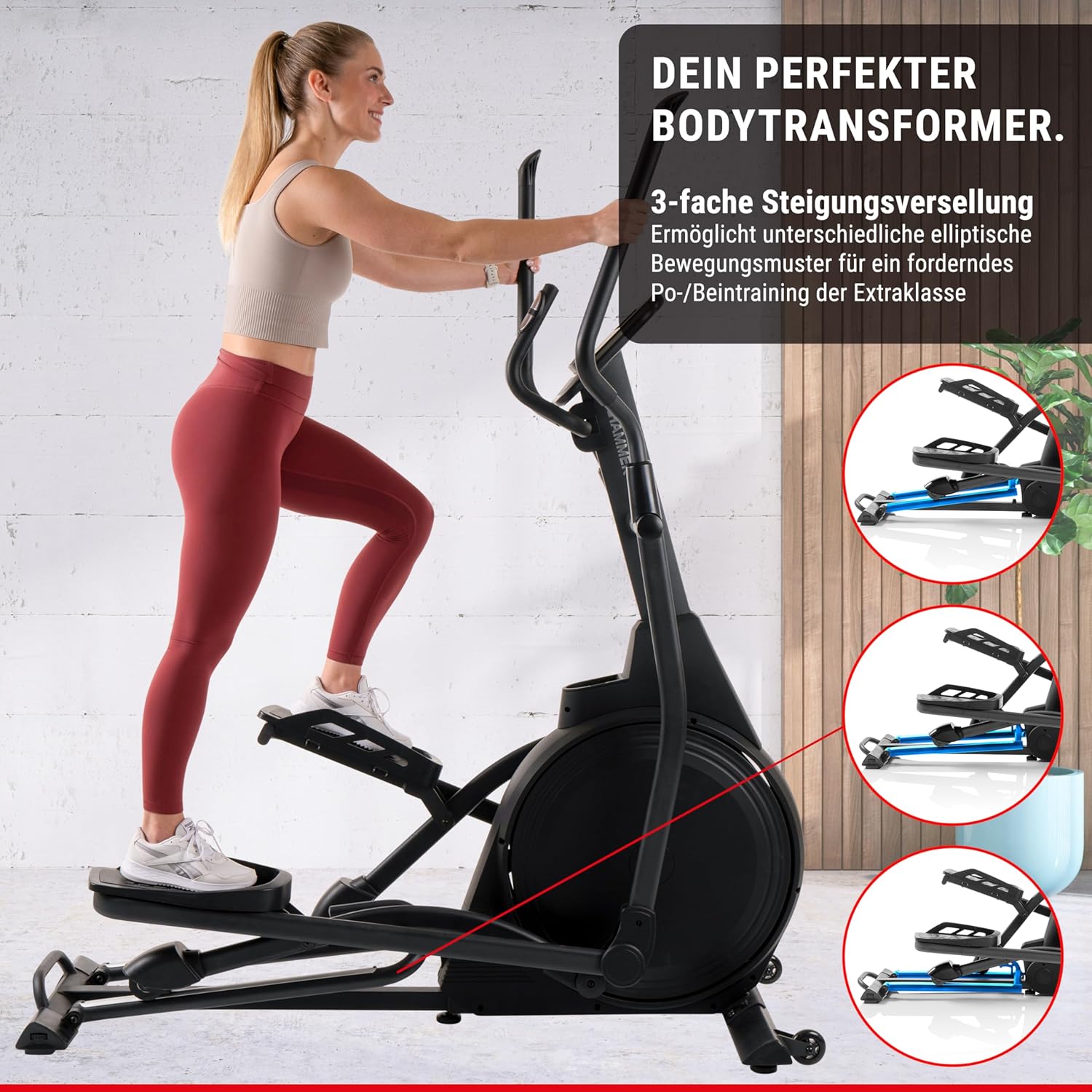
Figure 4: The elliptical trainer demonstrating its 3-fold incline adjustment capability, which allows for varied elliptical movement patterns to target different leg and glute muscles.
- Aanpassing van helling: The incline mechanism is located at the front of the machine. Consult the detailed manual for specific instructions on how to safely adjust the incline.
- Spier teiken: A higher incline focuses on glutes and hamstrings, while a lower incline emphasizes the front thigh muscles.
5.5. Hartslagmonitoring
Integrated heart rate sensors on the handlebars allow you to monitor your pulse during your workout.
- Gebruik: Grip the heart rate sensors firmly with both hands during your workout. Your heart rate will be displayed on the console.
- Akkuraatheid: For best accuracy, ensure your hands are clean and dry.
6. Onderhoud
Gereelde onderhoud verseker die lang lewensduur en optimale prestasie van jou elliptiese oefenmasjien.
- Skoonmaak: Vee die masjien af met advertensieamp lap na elke gebruik om sweet en stof te verwyder. Vermy skuurmiddels.
- Smering: Periodically check and lubricate moving parts as indicated in the detailed maintenance section of the full manual.
- Inspeksie: Regularly inspect all bolts, nuts, and connections for tightness. Tighten any loose fasteners. Check for signs of wear on the aluminum rails and wheels.
- Stil werking: The E3500 features high-quality ball bearings for quiet operation. If you notice any unusual noises, refer to the troubleshooting section.
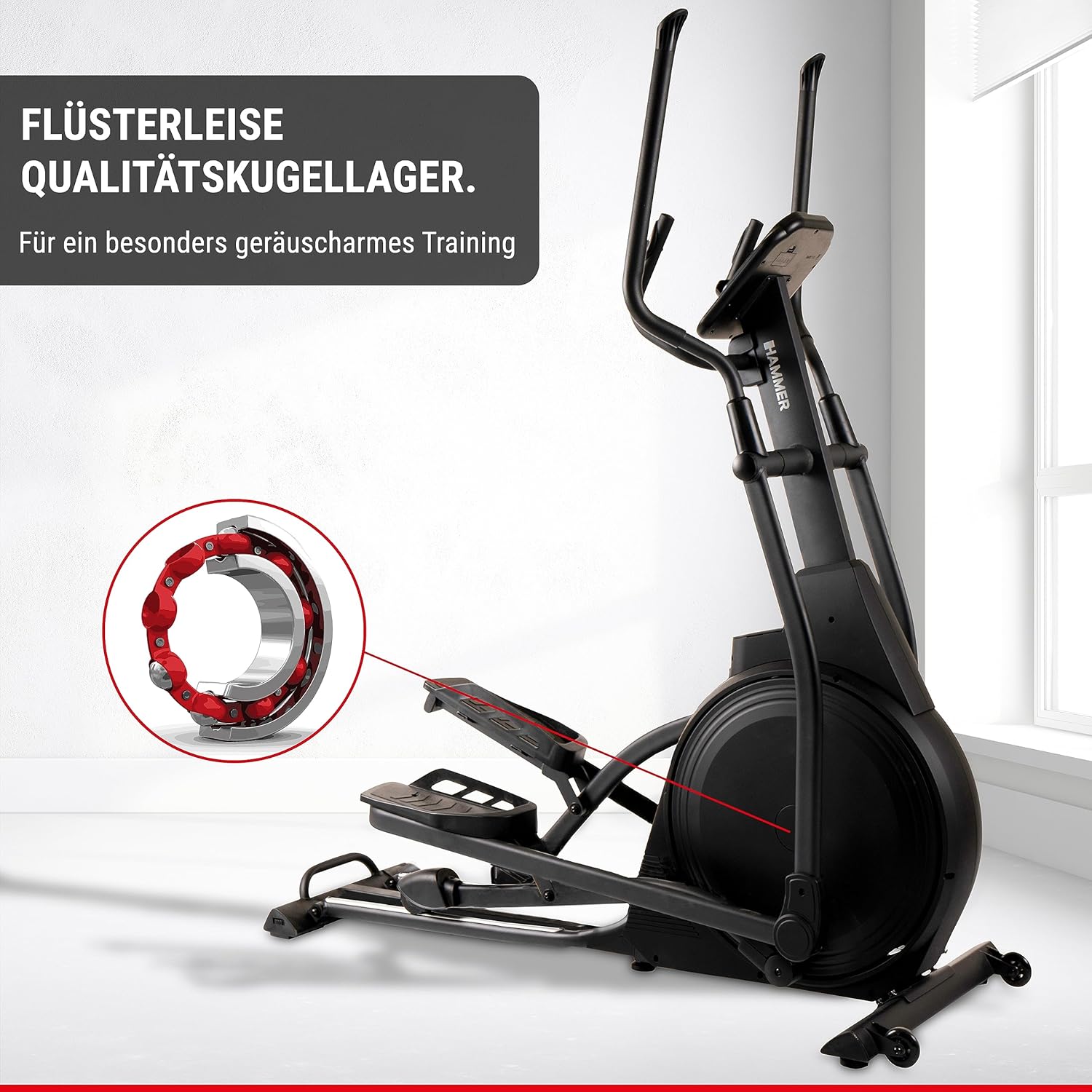
Figure 5: An illustration highlighting the high-quality ball bearings within the elliptical trainer, designed for exceptionally quiet training sessions.
7. Probleemoplossing
If you encounter any issues with your elliptical trainer, refer to the table below for common problems and solutions.
| Probleem | Moontlike oorsaak | Oplossing |
|---|---|---|
| No power to console | Power adapter not connected; outlet issue; damaged cable. | Ensure power adapter is securely plugged into the machine and a working outlet. Check for cable damage. |
| Ongewone geluide tydens operasie | Loose bolts; lack of lubrication; worn parts. | Check and tighten all assembly bolts. Lubricate moving parts as per maintenance instructions. If noise persists, contact customer support. |
| Onakkurate hartkloplesing | Hands not firmly on sensors; dry hands; interference. | Ensure firm and consistent grip on sensors. Lightly moisten hands if too dry. Avoid electronic interference. |
| Weerstand verander nie | Console connection issue; magnetic brake system malfunction. | Check console cable connections. Restart the machine. If the problem continues, contact customer support. |
8. Spesifikasies
| Kenmerk | Detail |
|---|---|
| Model Naam | Ellypsis E3500 |
| Modelnommer | 11001 |
| Handelsmerk | HAMMER |
| Kleur | Swart |
| Afmetings (L x B x H) | 158 x 65 x 185 cm (62.2 x 25.6 x 72.8 duim) |
| Item gewig | 66 kg (145.5 lbs) |
| Flywheel Mass | 20 kg |
| Weerstandmeganisme | Magneties |
| Aantal weerstandsvlakke | 20 |
| Maksimum staplengte | 52 cm |
| Pedal Distance | 13 cm |
| Maksimum gebruikersgewig | 150 kg |
| Opleidingsprogramme | 11 (including 4 heart rate programs) |
| Gebruiker Profiles | 4 |
| Konnektiwiteit | Compatible with Zwift & Kinomap |
| Kragbron | Requires AA batteries (for console) |
9. Waarborg en Ondersteuning
For warranty information, technical support, or to order replacement parts, please contact HAMMER customer service.
- Kliëntediens: Refer to the contact information provided on the HAMMER webwebwerf of jou aankoopbewys.
- Aanlyn hulpbronne: Visit the official HAMMER website for FAQs, additional support materials, and product registration.