
Inleiding
Thank you for choosing the HOCO W40 Bluetooth Headphones. These wireless headphones are designed to provide a high-quality audio experience with deep bass, clear calls, and comfortable wear. This manual will guide you through the setup, operation, and maintenance of your new headphones.
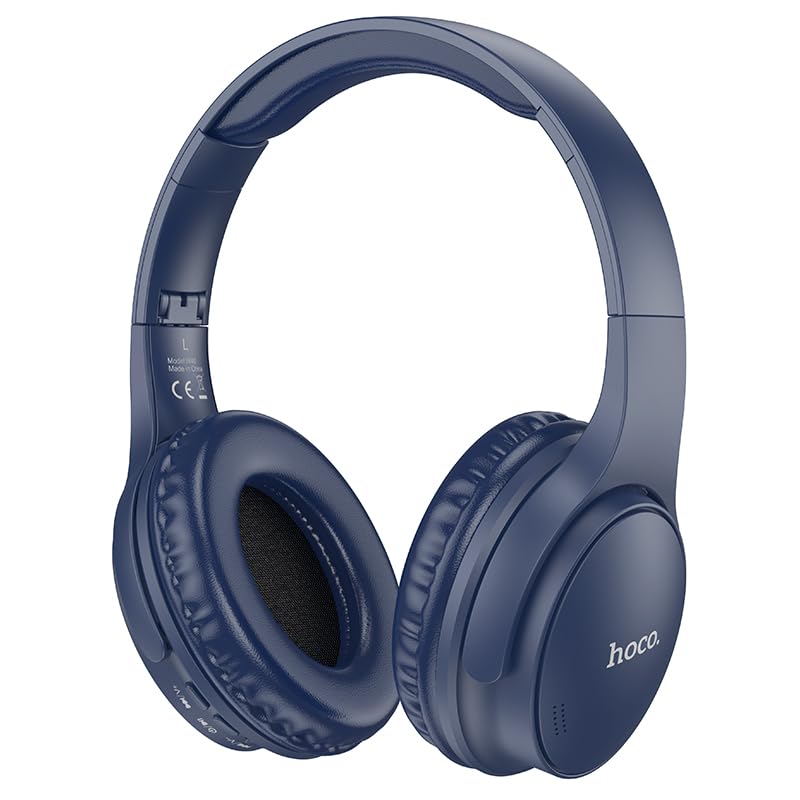
Image: HOCO W40 Bluetooth Headphones in a folded position, showcasing the earcups and headband. The headphones are blue.
Wat is in die boks
Kontroleer asseblief die inhoud van u pakket om seker te maak dat alle items teenwoordig is:
- HOCO W40 Bluetooth Headphones
- Oorkussings
- Headband (integrated with headphones)
The package includes the HOCO W40 Bluetooth Headphones, along with ear cushions and the integrated headband for comfortable use.
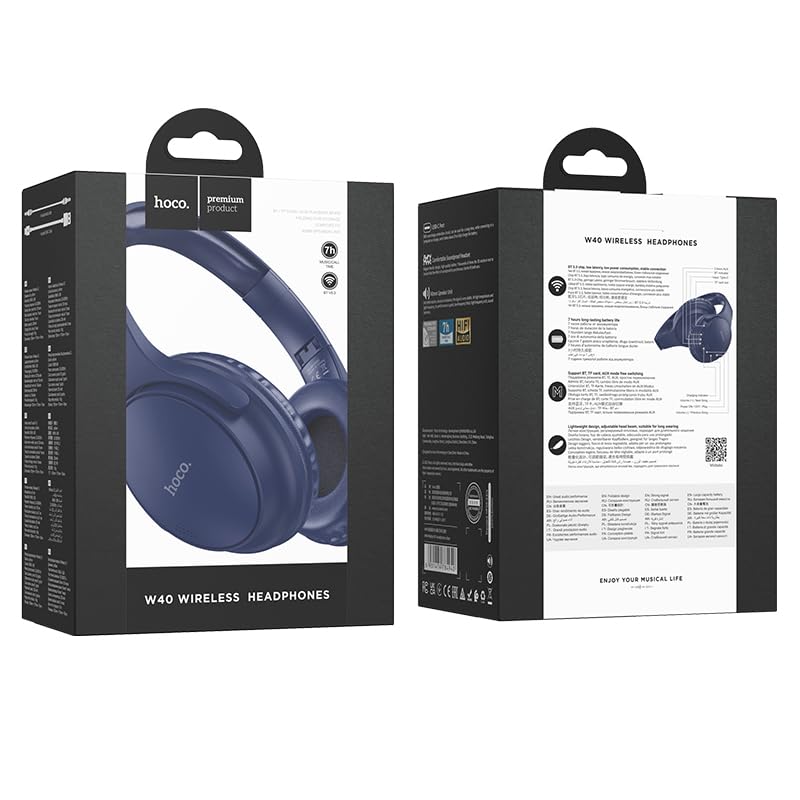
Image: Retail packaging for the HOCO W40 Wireless Headphones, showing the product image and some features on the box.
Produk verbyview
Familiarize yourself with the various parts and controls of your HOCO W40 headphones.
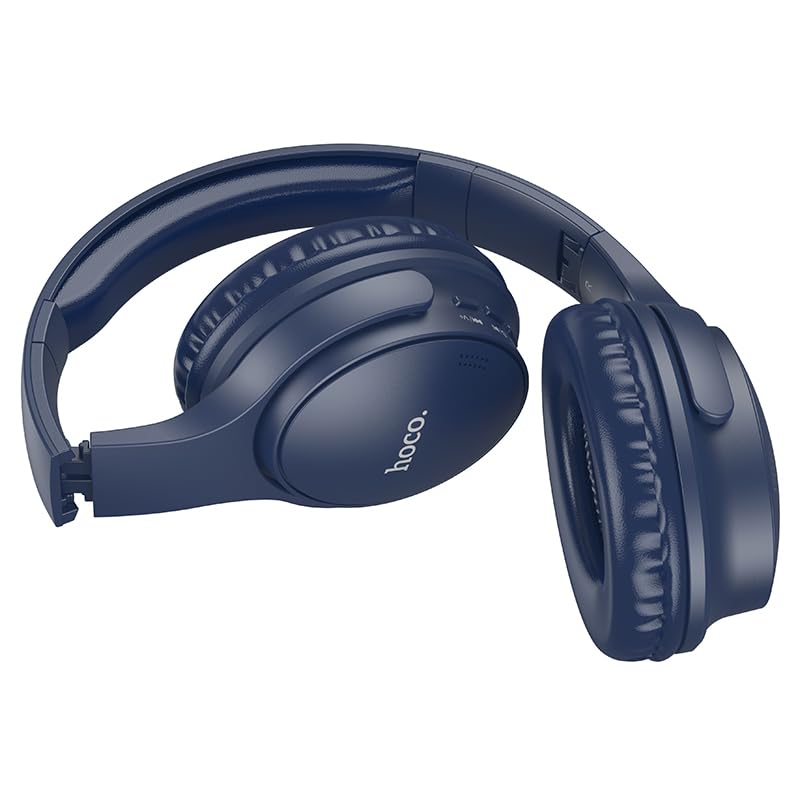
Beeld: Sykant view of the HOCO W40 Bluetooth Headphones, highlighting the earcup and headband design. The controls are visible on the right earcup.
Kontroles en aanwysers:
- Kragknoppie: Used to power the headphones on/off and initiate pairing.
- Volumebeheer: Adjusts the listening volume using touch controls.
- Multifunksieknoppie (MFB): For play/pause, answer/end calls.
- Mikrofoon: Ingebou vir handvrye oproepe.
- Laaipoort: Vir die koppeling van die laaikabel.
- LED-aanwyser: Toon kragstatus, paringsmodus en laaistatus.
The headphones feature touch controls for volume adjustment and other functions, along with a built-in microphone for clear communication.
Opstelling
1. Laai die oorfone
Before first use, fully charge your headphones. A full charge takes approximately 1 uur.
- Connect the charging cable (not included in the JSON's 'whats_in_the_box' but typically provided) to the charging port on the headphones.
- Koppel die ander kant van die kabel aan 'n USB-kragbron (bv. rekenaar, muuradapter).
- The LED indicator will show the charging status (e.g., red while charging, blue/off when fully charged).
Once fully charged, the headphones provide up to 12 uur of continuous playtime.
2. Koppel met 'n Bluetooth-toestel
The HOCO W40 headphones use Bluetooth 5.3 for stable and seamless connectivity. They are compatible with smartphones, tablets, laptops, and other Bluetooth-enabled devices (iOS, Android).
- Maak seker dat die oorfone afgeskakel is.
- Press and hold the Power Button until the LED indicator flashes rapidly (usually blue and red alternately), indicating pairing mode.
- Aktiveer Bluetooth op jou toestel en soek vir beskikbare toestelle.
- Select "HOCO W40" from the list of found devices.
- Once paired, the LED indicator will stop flashing and may turn solid blue or off, depending on the model.
- The headphones have a wireless range of up to 10 XNUMX meter.
If pairing is unsuccessful, turn off both devices, wait a few seconds, and repeat the steps.
Bedryfsinstruksies
Krag aan/af
- Krag aan: Druk en hou die aan/af-knoppie vir ongeveer 3 sekondes in totdat die LED-aanwyser aanskakel.
- Skakel af: Druk en hou die aan/af-knoppie vir ongeveer 5 sekondes totdat die LED-aanwyser afskakel.
Musiekbeheer
- Speel/pouse: Druk kort op die multifunksieknoppie (MFB).
- Volume op: Tap the designated touch control area for volume up.
- Volume af: Tap the designated touch control area for volume down.
- Volgende snit: Double-tap the MFB or use the designated touch control.
- Vorige snit: Triple-tap the MFB or use the designated touch control.
Note: Specific touch control gestures may vary slightly. Refer to the quick start guide included with your product for precise details.
Oproepbeheer
- Beantwoord/beëindig oproep: Druk kort op die multifunksieknoppie (MFB).
- Verwerp oproep: Druk en hou die MFB vir 2 sekondes.
- Herbel laaste nommer: Double-press the MFB when not on a call.
Onderhoud
Proper care will extend the life of your HOCO W40 headphones.
- Skoonmaak: Gebruik 'n sagte, droë lap om die oorfone skoon te maak. Moenie skuurmiddels of oplosmiddels gebruik nie.
- Berging: Bêre die oorfone op 'n koel, droë plek weg van direkte sonlig en uiterste temperature.
- Waterweerstand: The headphones are water resistant, making them suitable for workouts and outdoor activities. However, they are not designed for submersion in water. Avoid prolonged exposure to heavy rain or direct water jets.
- Batterysorg: Om die batterylewe te behou, laai die oorfone gereeld, selfs al word dit nie gereeld gebruik nie. Vermy dit om die battery vir lang tye heeltemal te ontlaai.
Probleemoplossing
| Probleem | Moontlike Oplossing |
|---|---|
| Oorfone skakel nie aan nie. | Ensure the headphones are charged. Connect them to a power source and try again after a few minutes. |
| Kan nie met toestel koppel nie. |
|
| Geen geluid of lae volume nie. |
|
| Die oproepkwaliteit is swak. |
|
Spesifikasies
| Model | W40 |
| Handelsmerk | HOCO |
| Verbindingstegnologie | Draadloos (Bluetooth 5.3) |
| Bluetooth-reeks | 10 meter |
| Batterylewe | Tot 12 ure |
| Laai tyd | Ongeveer 1 uur |
| Tipe oudiobestuurder | Dinamiese bestuurder |
| Geraasbeheer | Klankisolasie |
| Waterweerstandvlak | Waterbestand |
| Tipe beheer | Volumebeheer (aanraking) |
| Ingeboude mikrofoon | Yes, for Hands-Free Calls |
| Versoenbare toestelle | Smartphones, Tablets, Laptops (Universal Compatibility) |
| Materiaal | Plastiek |
| Item gewig | 180 g |
Amptelike Produkvideo
Kyk na die amptelike produkvideo vir 'n visuele oorsigview of the HOCO W40 Bluetooth Headphones and their key features.
Video: 'n Amptelike produk verbyview of the HOCO W40 Bluetooth Headphones, demonstrating its features, battery life, design, and device compatibility.
Waarborg en Ondersteuning
For warranty information and customer support, please refer to the documentation included with your purchase or visit the official HOCO webwebwerf. Bewaar u bewys van aankoop vir enige waarborgeise.
Vir verdere hulp kan u ook die kleinhandelaar kontak waar die produk gekoop is.