
1. Inleiding
Thank you for choosing the Diydeg 30A MPPT Solar Controller and 50W Solar Panel Kit. This kit is designed to provide efficient solar charging for 12V and 24V battery systems in various applications such as RVs, marine vessels, trailers, and camping setups. This manual provides essential information for the safe and effective installation, operation, and maintenance of your solar kit.
2. Veiligheidsinligting
Lees asseblief alle veiligheidsinstruksies sorgvuldig deur voor installasie en gebruik. Versuim om hierdie instruksies te volg, kan lei tot elektriese skok, brand of ernstige besering.
- Maak seker dat alle verbindings stewig en behoorlik geïsoleer is om kortsluitings te voorkom.
- Do not attempt to disassemble or repair the solar panel or controller. Contact qualified personnel for service.
- Dra gepaste persoonlike beskermende toerusting (PPE) soos handskoene en oogbeskerming tydens installasie.
- Avoid touching exposed wires or terminals when the system is connected to a power source.
- Install the solar panel in a location with adequate ventilation and away from flammable materials.
- The solar controller is designed for 12V/24V lead-acid batteries (Flooded, GEL, Deep Cycle). Do not use with other battery types unless specified.
3. Pakketinhoud
Verifieer dat al die items wat hieronder gelys word, in jou pakket ingesluit is:
- 1 x 50W sonpaneel
- 1 x 30A MPPT Solar Charge Controller
- 1 x Connecting Wire (DC output cable for solar panel)
- 4 x suigkoppies
- 1 x User Specification (this manual)
- 1 x Car Charging Cable (cigarette lighter adapter)
- 1 x Output Clip (alligator clips for battery connection)

Image: Complete contents of the Diydeg 50W Solar Panel Kit, including the solar panel, controller, cables, and suction cups.
4. Opstelling en installering
4.1 Solar Panel Placement
Position the 50W solar panel in a location that receives maximum direct sunlight throughout the day. Avoid shaded areas. The panel is designed to be portable and can be mounted using the included suction cups or other suitable mounting hardware (not included).
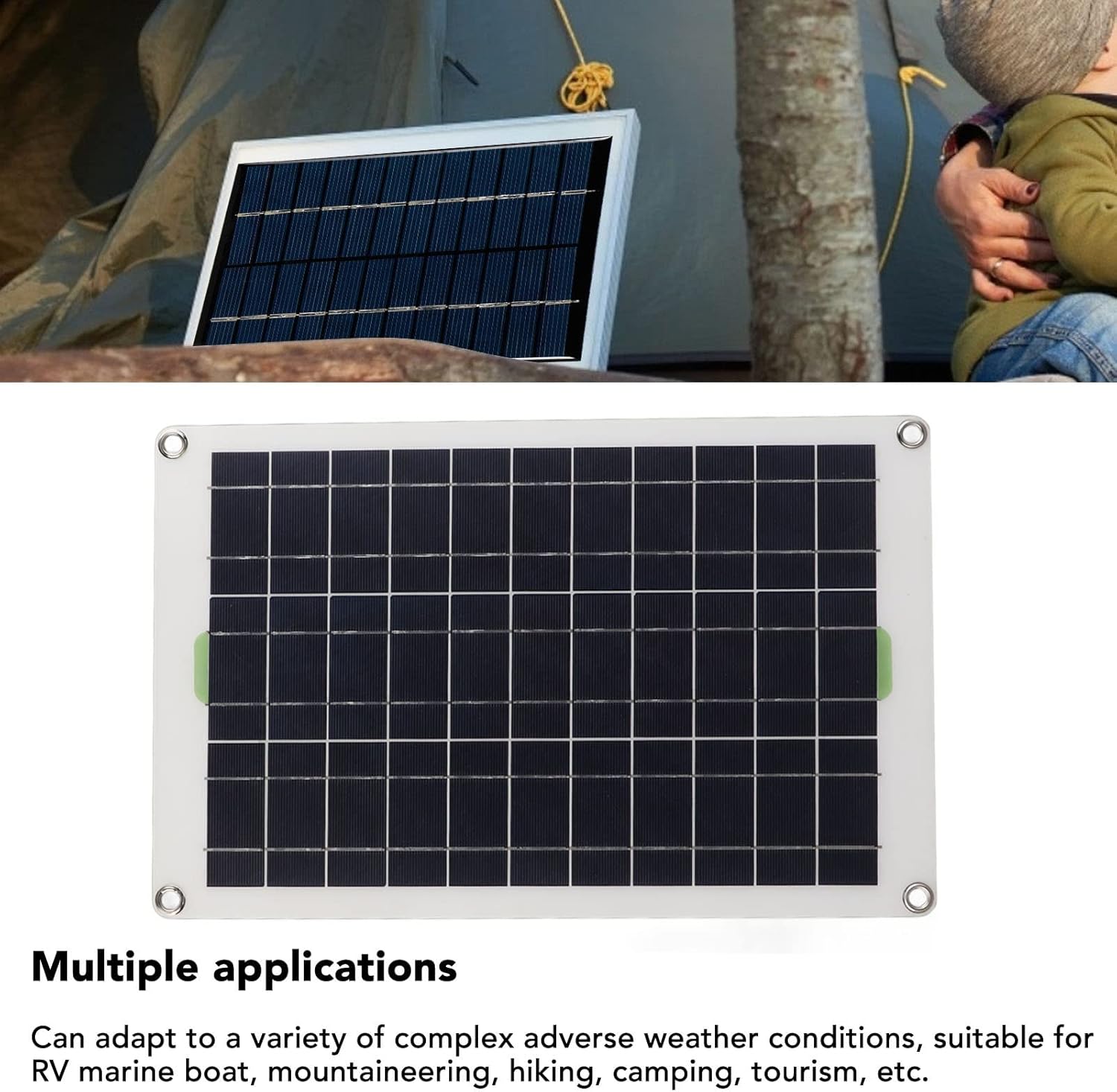
Image: The 50W solar panel set up outdoors next to a tent, demonstrating a typical camping application.

Beeld: 'n Nabyskoot view of the monocrystalline silicon solar panel, highlighting its construction and efficiency.
4.2 Kontroleerderverbinding
Follow these steps to connect the solar panel to the controller and then to your battery:
- Connect the Battery First: Connect the alligator clips (output clip) to your 12V or 24V battery terminals. Ensure correct polarity: red to positive (+), black to negative (-). Then, connect the other end of the alligator clip cable to the DC output port on the solar charge controller.
- Koppel die sonpaneel: Connect the DC output cable from the 50W solar panel to the solar input port on the charge controller.
- Optional: Car Charging Cable: If charging via a car's cigarette lighter, connect the car charging cable to the controller and then to the vehicle's cigarette lighter socket.
Belangrik: Always connect the battery to the controller voor connecting the solar panel. Disconnect in the reverse order: solar panel first, then battery.

Image: The 30A MPPT solar charge controller, showing its display and connection ports.

Image: Various connection cables included with the kit, such as the car charging cable and alligator clips, along with the suction cups.
5. Bedryfsinstruksies
5.1 Aanvanklike opstart
Once the battery and solar panel are connected, the controller will automatically detect the battery voltage (12V or 24V) and begin charging. The display on the controller will show charging status, battery voltage, en ander relevante parameters.

Beeld: 'n Gedetailleerde view of the solar charge controller's display and control buttons, indicating various functions like MCU control, set voltage, full protect, and built-in timer.
5.2 Beheerderfunksies
The 30A solar controller is equipped with multiple protective functions to ensure battery longevity and system safety:
- Oorladingsbeskerming: Prevents the battery from being charged beyond its capacity.
- Oorvoltage Beskerming: Voorsorgmaatreëls teen oormatige volumetage insette.
- Ontladingsbeskerming: Prevents deep discharge of the battery.
- Kortsluitingbeskerming: Protects the system from damage due to short circuits.
- Omgekeerde verbinding beskerming: Prevents damage from incorrect polarity connections.
The controller also features a built-in timer and options for setting voltage, which can be adjusted via the buttons on the unit. Refer to the controller's specific instructions for detailed programming.
6. Onderhoud
Regular maintenance ensures optimal performance and extends the lifespan of your solar kit.
- Sonpaneel skoonmaak: Maak die oppervlak van die sonpaneel gereeld skoon met 'n sagte, damp cloth to remove dust, dirt, and debris. A clean panel ensures maximum light absorption.
- Verbindingskontroles: Annually inspect all electrical connections for tightness and corrosion. Ensure wires are not frayed or damaged.
- Controller Inspection: Keep the controller free from dust and moisture. Ensure adequate ventilation around the controller to prevent overheating.
- Battery gesondheid: Monitor your battery's health and electrolyte levels (for flooded batteries) as per the battery manufacturer's recommendations.
7. Probleemoplossing
If you encounter issues with your solar kit, refer to the following common problems and solutions:
| Probleem | Moontlike oorsaak | Oplossing |
|---|---|---|
| No charging indicated on controller | No sunlight; Loose connections; Reversed polarity; Faulty panel/controller. | Ensure panel is in direct sunlight. Check all wiring for secure connections and correct polarity. Test components if possible. |
| Low charging current/voltage | Partial shading on panel; Dirty panel surface; Insufficient sunlight; Undersized panel. | Relocate panel to avoid shade. Clean panel surface. Ensure clear skies. Consider a larger panel if output is consistently low. |
| Controller display is off | Battery not connected or discharged; Loose battery connection. | Ensure battery is connected and has sufficient charge. Check battery connections. |
| Metal grommets rusting (as per user feedback) | Non-stainless steel material exposed to moisture. | Apply rust-inhibiting coating or replace with stainless steel grommets if possible. Store in dry conditions when not in use. |
If the problem persists after attempting these solutions, please contact Diydeg customer support.
8. Spesifikasies
Key technical specifications for the Diydeg 30A MPPT Solar Controller and 50W Solar Panel Kit:
| Kenmerk | Spesifikasie |
|---|---|
| Handelsmerk | Diydeg |
| Modelnommer | Diydegf5wt308os6 |
| Solar Panel Maximum Power | 50 Watt |
| Sonpaneelmateriaal | Monokristallyne silikon |
| Tipe beheerder | MPPT (Maksimum Kragpuntopsporing) |
| Controller Current Rating | 30A |
| Stelsel Voltage | 12V / 24V Auto-sensing |
| Toepaslike batterytipes | Lead-acid (Flooded, GEL, Deep Cycle) |
| Spesiale kenmerke | Portable, Overcharge Protection, Overvoltage Protection, Discharge Protection, Short Circuit Protection, Reverse Connection Protection |
| Item gewig | 680 g |
| Pakkie Dimensies | 45.08 x 29.21 x 3.81 cm |
9. Waarborg en Ondersteuning
For warranty information, technical support, or service inquiries, please contact Diydeg customer service through your original point of purchase. Keep your purchase receipt as proof of purchase.