
Inleiding
This manual provides essential instructions for the proper use, setup, and maintenance of your HOCO X89 Type-C to Lightning Charging Data Cable. Please read this manual thoroughly before using the product to ensure optimal performance and safety.
Produk verbyview
The HOCO X89 is a high-quality Type-C to Lightning cable designed for efficient charging and data transfer between compatible devices. It features a durable braided wire exterior and aluminum alloy joints for enhanced longevity.
Sleutel kenmerke:
- Lengte: 1 meter (3.2 voet)
- Gewig: 26 gram
- Buitenste materiaal: Braided wire for durability and tangle resistance.
- Joint Material: Aluminum alloy for robust connections.
- Laaiondersteuning: Supports Power Delivery (PD) 20W fast charging for compatible Apple devices.
- Verbinding: Type-C to Lightning connectors.
Wat is in die boks:
- 1 x HOCO X89 Type-C to Lightning Charging Data Cable
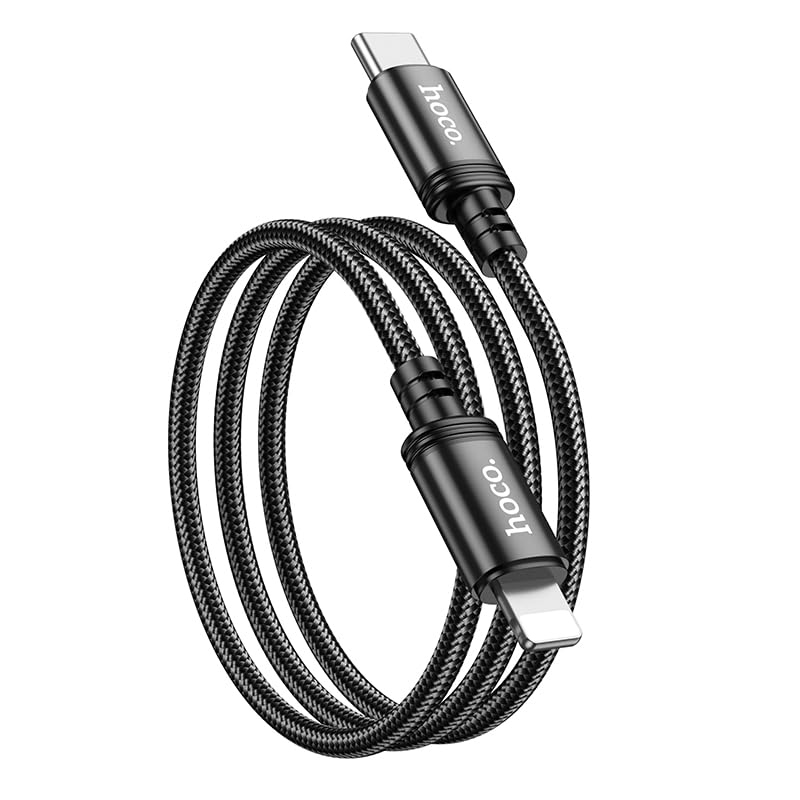
Image: The HOCO X89 cable, coiled, displaying both the Type-C connector and the Lightning connector.
Opstelling
The HOCO X89 cable is designed for plug-and-play functionality. No software installation is required.
- Identifiseer verbindings: The cable has two distinct ends: a USB Type-C connector and a Lightning connector.
- Connect to Power Source/Data Port: Insert the USB Type-C end of the cable into a compatible power adapter (e.g., a PD-enabled wall charger) or a device with a Type-C port (e.g., a laptop, power bank).
- Koppel aan toestel: Insert the Lightning end of the cable into the charging/data port of your compatible Apple device (e.g., iPhone, iPad).
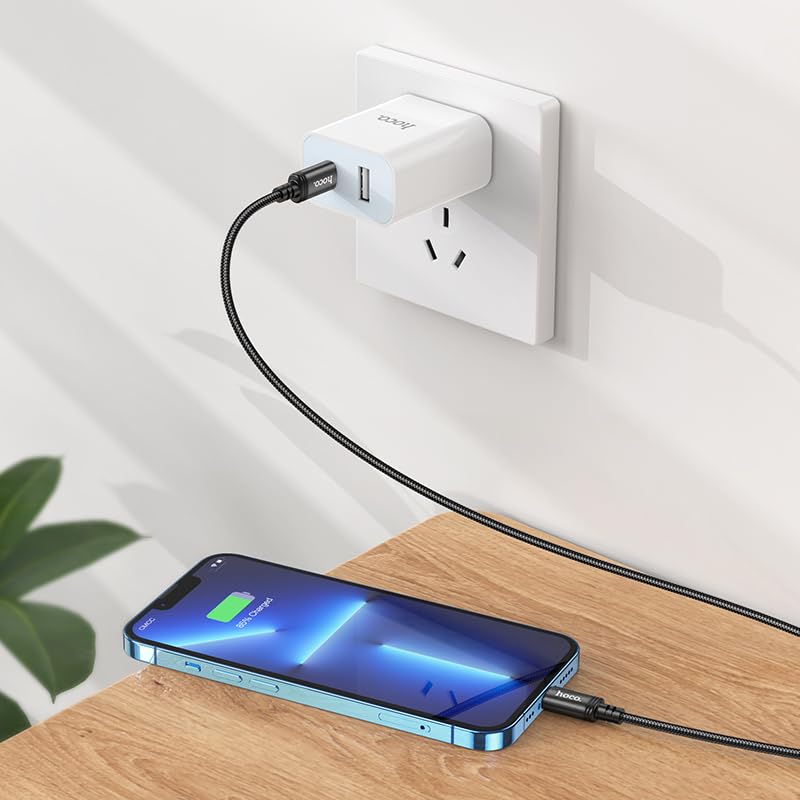
Image: The HOCO X89 cable in use, connecting an iPhone to a wall charger for charging.
Bedryfsinstruksies
Laai u toestel op:
- Ensure the Type-C end is connected to a power source (wall adapter, power bank, computer). For fast charging, use a Power Delivery (PD) compatible adapter.
- Connect the Lightning end to your Apple device.
- The device should indicate that it is charging. The HOCO X89 supports up to 20W PD charging, allowing for faster charging times on compatible devices.
Data-oordrag:
- Connect the Type-C end to a computer or laptop.
- Connect the Lightning end to your Apple device.
- Your computer should recognize the connected device, allowing you to transfer files, sync data, or perform backups. Follow your device's operating system instructions for data management.
Onderhoud en versorging
- Skoonmaak: Use a soft, dry cloth to wipe the cable and connectors. Avoid using liquids or abrasive cleaners.
- Berging: Bêre die kabel op 'n koel, droë plek weg van direkte sonlig en uiterste temperature. Vermy dit om die kabel styf op te rol of teen skerp hoeke te buig om interne skade te voorkom.
- Hantering: Gryp altyd die koppelstukkop vas wanneer jy die kabel in- of uitprop, eerder as om aan die kabel self te trek.
- Vermy skade: Do not expose the cable to water, excessive force, or sharp objects.
Probleemoplossing
- Toestel laai nie:
- Maak seker dat albei punte van die kabel stewig verbind is.
- Verifieer dat die kragadapter korrek werk en in 'n lewendige aansluiting ingeprop is.
- Probeer 'n ander kragadapter of USB-poort.
- Kontroleer of jou toestel se laaipoort skoon en vry van puin is.
- Stadige laai:
- Ensure you are using a Power Delivery (PD) compatible wall adapter for fast charging.
- Maak onnodige toepassings op jou toestel toe.
- Avoid using your device heavily while charging.
- Data-oordragkwessies:
- Ensure the Type-C end is connected to a data-enabled USB port on your computer.
- Restart both your computer and your Apple device.
- Check your device's settings for data transfer permissions.
- Probeer 'n ander USB-poort op jou rekenaar.
Spesifikasies
| Model Naam | X89_C To I |
| Handelsmerk | HOCO |
| Connector Tipe | USB Type-C to Lightning |
| Kabel tipe | Laai- en datakabel |
| Lengte | 1 meter (3.2 voet) |
| Gewig | 26g |
| Buite materiaal | Braided Wire |
| Joint Material | Aluminiumlegering |
| Laaiprotokol | Supports Power Delivery (PD) 20W |
| Versoenbare toestelle | iPhones (6/6S/7/7+/8/8+/10/11/12/13), iPads, and other Apple devices with Lightning port; Laptops and power adapters with Type-C port. |
| Kleur | Swart |
Veiligheidsinligting
- Moenie probeer om die kabel uitmekaar te haal of te wysig nie.
- Hou buite bereik van kinders.
- Avoid extreme temperatures, humidity, and corrosive environments.
- Indien die kabel beskadig lyk, staak gebruik onmiddellik.
- Use only with compatible and certified power adapters.
Waarborg en Ondersteuning
For warranty information and customer support, please refer to the product packaging or contact your retailer. HOCO products are designed for reliability and performance.