
Inleiding
This manual provides instructions for the setup, operation, and maintenance of your OttLite Wake Up Light with White Noise Sound Machine. This device combines a sunrise simulation alarm clock, a white noise sound machine, and a versatile color-changing light to enhance your daily routine.
Veiligheidsinligting
- Lees alle instruksies voor gebruik.
- Hierdie produk is slegs ontwerp vir binnenshuise gebruik.
- Gebruik slegs die meegeleverde kragadapter.
- Moenie die toestel aan water of oormatige vog blootstel nie.
- Hou buite bereik van kinders.
- Moenie probeer om die eenheid self uitmekaar te haal of te herstel nie. Kontak gekwalifiseerde dienspersoneel.
Pakketinhoud
- OttLite Wake Up Light with White Noise Sound Machine
- USB-kragkabel
- Gebruikershandleiding
Produk verbyview
Familiarize yourself with the components of your OttLite Wake Up Light.

Beeld: Voorkant view of the OttLite Wake Up Light, displaying the time and connected to a USB charging pad.

Beeld: Sykant view of the OttLite Wake Up Light, showing the various control buttons and the USB port.
Sleutelkontroles:
- Tydvertoning: Digitale horlosie vertoon.
- Ligpaneel: Provides white and color-changing illumination.
- Beheerknoppies: Located on the side for setting time, alarms, light modes, and sounds.
- USB-laaipoort: Vir die laai van eksterne toestelle.
Opstelling
- Pak uit: Verwyder alle komponente versigtig uit die verpakking.
- Kragverbinding: Connect the provided USB power cable to the device and plug the adapter into a standard wall outlet. The device will power on and the time display will activate.
- Plasing: Place the Wake Up Light on a stable, flat surface, such as a bedside table, ensuring it is within reach of a power outlet.
Bedryfsinstruksies
1. Stel die klok in
- Press the 'Time Set' button (often indicated by a clock icon).
- Gebruik die '+' en '-' knoppies om die uur en minuut aan te pas.
- Press 'Time Set' again to confirm each setting.
- Toggle between 12-hour and 24-hour format using the dedicated button or by cycling through time settings.
2. Wake-Up Light & Alarm Function
The sunrise simulation gradually increases light intensity before your set alarm time.

Image: A user interacting with the Wake Up Light as it emits a warm, sunrise-like glow.
- Stel alarm: Press the 'Alarm Set' button (bell icon). Use '+' and '-' to set the desired wake-up time.
- Sonsopkoms Simulasie: The light will begin to brighten 30 minutes before the set alarm time, gradually increasing to full brightness.
- Wake-Up Sounds: Choose from 7 pre-set sounds (nature sounds, FM radio, traditional alarm) by pressing the 'Sound' button. Adjust volume with '+' and '-'.
- Sluimer-funksie: Press the 'Snooze' button (often a large button on top or front) to temporarily pause the alarm for a few minutes.
3. Sleep Aid & Sunset Simulation
Utilize the white noise and sunset simulation for a calming environment.
- Wit geraas: Activate the white noise sound machine by pressing the 'White Noise' button. Adjust volume as needed.
- Sonsondergangsimulasie: Set the light to gradually dim over 15, 30, or 60 minutes. Refer to the specific button for 'Sunset' or 'Sleep Timer' and cycle through options.
4. Lighting Functions
The device offers various lighting options for ambiance and utility.
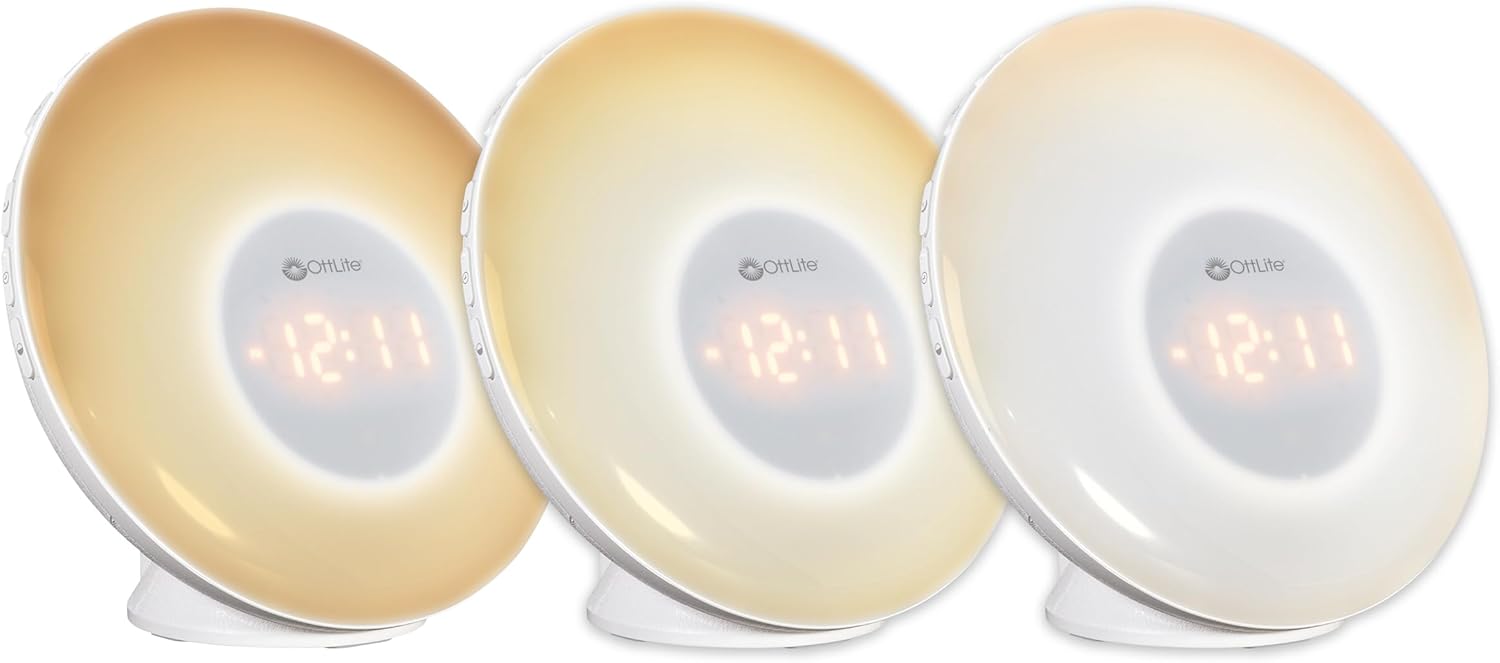
Image: Three units demonstrating the adjustable white light temperatures.

Image: Multiple units showcasing the range of color-changing options.
- Wit lig: Press the 'Light' button to activate soft white light. Adjust brightness using '+' and '-' buttons (three brightness levels available).
- Kleur verander: Press the 'RGB' button to cycle through a spectrum of colors.
- Fixed Color: While in color-changing mode, press the 'RGB' button again to pause on your desired color.
5. USB -laaipoort
A convenient USB port is integrated for charging your devices.

Image: A smartphone being charged via the USB port on the Wake Up Light.
- Locate the USB port (5V, 1A output) on the side or back of the unit.
- Connect your device's USB charging cable to this port.
- Ensure the Wake Up Light is powered on for the USB port to function.
Onderhoud
- Skoonmaak: Disconnect the power before cleaning. Wipe the device with a soft, dry cloth. Do not use abrasive cleaners or solvents.
- Berging: Wanneer dit nie vir lang tye gebruik word nie, bêre die toestel op 'n koel, droë plek weg van direkte sonlig.
Probleemoplossing
| Probleem | Moontlike oorsaak | Oplossing |
|---|---|---|
| Toestel skakel nie aan nie. | Power cable not connected properly or power outlet is not active. | Ensure the power cable is securely connected to the device and the wall outlet. Test the outlet with another device. |
| Alarm does not sound or light does not activate. | Alarm nie gestel nie of volume te laag. | Verify alarm settings and ensure the alarm is activated. Increase alarm volume. |
| High-pitched buzzing sound when light is on. | Potential internal component noise at certain brightness levels. | Try adjusting the brightness level. If the issue persists and is disruptive, contact customer support. |
| Difficulty setting the alarm or other functions. | Unfamiliarity with button layout or sequence. | Refer to the 'Operating Instructions' section carefully. Practice setting functions when not under time pressure. |
| USB-laaipoort werk nie. | Device not powered on or cable issue. | Ensure the Wake Up Light is powered on. Try a different USB cable or device to rule out cable/device issues. |
Spesifikasies
| Kenmerk | Detail |
|---|---|
| Modelnommer | WU300Z-SHPR |
| Produk afmetings | 4" D x 6.75" B x 6.7" H |
| Item gewig | 1.23 pond |
| Kragbron | Elektries met koord (120 Volt AC) |
| Ligbrontipe | LED |
| Spesiale kenmerke | Color Changing, Dimmable, Sunrise Simulation, Sunset Simulation, White Noise, USB Charging Port |
| USB-uitset | 5V, 1A |
| Materiaal | Plastiek |
| Binne/buiteluggebruik | Slegs binnenshuise gebruik |
Waarborg en Ondersteuning
OttLite products are designed for quality and durability. For warranty information or technical support, please refer to the warranty card included with your purchase or visit the official OttLite webwerf. Hou jou aankoopkwitansie vir waarborgeise.
For further assistance, please contact OttLite customer service.