
LC-Power LC-M32-FHD-165-C-A
LC-Power FHD 32 inch 165Hz Curved Gaming Monitor User Manual
Model: LC-M32-FHD-165-C-A | Brand: LC-Power
1. Inleiding
This manual provides essential information for the proper installation, operation, and maintenance of your LC-Power FHD 32 inch 165Hz Curved Gaming Monitor (Model: LC-M32-FHD-165-C-A). Please read this manual thoroughly before using the product to ensure optimal performance and safety.

Figuur 1.1: Voorkant view of the LC-Power 32-inch curved gaming monitor.
2. Veiligheidsinligting
Neem die volgende veiligheidsmaatreëls in ag om skade aan die monitor te voorkom en gebruikersveiligheid te verseker:
- Moenie die monitor aan reën, vog of uiterste temperature blootstel nie.
- Verseker behoorlike ventilasie rondom die monitor. Moenie ventilasie-openinge blokkeer nie.
- Gebruik slegs die kragadapter wat saam met die monitor voorsien word.
- Vermy om swaar voorwerpe op die kragkabel te plaas.
- Ontkoppel die kragkabel van die stopcontact tydens weerligstorms of wanneer dit vir lang tye nie gebruik word nie.
- Moenie probeer om die monitor self te herstel nie. Verwys alle diens na gekwalifiseerde personeel.
3. Pakketinhoud
Verifieer dat alle items in die pakket teenwoordig is:
- LC-Power 32 inch Curved Gaming Monitor
- Monitorstaander (basis en nek)
- Kragadapter en kragkabel
- HDMI kabel
- Gebruikershandleiding
- Skroewe vir Staanmontering
4. Opstelling
4.1 Montering van die Staanplek
- Verwyder die monitor versigtig uit sy verpakking en hou dit beskermd op 'n sagte oppervlak.
- Heg die staandernek aan die monitorpaneel vas met die meegeleverde skroewe.
- Connect the stand base to the stand neck and secure it with the remaining screws.
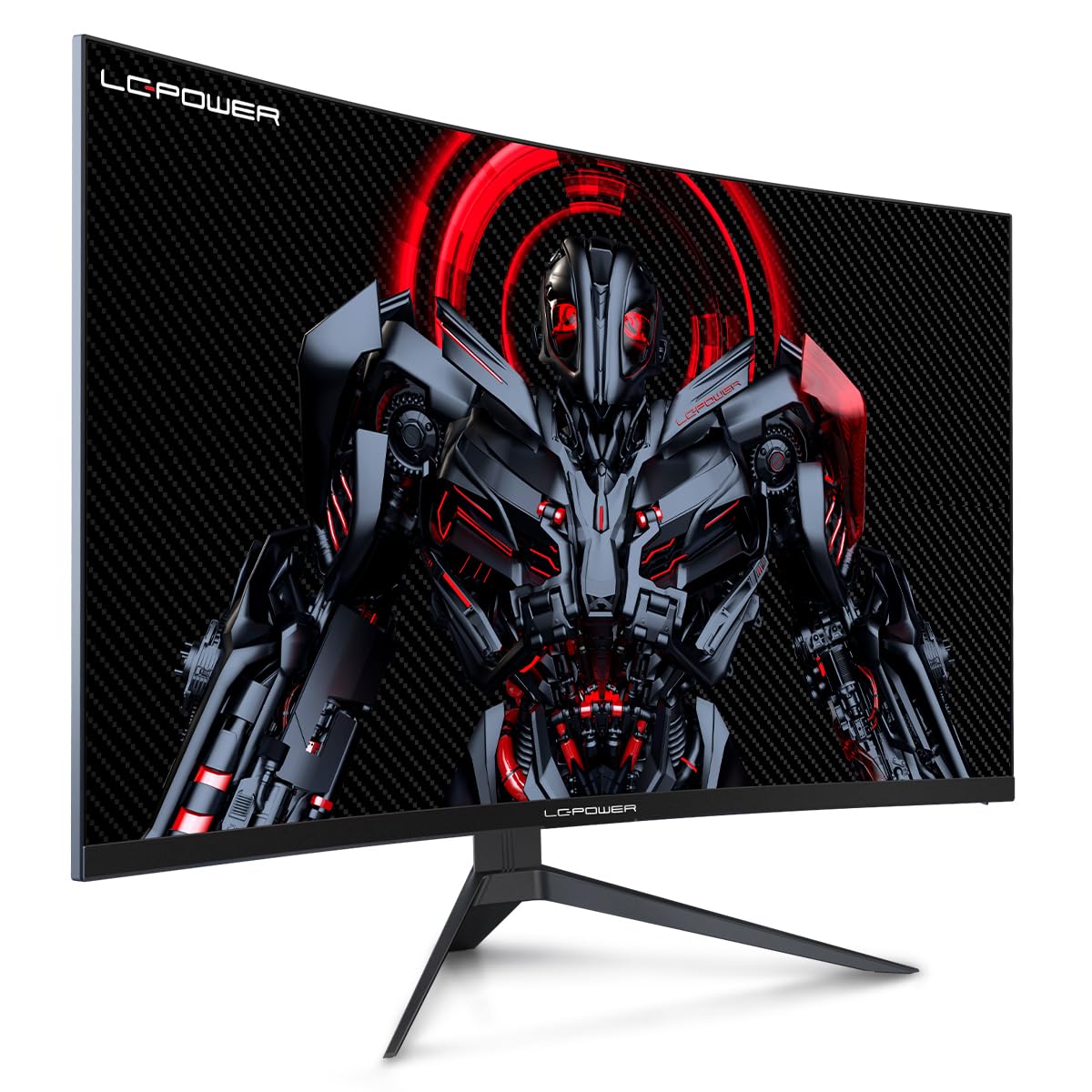
Figure 4.1: LC-Power monitor with stand assembled.
4.2 Aansluitkabels
Koppel die nodige kabels aan die agterste poorte van die monitor:
- Krag: Connect the power adapter to the monitor's DC input and then to a power outlet.
- Video Input: Koppel 'n HDMI- of DisplayPort-kabel vanaf jou rekenaar se grafiese kaart aan die ooreenstemmende poort op die monitor.

Figuur 4.2: Agter view van die monitor met invoerpoorte.
4.3 VESA-montering (opsioneel)
The monitor supports VESA 100x100mm mounting. To use a VESA mount, remove the stand and attach the monitor to a compatible VESA bracket using appropriate screws (not included).
5. Bedryfsinstruksies
5.1 Krag aan/af
Druk die aan/af-knoppie, gewoonlik agter of onder op die monitor, om die monitor aan of af te skakel. Die aan/af-liggie sal brand wanneer die monitor aan is.
5.2 Skermvertoning (OSD) Kieslys
The OSD menu allows you to adjust various monitor settings. Use the control buttons (joystick or individual buttons) on the monitor to navigate the menu.
Algemene OSD-instellings:
- Prentinstellings: Pas helderheid, kontras, skerpte en kleurtemperatuur aan.
- Invoerkeuse: Wissel handmatig tussen HDMI- en DisplayPort-insette.
- Oudio: Adjust volume if external speakers are connected via the monitor's audio output.
- Speletjie-instellings: Access features like Overdrive, GamePlus (crosshair overlays), FPS/RTS modes, and Adaptive Sync.
- Vertoon opsies: Adjust aspect ratio, resolution, and refresh rate. Ensure your graphics card is configured to output 1920x1080 resolution at 165Hz for optimal performance.
- Low Blue Light & Flicker-Free: These features are designed to reduce eye strain during prolonged use. They can be enabled or disabled in the OSD menu.
6. Onderhoud
6.1 Skoonmaak van die monitor
- Ontkoppel altyd die monitor voordat dit skoongemaak word.
- Gebruik 'n sagte, pluisvrye lap effens dampmet water of 'n sagte, nie-skurende skermreiniger afgevee.
- Moenie skoonmaakmiddel direk op die skerm spuit nie.
- Avoid using benzene, thinner, or ammonia-based cleaners.
6.2 Berging
If storing the monitor for an extended period, disconnect all cables, pack it in its original packaging, and store it in a cool, dry place away from direct sunlight.
7. Probleemoplossing
Verwys na die volgende tabel vir algemene probleme en hul oplossings:
| Probleem | Moontlike oorsaak | Oplossing |
|---|---|---|
| Geen beeld op die skerm nie | Power cable disconnected; Video cable disconnected; Incorrect input selected | Check power and video cable connections; Select correct input via OSD menu |
| Beeld flikker | Faulty video cable; Graphics card driver issue; Refresh rate mismatch | Replace video cable; Update graphics drivers; Set refresh rate to 165Hz in OS display settings |
| Kleure lyk verkeerd | Color settings in OSD; Graphics card settings | Adjust color settings in OSD; Calibrate colors via graphics card control panel |
| Monitor skakel nie aan nie | Power cable not connected; Power adapter faulty | Ensure power cable is securely connected; Test power outlet; Contact support if adapter is suspected faulty |
8. Spesifikasies
Detailed technical specifications for the LC-Power LC-M32-FHD-165-C-A monitor:
| Kenmerk | Spesifikasie |
|---|---|
| Handelsmerk | LC-krag |
| Model | LC-M32-FHD-165-CA |
| Skerm grootte | 32 duim |
| Skermresolusie | 1920 x 1080 (FHD 1080p) |
| Herlaaitempo | 165 Hz |
| Reaksie Tyd | 1 millisekonde |
| Kromming | 1500R |
| Aspekverhouding | 16:9 |
| Vertoon tegnologie | LCD |
| Viewing Hoek | 178 grade |
| Hardeware-koppelvlak | HDMI, DisplayPort |
| Spesiale kenmerke | Curved, Flicker-Free, Low Blue Light, GamePlus, Overdrive, FPS/RTS |
| VESA-versoenbaarheid | 100x100 mm |
| Produk afmetings | 14.3 x 53.8 x 40.6 cm (L x B x H) |
| Item gewig | 8.24 kg |
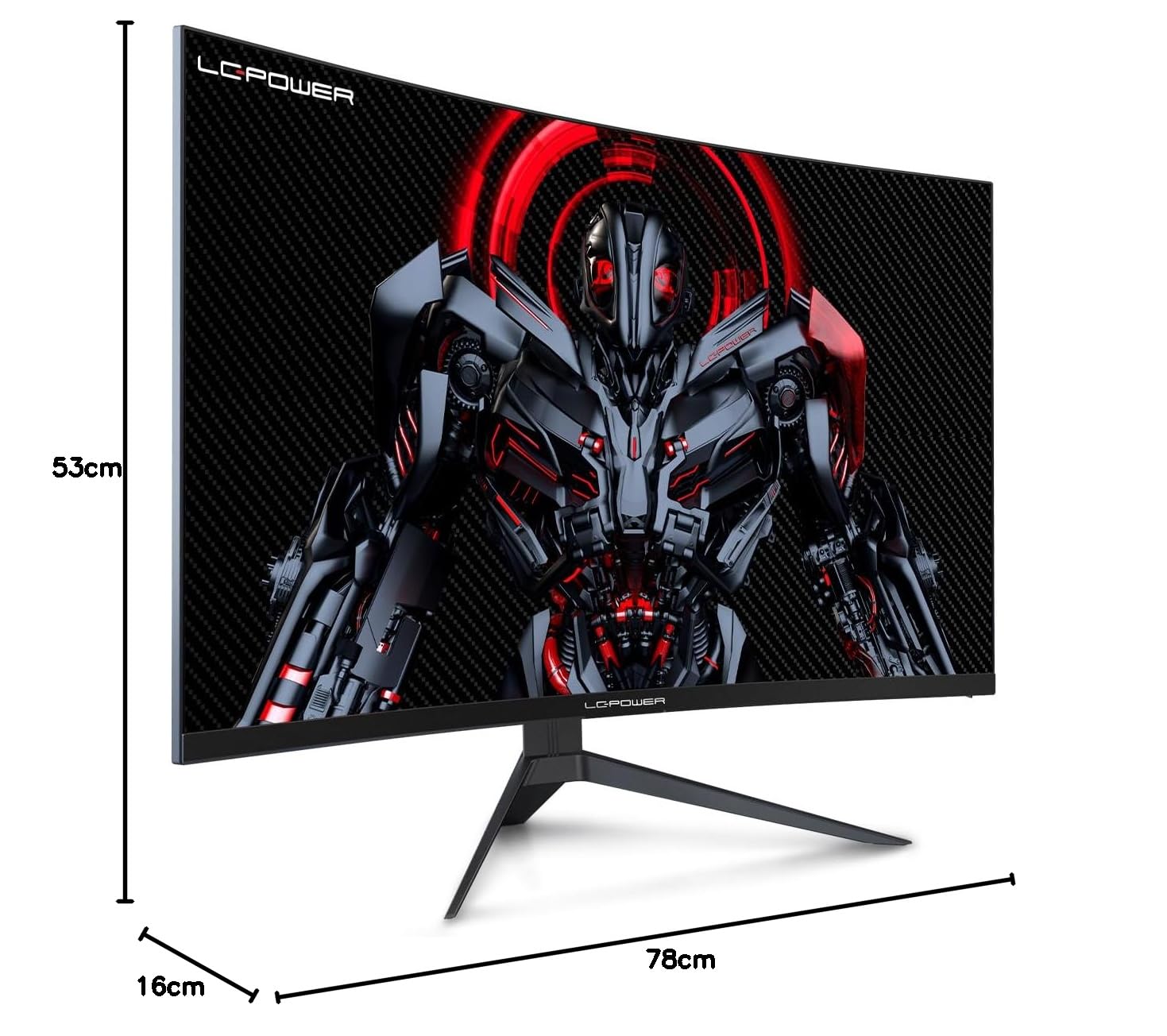
Figure 8.1: Monitor dimensions for planning installation space.
9. Waarborg en Ondersteuning
LC-Power provides a three-year warranty for this product. Additionally, a twelve-month replacement service is available. For technical assistance or inquiries regarding damage, defects, or missing parts, please contact LC-Power customer support. Telephone technical support is also available.
Ask a question about this manual
Ask about setup, troubleshooting, compatibility, parts, safety, or missing instructions. Manuals+ will review the question and use this page’s manual context to help answer it.