
1. Inleiding
This manual provides essential information for the installation, operation, and maintenance of your Phillips MX7053 Digital Deadbolt PCD-360. Please read these instructions carefully before installation and use to ensure proper function and longevity of the product.
The Phillips MX7053 Digital Deadbolt is designed for interior wood or metal doors, offering secure keyless entry via a numeric keypad or traditional key access. It features a light indicator for status updates and supports up to 50 unique user codes.
2. Produkkenmerke
- Maklike installasie: Designed for straightforward installation using basic tools.
- Veelsydige montage: Features an interior mounting plate that can be screwed or welded.
- Numeriese sleutelbord: Exterior keypad supports 4 to 10-digit codes for up to 50 users.
- Status aanwyser: Integrated light indicator shows lock/unlock status and alerts for incorrect code entries.
- Dual Access: Keyless entry via keypad or traditional high-security key access.
- Battery aangedryf: Requires 4 AA batteries (not included), eliminating the need for electrical wiring.
3. Pakketinhoud
Verifieer dat alle komponente teenwoordig is voordat u met die installasie begin:
- Phillips MX7053 Digital Deadbolt (Exterior Keypad Unit)
- Interior Thumb Turn Unit
- Montageplaat
- High-Security Keys (Quantity may vary)
- Installation Screws and Hardware
- Handleiding (hierdie dokument)

Prent 3.1: Packaging of the Phillips MX7053 Digital Deadbolt, illustrating the included components and highlighting the 1-year warranty.
4. Spesifikasies
| Vervaardiger | Phillips |
| Modelnommer | MX7053 |
| Kleur | Swart |
| Voltooi | Geborsel |
| Materiaal | Metaal, plastiek |
| Tipe slot | grendel |
| Spesiale kenmerke | Touch keypad, Keyless entry |
| Kragbron | 4 AA-batterye (nie ingesluit nie) |
| Gewig | 1.12 kilogram |
| Afmetings (L x B x H) | 21.01 x 11 x 23.01 cm |
5. Veiligheidsinligting
- Do not expose the lock to extreme temperatures or direct moisture.
- Gebruik slegs gespesifiseerde AA alkaliese batterye. Moenie ou en nuwe batterye of verskillende tipes batterye meng nie.
- Keep keys in a secure location away from the lock.
- Regularly check battery levels and replace batteries when indicated to prevent lock-out.
- Vermy die gebruik van skuurmiddels of oplosmiddels op die slot se oppervlak.
6. Installasie
The Phillips MX7053 Digital Deadbolt is designed for surface-mount installation on interior wood or metal doors. It is compatible with both left and right-opening doors.
6.1 Gereedskap benodig
- Skroewedraaier (Phillips-kop word aanbeveel)
- Boor (indien nuwe gate benodig word)
- Maatband of liniaal
- Potlood
6.2 Installasiestappe
- Berei die deur voor: Ensure the door is clean and free of obstructions. If replacing an existing lock, remove it.
- Installeer die Deadbolt-grendel: Insert the deadbolt latch into the door edge. Ensure the latch is oriented correctly for your door's handing (left or right).
- Mount the Exterior Keypad: Position the exterior keypad unit on the outside of the door, aligning it with the deadbolt latch.
- Installeer die binneste monteringsplaat: On the inside of the door, attach the interior mounting plate. Secure it with the provided screws. This plate can be screwed directly or welded for added security.
- Connect the Interior Unit: Connect the cable from the exterior keypad to the interior thumb turn unit. Carefully tuck any excess cable into the door cavity.
- Secure the Interior Unit: Attach the interior thumb turn unit to the mounting plate using the remaining screws. Ensure it is flush against the door.
- Toetswerking: Before closing the door, test the deadbolt's operation using both the thumb turn and the key. Ensure the deadbolt extends and retracts smoothly.
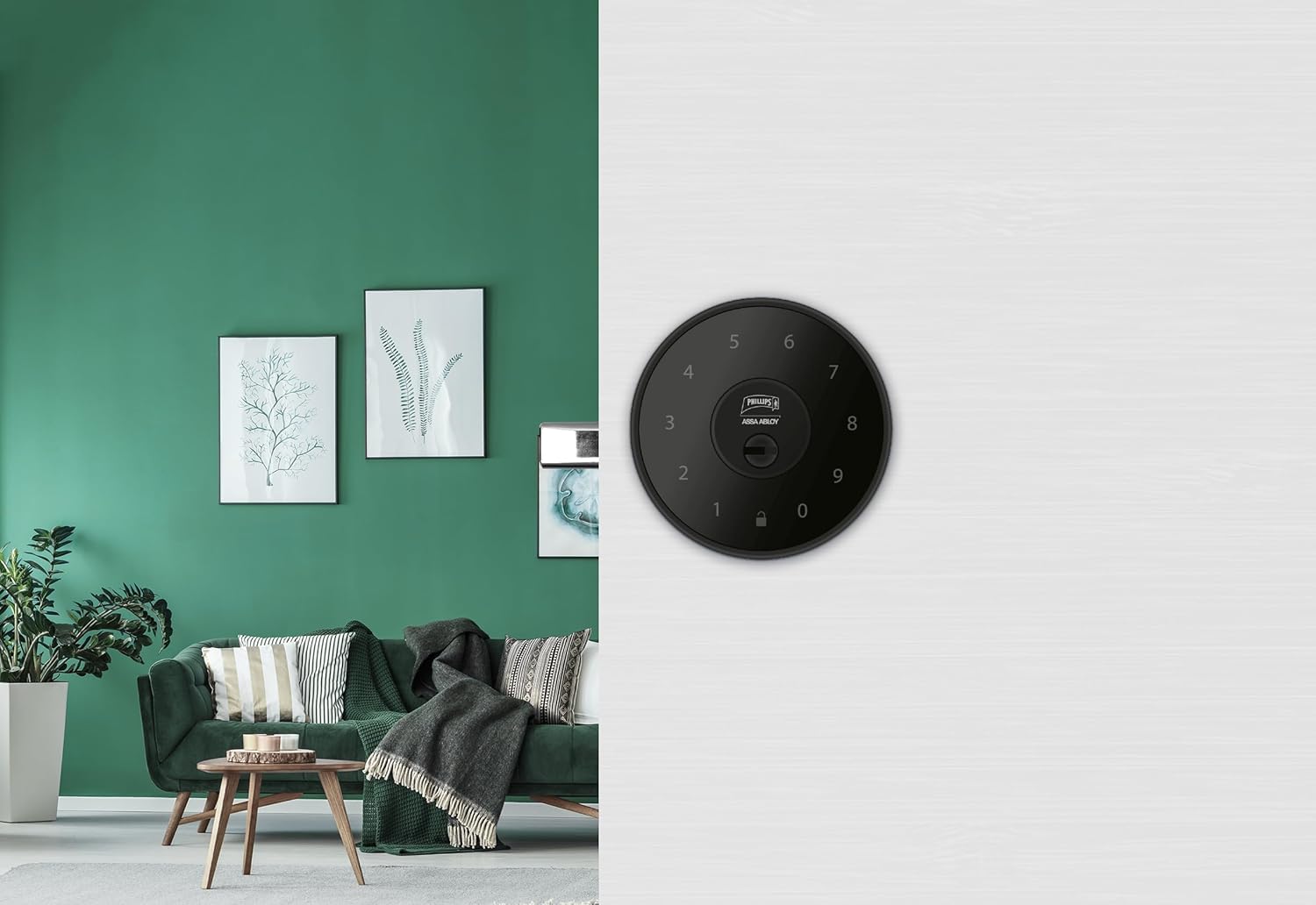
Prent 6.1: An installed Phillips MX7053 Digital Deadbolt, showcasing its exterior keypad on a door.

Prent 6.2: Naby-opname voor view of the exterior keypad, highlighting the numeric interface and keyhole.
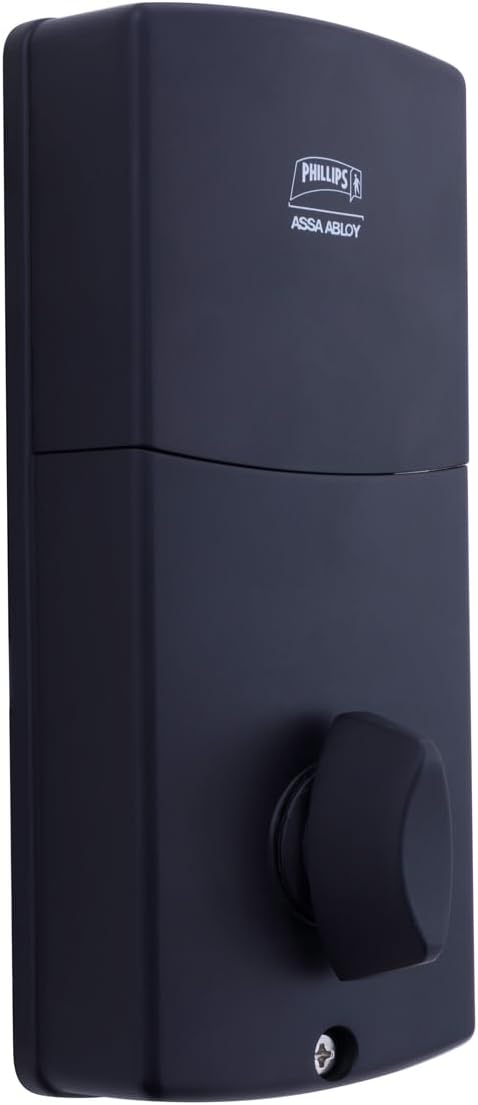
Prent 6.3: Agter view of the interior unit, which houses the battery compartment and the thumb turn for manual locking/unlocking.
7. Battery installering en vervanging
The Phillips MX7053 Digital Deadbolt requires 4 AA alkaline batteries for operation. Batteries are not included.
- Toegang tot batterykompartement: Locate the battery cover on the interior thumb turn unit. Slide or unclip the cover to open the compartment.
- Plaas batterye in: Insert 4 new AA alkaline batteries, ensuring correct polarity (+/-) as indicated inside the compartment.
- Maak kompartement toe: Replace the battery cover, ensuring it is securely closed.
- Toets: After installing batteries, the lock should emit a beep and the keypad lights may illuminate briefly, indicating power.
Let wel: Replace all four batteries simultaneously. Do not mix old and new batteries or different battery types. Low battery indication will typically be a series of beeps or a specific light pattern when operating the lock.
8. Operasie
8.1 Die deur oopsluit
- Using a Code: Enter your 4 to 10-digit user code on the exterior keypad. The light indicator will confirm successful entry, and the deadbolt will retract.
- Gebruik die sleutel: Insert the high-security key into the keyhole on the exterior keypad and turn it to unlock the deadbolt.
- Van binne: Turn the thumb turn on the interior unit to retract the deadbolt.
8.2 Deur sluit
- Van buite: Press any key on the keypad or simply wait for the auto-lock feature (if enabled) to engage the deadbolt.
- Gebruik die sleutel: Insert the high-security key into the keyhole on the exterior keypad and turn it to extend the deadbolt.
- Van binne: Turn the thumb turn on the interior unit to extend the deadbolt.
9. Programmering van gebruikerskodes
The lock supports up to 50 unique user codes, each 4 to 10 digits long. Refer to the specific programming instructions included with your lock for detailed steps on adding, deleting, or modifying user codes. Generally, this involves entering a master code followed by a sequence of commands and the desired user code.
Belangrik: Keep your master code confidential and do not share it. It is essential for managing all other user codes.
10. Onderhoud
- Skoonmaak: Vee die slot se oppervlak af met 'n sagte, damp lap. Moenie harde chemikalieë of skuur skoonmaakmiddels gebruik nie.
- Batterykontrole: Vervang batterye dadelik wanneer die lae battery-aanwyser verskyn.
- Meganiese kontrole: Periodically check that all screws are tight and the lock operates smoothly. Lubricate the deadbolt mechanism with a silicone-based lubricant if necessary.
11. Probleemoplossing
- Slot reageer nie: Check battery installation and replace batteries if necessary. Ensure the keypad is clean and free of debris.
- Deadbolt Not Extending/Retracting: Verify that the door frame strike plate is properly aligned with the deadbolt. Check for any obstructions in the door jamb.
- Verkeerde kode-invoer: If the light indicator flashes or beeps after entering a code, re-enter the code carefully. Ensure you are using a valid, programmed user code.
- Sleutelbord brand nie: This may indicate very low batteries or a power issue. Replace batteries.
12. Waarborg en Ondersteuning
The Phillips MX7053 Digital Deadbolt PCD-360 comes with a 1 jaar waarborg vanaf die aankoopdatum, wat vervaardigingsfoute dek. Bewaar asseblief u bewys van aankoop vir waarborgeise.
For technical assistance, troubleshooting beyond this manual, or warranty inquiries, please contact Phillips customer support. Refer to the contact information provided on the product packaging or Phillips' official webwebwerf.
Additional protection plans may be available from third-party providers for extended coverage.