
Inleiding
The Altec Lansing Kid Safe 2-in-1 Wireless Bluetooth Headphones (Model MZX4410) are designed to provide a safe and enjoyable audio experience for children. These headphones feature volume-limiting technology to protect delicate hearing, comfortable ear cushions, and versatile connectivity options. This manual provides instructions for setup, operation, and maintenance to ensure optimal performance and longevity of your headphones.
Wat is in die boks
- Altec Lansing Kid Safe 2-in-1 Wireless Bluetooth Headphones
- USB-C-laaikabel
- 3.5 mm oudio kabel
- Beskermende saak
- Gebruikershandleiding (hierdie dokument)
Produk Kenmerke
- Kristalhelder klank: High-quality audio with enhanced bass for an immersive listening experience.
- Safe Volume Limiting: Integrated technology limits maximum volume to 85dB to protect children's hearing.
- 2-in-1-konnektiwiteit: Ondersteun beide draadlose Bluetooth en bedrade 3.5 mm-klankverbindings.
- Draadlose reeks: Up to 30 feet of Bluetooth wireless range for unrestricted movement.
- Gerieflike ontwerp: Soft ear cushions and an adjustable, cushioned headband ensure a comfortable fit for extended wear.
- Opvoubaar en draagbaar: Convenient foldable design for easy storage and transport.
- Duursame konstruksie: Built to withstand active use.
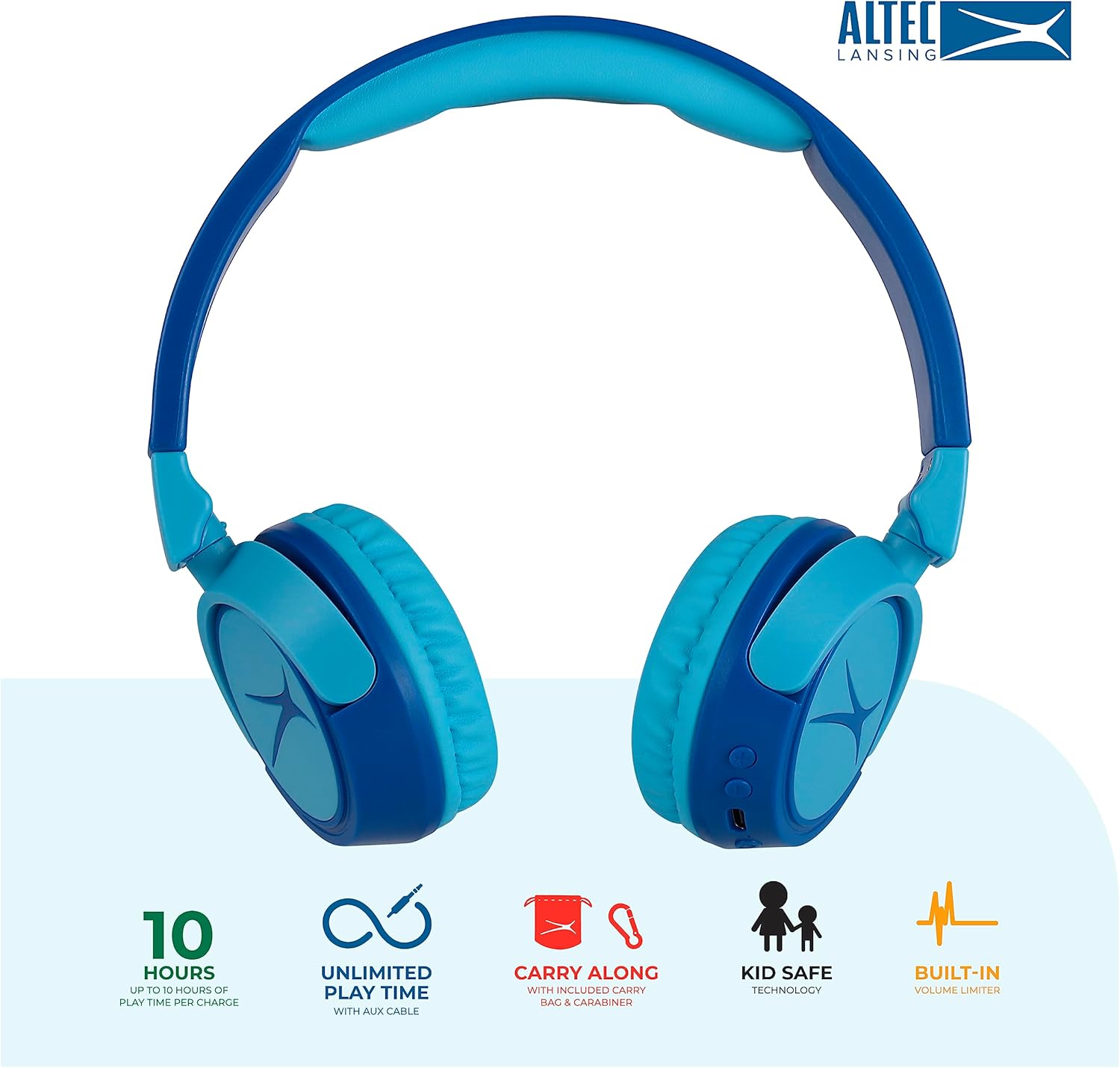
Image: Key features of the Altec Lansing Kid Safe Headphones, including battery life, wired option, portability, and safety features.

Image: Visual representation of the 85dB volume limiting technology for safe listening.
Opstel instruksies
1. Laai die oorfone
- Locate the USB-C charging port on the headphone earcup.
- Connect the provided USB-C charging cable to the port on the headphones.
- Plug the other end of the USB-C cable into a compatible USB power source (e.g., computer, wall adapter).
- Die LED-aanwyser sal tydens laai brand en van kleur verander of afskakel wanneer dit volledig gelaai is.
- 'n Volle lading bied ongeveer 10 uur speeltyd.
2. Bluetooth-koppeling
- Maak seker dat die oorfone gelaai is.
- Press and hold the Power button on the headphone earcup until the LED indicator flashes blue and red, indicating pairing mode.
- Gaan na Bluetooth-instellings op jou toestel (slimfoon, tablet, rekenaar) en aktiveer Bluetooth.
- Select "Altec Lansing MZX4410" from the list of available devices.
- Once connected, the LED indicator will show a solid blue light.
- The headphones will automatically reconnect to the last paired device when powered on, if within range.
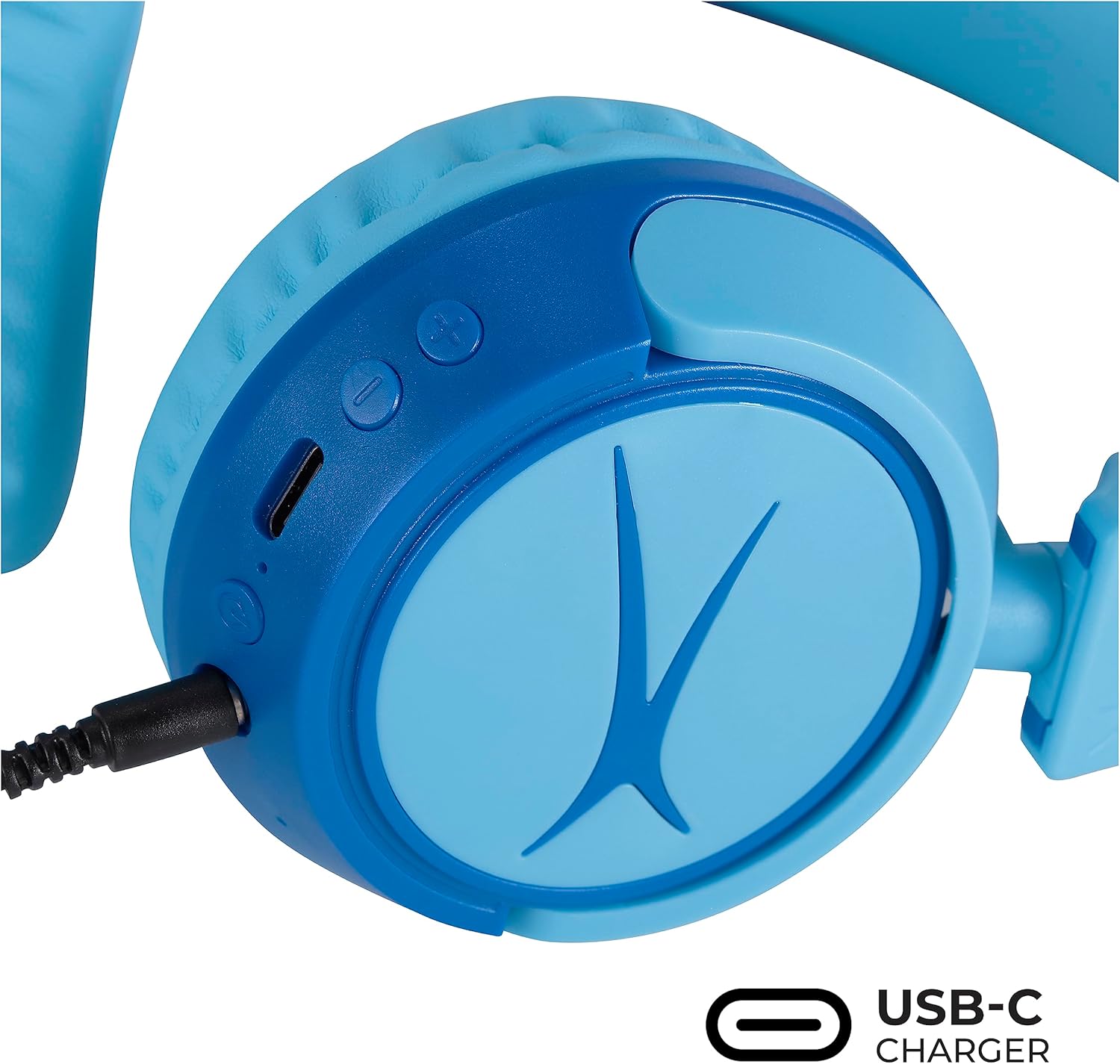
Image: Detail of the headphone controls and ports for charging and wired connection.
Bedryfsinstruksies
Krag aan/af
- To power on, press and hold the Power button until the LED indicator lights up.
- To power off, press and hold the Power button until the LED indicator turns off.
Volumebeheer
- Use the '+' button to increase volume.
- Use the '-' button to decrease volume.
- The volume is limited to 85dB for hearing protection.
Mediabeheer
- Druk die Speel/Pauseer-knoppie een keer om klank te speel of te onderbreek.
- Press and hold the '+' button to skip to the next track.
- Press and hold the '-' button to go to the previous track.
Bedrade verbinding (opsioneel)
For unlimited playtime or when Bluetooth is not available, use the provided 3.5mm audio cable:
- Plug one end of the 3.5mm audio cable into the audio jack on the headphone earcup.
- Steek die ander kant in die 3.5 mm-klankuitvoer van jou toestel.
- Die oorfone sal outomaties na bedrade modus oorskakel.

Image: The headphones are compatible with multiple devices via Bluetooth or wired connection.
Video: An official product video demonstrating the Altec Lansing Kid Safe Bluetooth Headphones.
Onderhoud
Skoonmaak
- Vee die oorfone af met 'n sagte, droë lap.
- Moenie harde chemikalieë of skuurmateriaal gebruik nie.
- Ensure no moisture enters the ports.
Berging
- Fold the headphones for compact storage.
- Store them in the provided protective case when not in use to prevent damage.
- Hou in 'n koel, droë plek weg van uiterste temperature.

Image: Features highlighting the adjustable and cushioned design for comfort.
Probleemoplossing
- Geen krag: Ensure the headphones are fully charged. Connect to a power source using the USB-C cable.
- Kan nie via Bluetooth koppel nie: Make sure the headphones are in pairing mode (flashing blue/red LED). Check that Bluetooth is enabled on your device and that the headphones are within the 30-foot range. Try restarting both the headphones and your device.
- No Sound in Wireless Mode: Verify that the headphones are successfully paired and connected to your device. Check the volume levels on both the headphones and your device.
- No Sound in Wired Mode: Ensure the 3.5mm audio cable is securely plugged into both the headphones and your device. Check the volume levels on your device.
- Klank is te laag: The headphones feature a built-in volume limiter at 85dB for safety. This is a design feature and not a malfunction.
Spesifikasies
| Kenmerk | Detail |
|---|---|
| Model Naam | MZX4410 |
| Verbindingstegnologie | Draadloos (Bluetooth), Bedraad (3.5 mm-aansluiting) |
| Draadlose kommunikasietegnologie | Bluetooth |
| Bluetooth-reeks | 30 Voet |
| Batterylewe | 10 ure |
| Volume limiet | 85dB (Kid Safe) |
| Tipe beheer | Mediabeheer, Aanraking |
| Spesiale kenmerke | Adjustable Headband, Detachable Cable, Foldable, Lightweight, Wireless |
| Materiaal | Plastiek |
| Item gewig | 8.8 onse (0.25 kilogram) |
| Vervaardiger | Altec Lansing Tegnologieë |
| UPC | 021331082107 |
Waarborg en Ondersteuning
For warranty information and customer support, please refer to the official Altec Lansing website or contact their customer service directly. Details can typically be found on the product packaging or the Altec Lansing support portal.