
FOREO BEAR 2 go
FOREO BEAR 2 go Instruction Manual
Model: BEAR 2 go (F1825)
Handelsmerk: FOREO
Inleiding
The FOREO BEAR 2 go is a travel-friendly microcurrent facial device designed to tone and firm the skin. This compact and lightweight device is clinically proven to improve the appearance of fine lines and skin firmness, offering a non-invasive solution for facial sculpting and anti-aging care.

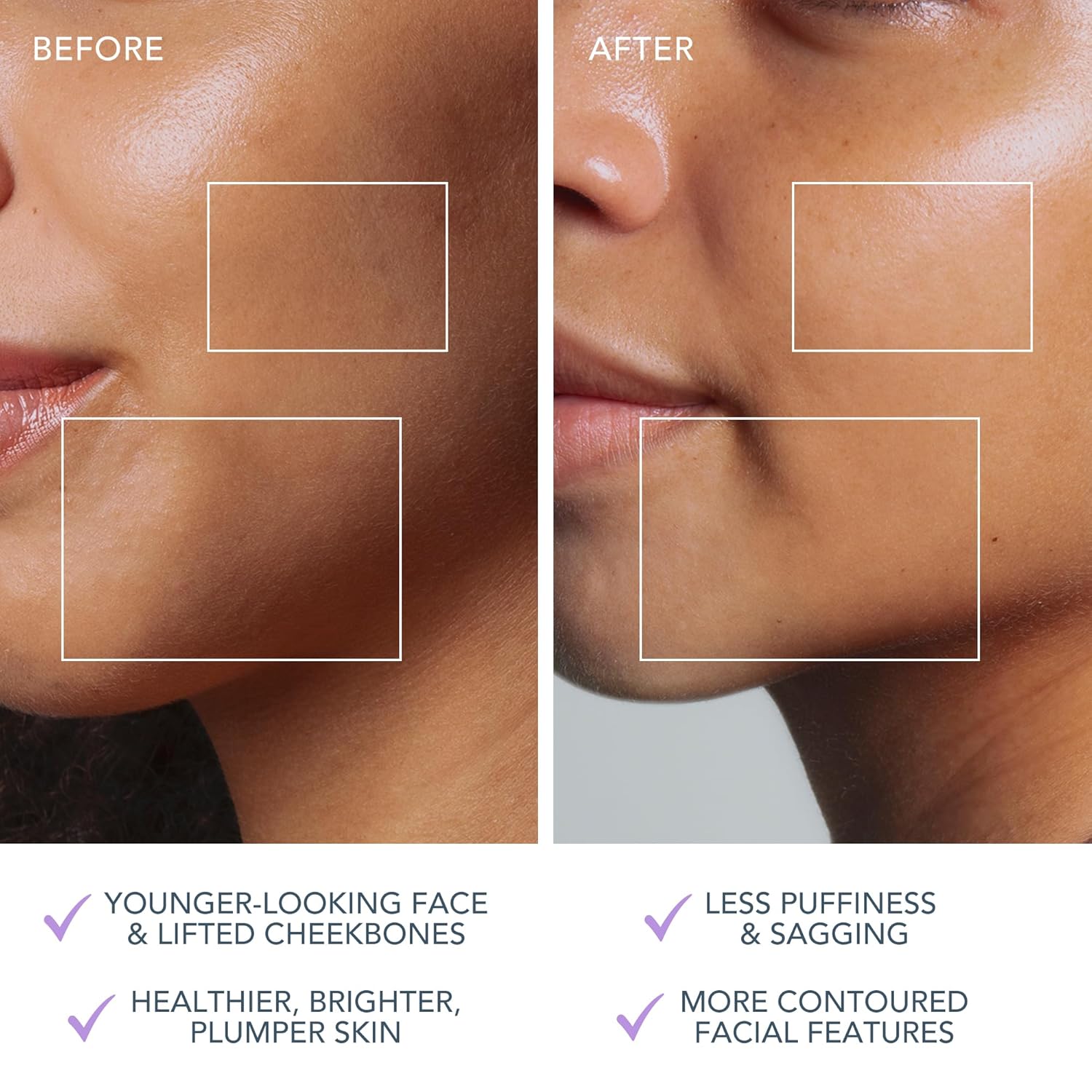
The FOREO BEAR 2 go device in use, highlighting its microcurrent toning capabilities for reducing wrinkles, puffiness, and sagging.

Key technologies of the device include Advanced Microcurrent for muscle strengthening, Lifting Microcurrent for contoured appearance, and T-Sonic Massage for smoothing fine lines.
Wat is in die boks?
Your FOREO BEAR 2 go package includes the following items:
- FOREO BEAR 2 go Device (Lavander)
- Vinnige Begingids
- Algemene Handleiding
- USB-laaikabel
The complete package contents of the FOREO BEAR 2 go, showing the device, quick start guide, general manual, and USB charging cable.
Opstelling
Laai die toestel
Before first use, ensure your FOREO BEAR 2 go device is fully charged. Connect the provided USB charging cable to the device and a suitable power source. The device will indicate charging status, typically taking up to 2 hours for a full charge.
Unlocking and Pairing Your Device
To unlock and register your device, follow these simple steps:
- Download the FOREO For You mobile app on your mobile phone. You can find the app on the App Store or Google Play.
- Meld aan by jou rekening of teken aan vir 'n nuwe een.
- Add device (located at the top of your screen within the app).
- Kies die toestelreeks.
- Press and hold the Power button on your device to connect it to the mobile app.
- Fill in the purchase information as prompted.
Once these steps are completed, your device is ready for use.
Vir die aflaai van die toepassing, besoek: foreo.com/app
Bedryfsinstruksies
The FOREO BEAR 2 go is designed for ease of use, integrating seamlessly into your skincare routine. Always ensure your face is clean before use.
Application of Conductive Serum
For optimal conductivity and to ensure a smooth glide, it is essential to apply a suitable serum or conductive gel to your face and neck before using the device. FOREO recommends their Serum Serum Serum, which is lightweight, hydrating, and specifically formulated to enhance microcurrent transfer.

The Supercharged Serum 2.0 is recommended for use with the BEAR 2 go to improve microcurrent transfer and maximize treatment benefits.
Gebruikstappe
- Clean your face thoroughly.
- Apply a suitable serum or conductive gel to enhance conductivity.
- Turn on the device and select the desired intensity level.
- Gently glide the device over your face and neck, focusing on areas with fine lines and wrinkles.
- Use in a circular motion for about 5 minutes.
- Rinse your face and follow with your regular skincare routine.
The device offers adjustable intensity levels, allowing you to customize the treatment to your comfort and skin needs. The accompanying FOREO For You app provides guided routines and allows for personalized settings, acting as a personal beauty coach.
Onderhoud
Maak die toestel skoon
Cleaning your FOREO BEAR 2 go is simple due to its durable and waterproof material. After each use, wipe the device down with a damp cloth. For thorough sanitization, you may occasionally spritz it with a sanitizing spray. This ensures hygiene and longevity of your device.
Probleemoplossing
Precautions to be taken in the event of changes in the performance of FOREO devices:
- If your FOREO device is not activated when pressing the center button:
- Battery is leeg. Herlaai met USB-laaikabel vir tot 2 uur totdat dit heeltemal gelaai is en herbegin dan jou toestel deur die aan/uit-knoppie in te hou.
- If device cannot be switched off and/or interface buttons do not respond: Microprocessor is temporarily malfunctioning. Press and hold the power button to restart the device.
- If your FOREO device won't sync to the FOREO app:
- Maak seker dat jou toestel ten volle gelaai is en dat jou Bluetooth aangeskakel is.
- Skakel jou Bluetooth af en dan weer aan om te probeer herkoppel.
- Sluit die FOREO-app en open dit weer om die proses oor te begin.
- Vee die toepassing uit en installeer dit weer - miskien moet die toepassing eenvoudig opgedateer word.
- Nadat u die toepassing uitgevee en weer geïnstalleer het, maak seker dat u u foon herbegin.
- Vee jou foon se koekies en kasgeheue uit.
- Maak seker dat jou selfoon se bedryfstelsel opgedateer is na die nuutste weergawe.
Spesifikasies
| Kenmerk | Detail |
|---|---|
| Produk afmetings | 1.46 x 3.78 x 3.43 duim |
| Item gewig | 2.12 onse (0.06 kilogram) |
| Item Modelnommer | F1825 |
| Departement | Uniseks |
| Batterye | 1 Litium-ioonbatterye benodig (ingesluit) |
| Vervaardiger | VOOREO |
| Kleur | Lavander |
| Veltipe | Almal |
| Model Naam | BEER 2 gaan |
Waarborg & Ondersteuning
The FOREO BEAR 2 go device comes with a 2 jaar waarborg from the date of purchase. For any product support, warranty claims, or additional information, please visit the official FOREO support page.
Amptelike Ondersteuning: foreo.com/support
No specific safety warnings are required for this product.
Ask a question about this manual
Ask about setup, troubleshooting, compatibility, parts, safety, or missing instructions. Manuals+ will review the question and use this page’s manual context to help answer it.