
GALAYOU G7
Galayou G7 Binnenshuise Huissekuriteitskamera Gebruikershandleiding
Brand: GALAYOU | Model: G7
1. Inleiding
The GALAYOU G7 Indoor Home Security Camera provides comprehensive surveillance for your indoor spaces, offering advanced features to ensure the safety and peace of mind for your family, pets, and property. This manual will guide you through the setup, operation, and maintenance of your camera.
Sleutel kenmerke:
- Ultra 2K Resolution: Provides clear and vivid image quality with 6X digital zoom.
- Gevorderde Nagvisie: Enhanced night vision with effective distance up to 33 ft using 6pcs 940nm Infrared Lights.
- 24/7 Real-Time Motion Alert & Smart Siren: Instant detection and push alerts to your phone, with an optional smart siren.
- Tweerigting-klank: Ingeboude mikrofoon en luidspreker vir kommunikasie op afstand.
- Secure Local & Cloud Storage: Supports up to 128GB micro SD card and encrypted AWS Cloud storage.
- Slim huis-integrasie: Compatible with Amazon Alexa and Google Home for voice control and live-feed viewing.
- 24/7 Deurlopende Opname: Available to all Galayou customers without extra fees.

Image: Visual representation of the Galayou G7 camera's key features including 2K resolution, night vision, two-way audio, 24/7 recording, smart siren, optional storage, push notifications, and compatibility with Alexa.
2. Wat is in die boks
Kontroleer asseblief die inhoud van u pakket om seker te maak dat alle items teenwoordig is:
- Camera body (Galayou G7 Indoor Camera)
- Tipe C-kabel
- Kragadapter
- Montage bykomstighede
- Vinnige installasiegids

Image: Two Galayou G7 indoor security cameras, white with black camera faces, standing on their bases. This image represents the product as it appears out of the box.
3. Veiligheidsinligting
Om veilige werking te verseker en skade te voorkom, neem asseblief die volgende veiligheidsmaatreëls in ag:
- Hierdie toestel is slegs vir binnenshuise gebruik ontwerp. Moenie dit aan water of vog blootstel nie.
- Gebruik slegs die meegeleverde kragadapter.
- Keep the camera away from direct sunlight, heat sources, and strong magnetic fields.
- Moenie probeer om die kamera self uitmekaar te haal of te herstel nie. Kontak kliëntediens vir hulp.
- Maak seker dat die kamera stewig geïnstalleer is om te verhoed dat dit val.
- Hou buite bereik van kinders en troeteldiere.
4. Produk verbyview
Familiarize yourself with the components of your Galayou G7 camera:
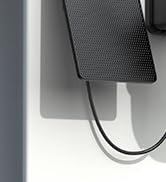
Image: A single Galayou G7 indoor camera, showing its compact design with a black camera lens and a white body and base.
Kamerakomponente:
- Kameralens: Vang video footage.
- Infrarooi LED's: Voorsien beligting vir nagsig.
- Mikrofoon: Captures audio for two-way communication and sound detection.
- Spreker: Lewer klank uit vir tweerigtingkommunikasie en sirene.
- Micro SD -kaartgleuf: For local storage of video recordings (supports up to 128GB).
- Power Port (Type-C): Connects the camera to the power adapter.
- Status aanwyser lig: Indicates the camera's current status (e.g., connected, recording).
5. Opstelgids
Follow these steps for initial setup of your Galayou G7 camera:

Image: A three-step visual guide for quick installation. Step 1 shows downloading the Wansview Cloud App, Step 2 shows plugging in the camera, and Step 3 shows connecting to 2.4GHz WiFi via app instructions.
- Download the Wansview Cloud App:
Soek vir "Wansview Cloud" in the App Store (iOS) or Google Play Store (Android) and download the application. Create an account or log in if you already have one.
- Skakel die kamera aan:
Connect the Type-C cable to the camera's power port and plug the power adapter into a wall outlet. The camera's status indicator light will turn on.
- Voeg kamera by toepassing:
Maak die Wans oopview Cloud App. Tap the "+" icon to add a new device. Follow the on-screen instructions to connect the camera to your Wi-Fi-netwerk van 2.4 GHz. (Note: 5GHz Wi-Fi is not supported).
- Montering (Opsioneel):
The camera can be placed on a flat surface or mounted on a wall or ceiling using the included mounting accessories. Ensure the camera is positioned to cover your desired viewing gebied.
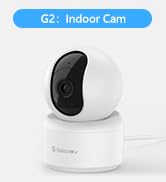
Image: A Galayou G7 camera mounted on a wall, demonstrating a possible installation method.
6. Bedryfsinstruksies
6.1 Lewendig View
Once connected, you can access the live video feed from your camera through the Wansview Cloud App. Simply select your camera from the device list to view intydse footage.

Image: A side-by-side comparison demonstrating the clarity difference between 1080P Full HD and 2K 3MP (2304x1296) resolution, highlighting the superior detail of 2K.
6.2 Tweerigting-klank
The camera features a built-in microphone and speaker, allowing you to communicate remotely. Tap the microphone icon in the app to speak, and the speaker icon to listen.

Image: A split image showing a woman on her phone and a crying baby in a crib, illustrating the two-way audio feature for remote communication.
6.3 Bewegingsopsporing en waarskuwings
The camera can detect motion and send real-time alerts to your smartphone. You can customize motion detection sensitivity and set up alert schedules within the app.

Image: A smartphone displaying a "Motion alarm" notification from the Wansview Cloud app, with a live view of a person in a room, demonstrating the instant detection alert feature.
The smart siren feature can be activated to deter intruders when motion is detected.

Image: A dog in a living room with a blue overlay indicating motion detection, showing how the camera identifies movement.
6.4 Nagvisie
The camera automatically switches to night vision mode in low-light conditions, providing clear black-and-white video up to 33 feet.

Image: A woman in bed viewing her phone, which displays a black-and-white night vision feed of a baby sleeping, illustrating the camera's low-light capabilities.
6.5 Opname en berging
The Galayou G7 supports 24/7 continuous recording. You have two options for video storage:
- Mikro SD-kaartberging: Insert a micro SD card (up to 128GB, not included) into the camera's slot for local storage.
- Wolkberging: Subscribe to the Wansview Cloud service for secure, encrypted cloud storage of your video clips. A 30-day free trial may be available.

Image: A visual representation of local storage (SD card) and cloud storage options, showing video clips flowing into a cloud icon and a camera with an SD card slot.

Image: A smartphone screen displaying a timeline of continuous video recording, with multiple video frames shown above, illustrating the 24/7 continuous recording feature.
6.6 Slimhuis-integrasie
The Galayou G7 camera is compatible with Amazon Alexa and Google Home. You can use voice commands to view die regstreekse stroom op versoenbare slimskerms.
- Vir Alexa: Enable the "Wansview Cloud" skill in the Alexa app and link your account. Then, say "Alexa, show me the [Camera Name]".
- Vir Google Home: Link your Wansview Cloud account in the Google Home app. Then, say "Hey Google, show me the [Camera Name]".

Image: A woman in a kitchen speaking to an Amazon Echo Show device, which displays the live feed from the Galayou camera, demonstrating Alexa integration.
6.7 Toesteldeel
You can share access to your camera with family members or trusted individuals through the Wansview Cloud App. They will need to download the app and create an account.

Image: A collage of people using their smartphones to view camera feeds, with an overlay showing the device sharing invitation process within the app.
7. Onderhoud
- Skoonmaak: Gebruik 'n sagte, droë lap om die kameralens en -behuizing skoon te maak. Moenie vloeibare skoonmaakmiddels of aërosols gebruik nie.
- Firmware -opdaterings: Regularly check the Wansview Cloud App for available firmware updates. Keeping your camera's firmware up-to-date ensures optimal performance and security.
- Bergingbestuur: Indien 'n SD-kaart gebruik word, hersien dit gereeldview and delete old recordings to free up space. For cloud storage, manage your subscription and recorded events through the app.
8. Probleemoplossing
| Probleem | Moontlike oorsaak/oplossing |
|---|---|
| Kamera vanlyn / Kan nie aan Wi-Fi koppel nie |
|
| Swak video kwaliteit |
|
| Geen bewegingswaarskuwings nie |
|
| Tweerigting-oudio werk nie |
|
9. Spesifikasies
| Kenmerk | Detail |
|---|---|
| Model Naam | G7 |
| Binne/buiteluggebruik | Binneshuise |
| Video-opname-resolusie | 1296p (2K) |
| Verbindingstegnologie | Wi-Fi (slegs 2.4GHz) |
| Nagsigreeks | 33 Voet |
| Bergingsopsies | Mikro SD-kaart (tot 128 GB), Wolkberging |
| Tweerigting-klank | Ja |
| Tipe beheerder | Amazon Alexa, Google Assistant, App |
| Kragbron | Elektries met koord |
| Montage tipe | Ceiling Mount, Wall-Mounted, Stand |
| Produkafmetings (L x B x H) | 18.19 x 14.69 x 12.8 duim |
| Item gewig | 12.3 onse |
10. Waarborg en Ondersteuning
For information regarding product warranty, please refer to the warranty card included in your product packaging or the terms and conditions of your purchase. GALAYOU is committed to providing reliable products and excellent customer service.
If you encounter any issues or have questions about your Galayou G7 camera, please contact GALAYOU customer support through the Wansview Cloud App or visit the official GALAYOU webwebwerf vir ondersteuningsbronne.
Aanlyn hulpbronne:
- GALAYOU Amazon Store
- Refer to the "Quick installation guide" included in the package for more detailed steps.