
Inleiding
The SiOnyx Aurora is a full-color digital night vision camera designed for outdoor enthusiasts. It utilizes patented ultra-low-light sensor technology to provide clear, full-color images in near-moonless starlight conditions. This manual provides essential information for setting up, operating, and maintaining your Aurora camera to ensure optimal performance and longevity.

Image: The SiOnyx Aurora Full-Color Digital Night Vision Camera alongside its durable protective case.
Sleutel kenmerke
- Clear-Color Night Vision: Patented ultra-low-light sensor technology enables full-color vision in conditions as low as 2 millilux, enhancing visibility in darkness.
- Verbeterde Navigasie: Integrated GPS, compass, and accelerometer with a heads-up display for real-time data overlays, improving situational awareness.
- Robuuste duursaamheid: Weather-resistant build capable of operating in temperatures from -20°C to +50°C, dust-resistant, water-resistant, and designed to withstand a 1-meter drop.
- Veelsydige toepassing: Ideal for various outdoor activities, allowing users to detect man-sized targets up to 150 meters away.
- Ampberging: Includes a 32 GB SD Card for recording hours of footage.

Image: The SiOnyx Aurora provides clear visibility even on near-moonless nights, capturing details in ultra-low light conditions.
Opstelling
Aanvanklike opstelling
Before first use, ensure the battery is fully charged. The camera comes with a rechargeable battery and a charging cable.
Battery installasie
- Vind die batteryklepdeksel op die toestel.
- Open the cover and insert the provided rechargeable battery, ensuring correct polarity.
- Maak die batterykompartement se deksel stewig toe.
Installasie van SD-kaart
The SiOnyx Aurora supports a 32 GB SD card for storing photos and videos.
- Locate the SD card slot, typically near the battery compartment.
- Insert the 32 GB SD card into the slot until it clicks into place. Ensure the card is oriented correctly.
- Om te verwyder, druk die kaart liggies na binne totdat dit uitspring.
Bedryfsinstruksies
Krag aan/af
- To power on, press and hold the power button (usually marked with ⏻) until the display illuminates.
- Om af te skakel, druk en hou die aan/af-knoppie weer in totdat die skerm afskakel.
Mode Selection (Day, Twilight, Night)
The Aurora camera features different viewing modes optimized for various light conditions:
- Dagmodus: For use in bright daylight conditions.
- Twilight Mode: Optimized for low-light conditions, such as dawn or dusk.
- Nagmodus: Provides enhanced visibility in extremely dark environments, utilizing the full capabilities of the ultra-low-light sensor.
Use the mode selection dial or buttons (refer to device markings) to switch between these modes.
Fokus verstelling
Adjust the focus ring on the objective lens to achieve a clear image. Rotate the ring until the image appears sharp in the viewWell.
Recording Video and Capturing Photos
- To capture a photo, press the dedicated photo button (often marked with a camera icon).
- To start video recording, press the video record button (often marked with a video camera icon). Press again to stop recording.

Image: A user demonstrating the handheld use of the SiOnyx Aurora camera, highlighting its ergonomic design for versatile use.
GPS and Compass Functionality
The Aurora features an integrated GPS and compass. These functions provide real-time location and directional data, which can be displayed on the heads-up display for enhanced navigation.

Image: The SiOnyx Aurora's enhanced vision and awareness features, including integrated GPS and compass, provide crucial data overlays for seamless navigation.
Wi-Fi konneksie
The camera can connect to a mobile device via Wi-Fi, allowing for remote control, live viewing, and transfer of captured media. Download the official SiOnyx app from your device's app store for full functionality.
Onderhoud
Skoonmaak
- Use a soft, lint-free cloth to clean the camera body. For stubborn dirt, a slightly damp 'n Lap kan gebruik word, gevolg deur 'n droë lap.
- For lenses, use a lens cleaning solution and a microfiber cloth specifically designed for optics. Avoid abrasive materials.
Berging
Store the camera in its protective case in a cool, dry place away from direct sunlight and extreme temperatures.
Battery sorg
- Fully charge the battery before extended storage.
- Vermy om die battery gereeld heeltemal te leeg te maak om sy lewensduur te verleng.
- If storing for long periods, charge the battery to about 50% every few months.
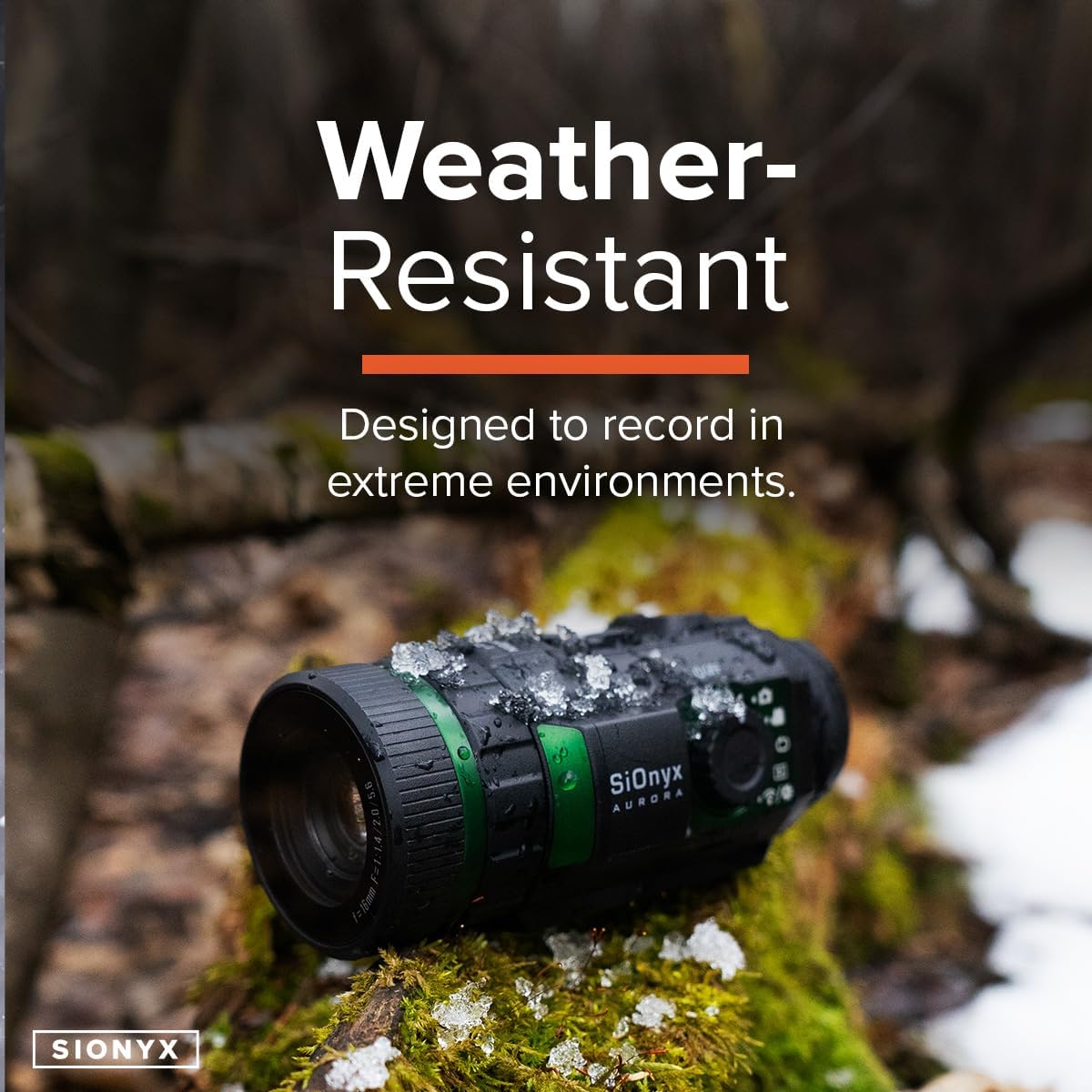
Image: The SiOnyx Aurora camera, designed to be weather-resistant, shown in a snowy environment, demonstrating its durability in extreme conditions.
Probleemoplossing
| Probleem | Moontlike oorsaak | Oplossing |
|---|---|---|
| Kamera skakel nie aan nie. | Lae of uitgeputte battery; verkeerd geïnstalleerde battery. | Laai die battery volledig. Maak seker dat die battery met die korrekte polariteit ingesit is. |
| Beeld is vaag. | Improper focus; dirty lens. | Adjust the focus ring. Clean the objective lens with a suitable lens cloth. |
| Cannot record or save files. | SD card full or not inserted correctly; corrupted SD card. | Kontroleer SD-kaartplasing. Vee ou kaart uit. files or replace SD card. Format SD card if necessary (this will erase all data). |
| Wi-Fi-verbindingsprobleme. | Buite bereik; toepassing nie opgedateer nie; interferensie. | Ensure device is within Wi-Fi range. Update the SiOnyx app. Try connecting in a different location. |
Spesifikasies
| Eienskap | Detail |
|---|---|
| Handelsmerk | SiOnyx |
| Model Naam | Aurora |
| Modelnommer | CDV-100C |
| Kleur | Aurora |
| Styl | Digitaal |
| Item gewig | 9.8 ons |
| Materiaal | Black, rugged, weather-resistant material |
| Objektiewe lensdiameter | 16 millimeter |
| Minimum vergroting | 1.0 |
| Versoenbare toestelle | Kamera |
| Montage tipe | Wewer Mount |
| Nagvisie | Ja |
| UPC | 811251020095 |
| Item Pakket afmetings L x B x H | 10.28 x 7.8 x 4.25 duim |
| Itemafmetings L x B x H | 9.1 x 11 x 4.6 duim |
Waarborg inligting
For detailed warranty information, please refer to the official SiOnyx website or the warranty card included with your product. Standard return policies may apply as per retailer terms.
Ondersteuning
For technical support, frequently asked questions, or additional resources, please visit the official SiOnyx support page.


