
Agunto AGU-OC1
Agunto AGU-OC1 Outdoor Security Camera User Manual
Model: AGU-OC1
Inleiding
Thank you for choosing the Agunto AGU-OC1 Outdoor Security Camera. This manual provides detailed instructions for setting up, operating, and maintaining your camera to ensure optimal performance and security for your property. The AGU-OC1 is designed for outdoor surveillance, featuring 1080p video resolution, advanced night vision, motion and sound detection, and seamless integration with smart home systems like Google Assistant.

Figuur 1: Voorkant view of the Agunto AGU-OC1 Outdoor Security Camera.
Veiligheidsinligting
- Ensure the camera is installed in a location where it is protected from direct tampering.
- Use only the provided USB-C cable and power adapter.
- Moenie die kamera blootstel aan uiterste temperature buite sy bedryfsbereik nie.
- Vermy die plasing van die kamera naby sterk elektromagnetiese velde.
- Ontkoppel die kragtoevoer voordat u skoonmaak of onderhoud uitvoer.
Pakketinhoud
Kontroleer asseblief die pakket vir die volgende items:
- Agunto AGU-OC1 Outdoor Security Camera
- USB-C Power Cable (3 meters)
- Monteringskroewe en muurproppe
- Gebruikershandleiding (hierdie dokument)
Opstelling
1. Monteer die kamera
The Agunto AGU-OC1 is designed for wall mounting. Choose a location that provides the desired viewing angle and is within reach of a power outlet.
- Mark the drilling points on the wall using the camera's mounting base as a template.
- Drill holes at the marked points. Insert the wall plugs if necessary.
- Bevestig die monteringsbasis aan die muur met die meegeleverde skroewe.
- Attach the camera to the mounted base and adjust the angle as needed. The camera features a 180-degree rotatable function for optimal positioning.

Figuur 2: Hoekig view of the Agunto AGU-OC1, showing its mounting bracket.

Figure 3: The camera installed outdoors, demonstrating its weather resistance.
2. Kragverbinding
Connect the provided 3-meter USB-C cable to the camera's USB-C port and plug the other end into a suitable power adapter (not always included, but implied by "Elektrisch met snoer" and "USB-C").

Figure 4: USB-C power connection for the Agunto AGU-OC1 camera.
3. App-installasie en -paring
Om te beheer en view your camera, you will need to install the dedicated Agunto app on your smartphone or tablet. The app is available for both iOS and Android devices.
- Download the "Agunto Smart" app from the App Store (iOS) or Google Play Store (Android).
- Maak die toepassing oop en skep 'n nuwe rekening of meld aan as jy reeds een het.
- Follow the in-app instructions to add your new AGU-OC1 camera. This typically involves scanning a QR code on the camera or entering a device ID.
- Ensure your smartphone is connected to a 2.4GHz Wi-Fi network during the pairing process, as the camera uses Wi-Fi connectivity.
Bedien die kamera
Leef View en Opname
Once paired, you can access the live video feed from your camera through the Agunto Smart app. From the live view screen, you can:
- View intydse footage.
- Manually record video clips or capture screenshots.
- Access recorded events stored on a microSD card (if installed) or cloud storage (if subscribed).
Nagvisie
The AGU-OC1 features advanced night vision capabilities, providing clear images even in low-light conditions. It supports color night vision for enhanced detail up to 10 meters.
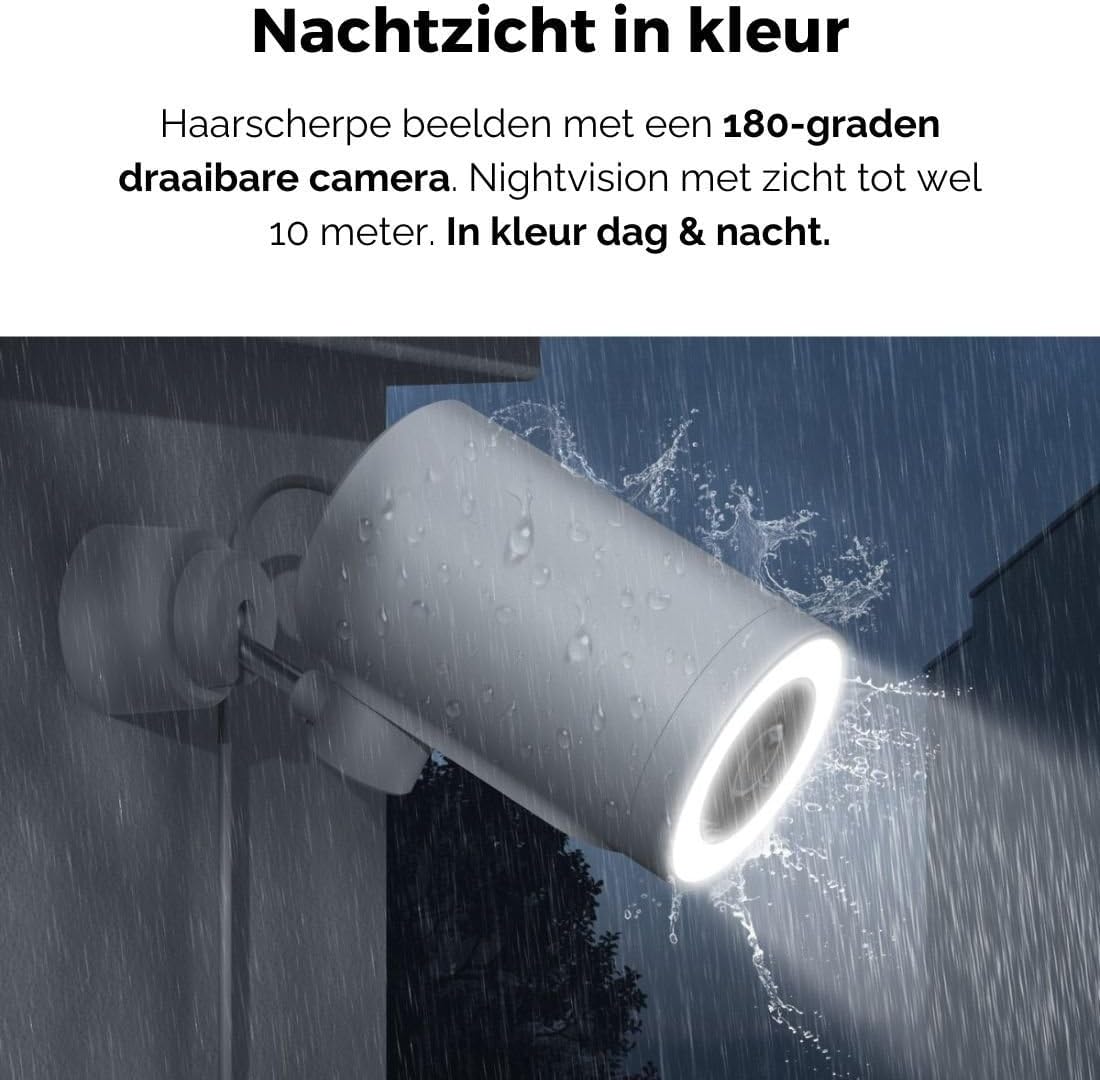
Figure 5: The camera's color night vision in action, providing clear images in the dark.
Beweging- en klankopsporing
The camera is equipped with intelligent motion and sound detection. When activity is detected, you will receive instant notifications on your smartphone or tablet, allowing you to monitor your property effectively.
You can customize detection zones and sensitivity settings within the app to minimize false alarms.
Google Assistent-integrasie
The Agunto AGU-OC1 seamlessly integrates with Google Assistant. You can link your camera to Google Home and stream live footage to compatible devices such as Google Nest Hub or Chromecast-enabled displays by voice command.
Exampdie opdrag: "Hey Google, wys my die agterplaaskamera."
Onderhoud
- Skoonmaak: Vee die kameralens en -liggaam liggies af met 'n sagte, droë lap. Moenie harde chemikalieë of skuurmiddels gebruik nie.
- Sagteware-opdaterings: Regularly check the Agunto Smart app for firmware updates. Keeping your camera's software up-to-date ensures optimal performance, security, and access to new features.
- Kabel inspeksie: Periodically inspect the USB-C cable for any signs of wear or damage, especially if exposed to outdoor elements.
Probleemoplossing
| Probleem | Moontlike Oplossing |
|---|---|
| Kamera skakel nie aan nie. | Check the USB-C cable connection and ensure the power adapter is plugged into a working outlet. Try a different outlet or adapter if available. |
| Kan nie aan Wi-Fi koppel nie. | Ensure your Wi-Fi network is 2.4GHz. Check Wi-Fi signal strength at the camera's location. Restart your router and the camera. Re-attempt pairing through the app. |
| Swak video kwaliteit. | Clean the camera lens. Ensure adequate lighting. Check your internet connection speed. |
| Bewegingsbespeuring werk nie. | Verify motion detection is enabled in the app settings. Adjust sensitivity and detection zones. Ensure there are no obstructions blocking the camera's view. |
| Kennisgewings nie ontvang nie. | Check app notification settings on your phone. Ensure the app has permission to send notifications. Verify your phone has an active internet connection. |
Spesifikasies
| Kenmerk | Detail |
|---|---|
| Modelnommer | AGU-OC1 |
| Effektiewe video-resolusie | 1080 piksels |
| Materiaal | Plastiek |
| Wattage | 4 watt |
| Itemafmetings (L x B x H) | 10 x 4.4 x 7.3 sentimeter |
| Item gewig | 78 gram |
| Verbindingstegnologie | Wireless, Wired (USB-C) |
| Spesiale kenmerke | Night Vision (Color), Motion Detection, Sound Detection, 180-degree rotatable |
| Gebruiksomgewing | Buitelug |
| Versoenbare toestelle | Smartphone (via Agunto Smart app), Google Assistant devices |
| Kragbron | Koord Elektries (USB-C) |
| Montage tipe | Muurmontering |
Waarborg en Ondersteuning
Agunto products are designed for reliability and performance. For information regarding warranty coverage, technical support, or service, please refer to the warranty card included with your product or visit the official Agunto website. You can also contact Agunto customer support through the contact information provided on their website or within the Agunto Smart app.
For the latest information and FAQs, please visit: Agunto Official Store
Ask a question about this manual
Ask about setup, troubleshooting, compatibility, parts, safety, or missing instructions. Manuals+ will review the question and use this page’s manual context to help answer it.