
Inleiding
This manual provides essential information for the safe and effective operation and maintenance of your CRAFTSMAN CMMT25166 Rechargeable Aluminum Pen Light. Please read this manual thoroughly before using the product and retain it for future reference. This pen light features a durable aluminum body, USB-C charging, and dual LED brightness modes for versatile illumination.
Veiligheidsinligting
- Oogveiligheid: Do not stare directly into the LED light. The high intensity light can cause temporary vision impairment or eye damage.
- Batteryveiligheid: This product contains a Lithium-Ion battery. Do not expose the battery to extreme temperatures, fire, or water. Do not attempt to disassemble or replace the internal battery.
- Laai: Use only the provided USB-C cable or a certified USB-C cable with a compatible power adapter for charging.
- Waterweerstand: Hierdie toestel is Nie waterbestand nieVermy blootstelling aan water of hoë humiditeit om skade te voorkom.
- Beskikking: Dispose of the product and its battery responsibly according to local regulations. Do not dispose of in household waste.
Pakketinhoud
Verifieer dat alle items teenwoordig is:
- CRAFTSMAN CMMT25166 Rechargeable Aluminum Pen Light
- USB-C Charging Cable (included with the product)
Produk verbyview
Familiarize yourself with the components of your pen light:

Figure 1: CRAFTSMAN CMMT25166 Pen Light
- LED-lens: Emits light in either flood or pen mode.
- Kragknoppie: Controls power and switches between light modes.
- USB-C-laaipoort: Located under a protective cover, used for recharging the internal battery.
- Sakklem: For secure attachment to clothing or gear.
- Aluminium liggaam: Durable, tri-sided design to prevent rolling.
Opstelling
Aanvanklike laai
Before first use, fully charge the pen light.
- Locate the USB-C charging port, usually covered by a rubber flap for protection.
- Connect the provided USB-C cable to the pen light's charging port.
- Koppel die ander kant van die USB-C-kabel aan 'n versoenbare USB-kragbron (bv. muuradapter, rekenaar se USB-poort).
- The charging indicator light (if present) will show the charging status. Refer to the product packaging for specific indicator light behavior.
- Charging typically takes a few hours. A full charge provides approximately 2-3 hours of runtime.
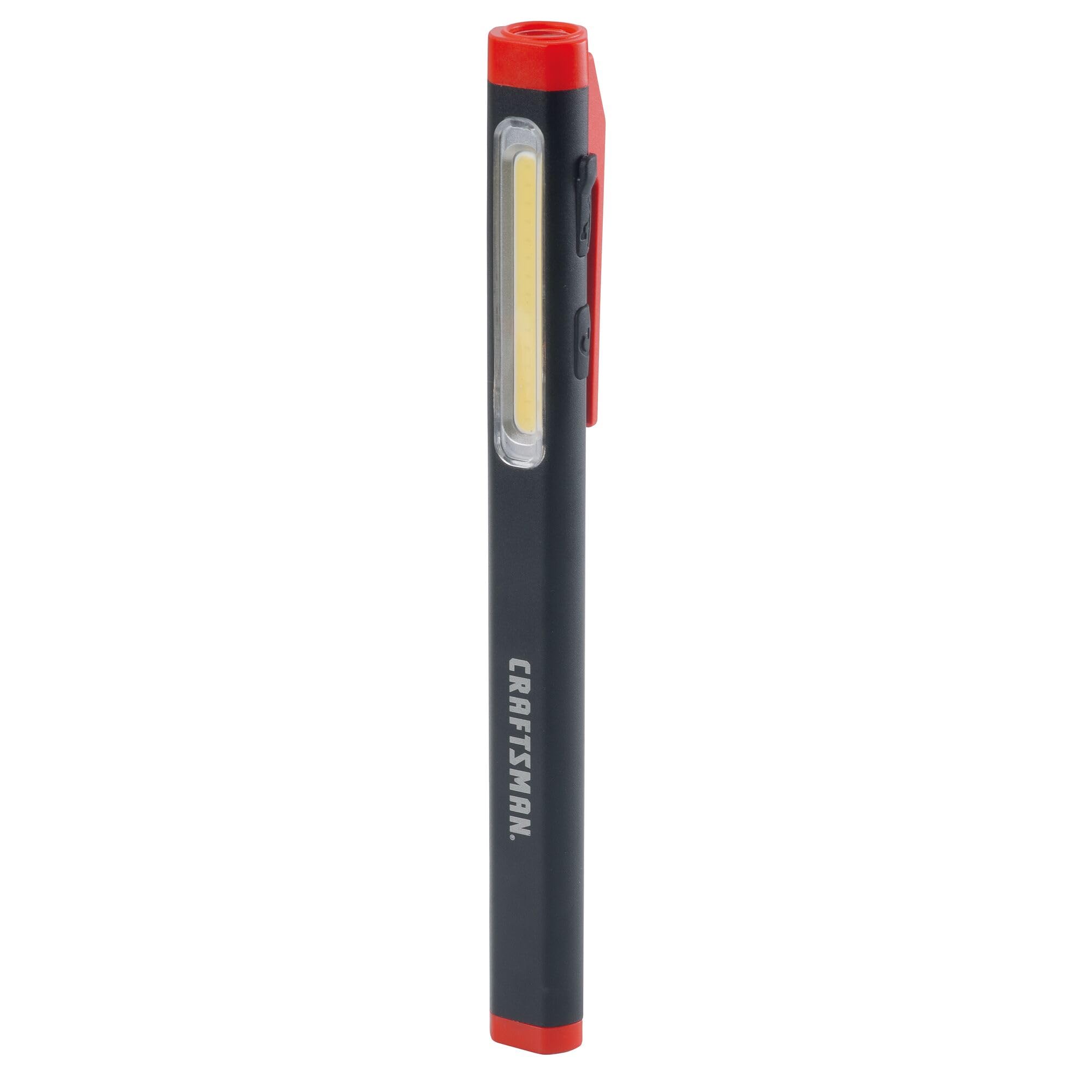
Figure 2: Charging the Pen Light via USB-C
Bedryfsinstruksies
Krag aan/af en moduskeuse
The pen light features a single power button for all operations.
- Om aan te sit: Press the power button once. The light will typically turn on in its last used mode or a default mode.
- Om van modus te skakel: While the light is on, press the power button repeatedly to cycle through the available modes: Flood Mode (300 Lumens) and Pen Mode (180 Lumens).
- Om af te sit: Druk en hou die aan/af-knoppie vir ongeveer 1-2 sekondes in, of blaai deur al die modusse totdat die liggie afskakel.
Onderhoud
Skoonmaak en berging
- Skoonmaak: Wipe the pen light with a soft, damp cloth. Do not use abrasive cleaners or solvents. Ensure the USB-C port cover is closed before cleaning.
- Berging: Store the pen light in a cool, dry place away from direct sunlight and extreme temperatures. For long-term storage, ensure the battery is partially charged (around 50%) to maintain battery health.
- Batterysorg: Recharge the battery regularly, even if not frequently used, to prevent deep discharge and prolong its lifespan.
Probleemoplossing
| Probleem | Moontlike oorsaak | Oplossing |
|---|---|---|
| Lig skakel nie aan nie. | Battery is leeg. | Charge the pen light using the USB-C cable. |
| Lig is dof. | Lae battery laai. | Recharge the pen light. |
| Pen light not charging. | Foutiewe USB-C-kabel of kragbron. | Try a different USB-C cable or power adapter. Ensure the cable is fully inserted. |
| Kan nie tussen modusse wissel nie. | Verkeerde knoppiedruk. | Ensure you are pressing the power button briefly to cycle modes. |
Spesifikasies
| Kenmerk | Detail |
|---|---|
| Modelnommer | CMMT25166 |
| Kragbron | Batteryaangedrewe (litiumioon) |
| Ligbrontipe | LED |
| Materiaal | Aluminium |
| White Brightness (Flood Mode) | 300 Lumen |
| White Brightness (Pen Mode) | 180 Lumen |
| Looptyd | Tot 3 uur |
| Laaipoort | USB-C |
| Waterweerstandvlak | Nie waterbestand nie |
| Item gewig | 3.68 onse |
| Itemafmetings (L x B x H) | 8.9 cm L x 2.7 cm B x 1.5 cm H |
Waarborg
This CRAFTSMAN product is backed by a Volle Lewenslange Waarborg. If the product fails to perform for any reason, it will be replaced. No proof of purchase is required for warranty claims.
To initiate a warranty claim, return the damaged product to a stocking Retail Partner or call CRAFTSMAN customer service at 1-888-331-4569 for details and assistance.
Ondersteuning
For further assistance, technical support, or to inquire about other CRAFTSMAN products, please visit the official CRAFTSMAN webwebwerf of kontak kliëntediens.
CRAFTSMAN Customer Service: 1-888-331-4569
Jy kan ook meer inligting en produkte vind by die CRAFTSMAN Store on Amazon.