
1. Inleiding
Thank you for choosing the Choetech True Wireless Earbuds. This manual provides detailed instructions on how to set up, operate, and maintain your earbuds to ensure optimal performance and longevity. Please read this manual carefully before using the product and keep it for future reference.
2. Pakketinhoud
- Choetech True Wireless Earbuds (Left & Right)
- Laaikas
- USB-laaikabel
- Multiple Sizes of Eartips
- Gebruikershandleiding
3. Produk verbyview
Familiarize yourself with the components of your Choetech True Wireless Earbuds.

Image: The Choetech True Wireless Earbuds and their compact charging case.

Image: The earbuds placed inside the open charging case, showing the charging contacts.
Oordopkomponente:
- Raakbeheerarea: Vir die bestuur van terugspeel, oproepe en stemassistent.
- LED-aanwyser: Toon paringsstatus en batteryvlak.
- Mikrofoon: Vir oproepe en stemopdragte.
- Laai kontakte: Vir laai binne die kas.
Laaikaskomponente:
- Oordoplaaigleuwe: Hou die oordopjes veilig vas en laai dit.
- Charging Case LED Indicator: Toon die batterystatus van die kas.
- USB-laaipoort: Vir die laai van die saak.
4. Opstelling
4.1 Laai die oordopjes en houer
Laai beide die oordopjes en die laaikas volledig voor die eerste gebruik.
- Plaas die oordopjes in die laaikas en maak seker dat hulle korrek geplaas is.
- Connect the USB charging cable to the charging port on the case and a power source (e.g., USB wall adapter, computer USB port).
- Die LED-aanwysers op die oorfone en houer sal die laaistatus wys. Hulle sal afskakel of van kleur verander wanneer hulle volledig gelaai is.
A full charge provides over 5 hours of playback time for the earbuds, and the charging case extends total usage to approximately 120 hours in standby mode.

Image: Visual representation of the earbuds' long battery endurance, indicating playback, talk, and standby times.
4.2 Pairing with Your Device (Bluetooth 5.2)
The earbuds utilize advanced Bluetooth 5.2 technology for a fast and stable connection.
- Open the charging case. The earbuds will automatically power on and enter pairing mode. The earbud LED indicators will flash, indicating they are ready to pair.
- Aktiveer Bluetooth op jou toestel (slimfoon, tablet, ens.).
- Soek vir available Bluetooth devices and select "Choetech BH-T06" from the list.
- Once connected, the earbud LED indicators will stop flashing. You will hear a confirmation tone.
The earbuds support seamless switching, allowing each earbud to independently fast switch between two different audio devices.
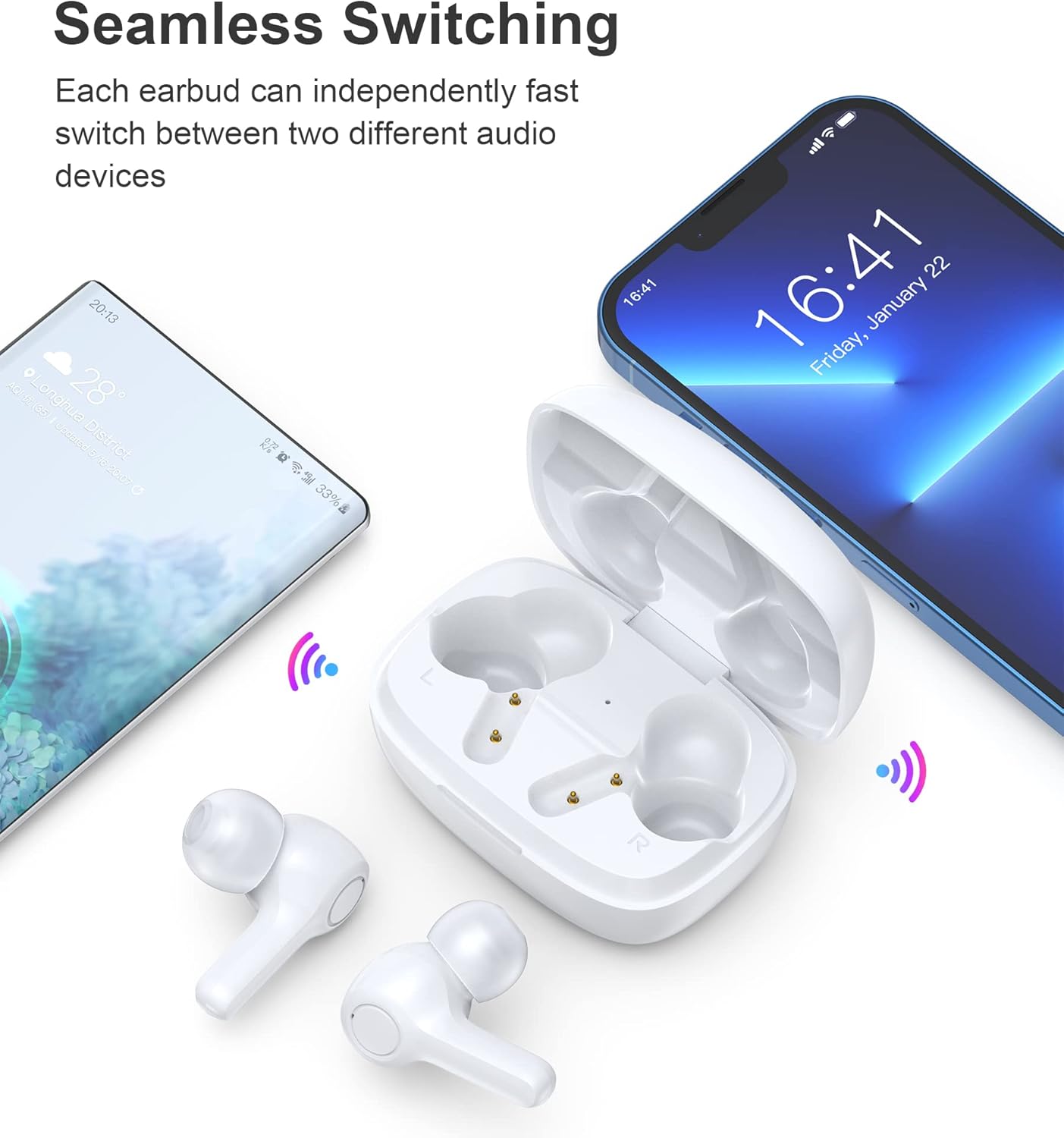
Image: Illustration demonstrating the seamless switching capability between a smartphone and another device.
Let wel: Na die aanvanklike paring sal die oordopjes outomaties aan die laaste gekoppelde toestel koppel wanneer dit uit die houer gehaal word, mits Bluetooth op die toestel geaktiveer is.
5. Bedryfsinstruksies
5.1 Krag aan/af
- Krag aan: Maak die laaikas oop en die oordopjes sal outomaties aanskakel.
- Skakel af: Plaas die oorfone terug in die laaikas en maak die deksel toe. Hulle sal outomaties afskakel en begin laai.
5.2 Raak kontroles
The earbuds feature sensitive touch controls for easy operation.
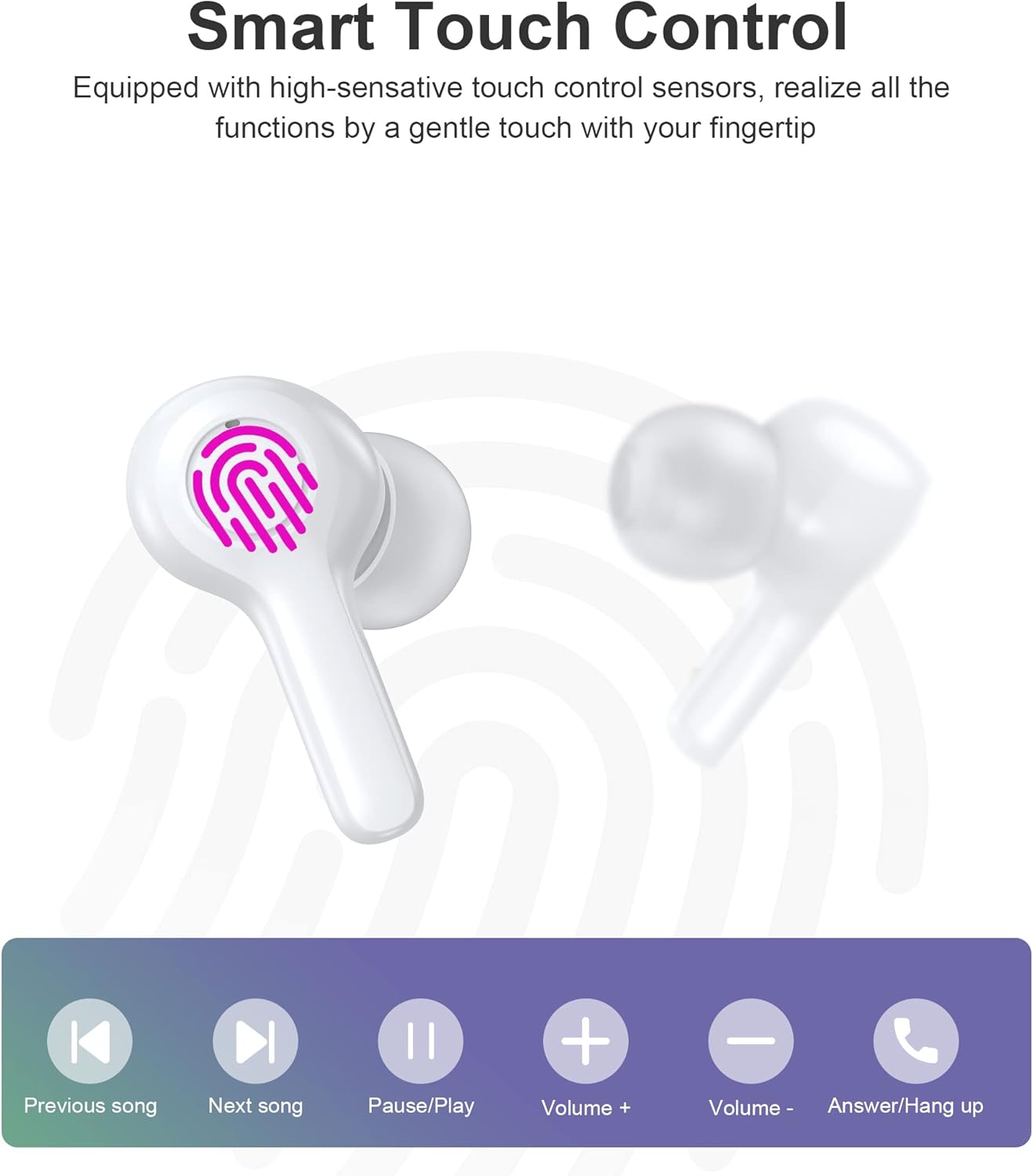
Image: Diagram illustrating the various touch control functions on the earbuds, including playback, volume, and call management.
| Aksie | Linker oorknoppie | Regter Oordop |
|---|---|---|
| Speel / Pouse | Enkele kraan | Enkele kraan |
| Volgende Liedjie | Dubbeltik | |
| Vorige Liedjie | Dubbeltik | |
| Volume op | Drievoudige Tik | |
| Volume af | Drievoudige Tik | |
| Beantwoord/beëindig oproep | Enkele kraan | Enkele kraan |
| Verwerp oproep | Lang druk (2s) | Lang druk (2s) |
| Aktiveer stemassistent | Lang druk (2s) | Lang druk (2s) |
Let wel: Specific touch control functions may vary slightly depending on your connected device and its operating system.
6. Onderhoud
6.1 Skoonmaak
The earbuds are IPX8 waterproof, making them resistant to sweat and water. They can be easily cleaned.
- Vee die oorfone en laaikas af met 'n sagte, droë, pluisvrye lap.
- Vir hardnekkige vuiligheid, effens dampMaak die lap met water skoon. Moenie harde chemikalieë of skuurmiddels gebruik nie.
- Maak seker dat die laaikontakte op beide die oordopjes en die houer skoon en droog is om laaiprobleme te voorkom.

Image: Visual representation of the earbuds' IPX8 waterproof protection, showing them submerged in water.
6.2 Berging
- Wanneer dit nie gebruik word nie, bêre die oordopjes in hul laaikassie om hulle te beskerm en gelaai te hou.
- Bêre die produk op 'n koel, droë plek, weg van uiterste temperature en direkte sonlig.
7. Probleemoplossing
Indien u enige probleme ondervind, verwys asseblief na die volgende algemene oplossings:
- Oordopjes koppel nie: Ensure both earbuds are out of the case and in pairing mode. Turn off and on your device's Bluetooth. Try forgetting the device in your Bluetooth settings and re-pairing.
- Slegs een oordoppie werk: Plaas albei oorfone terug in die laaikas, maak die deksel toe, wag 'n paar sekondes en haal hulle dan weer uit. Dit sinchroniseer hulle dikwels weer.
- Geen klank nie: Kontroleer die volumevlak op jou toestel en die oorfone. Maak seker dat die oorfone behoorlik aan jou toestel gekoppel is.
- Laai kwessies: Clean the charging contacts on both earbuds and the case. Try a different USB cable and power source.
- Swak oproepkwaliteit: Ensure the microphones are not obstructed. Move closer to your device. The smart noise reduction technology helps provide clear calls, but extreme noisy environments may still affect quality.

Image: Visual representation of the noise reduction technology, showing sound waves being processed for clearer audio.
Indien die probleem voortduur, kontak asseblief kliëntediens.
8. Spesifikasies
| Kenmerk | Detail |
|---|---|
| Model | BH-T06 |
| Bluetooth weergawe | 5.2 |
| Waterdigte gradering | IPX8 (Waterproof to 1 meter for 30 minutes) |
| Oordopjes se batterykapasiteit | 40mAh (elke oordopjes) |
| Laaikas batterykapasiteit | 300mAh |
| Speeltyd | ~5+ hours (earbuds) |
| Bystandtyd (met omhulsel) | ~120 ure |
| Luidsprekergrootte | 8 mm |
| Mikrofone | 4 (for clear calls) |
| Verbindingstegnologie | Draadloos (Bluetooth) |
| Geraasbeheer | Automatic Noise Reduction |
9. Veiligheidsinligting
- Moenie die produk uitmekaar haal of verander nie.
- Hou weg van uiterste temperature, direkte sonlig en oop vlamme.
- Vermy om die produk te laat val of aan sterk impakte te onderwerp.
- Hou buite bereik van kinders en troeteldiere.
- Moenie die oorfone vir lang tye op uitermatig hoë volumes gebruik nie om gehoorskade te voorkom.
10. Waarborg en Ondersteuning
Choetech products come with a standard warranty. Please refer to the warranty card included in your package or visit the official Choetech website for detailed warranty terms and conditions. For technical support, troubleshooting assistance, or any inquiries, please contact Choetech customer service through their official channels.