
1. Inleiding
Thank you for choosing the YESKAMO 4MP Wireless Outdoor Battery Security Camera System. This manual provides detailed instructions for the installation, operation, and maintenance of your security camera system. Please read this manual thoroughly before use and retain it for future reference.
2. Veiligheidsinligting
- Maak seker dat alle kragverbindings veilig en korrek is voor gebruik.
- Do not expose the camera or base station to extreme temperatures, humidity, or corrosive environments.
- Avoid placing the camera in direct sunlight for prolonged periods if not equipped with a solar panel.
- Hou die toestel weg van kinders en troeteldiere.
- Use only manufacturer-approved accessories and power adapters.
- Moenie probeer om die toestel uitmekaar te haal of te wysig nie, aangesien dit die waarborg ongeldig sal maak.
3. Pakketinhoud
Kontroleer asseblief die pakket vir die volgende items:
- YESKAMO 4MP Battery Cameras (x2)
- Basisstasie (x1)
- Monteringshakies en skroewe
- USB-laaikabel
- Kragadapter vir basisstasie
- Ethernet kabel
- Gebruikershandleiding
Note: Solar panels and SD cards are sold separately.
4. Produk verbyview
4.1 Kamerakomponente
The YESKAMO camera is designed for both indoor and outdoor use, featuring a robust, weather-resistant build.

Image 4.1: YESKAMO 4MP Wireless Outdoor Battery Security Camera
- Lens: 4MP UHD resolution for clear video.
- IR LED's: For infrared night vision.
- Kolligte: Enable color night vision and act as deterrents.
- PIR-sensor: Passiewe infrarooi sensor vir bewegingsopsporing.
- Mikrofoon en luidspreker: Vir tweerigting-klankkommunikasie.
- Antenna: 4 dBi external antenna for enhanced Wi-Fi signal.
- Monteerpunt: Vir veilige installasie.
4.2 Base Station Components
The base station acts as the central hub for your cameras, managing recordings and network connectivity.

Image 4.2: YESKAMO Base Station and Camera
- SD-kaartgleuf: Ondersteun tot 128 GB vir plaaslike berging.
- USB-poort: For potential future expansions or accessories.
- Ethernet-poort: Vir bedrade netwerkverbinding.
- Kragtoevoer: Om die kragadapter aan te sluit.
- QR kode: Used for initial setup and pairing with the app.
5. Opstelling
5.1 App-aflaai en rekeningregistrasie
- Laai die af Eseecloud or YESKAMO toepassing vanaf jou slimfoon se toepassingswinkel (iOS of Android).
- Open the app and register for a new account, or log in if you already have one.
5.2 Pairing Cameras with the Base Station
The system is designed for easy, two-step activation:
- In the app, select to add a new device and scan the QR code located on the base station.
- Power on the camera(s). The camera(s) will automatically connect to the base station.
- Once connected, you can name your cameras and configure initial settings within the app.
5.3 Fisiese installasie
Die kameras is ontwerp vir muurmontering. Kies 'n plek wat die verlangde viewing angle and is within Wi-Fi range of the base station. If using a solar panel (sold separately), ensure the camera is placed where it receives at least 2 hours of direct sunlight daily.
- Use the provided mounting bracket and screws to securely attach the camera to a wall or suitable surface.
- Pas die kamerahoek aan om die verlangde moniteringsarea te dek.
6. Operating the Camera System
6.1 Lewendig View en Tweerigting-klank
Access live video feeds from your cameras through the Eseecloud/YESKAMO app on your smartphone, PC, or tablet. The integrated microphone and speaker allow for real-time two-way communication.

Beeld 6.1: Tweerigting-klankkommunikasie
6.2 Bewegingsopsporing
The camera features AI algorithms for human recognition, achieving up to 99% accuracy, and PIR motion detection to reduce false alerts.

Image 6.2: Smart PIR Motion Detection
- KI menslike opsporing: Focuses on human shapes to minimize alerts from animals or inanimate objects.
- Verstelbare sensitiwiteit: Customize motion detection sensitivity in the app.
- Waarskuwingsmodusse: The camera's two spotlights and siren offer three customizable alert modes.
6.3 Nagvisie
The camera provides clear surveillance even in low-light conditions.
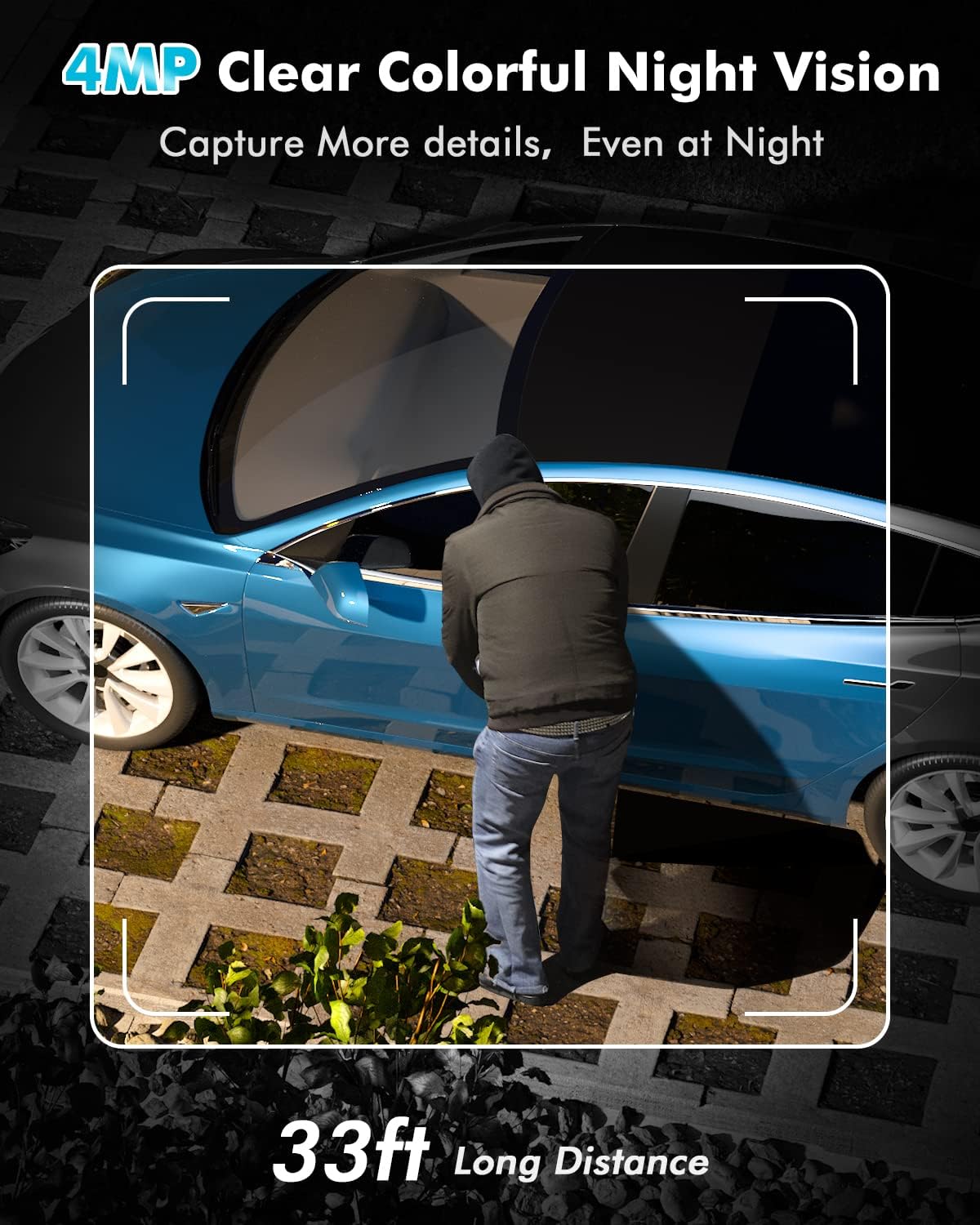
Image 6.3: 4MP Clear Colorful Night Vision
- Kleur Nag Visie: Enabled by the two integrated spotlights, providing detailed, full-color video at night.
- Infrarooi Nagvisie: Standard black and white night vision when spotlights are off.
6.4 Opname en berging
Your camera system offers flexible storage options for recorded footage.

Image 6.4: Cloud and SD Card Storage Options
- Plaaslike berging: The base station supports a Micro SD card up to 128GB (not included).
- Wolkberging: 1 year of free cloud storage is offered (registration required).
6.5 Wi-Fi-konnektiwiteit
The system utilizes 2.4 GHz Wi-Fi for stable and extended coverage.
- 100% Wireless: Cameras connect wirelessly to the base station.
- Uitgebreide reeks: The upgraded 4 dBi external antenna provides a stronger signal through walls and up to 91.4 meters (300 feet) of Wi-Fi coverage.
- Slegs 2.4 GHz: The system supports 2.4 GHz Wi-Fi networks only; 5 GHz is not supported.
7. Onderhoud
7.1 Batterybestuur
The cameras are equipped with long-lasting batteries.
- Batterylewe: Provides up to 180 days of continuous protection on a full charge.
- Sonkrag laai: Supports charging via a compatible solar panel (sold separately). Approximately 2 hours of direct sunlight can provide enough power for one day of operation. With consistent solar charging, the camera can operate for up to 360 days without manual recharging.
7.2 Weerbestandheid
The cameras have an IP67 waterproof rating, making them suitable for various outdoor weather conditions.
7.3 Skoonmaak
Periodically clean the camera lens and housing with a soft, dry cloth to ensure optimal image quality and prevent debris buildup.
8. Probleemoplossing
- Kamera verbind nie: Ensure the base station is powered on and connected to the internet. Verify the camera is powered on and within range. Re-scan the QR code on the base station via the app.
- Swak Wi-Fi-sein: Ensure the base station is centrally located. Avoid placing it near large metal objects or other sources of interference. The camera's external antenna helps improve signal strength.
- Vals bewegingwaarskuwings: Adjust the motion detection sensitivity in the app. Utilize AI human detection to filter out non-human movements.
- Kort batterylewe: Ensure the camera is fully charged. If using a solar panel, verify it receives adequate direct sunlight daily. Extreme cold temperatures can affect battery performance.
- Geen Nagvisie: Check if the IR LEDs or spotlights are obstructed. Ensure night vision settings are enabled in the app.
9. Spesifikasies
| Kenmerk | Spesifikasie |
|---|---|
| Handelsmerk | YESKAMO |
| Modelnommer | TJ33-B |
| Effektiewe video-resolusie | 4 MP |
| Krag | 3 Watt |
| Styl | Battery 2 Cams Kit |
| Gloeilamp tipe | Infrarooi |
| Spesiale kenmerke | Night Vision, AI Motion Detection, Two-Way Audio |
| Gebruik | Buitelug, Binne |
| Battery(e) ingesluit | Ja |
| Verbindingstegnologie | Draadloos (2.4 GHz Wi-Fi) |
| Versoenbare toestelle | Smartphone (iOS, Android), PC, Tablet |
| Kragbron | Battery, Cable Electric (for base station) |
| Montage tipe | Muurmontering |
| Aantal kanale | 2 |
| Vormfaktor | Koepel |
| IP-gradering | IP67 |
10. Waarborg en Ondersteuning
The YESKAMO 4MP Wireless Outdoor Battery Security Camera System comes with a one-year free warranty from the date of purchase.
If you encounter any issues or have questions regarding your product, please do not hesitate to contact our support team. Our dedicated team is available to assist you with troubleshooting, technical guidance, and any warranty-related inquiries.
Kontakinligting: Please refer to the contact details provided on the product packaging or the official YESKAMO webwebwerf vir die mees onlangse ondersteuningsinligting.