
1. Inleiding
The KKnoon TOOLTOP ET618 is a versatile handheld portable cable tester designed for network and electrical professionals. It integrates multiple functions including cable tracing, cable length measurement, Power over Ethernet (PoE) testing, and a full-featured digital multimeter. This manual provides detailed instructions for the safe and effective use of your ET618 device.
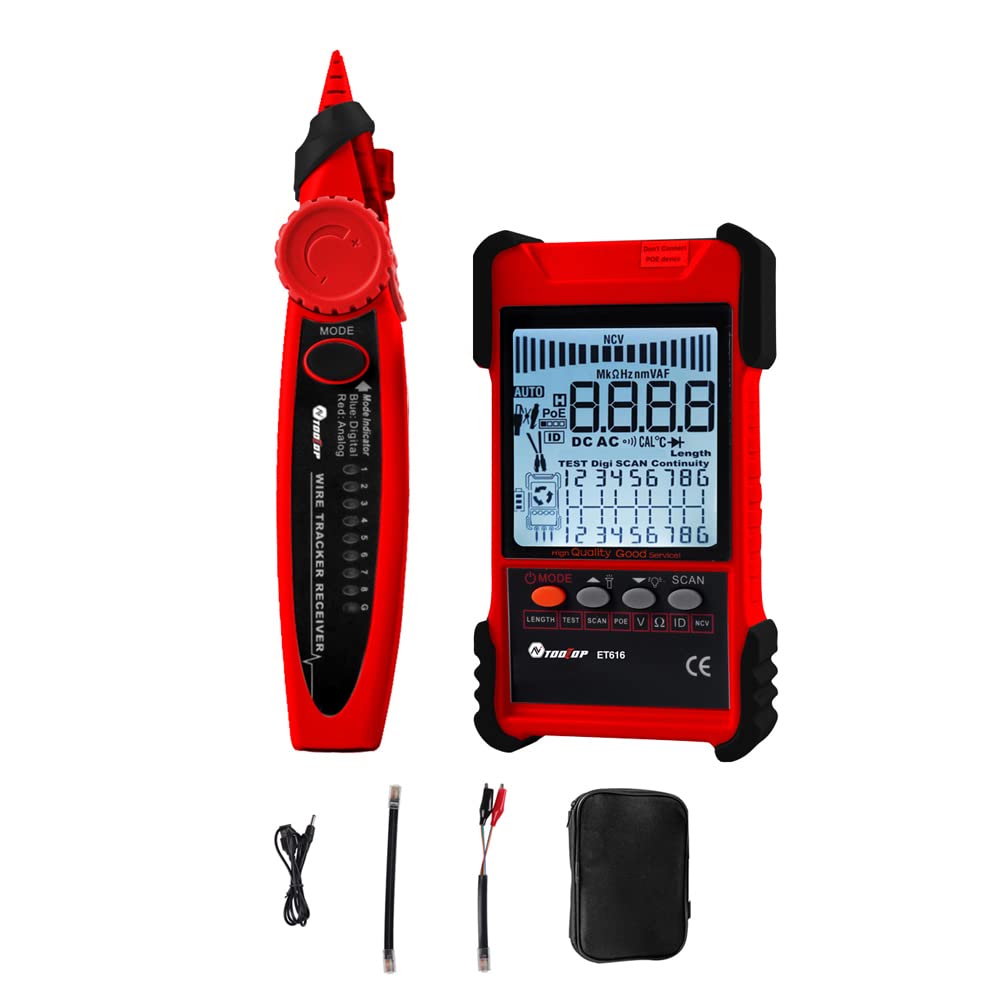
Figure 1: KKnoon TOOLTOP ET618 Handheld Portable Cable Tester (Main Unit and Receiver)
2. Veiligheidsinligting
Lees en verstaan asseblief alle veiligheidswaarskuwings en gebruiksinstruksies voordat u hierdie produk gebruik. Versuim om hierdie instruksies te volg, kan lei tot elektriese skok, brand of ernstige besering.
- Do not use the device if it appears damaged or is not operating correctly.
- Always ensure the device is powered off before connecting or disconnecting cables.
- Moenie die toestel aan vog of uiterste temperature blootstel nie.
- Gebruik slegs die gespesifiseerde laaikabel en bykomstighede.
- Do not attempt to open or repair the device; refer all servicing to qualified personnel.
- Be cautious when working with live circuits, especially during multimeter functions.
3. Pakketinhoud
Verifieer dat al die items wat hieronder gelys word, in jou pakket ingesluit is:
- 1 x ET618 Host (Main Unit)
- 1 x Ontvanger
- 1 x Gebruikershandleiding (hierdie dokument)
- 1 x Clip Line
- 1 x netwerkkabel
- 1 x Recharging Line (USB cable)
- 1 x Opbergsak
- 1 x Temperature Probes
- 1 x Multimeter Probes
4. Produk verbyview
The ET618 combines a cable tester and a digital multimeter into one compact device. It features an LCD display for clear readings and a built-in flashlight for use in low-light conditions.

Figure 2: ET618 Main Unit and Receiver with Dual Flashlight
Sleutel kenmerke:
- Kabelopsporing: Quickly locate target cables in bundles.
- Cable Length Test: Measure the length of various metal cables up to 500 meters.
- PoE-toets: Check cable mapping polarity and voltage of PoE network switches.
- Multimeterfunksies: Measure DC/AC voltage, DC/AC current, resistance, continuity, diode, and temperature.
- LCD-skerm: Large screen for clear data visualization.
- Flitslig: Integrated light for improved visibility in dark environments.
- Verstelbare sensitiwiteit: Digital tracing sensitivity can be adjusted.
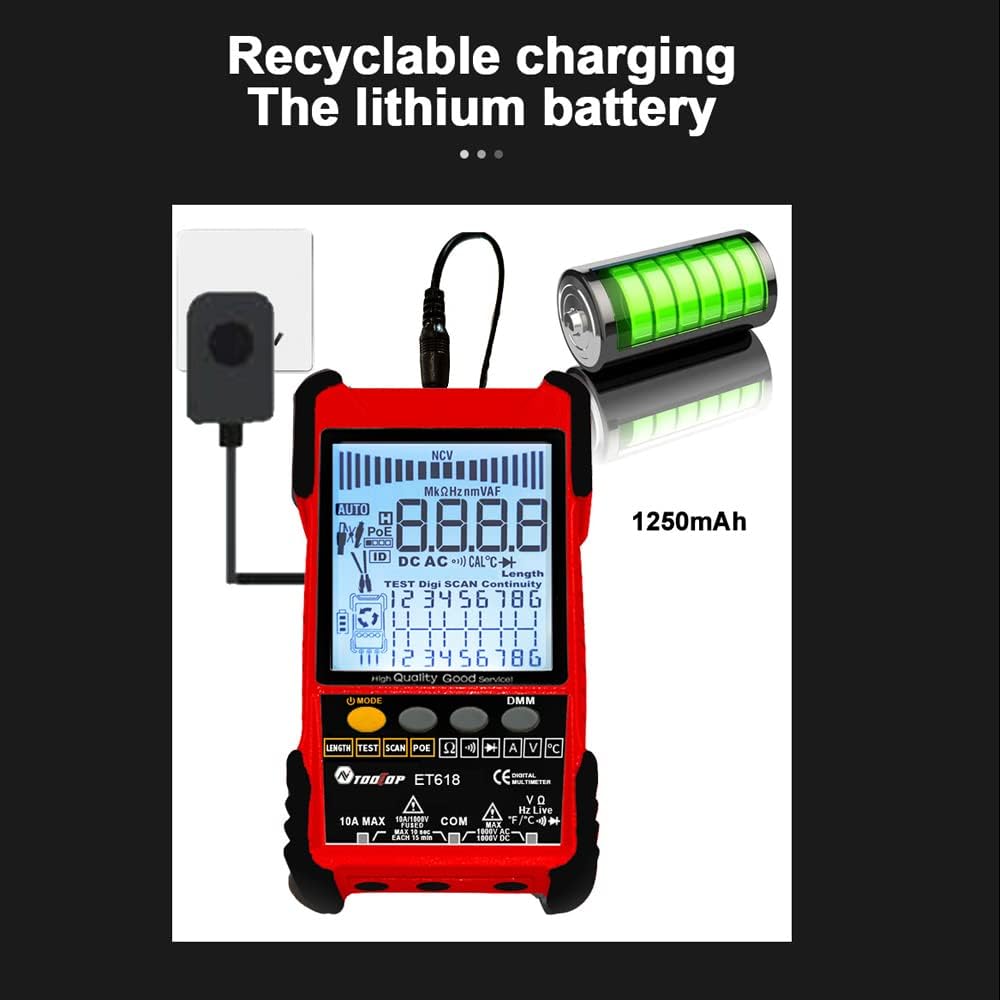
Figure 3: Product Differentiation (ET616 vs. ET618)
The ET618 model includes all features of the ET616, plus a comprehensive multimeter function and an extended cable length measurement range of up to 500 meters.
5. Opstelling
5.1 Laai die battery
The ET618 main unit is powered by a rechargeable lithium battery. Before first use, fully charge the device.
- Connect the provided recharging line (USB cable) to the charging port on the ET618 main unit.
- Koppel die ander kant van die USB-kabel aan 'n standaard USB-kragadapter (nie ingesluit nie) of 'n rekenaar se USB-poort.
- The charging indicator on the device will show the charging status. Once fully charged, disconnect the cable.

Figure 4: Charging the ET618 Lithium Battery
5.2 Aan-/afskakel
Press and hold the power button on the main unit to turn the device on or off. The LCD display will illuminate upon power-on.
6. Bedryfsinstruksies
6.1 Cable Tracing Function
This function helps locate a specific cable among many, useful for telephone systems, computer networks, and BNC cables.
- Connect the cable to be traced to the appropriate port on the ET618 main unit (e.g., RJ45 for network cables).
- Select the "Trace" mode on the main unit.
- Use the receiver to scan the cables. The receiver will emit an audible tone or visual indication when it detects the signal from the target cable.
- Adjust the sensitivity on the receiver for precise tracing.
6.2 Cable Length Test
Measure the length of various metal cables with at least two cores, including network cables, telephone lines, and BNC cables.
- Ensure the cable is disconnected from any active network or power source.
- Connect one end of the cable to the main unit's appropriate port.
- Select the "Length" test mode. The device will display the measured cable length on the LCD.
6.3 POE Test
Test Power over Ethernet (PoE) network switches to check cable mapping polarity and voltage.
- Connect the network cable from the PoE switch to the main unit's RJ45 port.
- Select the "POE" test mode.
- The LCD will display information regarding PoE voltage and cable mapping.
6.4 Multimeter Function (ET618 Only)
The ET618 includes a full-featured multimeter for various electrical measurements. Use the provided multimeter probes for these tests.
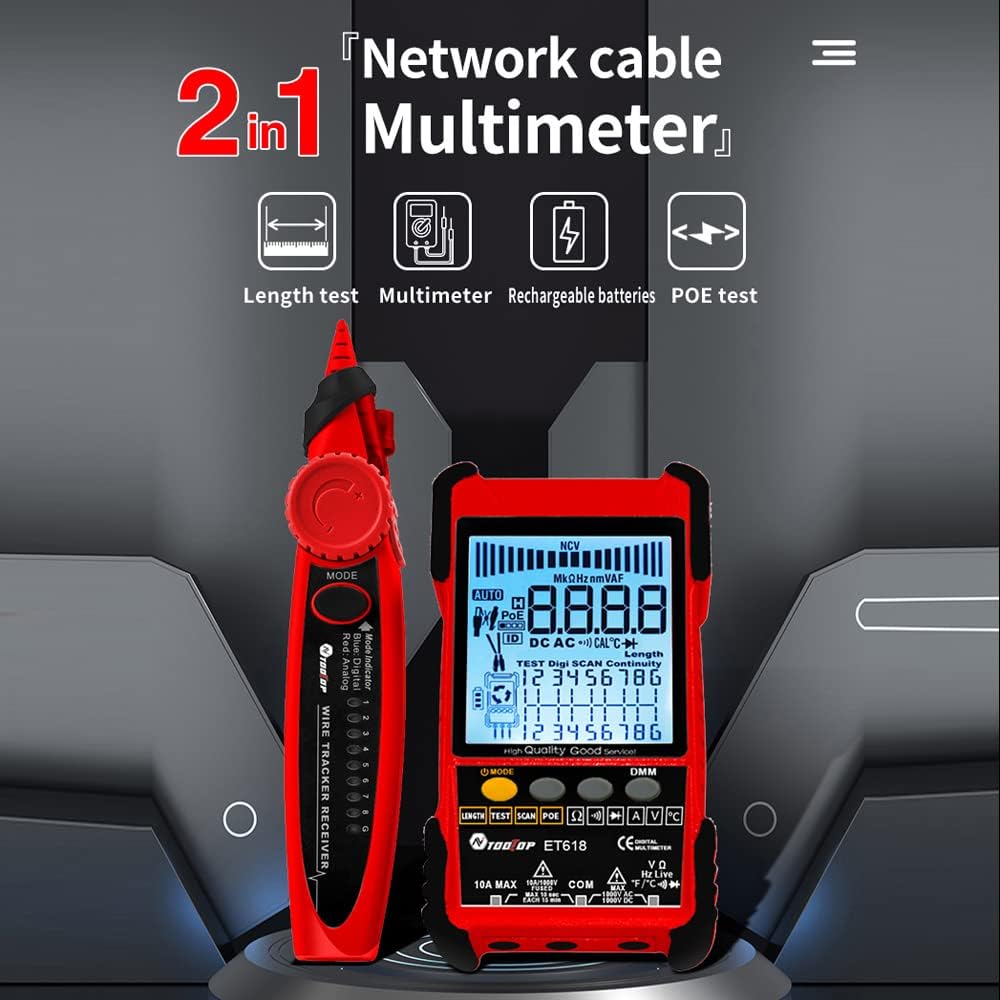
Figure 5: ET618 Multimeter Functions in Use
- DC Voltage Meting: Connect probes to the circuit, select DCV mode.
- AC Voltage Meting: Connect probes to the circuit, select ACV mode.
- DC stroommeting: Connect probes in series with the circuit, select DCA mode.
- AC stroommeting: Connect probes in series with the circuit, select ACA mode.
- Weerstandmeting: Connect probes across the component, select Ω mode.
- Kontinuïteitstoets: Connect probes across the circuit; a beep indicates continuity.
- Diode toets: Connect probes across the diode; the forward voltage druppel sal vertoon word.
- Temperatuurmeting: Connect the temperature probe to the device and place the sensor at the measurement point.
Always ensure the correct function is selected and probes are connected properly to avoid damage to the device or circuit.
6.5 Die gebruik van die flitslig
The ET618 main unit and receiver are equipped with flashlights. Press the dedicated flashlight button (if available) or refer to the device interface for activation in low-light conditions.
7. Onderhoud
7.1 Skoonmaak
Wipe the device with a soft, dry cloth. Do not use abrasive cleaners or solvents. Ensure no liquids enter the device.
7.2 Batterysorg
To prolong battery life, avoid fully discharging the battery frequently. If storing the device for an extended period, charge it to approximately 50% and recharge every few months.
8. Probleemoplossing
- Toestel skakel nie aan nie: Ensure the battery is charged. Connect the recharging line and try again.
- Onakkurate lesings: Check cable connections. Ensure the correct mode is selected for the measurement. For multimeter functions, verify probe connections and component integrity.
- Geen sein tydens kabelopsporing nie: Ensure the main unit is in trace mode and the cable is properly connected. Adjust receiver sensitivity.
- LCD display is dim: Die battery is dalk laag. Laai die toestel weer.
9. Spesifikasies
The following table outlines the technical specifications for the ET618 model:

Figuur 6: Tegniese Spesifikasies Oorview
| Kenmerk | ET618 Specification |
|---|---|
| Analoog nasporing | Ja |
| Kontinuïteit | Ja |
| Skakelaaropsporing (m/ PoE) | Deur multimeter funksie |
| Kabelkartering | Ja |
| Skakelaaraanwysers flikker | Ja |
| Lawaaierige gratis digitale opsporing | Digitaal / Vibrasie |
| Voltage Toetsing | Deur multimeter funksie |
| PoE Voltage Meting | Voltage / Polariteit |
| Afgeleë ID-kartering | Opsioneel |
| Analoog staafgrafiek | Ja |
| Main Body Flashlight | Ja |
| Multimeter Input Jack Indicator | Ja |
| LCD-skerm | Ja |
| Wit flitslig | Ja |
| Analogue Tracing Sound Adjustable | Ja |
| Lae battery aanwyser | Ja |
| White Backlight | Ja |
| Energiebesparingsaanwyser | Ja |
| 3km Analogue Tracing Signal Selectable | Ja |
| Multimeter Functions (ET618 Only) | |
| DC Voltage | 400mV~1000V ±(0.8%+3) |
| AC Voltage | 4V~400V ±(1.5%+5) |
| DC Stroom | 1.0A~10.0A ±(1.2%+4) |
| WS-stroom | 1.0A~10.0A ±(2.0%+5) |
| Weerstand | 200 Ω~20 MΩ ±(2%+6) |
| Kontinuïteit | < 50 Ω buzzer beeps |
| Diode | Ja |
| Temperatuur (K-tipe) | -20~1000°C / -4~1832°F ±(2.0%+15) |
| Netwerkkabellengtemaat | 500 miljoen |
| BNC-kabellengtemaat | Ja |
| Netwerkkabel kort / oopkring toets | Ja |
| Main Body Power | 1250mAh herlaaibare litiumbattery |
| Ontvanger krag | 9V Battery |
10. Waarborg en Ondersteuning
This product comes with a standard manufacturer's warranty. For specific warranty terms, technical support, or service inquiries, please refer to the contact information provided with your purchase or visit the official KKnoon webwebwerf.