
1. Inleiding
The ATN Odin LT 640x480 2-8x is a compact, lightweight thermal monocular designed for versatile observation in various conditions. Powered by ATN's Obsidian LT core, this device provides advanced thermal imaging capabilities, allowing users to detect heat signatures in complete darkness or challenging environments. Its ergonomic design ensures comfortable handling and ease of use for extended periods.
2. Wat is in die boks
Carefully unpack your ATN Odin LT thermal monocular and ensure all components are present:
- ATN Odin LT 640x480 2-8x Thermal Monocular
- USB-C-laaikabel
- Polsband
- Sagte dratas
- Vinnige Begingids
3. Produk verbyview
Familiarize yourself with the key components and controls of your ATN Odin LT monocular.

Prent 3.1: verbyview of the ATN Odin LT thermal monocular, highlighting its compact design, USB-C port, and control buttons. The image also shows a simulated monocular view of a distant scene.
3.1. Komponente
- Doelwitlens: Voorlens vir termiese beeldopname.
- Oogstuk: Verstelbaar vir gemaklik viewing.
- Beheerknoppies: For power, menu navigation, and zoom.
- USB-C-poort: Vir laai en data-oordrag.
- Battery kompartement: Huisves die kragbron.
3.2. Kontroles
- Kragknoppie: Press and hold to turn the device On/Off. A short press may activate standby mode.
- Kieslys-knoppie: Kry toegang tot die toestel se instellings en opsies.
- Zoem knoppies: Adjusts the magnification level (Step Zoom).
- Fokusring: Located on the objective lens, used for manual focus adjustment.
4. Opstelling
4.1. Battery installasie en laai
- Locate the battery compartment cover, typically on the side or bottom of the monocular.
- Open the cover and insert the required 123A batteries, ensuring correct polarity (+/-).
- Maak die batterykompartement se deksel stewig toe.
- For initial use or if the battery is low, connect the USB-C charging cable to the monocular's USB-C port and a power source. The charging indicator will show the charging status.
4.2. Aanvanklike aanskakeling
- Press and hold the Power Button for approximately 3-5 seconds until the ATN logo appears on the display.
- Laat die toestel begin. Dit kan 'n paar sekondes neem.
4.3. Fokusaanpassing
- Kyk deur die oogstuk.
- Rotate the focus ring on the objective lens until the image appears sharp and clear.
5. Bedryfsinstruksies
5.1. Power On/Off and Standby
- Krag aan: Press and hold the Power Button until the display activates.
- Skakel af: Druk en hou die aan/af-knoppie in totdat die toestel afskakel.
- Bystandmodus: A short press of the Power Button will put the device into standby, conserving battery while allowing for quick reactivation.
5.2. Changing Color Palettes (White Hot/Black Hot)
The Odin LT offers different color palettes to suit various observation needs:
- Wit warm: Hot objects appear white, and colder objects appear black. This is a common and often preferred mode for general detection.
- Swart warm: Hot objects appear black, and colder objects appear white. This mode can be useful for reducing eye strain during prolonged observation.
To switch between palettes, navigate through the menu using the Menu Button and select the desired option.
5.3. Zoembewerking
The monocular features a 2-8x magnification range with a Step Zoom function.
- Use the dedicated Zoom Buttons to increase or decrease the magnification in predefined steps.
- Adjust the zoom level to optimize your field of view and target identification.

Prent 5.1: A user demonstrating handheld operation of the ATN Odin LT thermal monocular in an outdoor setting.
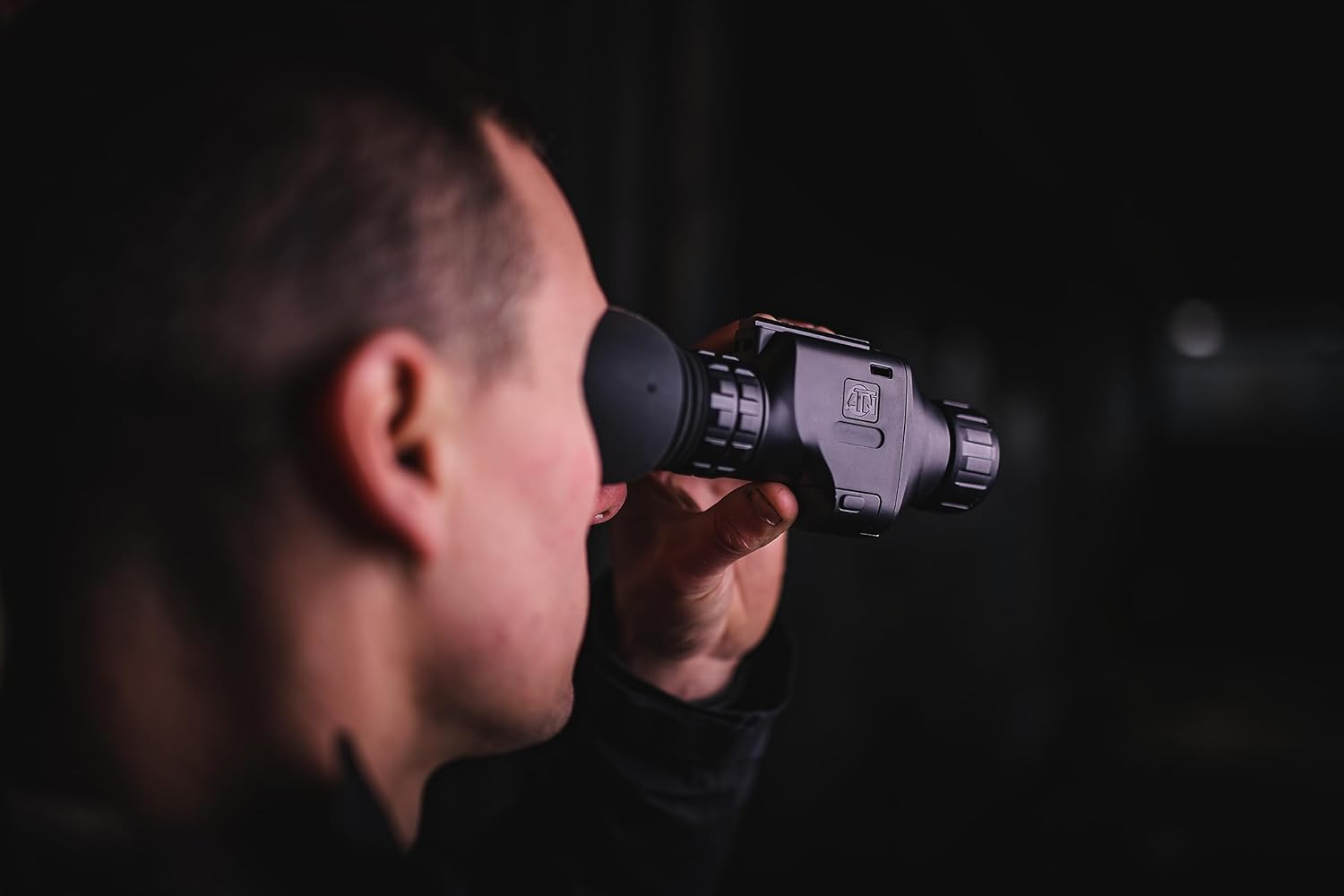
Prent 5.2: Close-up of a user observing through the ATN Odin LT thermal monocular, highlighting its ergonomic design for eye-level use.
5.4. Monteer Opsies
The ATN Odin LT is designed for versatile use:
- Handheld: The compact and lightweight design allows for comfortable handheld observation.
- Helmet Mounted: Compatible with various helmet mounts for hands-free operation.
- Head Mounted: Can be attached to head mounts for extended comfortable observation.
6. Onderhoud
6.1. Skoonmaak van die lense
To maintain optimal image quality, keep the objective and eyepiece lenses clean.
- Use a soft, lint-free cloth specifically designed for optics.
- Vee die lensoppervlaktes liggies af om stof en vlekke te verwyder.
- For stubborn dirt, use a small amount of lens cleaning solution applied to the cloth, not directly to the lens.
- Avoid abrasive materials or harsh chemicals, as these can damage the lens coatings.
6.2. Batteryversorging
- Always use high-quality 123A batteries.
- Verwyder batterye as die toestel nie vir 'n lang tydperk gebruik gaan word om lekkasie te voorkom.
- Recharge optional rechargeable batteries as needed, avoiding complete discharge for optimal battery life.
6.3. Berging
Store the monocular in its protective carrying case in a cool, dry place away from direct sunlight and extreme temperatures. Ensure the lenses are covered to prevent dust accumulation.
7. Probleemoplossing
If you encounter issues with your ATN Odin LT, refer to the following common problems and solutions:
| Probleem | Moontlike oorsaak | Oplossing |
|---|---|---|
| Toestel skakel nie aan nie. | Low or depleted batteries; incorrectly installed batteries. | Replace batteries with fresh ones or recharge if using rechargeable batteries. Ensure correct polarity. |
| Die beeld is vaag of uit fokus. | Verkeerde fokusaanpassing. | Adjust the focus ring on the objective lens until the image is clear. |
| Display shows artifacts or dead pixels. | Manufacturing defect or sensor issue. | Contact ATN customer support for assistance. |
| Kort batterylewe. | Old or low-quality batteries; frequent use of high brightness/zoom. | Use new, high-quality batteries. Reduce brightness or zoom when not critical. |
If the problem persists after attempting these solutions, please contact ATN customer support.
8. Spesifikasies
Detailed technical specifications for the ATN Odin LT 640x480 2-8x Thermal Monocular:
| Kenmerk | Beskrywing |
|---|---|
| Handelsmerk | ATN |
| Model Naam | ATN ODIN LT 640 2-8x |
| Objektiewe lensdiameter | 25 millimeter |
| Produk Afmetings (D x B x H) | 5.16" D x 2.8" B x 1.81" H |
| Fokus Tipe | Handmatige fokus |
| Finderscope | Refleks |
| Item gewig | 1 pond |
| Versoenbare toestelle | Rifle, Shotgun, Handgun (for mounting purposes) |
| Brandpuntsafstandbeskrywing | 2-8x |
| Veld van View | 22.27 grade |
| Zoomverhouding | 2x-8x |
| Bykomende kenmerke | Advanced Thermal Imaging with Long-Distance Target Identification and High-Resolution Display, Head/Helmet Mountable |
| Global Trade Identification Number (GTIN) | 00658175123729 |
| Vervaardiger | ATN Korporasie |
| UPC | 658175123729 |
| Modelnommer | TIMNODN625X |
| Ingeboude media | Monokulêr |
9. Waarborg en Ondersteuning
9.1. Vervaardiger se waarborg
The ATN Odin LT 640x480 2-8x Thermal Monocular is covered by a 3 jaar vervaardiger se waarborgHierdie waarborg dek defekte in materiaal en vakmanskap onder normale gebruik. Bewaar asseblief u bewys van aankoop vir waarborgeise.
9.2. Kliëntediens
For technical assistance, warranty claims, or any questions regarding your ATN Odin LT monocular, please contact ATN customer support through their official webwebwerf of die kontakinligting wat saam met u produkverpakking verskaf word.