
1. Inleiding en oorview
Thank you for choosing the Clean Air Optima CA-503T Compact Smart Air Purifier. This device is designed to significantly improve indoor air quality by effectively removing pollutants and allergens. Its compact design and advanced filtration system make it ideal for various living and working spaces.
Key features of your Clean Air Optima CA-503T:
- Gevorderde filtrasiestelsel: Equipped with a pre-filter, TRUE HEPA (H13) filter, Tio2 photocatalytic filter, activated carbon filter, UV-C LED lamp, and ionizer for comprehensive air purification.
- Hoë CADR: Delivers 140 m³ of particle-free air per hour, suitable for rooms up to 30 m² (75 m³).
- Ultra-stil werking: Operates as low as 10 dB(A) in sleep mode, ensuring minimal disturbance.
- Slimbeheer: Easily manage settings and monitor air quality via the Clean Air Optima mobile application.
- 360° Lugvloei: Ensures efficient distribution of clean air throughout the room.

Image 1.1: The Clean Air Optima CA-503T Compact Smart Air Purifier, showcasing its sleek design and smart app connectivity.
2. Opstelling
Volg hierdie stappe om jou lugsuiweraar vir eerste gebruik op te stel:
- Pak die toestel uit: Verwyder die lugsuiweraar versigtig uit sy verpakking. Bewaar die verpakking vir toekomstige berging of vervoer.
- Installeer die filter: The composite filter is typically pre-installed but may be wrapped in plastic for protection. Twist the bottom cover counter-clockwise to open the filter compartment. Remove the plastic packaging from the filter, then reinsert the filter and secure the bottom cover by twisting clockwise.
- Posisioneer die Suiweraar: Place the air purifier on a flat, stable surface, ensuring there is at least 20 cm (8 inches) of clear space around all sides for optimal airflow.
- Koppel aan krag: Steek die kragadapter in die lugsuiweraar en dan in 'n geskikte elektriese aansluiting.
- Laai die toepassing af (opsioneel): For smart control features, download the Clean Air Optima app from your device's app store. Follow the in-app instructions to connect your air purifier to your Wi-Fi network.

Image 2.1: Illustration of the easy filter replacement process for the CA-503T.
3. Bedryfsinstruksies
The Clean Air Optima CA-503T features an intuitive touch control panel on the top of the unit and can also be controlled via the mobile app.

Image 3.1: The control panel on top of the CA-503T, featuring touch-sensitive buttons for various functions.
Beheerpaneel funksies:
- Kragknoppie: Druk om die eenheid aan of af te skakel.
- Fan Spoed: Cycle through different fan speeds: Sleep (10 dB(A)), Low (15 dB(A)), Medium (25 dB(A)), High (50 dB(A)).
- Outomatiese modus: Activates automatic fan speed adjustment based on detected air quality (PM2.5 sensor).
- UV-C LED Lamp: Toggles the UV-C sterilization function.
- Ionisator: Activates or deactivates the ionizer function.
- Afteller: Sets the operating time before automatic shut-off.
- Vertoon lig: Turns the display lights On or Off for undisturbed sleep.
Slim toepassingbeheer:
The Clean Air Optima app provides enhanced control and monitoring capabilities:
- Remote control of all functions.
- Real-time air quality monitoring (PM2.5 levels).
- Scheduling and custom operating modes.
- Filter lifetime tracking and replacement reminders.
Aroma funksie:
The CA-503T includes an aroma tray for essential oils. To use, pull out the small tray located near the top of the unit (refer to Image 3.2). Add a few drops of your preferred essential oil to the aroma pad. Reinsert the tray. The fan will diffuse the aroma into the air.
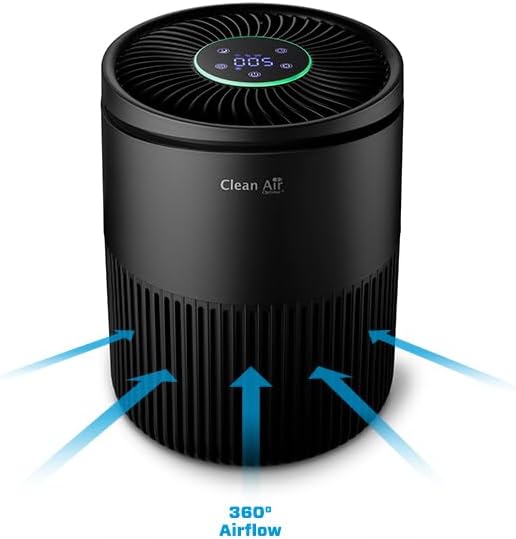
Image 3.2: The aroma tray, allowing for the addition of essential oils for a pleasant scent.
4. Onderhoud
Gereelde onderhoud verseker optimale werkverrigting en verleng die lewensduur van jou lugsuiweraar.
Filtervervanging:
The composite filter (pre-filter, True HEPA (H13), activated carbon, and Tio2 photocatalytic filter) should be replaced every 6 to 8 months, depending on usage and air quality. The app will provide a reminder when replacement is due.
- Skakel die lugsuiweraar af en koppel dit uit.
- Twist the bottom cover counter-clockwise to open the filter compartment.
- Verwyder die ou filter en gooi dit behoorlik weg.
- Insert a new Clean Air Optima replacement filter (ensure plastic packaging is removed).
- Secure the bottom cover by twisting clockwise until it clicks into place.
- Reset the filter lifetime indicator via the control panel or the app.
Maak die eenheid skoon:
- Vee die buitekant van die eenheid af met 'n sagte, damp lap. Moenie skuur skoonmaakmiddels of oplosmiddels gebruik nie.
- Clean the air inlet and outlet vents regularly with a soft brush or vacuum cleaner to prevent dust buildup.
- The PM2.5 sensor opening should also be kept clean. Refer to the app for sensor cleaning instructions if available.
5. Probleemoplossing
If you encounter issues with your Clean Air Optima CA-503T, refer to the table below for common problems and solutions.
| Probleem | Moontlike oorsaak | Oplossing |
|---|---|---|
| Eenheid skakel nie aan nie | No power supply; Power adapter not connected properly | Check if the power cord is securely plugged into the unit and the wall outlet. Try a different outlet. |
| Swak lugvloei | Filter is dirty or clogged; Air inlets/outlets blocked | Check and replace the filter if necessary. Ensure no obstructions around the air inlets and outlets. |
| Ongewone geraas | Unit not on a flat surface; Foreign object inside; Filter not installed correctly | Place the unit on a stable, flat surface. Turn off and unplug the unit, then check for any foreign objects or ensure the filter is properly seated. |
| Swak lugsuiwering | Filter needs replacement; Room size too large; Doors/windows open | Replace the filter. Ensure the unit is used in a room within its recommended size. Close doors and windows for effective purification. |
| Programverbindingkwessies | Incorrect Wi-Fi password; Router issues; Unit too far from router | Ensure correct Wi-Fi password. Restart your router and the air purifier. Move the unit closer to the router. The unit supports 2.4GHz Wi-Fi only. |
6. Spesifikasies
Detailed technical specifications for the Clean Air Optima CA-503T Compact Smart Air Purifier:
| Kenmerk | Spesifikasie |
|---|---|
| Handelsmerk | Skoon lug Optima |
| Modelnommer | CA-503T Kompakte slim |
| Kleur | Swart |
| Produkafmetings (L x B x H) | 20.6 x 20.6 x 27.4 cm |
| Gewig | 1.89 kilogram |
| Krag | 1 Watt |
| Geraasvlak | 10 dB (Sleep Mode) / 15 dB (Low) / 25 dB (Medium) / 50 dB (High) |
| CADR (afleweringskoste vir skoon lug) | 140 m³/uur |
| Toepaslike area | Up to 30 m² / 75 m³ |
| Filter tipe | Composite (Pre-filter, True HEPA H13, Activated Carbon, Tio2 Photocatalytic) |
| Beheer metode | Touch Panel, Mobile Application |
| Outomatiese afskakelfunksie | Ja |
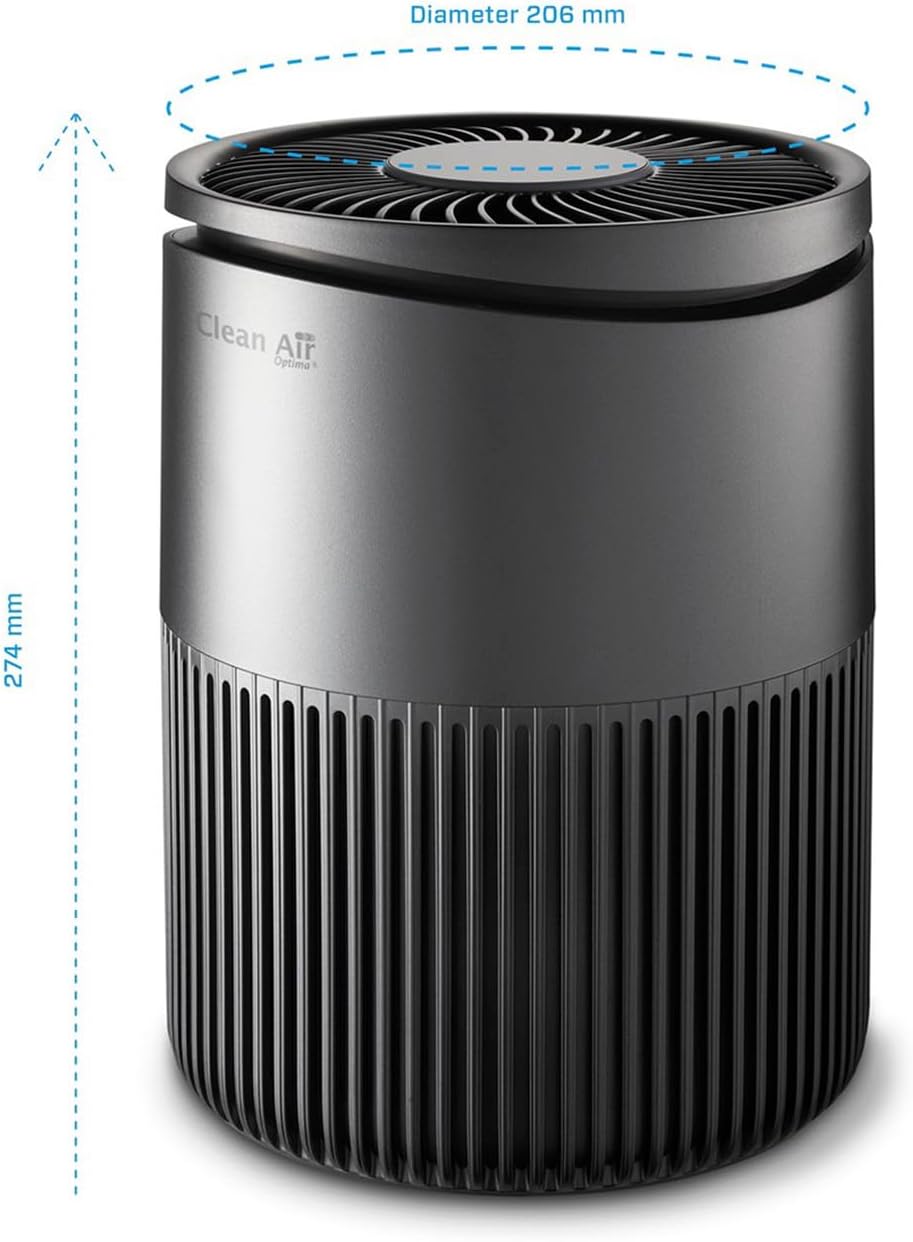
Image 6.1: Dimensions of the Clean Air Optima CA-503T Compact Smart Air Purifier.
7. Waarborg en Ondersteuning
For warranty information, please refer to the documentation included with your product or visit the official Clean Air Optima webwebwerf. Waarborgbepalings en -voorwaardes kan per streek verskil.
For technical support, replacement parts, or further assistance, please contact Clean Air Optima customer service or visit their official brand store: