
1. Inleiding
This manual provides detailed instructions for the installation, operation, and maintenance of your Rosewill CMG5 1000W Modular Power Supply. Please read this manual thoroughly before installation and retain it for future reference.
The Rosewill CMG5 1000W is a fully modular 80 PLUS Gold certified power supply designed for personal computers. It is compatible with ATX 3.0 & 3.1 standards and features a native 600W PCIe 5.0 / Gen 5 12+4 Pin 12V-2x6 cable, supporting modern high-performance graphics cards.
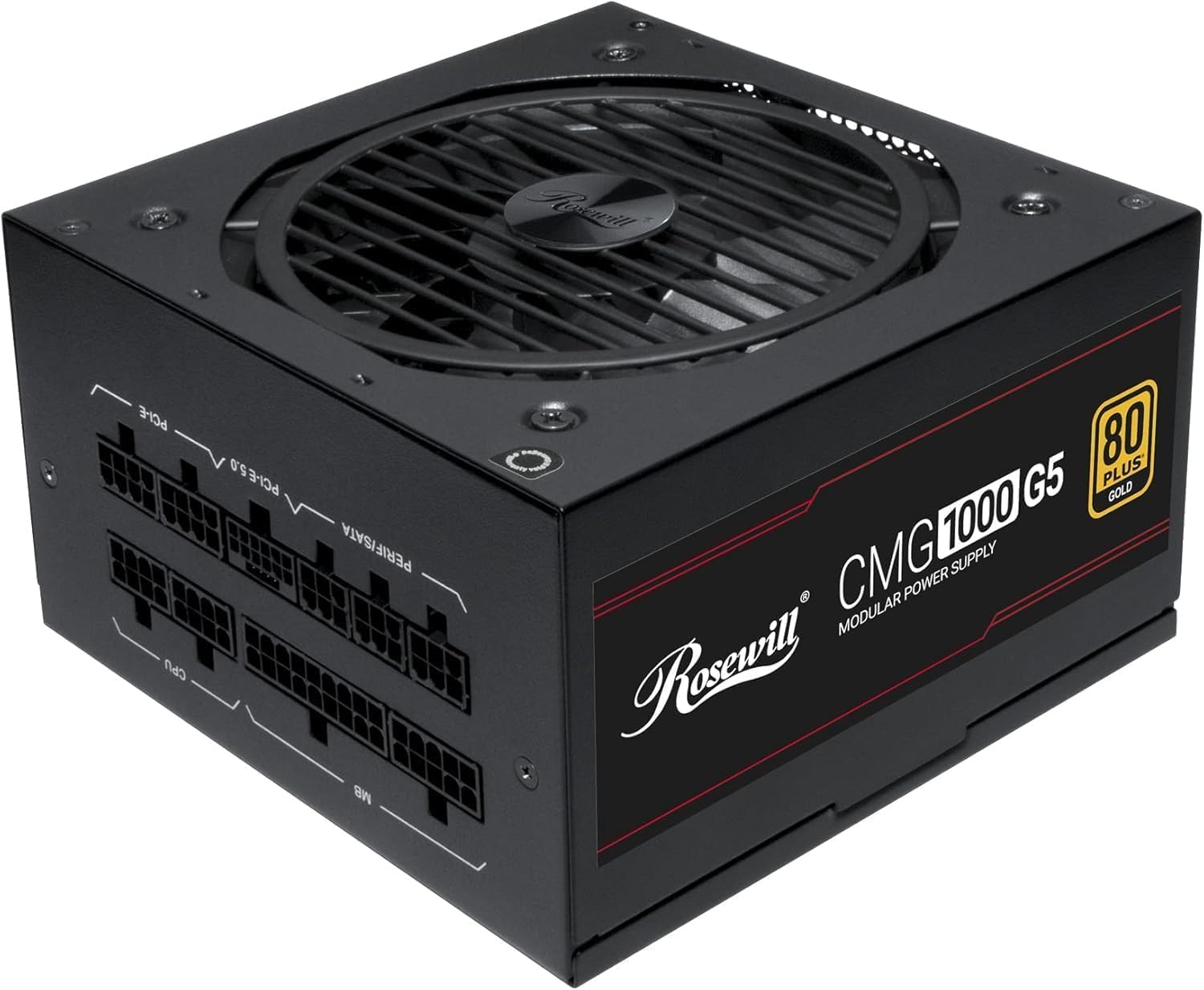
Beeld: Voorkant view of the Rosewill CMG5 1000W Modular Power Supply, showing the fan grille and branding.
2. Veiligheidsinligting
WARNING: Improper installation or use can lead to serious injury or equipment damage. Always follow these safety guidelines:
- Ensure the power supply is disconnected from the AC power outlet before installation or handling.
- Moenie die kragtoevoereenheid oopmaak nie. Hoë volumetagDaar is onderdele binne teenwoordig, en daar is geen onderdele wat deur die gebruiker onderhoud kan word nie.
- Install the power supply in a well-ventilated area. Do not block any ventilation openings.
- Use only the modular cables provided with this power supply. Using incompatible cables can damage the PSU and connected components.
- Ensure all cable connections are secure and fully seated to prevent electrical shorts or overheating.
- Vermy die blootstelling van die kragtoevoer aan vog of uiterste temperature.
- If the power supply emits smoke, unusual odors, or loud noises, immediately disconnect it from the AC power and contact support.
3. Pakketinhoud
Verifieer dat alle items in jou pakket teenwoordig is:
- Rosewill CMG5 1000W Modular Power Supply Unit
- AC kragkabel
- Modular Cable Set (see below for details)
- Monteer skroewe
- Gebruikershandleiding (hierdie dokument)

Image: Rear panel of the Rosewill CMG5 1000W Power Supply showing the modular cable connection ports labeled for MB, CPU, PERIF/SATA, PCI-E 5.0, and PCI-E.
Modular Cable Set:

Image: Diagram illustrating the types and lengths of modular cables included with the Rosewill CMG5 1000W Power Supply, including 24-pin Motherboard, 12+4-pin PCIe 5.0, 4+4-pin CPU, 6+2-pin PCIe, SATA, and 4-pin Molex connectors.
- 1x 24-pin Motherboard Cable (600mm)
- 1x 12+4-pin PCIe 5.0 Cable (600mm)
- 2x 4+4-pin CPU Cables (700mm each)
- 4x 6+2-pin PCIe Cables (500mm each, with two connectors per cable)
- 2x SATA Cables (500mm, with four SATA connectors per cable)
- 1x 4-pin Molex Cable (500mm, with four Molex connectors)
4. Opstelling en installering
Follow these steps to install your Rosewill CMG5 1000W Power Supply:
- Berei jou stelsel voor:
- Turn off your computer and disconnect the AC power cord from the wall outlet.
- Maak jou rekenaarkas oop.
- If replacing an existing power supply, disconnect all cables from the old PSU and remove it from the case.
- Installeer die kragtoevoer:
- Carefully place the new Rosewill CMG5 1000W PSU into the power supply bay of your computer case.
- Secure the PSU to the case using the provided mounting screws. Ensure the fan is facing the correct direction for optimal airflow (typically facing down if there's a bottom vent, or up if not).
- Verbind Modulêre Kabels:
- Identify the necessary cables for your components (Motherboard, CPU, PCIe, SATA, Molex). Refer to the "Package Contents" section for cable types.
- Connect the required modular cables to the corresponding ports on the power supply unit. Ensure they click firmly into place.
- Connect the other end of each cable to your motherboard, CPU, graphics card(s), storage drives, and other peripherals. Pay close attention to the orientation of each connector.
- For PCIe 5.0 graphics cards, use the dedicated 12+4-pin PCIe 5.0 cable. Ensure it is fully inserted into both the PSU and the graphics card.
- Finale tjeks:
- Double-check all cable connections to ensure they are secure. Loose connections can cause system instability or damage.
- Organize cables to improve airflow within the case.
- Maak u rekenaarkas toe.
- Krag aan:
- Koppel die AC-kragkabel aan die kragtoevoer en dan aan 'n muuraansluiting.
- Flip the main power switch on the back of the PSU to the "ON" position.
- Skakel jou rekenaar aan.

Beeld: Agter view of the Rosewill CMG5 1000W Power Supply, showing the AC power input, main power switch, and an "ECO" mode switch.
5. Bedryfsinstruksies
The Rosewill CMG5 1000W Power Supply is designed for reliable and efficient operation.
Eco Silent Mode:
- The power supply features an "ECO" mode switch located on the rear panel.
- When the ECO mode is ON, the 120mm Fluid Dynamic Bearing (FDB) fan will operate in a semi-fanless mode. The fan will remain off under low to moderate loads, providing silent operation. It will automatically spin up when the load increases to maintain optimal temperatures.
- When the ECO mode is AF, the fan will operate continuously, adjusting its speed based on the internal temperature and load.
- Choose the mode that best suits your preference for noise levels and cooling performance.
Power Excursion Capabilities:
This power supply is designed to handle power excursions up to 235% and GPU power excursions up to 300%, ensuring stable power delivery during peak demands from high-performance components.
6. Onderhoud
Behoorlike onderhoud verseker die lang lewensduur en optimale werkverrigting van u kragtoevoer.
- Skoonmaak: Periodically clean the exterior of the power supply and its fan grille to prevent dust buildup. Use compressed air to gently clear dust from the fan blades and internal components. Ensure the PSU is powered off and unplugged before cleaning.
- Kabelbestuur: Ensure cables are not obstructing airflow within your computer case. Re-route or tie cables as needed to maintain good ventilation.
- Omgewingstoestande: Gebruik die kragtoevoer in 'n skoon, droë omgewing met voldoende ventilasie. Vermy uiterste temperature en humiditeit.
7. Probleemoplossing
Indien u probleme met u kragtoevoer ondervind, raadpleeg die volgende algemene probleme en oplossings:
| Probleem | Moontlike oorsaak | Oplossing |
|---|---|---|
| Rekenaar skakel nie aan nie. |
|
|
| System crashes or restarts randomly. |
|
|
| Unusual noises from PSU. |
|
|
| Cables appear melted or discolored. |
|
|
8. Spesifikasies
| Kenmerk | Detail |
|---|---|
| Model Naam | CMG1000G5 |
| Handelsmerk | Rosewill |
| Uitset Wattage | 1000 Watt |
| Vormfaktor | ATX |
| Verkoelingsmetode | Air (120mm FDB Fan) |
| Itemafmetings (L x B x H) | 11.4 x 9 x 4.6 duim (289.56 x 228.6 x 116.84 mm) |
| Item gewig | 6.3 pond (2.86 kg) |
| Kragtoevoer ontwerp | Vol modulêr |
| Doeltreffendheidsertifisering | 80 PLUS goud |
| Invoer Voltage | 100-240 Volt AC |
| Invoerfrekwensie | 50-60 Hz |
| Koppelstukke | ATX, PCIe (including 12V-2x6 for PCIe 5.0) |
| ATX-standaard | ATX 3.0 en 3.1 Versoenbaar |
| Kapasitors | 100% Japannese elektrolitiese kapasitors |
| Beskermings | OCP, OPP, OTP, OVP, SCP, UCP (Over Current, Over Power, Over Temperature, Over Voltage, Short Circuit, Under Current Protection) |

Beeld: Sykant view of the Rosewill CMG5 1000W Power Supply, displaying the electrical specifications label including AC input, DC output voltages, and total output power.
9. Waarborg en Ondersteuning
Waarborginligting:
The Rosewill CMG5 1000W Power Supply comes with a 5 jaar vervaardiger se waarborgHierdie waarborg dek defekte in materiaal en vakmanskap onder normale gebruik. Bewaar asseblief u bewys van aankoop vir waarborgeise.
For detailed warranty terms and conditions, please refer to the official Rosewill webwebwerf of kontak hul kliëntediens.
Kliëntediens:
If you have any questions, require technical assistance, or need to initiate a warranty claim, please contact Rosewill customer support:
- Webwebwerf: Visit the official Rosewill webwebwerf vir ondersteuningsbronne, algemene vrae en kontakbesonderhede.
- E-pos/Telefoon: Refer to the Rosewill webwebwerf vir die mees onlangse kontakbesonderhede.
When contacting support, please have your product model (CMG1000G5) and proof of purchase readily available.