
1. Inleiding
Dankie vir die aankoopasing the Hoco BS55 Wireless Outdoor Speaker. This manual provides important information regarding the setup, operation, and maintenance of your speaker. Please read it carefully before using the product to ensure proper function and to extend its lifespan. Keep this manual for future reference.
2. Produk verbyview
2.1 Pakketinhoud
- Hoco BS55 Wireless Outdoor Speaker
- Laai kabel
- Oudiokabel (AUX)
- Wired Microphone (may vary by package)
- Instruksie Handleiding
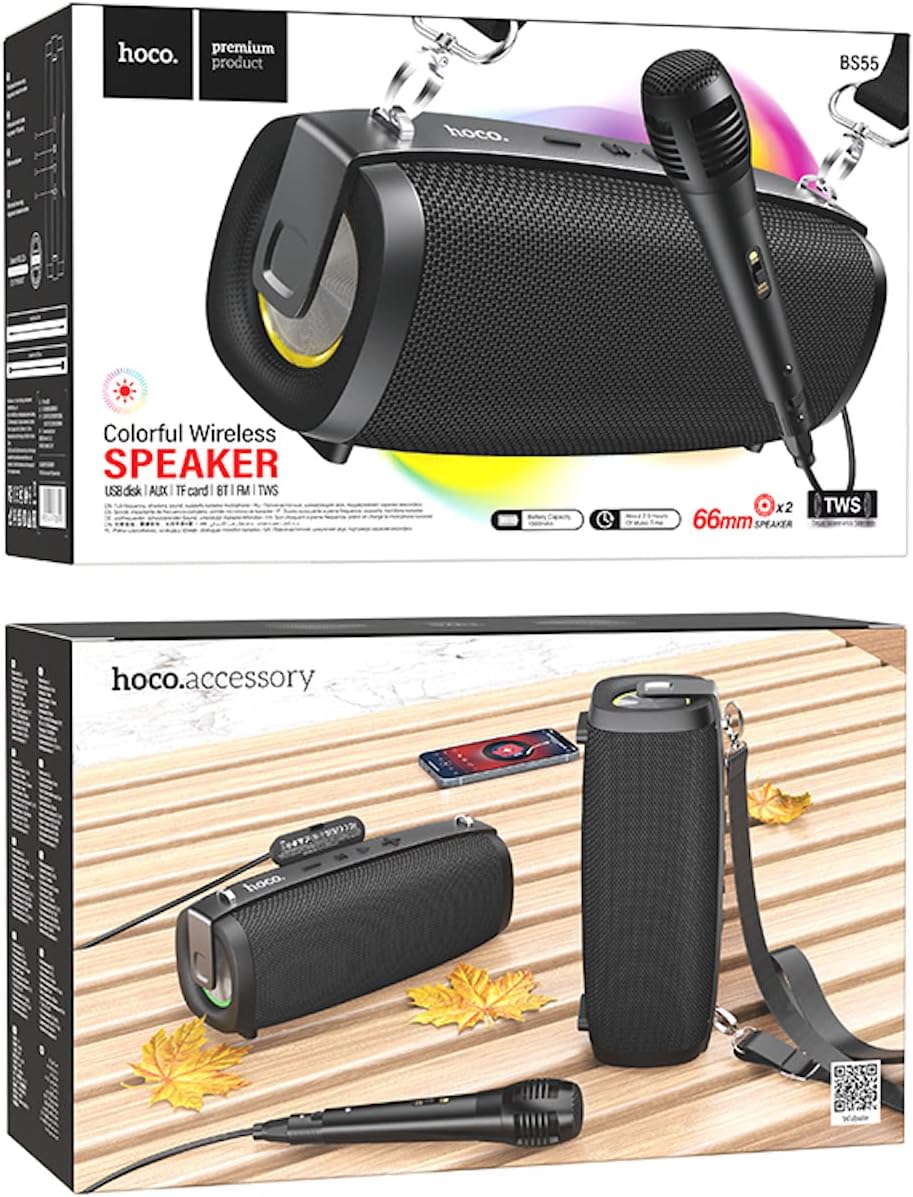
Image: Hoco BS55 Speaker packaging, illustrating the speaker, a wired microphone, and connecting cables.
2.2 Luidsprekerkomponente en -kontroles

Image: The Hoco BS55 speaker, highlighting its control panel with buttons and various input ports.
- Kragknoppie: Press and hold to turn the speaker ON/OFF. Short press to switch between modes.
- '-' Knoppie: Druk kort vir vorige snit. Druk lank om die volume te verlaag.
- 'M' (Modus)-knoppie: Short press to cycle through input modes (Bluetooth, FM Radio, TF Card, AUX, USB).
- '>' (Play/Pause) Button: Druk kort om musiek te speel of te onderbreek.
- '+' Knoppie: Druk kort vir die volgende snit. Druk lank om die volume te verhoog.
- USB-poort: Vir die terugspeel van 'n USB-flashskyf.
- TF-kaartgleuf: Vir TF (MicroSD) kaartweergawe.
- AUX-invoer: For connecting external audio devices via 3.5mm audio cable.
- Mikrofooninvoer: Vir die koppeling van 'n bedrade mikrofoon.
- Laaipoort: Vir die laai van die luidspreker se interne battery.
3. Opstelling
3.1 Laai die luidspreker
Before first use, fully charge the speaker. Connect the charging cable to the speaker's charging port and the other end to a USB power adapter (not included) or a computer's USB port. The charging indicator light will illuminate during charging and turn off when fully charged. Charging time is approximately 2 hours.
3.2 Aan-/afskakel
Druk en hou die Kragknoppie for a few seconds to turn the speaker ON. You will hear an audible prompt. To turn OFF, press and hold the Kragknoppie weer.
4. Bedryfsinstruksies
4.1 Bluetooth-modus
- Turn on the speaker. It will automatically enter Bluetooth pairing mode, indicated by a flashing light and an audible prompt.
- Aktiveer Bluetooth op jou mobiele toestel (slimfoon, tablet, ens.).
- Soek vir "Hoco BS55" in the list of available Bluetooth devices and select it to pair.
- Once successfully paired, you will hear a confirmation sound. You can now play audio from your device through the speaker.
- Gebruik die '+' en '-' buttons for volume control, and the '>' button for play/pause. Short press '+' or '-' for next/previous track.
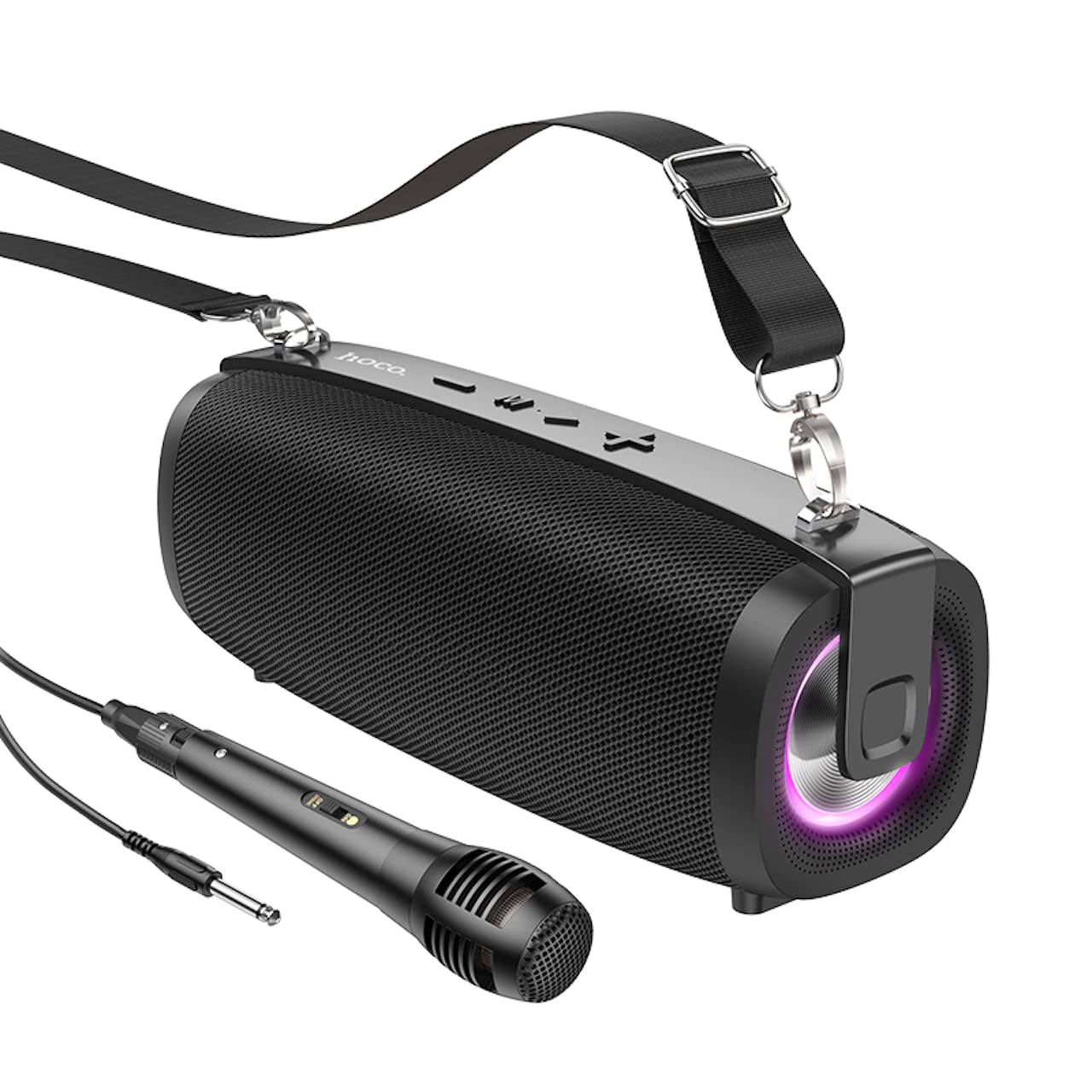
Image: The Hoco BS55 Wireless Outdoor Speaker, ready for use.
4.2 FM-radiomodus
- Druk kort op die 'M' (Modus)-knoppie until you hear the FM radio prompt.
- To auto-scan and save available stations, long press the '>' (Play/Pause) Button. The speaker will scan and store stations automatically.
- Druk kort op die '+' or '-' knoppies om tussen gestoorde FM-stasies te wissel.
4.3 TF Card / USB Flash Disk Mode
- Insert a TF (MicroSD) card or a USB flash disk into the corresponding slot.
- The speaker will automatically switch to TF Card or USB mode and begin playing audio files. If it doesn't, short press the 'M' (Modus)-knoppie om die korrekte modus te kies.
- Gebruik die '+' en '-' buttons for volume control, and short press them for next/previous track. Use the '>' button for play/pause.
4.4 AUX-invoermodus
- Connect one end of the 3.5mm audio cable to the speaker's AUX input port and the other end to the audio output of your external device (e.g., MP3 player, computer).
- Druk kort op die 'M' (Modus)-knoppie until you hear the AUX mode prompt.
- Control playback and volume primarily from your external device. The speaker's volume buttons will also function.
4.5 TWS (Ware Draadlose Stereo) Funksie
The TWS function allows you to pair two Hoco BS55 speakers together for a stereo sound experience.
- Ensure both BS55 speakers are turned ON and are not connected to any Bluetooth device.
- Op een van die luidsprekers (dit sal die primêre luidspreker wees), druk lank die 'M' (Modus)-knoppie totdat jy 'n paringstoon hoor.
- The two speakers will automatically search and pair with each other. Once connected, you will hear a confirmation sound.
- Now, connect your mobile device to the primary speaker via Bluetooth as described in section 4.1. Both speakers will play audio in stereo.
4.6 Gebruik van bedrade mikrofoon
If your package includes a wired microphone, connect it to the speaker's dedicated microphone input port. The speaker will automatically detect the microphone. Adjust the volume as needed using the speaker's volume controls or your connected device.
5. Onderhoud
- Skoonmaak: Gebruik 'n sagte, droë lap om die luidspreker skoon te maak. Moenie skuurmiddels of oplosmiddels gebruik nie.
- Berging: Bêre die luidspreker op 'n koel, droë plek weg van direkte sonlig en uiterste temperature.
- Batterysorg: To prolong battery life, charge the speaker regularly, even if not in use. Avoid fully discharging the battery frequently.
- Waterweerstand: The Hoco BS55 speaker is nie waterbestand nie. Avoid exposing it to water, rain, or excessive moisture to prevent damage.
- Vermy impak: Moenie die luidspreker laat val of aan harde impakte onderwerp nie.
6. Probleemoplossing
| Probleem | Oplossing |
|---|---|
| Luidspreker skakel nie aan nie. | Maak seker dat die luidspreker gelaai is. Koppel dit aan 'n kragbron en probeer weer. |
| Geen klank nie. | Check the volume level on both the speaker and your connected device. Ensure the correct input mode is selected. |
| Kan nie via Bluetooth koppel nie. | Make sure the speaker is in Bluetooth pairing mode. Disable and re-enable Bluetooth on your device. Move the speaker closer to your device. Ensure no other devices are connected to the speaker. |
| FM-radio-ontvangs is swak. | Probeer om die luidspreker te herposisioneer. Voer weer 'n outomatiese skandering uit. |
| TWS-paring misluk. | Ensure both speakers are not connected to any other Bluetooth device. Try restarting both speakers and repeating the TWS pairing process. |
7. Spesifikasies
| Kenmerk | Spesifikasie |
|---|---|
| Model | BS55 |
| Afmetings (L x B x H) | 202 x 89.5 x 71.4 mm (20.2 x 7.1 x 9 cm) |
| Gewig | 810 g |
| Bluetooth weergawe | 5.3 |
| Bluetooth-skyfie | JLAC6965E |
| Battery kapasiteit | 1500mAh |
| Laai tyd | Ongeveer 2 uur |
| Tyd vir musiekafspeel | Tot 2.5 uur |
| Luidspreker Eenheid Grootte | 66 mm * 2 |
| Uitset krag | 5W * 2 (Totaal 10W) |
| Verbindingsopsies | Bluetooth, FM Radio, TF Card, AUX, USB Flash Disk, TWS |
| Mikrofoonondersteuning | Bedrade mikrofooninvoer |
| Waterweerstand | Nie waterbestand nie |
| Kleur | Swart |
8. Waarborg en Ondersteuning
Hoco products are designed and manufactured to the highest quality standards. For warranty information and customer support, please refer to the warranty card included with your purchase or contact your local Hoco distributor or retailer. Keep your proof of purchase for any warranty claims.