
1. Inleiding
This manual provides detailed instructions for the proper use and maintenance of your HOCO BS45 Deep Sound Sports Wireless Speaker. Please read this manual thoroughly before operating the device to ensure optimal performance and longevity. The HOCO BS45 is a portable wireless speaker featuring Bluetooth V5.0 connectivity, FM radio, and TF card support, designed for versatile audio playback.
2. Pakketinhoud
- HOCO BS45 Wireless Speaker
- USB-laaikabel
- Gebruikershandleiding
3. Produk verbyview
The HOCO BS45 speaker features a compact, spherical design with a durable mesh fabric finish. It incorporates a single speaker unit and intuitive controls for various functions.
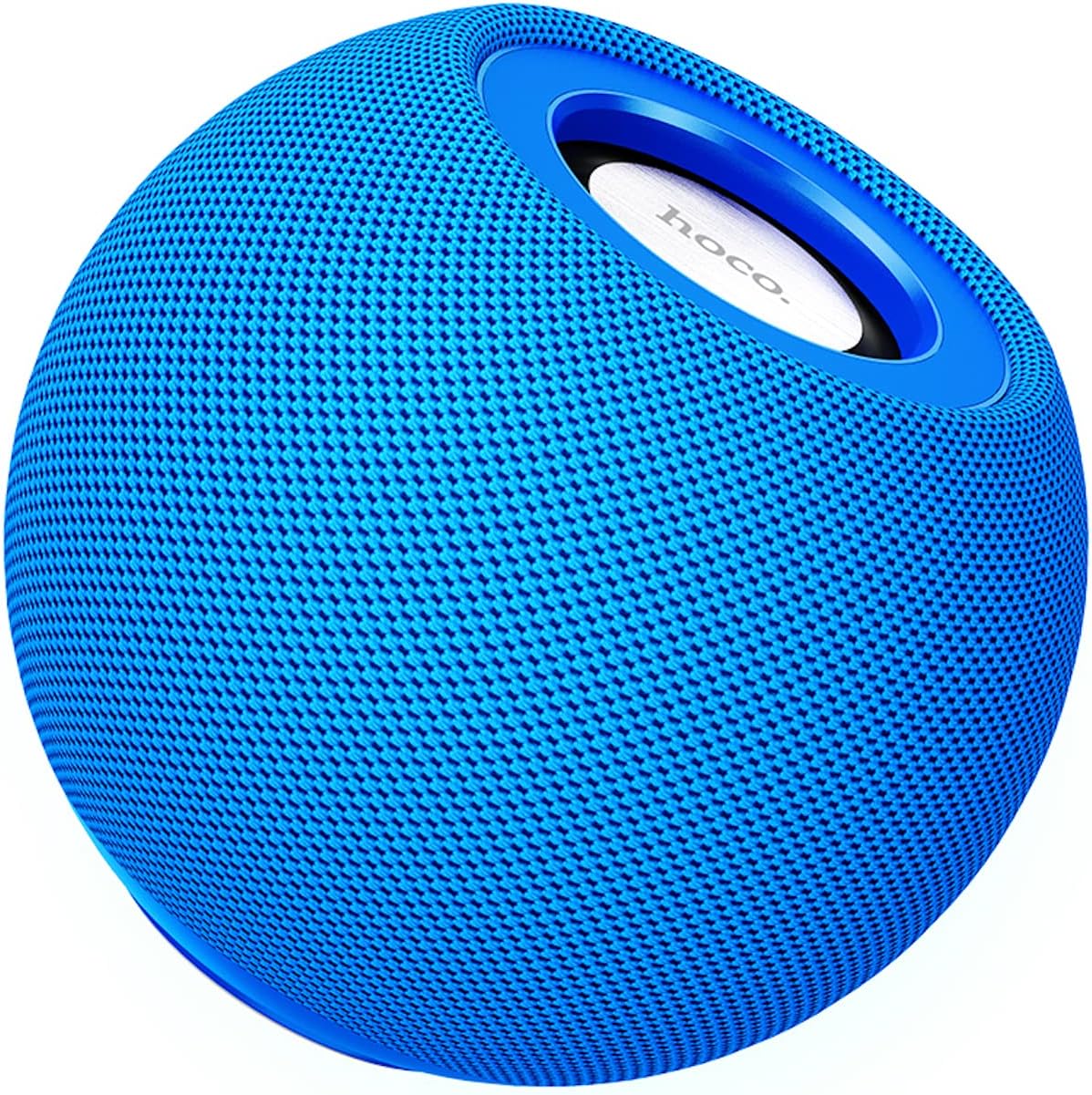
Figuur 3.1: Voorkant view of the HOCO BS45 speaker, showcasing its blue mesh exterior and top-mounted control area with the HOCO logo.
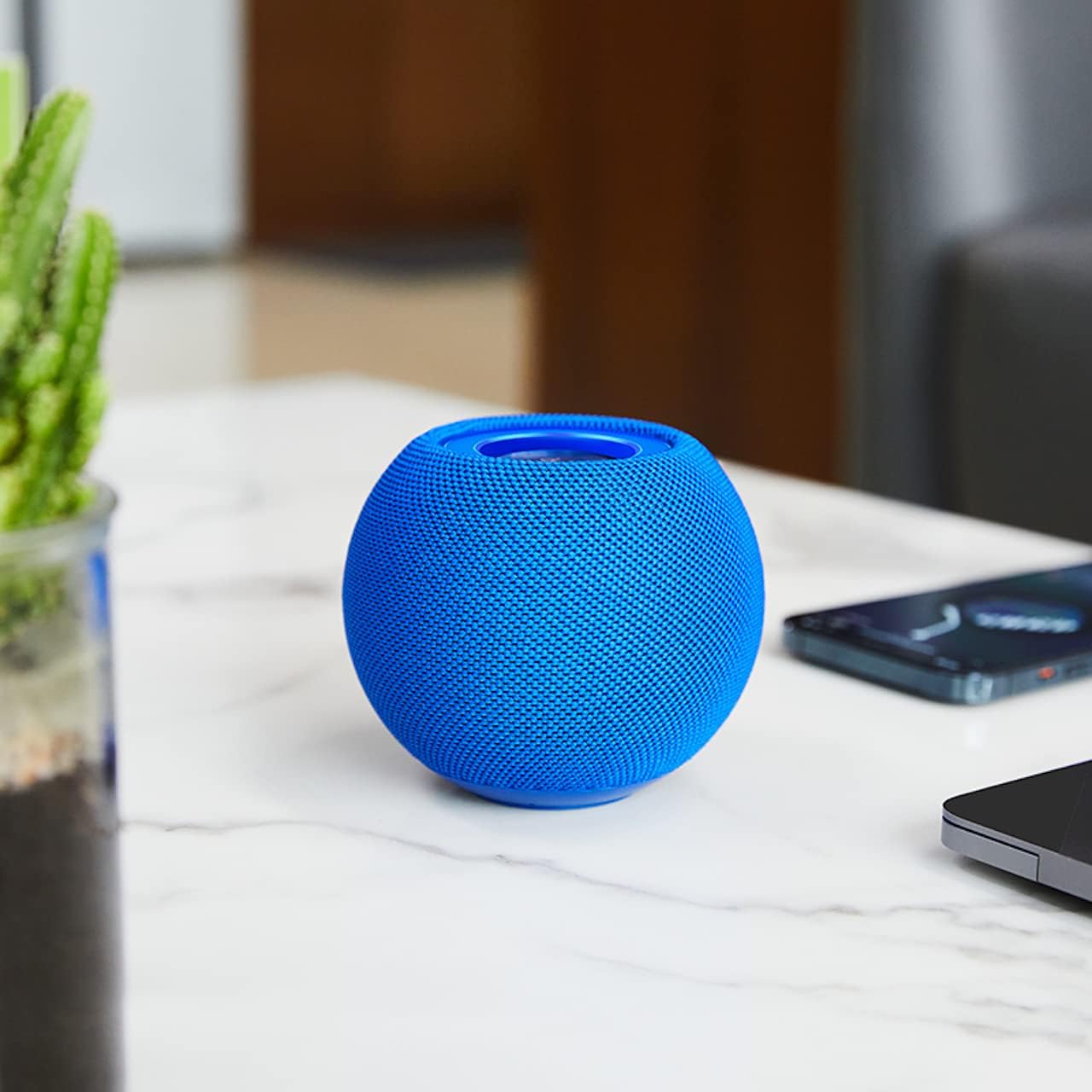
Figuur 3.2: The HOCO BS45 speaker positioned on a tabletop, illustrating its compact size relative to a smartphone and a small plant, suitable for various indoor settings.

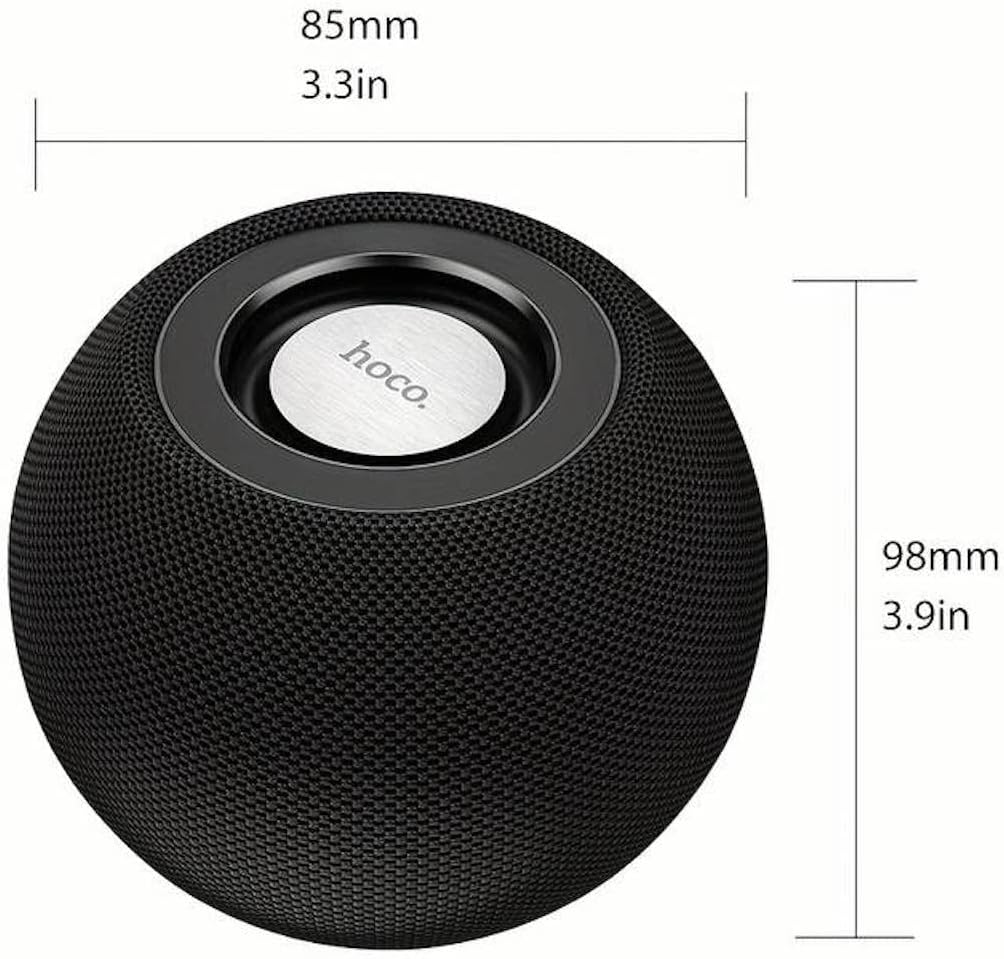
Figuur 3.3: Technical diagram indicating the dimensions of the HOCO BS45 speaker: 85mm (3.3 inches) in width and 98mm (3.9 inches) in height.
4. Opstelling
4.1 Laai die luidspreker
- Koppel die meegeleverde USB-laaikabel aan die laaipoort op die luidspreker.
- Koppel die ander kant van die USB-kabel aan 'n versoenbare USB-kragadapter (nie ingesluit nie) of 'n rekenaar se USB-poort.
- Die laai-aanwyserliggie sal tydens laai brand.
- A full charge takes approximately 1.5 hours. The indicator light will change or turn off once charging is complete.
The speaker has a built-in 500mAh battery, providing approximately 2 hours of talk or music playback time on a full charge.
4.2 Krag aan/af
- To power on, press and hold the Power button (location not specified, typically a multi-function button) for a few seconds until you hear an audible prompt or see an indicator light.
- To power off, press and hold the Power button again for a few seconds until you hear an audible prompt or the indicator light turns off.
4.3 Bluetooth -koppeling
- Ensure the speaker is powered on and in Bluetooth pairing mode (indicated by a flashing LED light, if present).
- Aktiveer Bluetooth op jou mobiele toestel (slimfoon, tablet, skootrekenaar).
- Soek vir available Bluetooth devices. The speaker will appear as "HOCO BS45" or similar.
- Select "HOCO BS45" from the list to connect.
- Once successfully paired, you will hear a confirmation sound, and the LED indicator will typically stop flashing and remain solid.
The HOCO BS45 uses Bluetooth 5.0 technology for a stable and reliable connection.
4.4 TWS (Ware Draadlose Stereo) Paring
To achieve a stereo sound experience, you can pair two HOCO BS45 speakers together.
- Ensure both HOCO BS45 speakers are powered on and not connected to any other Bluetooth device.
- On one of the speakers (this will be the primary speaker), press and hold the TWS pairing button (if available, or a multi-function button) until you hear a pairing prompt.
- Die twee luidsprekers sal outomaties na mekaar soek en aan mekaar koppel. 'n Bevestigingsklank sal suksesvolle TWS-paring aandui.
- Once TWS paired, connect your mobile device to the primary speaker via Bluetooth as described in Section 4.3.
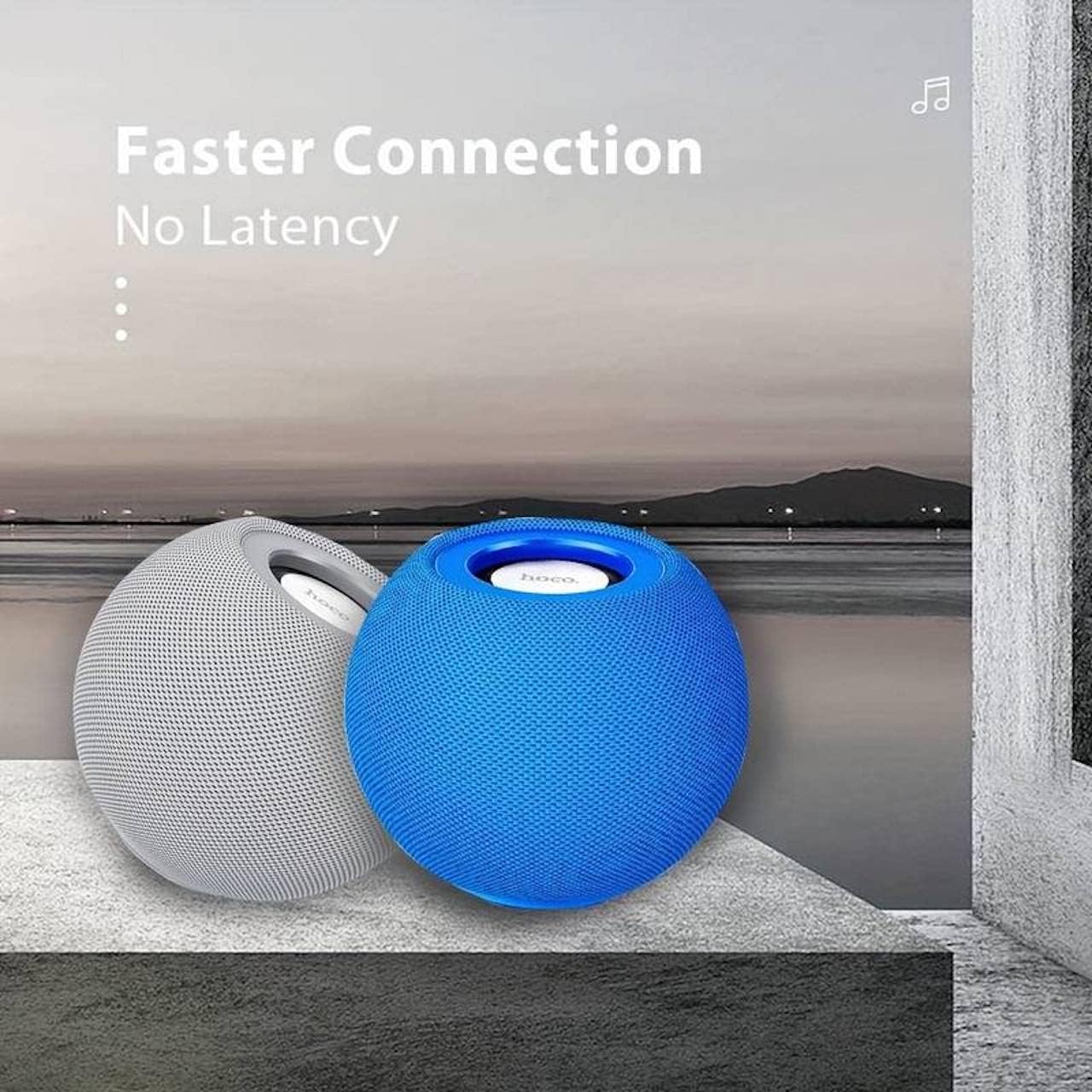
Figuur 4.1: Two HOCO BS45 speakers, one grey and one blue, shown together to illustrate the True Wireless Stereo (TWS) pairing capability for enhanced audio.
5. Bedryfswyses
5.1 Bluetooth-modus
After successful Bluetooth pairing (Section 4.3), you can play audio from your connected device. Use your device's media player to control playback (play, pause, skip tracks) and volume. Some speaker models may also support these controls directly via integrated buttons.
5.2 FM-radiomodus
- Press the Mode button (if available) to switch to FM Radio mode.
- Press the Play/Pause button to initiate an automatic scan for FM stations. The speaker will save available stations.
- Use the Next/Previous track buttons to navigate between saved FM stations.
5.3 TF Card Mode
- Plaas 'n TF (microSD) kaart met klank in files into the designated TF card slot on the speaker.
- The speaker should automatically switch to TF Card mode and begin playing music. If not, press the Mode button to select TF Card mode.
- Use the speaker's control buttons (e.g., Play/Pause, Next/Previous) to manage playback.
6. Kontroles
The HOCO BS45 speaker features integrated controls for easy operation. While specific button layouts may vary, common functions include:
- Kragknoppie: Druk en hou om aan/af te skakel.
- Speel/Pause-knoppie: Press to play or pause audio. In FM mode, press to auto-scan.
- Volume op/Volgende snit: Druk kort vir volume op, druk lank vir die volgende snit.
- Volume af/vorige snit: Druk kort om volume te verlaag, druk lank vir die vorige snit.
- Modusknoppie: Press to switch between Bluetooth, FM Radio, and TF Card modes.
- Call Siri / Voice Assistant: Some models support touch operation to activate voice assistants.

Figuur 6.1: A black HOCO BS45 speaker, illustrating its high power capacity and support for various controls including song switching and voice assistant activation via touch operation.
7. Onderhoud
- Keep the speaker dry. Do not expose it to water or excessive moisture.
- Maak die luidspreker skoon met 'n sagte, droë lap. Moenie skuurmiddels of oplosmiddels gebruik nie.
- Avoid extreme temperatures. Store the speaker in a cool, dry place.
- Moenie probeer om die luidspreker self uitmekaar te haal of te herstel nie. Dit sal die waarborg ongeldig maak.
8. Probleemoplossing
| Probleem | Moontlike oorsaak | Oplossing |
|---|---|---|
| Luidspreker skakel nie aan nie. | Lae battery. | Laai die luidspreker vir ten minste 1.5 uur. |
| Kan nie via Bluetooth koppel nie. | Luidspreker nie in paringsmodus nie; toestel Bluetooth af; te ver van toestel. | Ensure speaker is in pairing mode. Enable Bluetooth on your device. Move speaker closer to device (within 10 meters). |
| Geen klank nie. | Volume too low; speaker not connected; incorrect mode. | Increase volume on both speaker and connected device. Re-pair Bluetooth. Ensure correct operating mode (Bluetooth, FM, TF card). |
| FM-radio-ontvangs is swak. | Swak sein; omgewingsinmenging. | Move the speaker to a location with better signal. Avoid obstructions. |
9. Spesifikasies
- Model: BS45
- Bluetooth weergawe: 5.0 (Chip: JL AC6965)
- Battery kapasiteit: 500mAh
- Laai tyd: Ongeveer 1.5 uur
- Gesels-/musiektyd: Ongeveer 2 uur
- Luidsprekereenheid: 57 mm * 1
- Luidspreker kraguitset: 5W * 1
- Verbindingstegnologie: Bluetooth, FM, TF card, TWS
- Klankuitsetmodus: Omring
- Montage tipe: Tafelblad
- Tipe luidspreker: Buitelug
- Produk afmetings: 9.8 x 8.5 x 8.5 cm (3.9 x 3.3 x 3.3 duim)
- Produk gewig: 242 g
- Versoenbare toestelle: Desktop, Laptop, MP3 Player, Smartphone, Tablet
Figuur 9.1: A display of four HOCO BS45 speakers in various colors (black, blue, red, grey), emphasizing core specifications such as Bluetooth 5.0, 2 hours of music playback, and a 500mAh battery capacity.
10. Veiligheidsinligting
- Moenie die luidspreker blootstel aan uiterste temperature, direkte sonlig of oop vlamme nie.
- Vermy om die luidspreker te laat val of aan sterk impakte te onderwerp.
- Hou die luidspreker weg van kinders en troeteldiere.
- Use only the provided or a certified charging cable.
- Do not operate the speaker in wet environments or near water.
- Gooi die produk verantwoordelik volgens plaaslike regulasies weg.
11. Waarborg en Ondersteuning
Specific warranty details for the HOCO BS45 speaker may vary by region and retailer. Please refer to your purchase documentation or contact your point of sale for warranty information. For technical support or inquiries, please visit the official HOCO webwebwerf of kontak hul kliëntediens.