
Inleiding
Thank you for choosing the SOAR NCAA Sport True Wireless Earbuds V.5. This manual provides detailed instructions for the proper setup, operation, and maintenance of your earbuds. Please read this manual thoroughly before use to ensure optimal performance and longevity of your device.
Pakketinhoud
- SOAR NCAA Sport True Wireless Earbuds V.5 (Left and Right)
- Draagbare laaikas
- USB Type-C laaikabel
- Extra Ear Gels (various sizes)
- Gebruikershandleiding (hierdie dokument)
Produk verbyview
Familiarize yourself with the components of your SOAR True Wireless Earbuds.

Image: The SOAR NCAA Sport True Wireless Earbuds V.5, featuring the TCU Horned Frogs logo, are shown both inside their open charging case and as a single earbud outside the case. The closed charging case lid is also displayed, highlighting the team logo.

Image: A diagram highlighting the functional aspects of the earbuds, including sweat resistance, secure fit ear hooks, the portable charging case, clear call quality, and intuitive one-touch controls.
- Oordopjes: Left and Right earbuds with integrated controls and ear hooks for a secure fit.
- Laaikas: Stores and recharges the earbuds.
- LED-aanwysers: Provide status updates for charging and pairing.
- Multi-function Button/Touch Control: Vir die bestuur van terugspeel, oproepe en stemassistent.
- Mikrofoon: Ingebou vir handvrye oproepe.
Opstelling
1. Laai die oordopjes en houer
- Laai die oordopjes en die laaikassie volledig voor die eerste gebruik.
- Plaas die oorfone in die laaikas. Maak seker dat hulle korrek geplaas is.
- Connect the USB Type-C cable to the charging port on the case and the other end to a USB power source (e.g., computer, wall adapter).
- The LED indicators on the case and/or earbuds will show charging status. Refer to the LED indicator section for details.
- Once fully charged, disconnect the charging cable. A full charge provides over 10 hours of music and talk time.
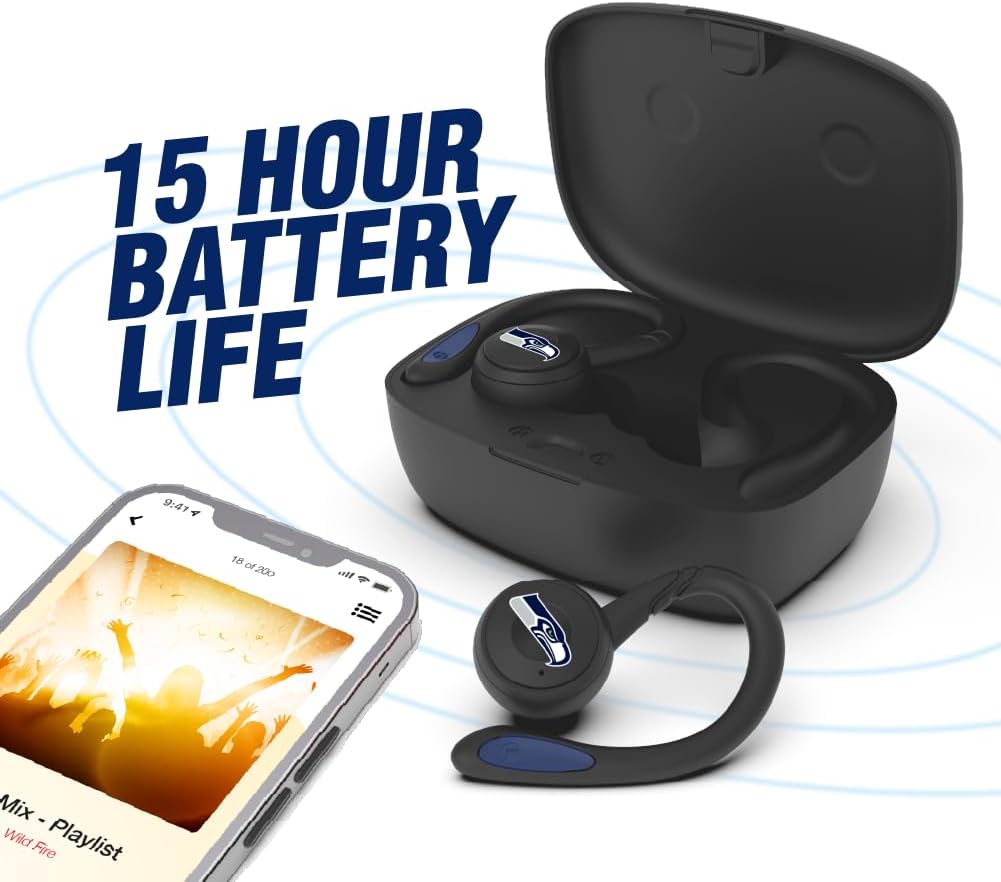
Image: The earbuds are shown within their charging case, positioned beside a smartphone playing music, emphasizing the extended battery life for continuous audio enjoyment.
2. Koppel met 'n Bluetooth-toestel
- Maak seker dat die oordopjes gelaai is.
- Maak die laaikas oop. Die oorfone sal outomaties in paringsmodus gaan, en hul LED-aanwysers sal flikker (bv. afwisselend blou en rooi).
- Aktiveer Bluetooth op jou toestel (slimfoon, tablet, ens.).
- Soek vir available Bluetooth devices. You should see "SOAR Earbuds V.5" or a similar name appear in the list.
- Select the earbuds from the list to connect. Once connected, the LED indicators on the earbuds will stop flashing or show a solid blue light, and you will hear an audible confirmation.
- Indien paring misluk, skakel die oorfone af, deaktiveer Bluetooth op jou toestel en herhaal die stappe.
Bedryfsinstruksies
Krag aan/af
- Krag aan: Open the charging case, or press and hold the multi-function button on each earbud for approximately 3 seconds.
- Skakel af: Place the earbuds back into the charging case and close the lid, or press and hold the multi-function button on each earbud for approximately 5 seconds.
Musiek afspeel
- Speel/pouse: Single tap the multi-function button on either earbud.
- Volgende snit: Double tap the multi-function button on the right earbud.
- Vorige snit: Double tap the multi-function button on the left earbud.
- Volume op: Triple tap the multi-function button on the right earbud.
- Volume af: Triple tap the multi-function button on the left earbud.
Belbestuur
- Beantwoord/beëindig oproep: Single tap the multi-function button on either earbud.
- Verwerp oproep: Druk en hou die multifunksieknoppie op enige oordopjes vir 2 sekondes in.
Stemassistent
- Aktiveer stemassistent: Druk en hou die multifunksieknoppie op enige oordopjes vir 2 sekondes in (wanneer jy nie aan die oproep is nie).
Onderhoud
- Skoonmaak: Gebruik 'n sagte, droë, pluisvrye lap om die oorfone en laaikas skoon te maak. Moenie harde chemikalieë of skuurmiddels gebruik nie.
- Oorgels: Regularly remove and clean the ear gels with a damp lap. Maak seker dat hulle heeltemal droog is voordat hulle weer vasgemaak word.
- Berging: Wanneer dit nie gebruik word nie, bêre die oorfone in hul laaikassie om hulle te beskerm en gelaai te hou. Bêre op 'n koel, droë plek weg van direkte sonlig en uiterste temperature.
- Waterweerstand: The earbuds are sweat resistant, but not waterproof. Avoid submerging them in water or exposing them to heavy rain.
Probleemoplossing
| Probleem | Oplossing |
|---|---|
| Oordopjes skakel nie aan nie. | Ensure the earbuds are charged. Place them in the charging case and connect the case to power. |
| Oordopjes koppel nie met toestel nie. |
|
| Slegs een oorknoppie werk. |
|
| Swak klankgehalte of ontkoppelings. |
|
Spesifikasies
| Kenmerk | Detail |
|---|---|
| Modelnommer | NCAA-TWS5-TXC |
| Konnektiwiteit | Bluetooth 5.0 |
| Wireless Range | Tot 30 voet (9 meter) |
| Batterylewe | Over 10 hours (music & talk time per charge) |
| Laaipoort | USB Tipe-C |
| Tipe beheer | Touch Control / Multi-function Button |
| Mikrofoon | Ingeboude |
| Materiaal | Plastiek |
| Gewig | Approximately 140 g (total item weight) |
Waarborg en Ondersteuning
For warranty information and customer support, please refer to the official SOAR product webwebwerf of kontak u kleinhandelaar. Bewaar u bewys van aankoop vir enige waarborgeise.
Vir verdere hulp, besoek asseblief: www.soar.com (Note: This is a placeholder link. Please refer to the actual product packaging or manufacturer's website for accurate support information.)