
1. Inleiding
The GAMDIAS HELIOS P2-1000G is a fully modular power supply unit designed for high-performance computing systems. It features 80 Plus Gold certification for energy efficiency, supports ATX 3.1 and PCIe Gen 5.1 standards, and incorporates 100% Japanese capacitors for enhanced reliability. This manual provides essential information for the safe installation, operation, and maintenance of your power supply.
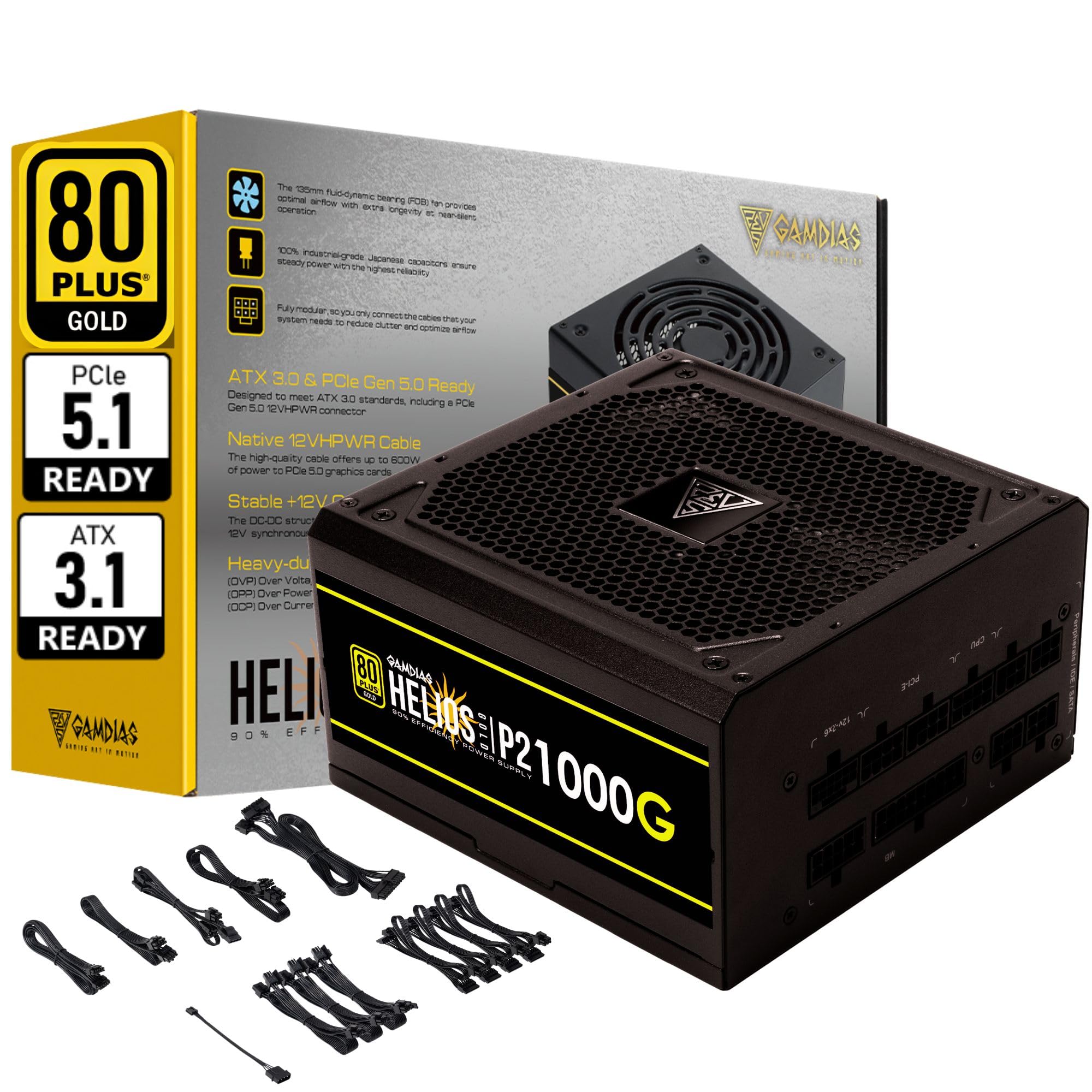
Beeld 1.1: verbyview of the GAMDIAS HELIOS P2-1000G Power Supply.
2. Veiligheidsinligting
- Hoog Voltage: The power supply contains high voltage components. Do not open the power supply casing. There are no user-serviceable parts inside. Opening the unit will void the warranty and poses a risk of electric shock.
- Behoorlike aarding: Ensure the power supply is properly grounded using the provided power cord.
- Ventilasie: Moenie die ventilasie-openinge van die kragtoevoer blokkeer nie. Verseker voldoende lugvloei rondom die eenheid om oorverhitting te voorkom.
- Omgewing: Avoid installing the power supply in environments with high humidity, extreme temperatures, or excessive dust.
- Skakel af: Always disconnect the AC power cord from the wall outlet before installing, removing, or cleaning the power supply or any connected components.
- Korrekte Wattage: Ensure the power supply's wattage is sufficient for your system's components.
3. Pakketinhoud
Verifieer dat alle items in die pakket teenwoordig is:
- GAMDIAS HELIOS P2-1000G Power Supply Unit
- Modular Cable Set (including 24-pin ATX, CPU, PCIe, SATA, Molex, and 12VHPWR cables)
- AC kragkabel
- Monteer skroewe
- Gebruikershandleiding (hierdie dokument)
4. Produkkenmerke
The HELIOS P2-1000G power supply incorporates several features designed for performance and reliability:
- 80 PLUS Gold Certified Efficiency: Achieves up to 92% efficiency at 50% load, reducing power consumption and heat generation.
- ATX 3.1 and PCIe Gen 5.1 Ready: Designed to meet the latest power standards, supporting next-generation graphics cards with up to 200% total power excursion.
- Native 12VHPWR Cable: Includes a native 16-pin (12VHPWR) PCIe connector capable of delivering up to 600W for PCIe 5.1 graphics cards.
- Quiet Operation with 135mm Dual-Ball Bearing Smart Fan: Features a high-quality 135mm fan with a dual-ball bearing design for durability and quiet operation. The smart fan control adjusts speed based on load to minimize noise.
- Volledig modulêre ontwerp: Allows for connecting only the necessary cables, improving cable management and airflow within the PC case.
- Premium Japanese Capacitors: Built with 100% high-quality Japanese 105°C/221°F electrolytic capacitors for superior durability and power stability.
- Comprehensive Protection Mechanisms: Includes Over Current Protection (OCP), Over Temperature Protection (OTP), Over Voltage Protection (OVP), Over Power Protection (OPP), Under Voltage Protection (UVP), and Short Circuit Protection (SCP) to ensure system safety.
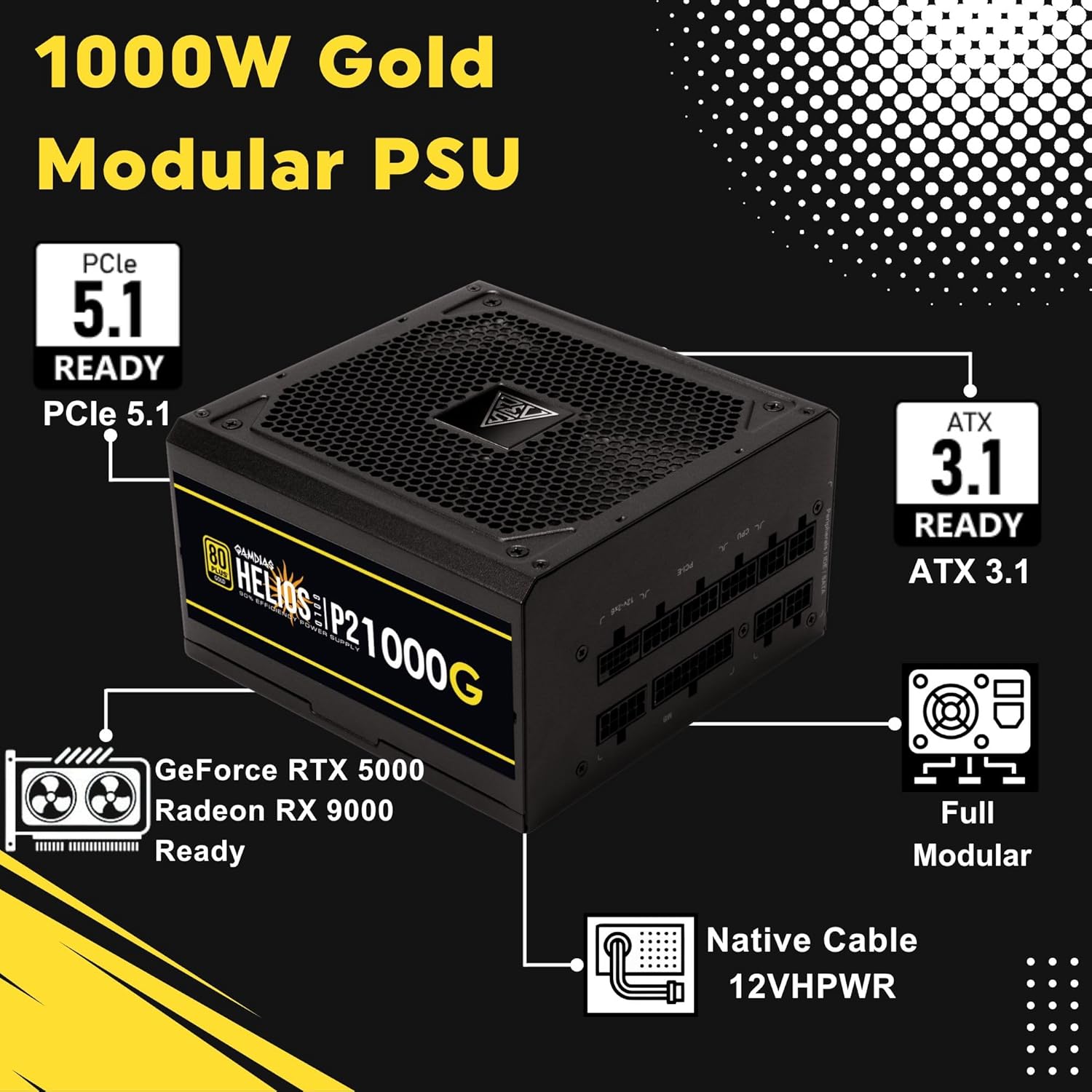
Image 4.1: Key features of the HELIOS P2-1000G, including PCIe 5.1 and ATX 3.1 readiness.

Image 4.2: The 80 Plus Gold certification ensures high energy efficiency.
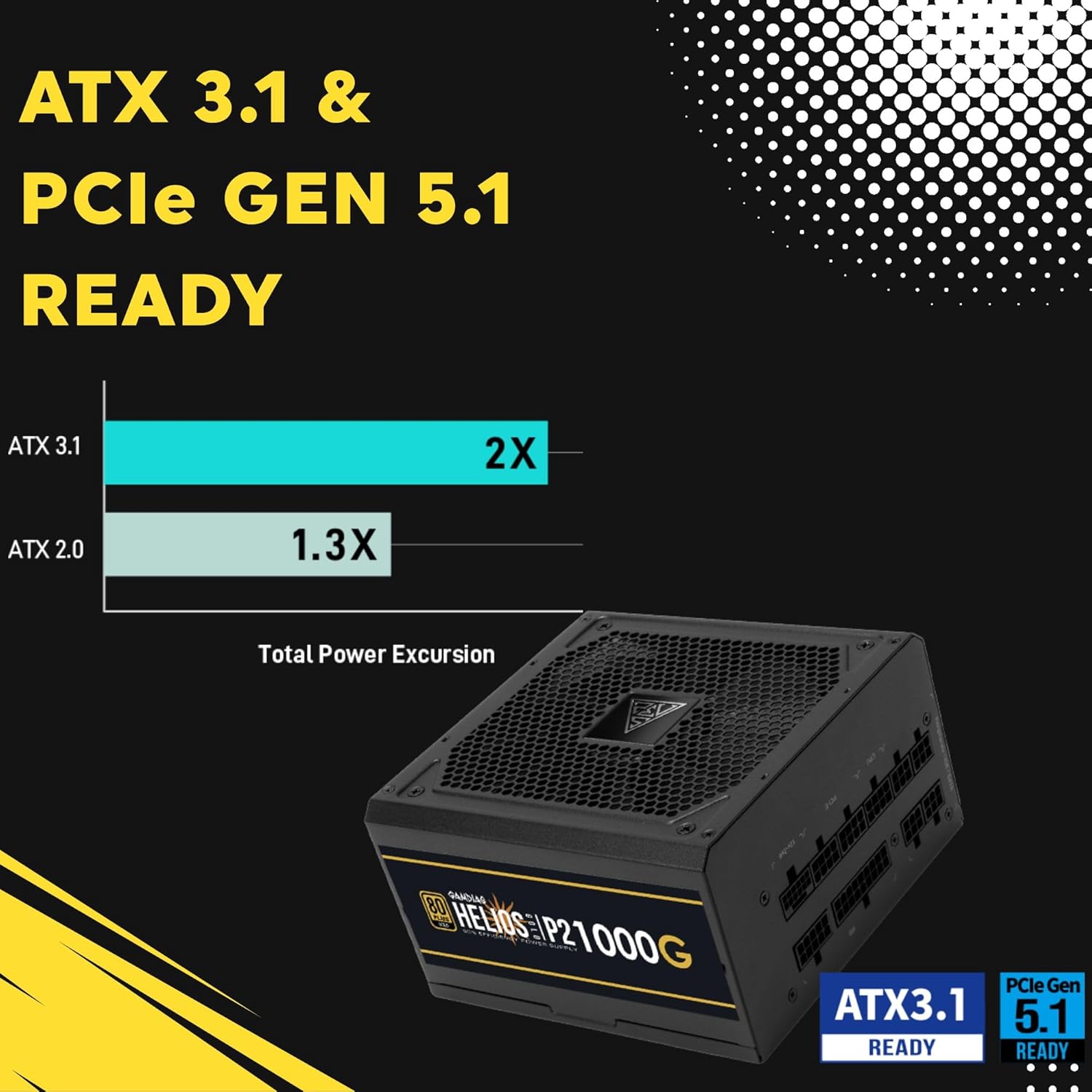
Image 4.3: The power supply is ready for ATX 3.1 and PCIe Gen 5.1, offering improved power excursion.

Image 4.4: Icons representing the various protection features integrated into the power supply.
5. Opstelling en installering
5.1 Fisiese installasie
- Berei jou stelsel voor: Maak seker dat jou rekenaar heeltemal afgeskakel is en uit die muurprop ontkoppel is.
- Monteer die PSU: Carefully slide the HELIOS P2-1000G into the power supply bay of your PC case. Ensure the fan is oriented correctly (typically facing downwards for bottom-mounted PSUs, or upwards if your case design requires it for optimal airflow).
- Secure the PSU: Use the provided mounting screws to secure the power supply to the PC case from the rear.
5.2 Kabelverbindings
The HELIOS P2-1000G is fully modular. Connect only the cables required for your system components.
- 24-pen ATX moederbordkabel: Connect the large 24-pin cable to the corresponding port on your motherboard. Ensure it clicks into place.
- CPU (EPS) Cable: Connect the 4+4-pin or 8-pin CPU cable to the CPU power connector(s) on your motherboard. High-end motherboards may require two 8-pin connectors.
- PCIe Graphics Card Cables:
- 12VHPWR Cable: For compatible PCIe 5.1 graphics cards, connect the native 16-pin 12VHPWR cable directly to the GPU. Ensure a firm connection.
- 6+2-pin PCIe Cables: For other graphics cards, connect the 6+2-pin PCIe cables to the GPU power connectors.
- SATA-kragkabels: Connect SATA power cables to your SSDs, HDDs, and other SATA-powered devices.
- Peripheral (Molex) Cables: Connect Molex cables for any legacy peripherals that require them.
- AC kragkabel: Once all internal connections are made, connect the AC power cord to the power supply and then to a grounded wall outlet.

Image 5.1: The native 16-pin 12VHPWR cable for direct connection to PCIe 5.1 graphics cards.
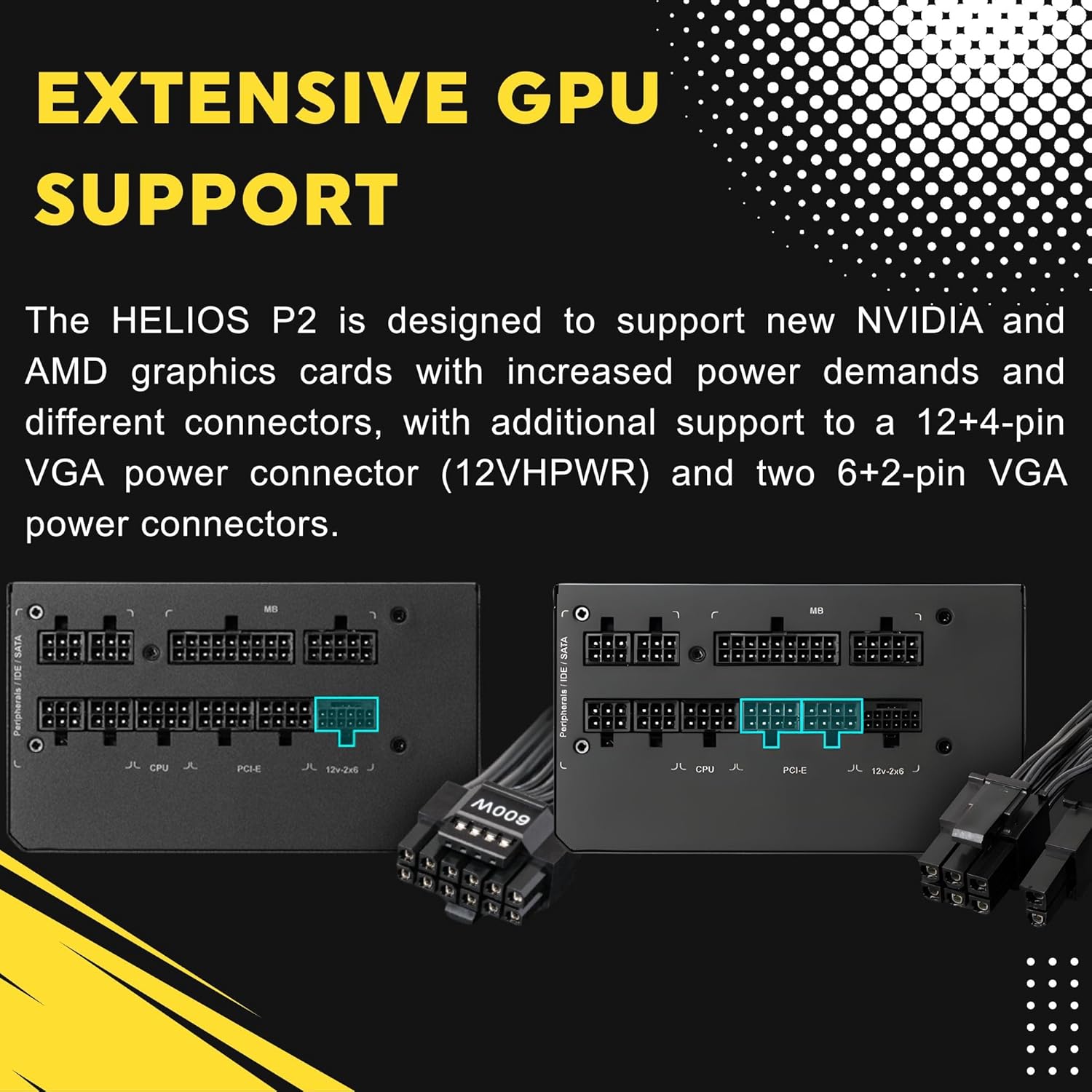
Image 5.2: Illustration of the fully modular design, showing various cable connections.
6. Bedryfsinstruksies
6.1 Aanskakeling van u stelsel
After ensuring all cables are securely connected, flip the power switch on the back of the power supply to the 'ON' (I) position. You can then power on your computer using the case's power button.
6.2 Smart Fan Control
The HELIOS P2-1000G features a smart fan control system. The 135mm fan will adjust its speed automatically based on the power supply's load and internal temperature. This ensures optimal cooling while minimizing noise during lighter loads.

Image 6.1: Graph illustrating the smart fan's speed adjustment relative to power output.
7. Onderhoud
7.1 Skoonmaak
To maintain optimal performance and longevity, periodically clean the power supply:
- Ontkoppel krag: Always unplug the AC power cord from the wall outlet and the power supply before cleaning.
- Stofverwydering: Use compressed air to gently blow dust out of the fan grille and ventilation openings. Hold the fan blades to prevent them from spinning rapidly during cleaning, which can damage the bearings.
- Buitenste skoonmaak: Wipe the exterior of the power supply with a soft, dry cloth. Do not use liquid cleaners or solvents.
7.2 Berging
If storing the power supply, keep it in a cool, dry environment, away from direct sunlight and extreme temperatures. Use its original packaging if available to protect it from dust and physical damage.
8. Probleemoplossing
If you encounter issues with your power supply, refer to the following common troubleshooting steps:
- Geen krag:
- Ensure the AC power cord is securely connected to both the power supply and the wall outlet.
- Check that the power switch on the back of the PSU is in the 'ON' (I) position.
- Verify all modular cables are firmly seated in both the power supply and the components.
- Toets die muurprop met 'n ander toestel om te bevestig dat dit krag het.
- Stelselonstabiliteit/Ineenstortings:
- Maak seker dat jou stelsel se kragvereistes nie die PSU se 1000W-kapasiteit oorskry nie.
- Check for loose cable connections, especially to the motherboard and graphics card.
- Ensure adequate ventilation within your PC case to prevent overheating of components, including the PSU.
- Harde waaiergeraas:
- The fan speed adjusts based on load. High system load will naturally increase fan speed.
- Check for dust accumulation in the fan or vents and clean as described in the Maintenance section.
If issues persist after performing these steps, contact GAMDIAS customer support.
9. Spesifikasies
| Kenmerk | Spesifikasie |
|---|---|
| Model Naam | HELIOS P2-1000G |
| Handelsmerk | GAMDIAS |
| Uitset Wattage | 1000 Watt |
| Vormfaktor | ATX |
| Doeltreffendheidsertifisering | 80 PLUS goud |
| Verkoelingsmetode | Air (135mm Dual-Ball Bearing Smart Fan) |
| Connector Tipe | ATX, PCI Express (Native 12VHPWR) |
| Versoenbare toestelle | Persoonlike rekenaar |
| Produkafmetings (L x B x H) | 12.8 x 8.27 x 4.13 duim |
| Item gewig | 7.28 pond (3300 gram) |
| Datum Eerste Beskikbaar | 19 April 2023 |
10. Waarborginligting
GAMDIAS products are manufactured to the highest quality standards. For detailed warranty terms and conditions, please refer to the official GAMDIAS webwebwerf of die waarborgkaart wat by u produk ingesluit is. Bewaar u bewys van aankoop vir waarborgeise.
11. Kliëntediens
If you require technical assistance or have questions regarding your GAMDIAS HELIOS P2-1000G power supply, please visit the official GAMDIAS support website or contact their customer service department. Contact information can typically be found on the GAMDIAS webwebwerf of in die produkverpakking.