
iJoy DHP2431
iJoy Disney Nightmare Before Christmas Sally Dress Bluetooth Headphones User Manual
Model: DHP2431 | Brand: iJoy
Inleiding

Prent: The iJoy Disney Nightmare Before Christmas Sally Dress Bluetooth Headphones, showcasing hul unieke ontwerp.
Thank you for choosing the iJoy Disney Nightmare Before Christmas Sally Dress Bluetooth Headphones. These wireless over-ear headphones are designed to provide a rich audio experience with a unique Sally Dress design. They feature a built-in microphone for hands-free calling, a foldable design for portability, and versatile connectivity options. This manual will guide you through the setup, operation, and maintenance of your new headphones.
Opstelling
1. Laai die oorfone
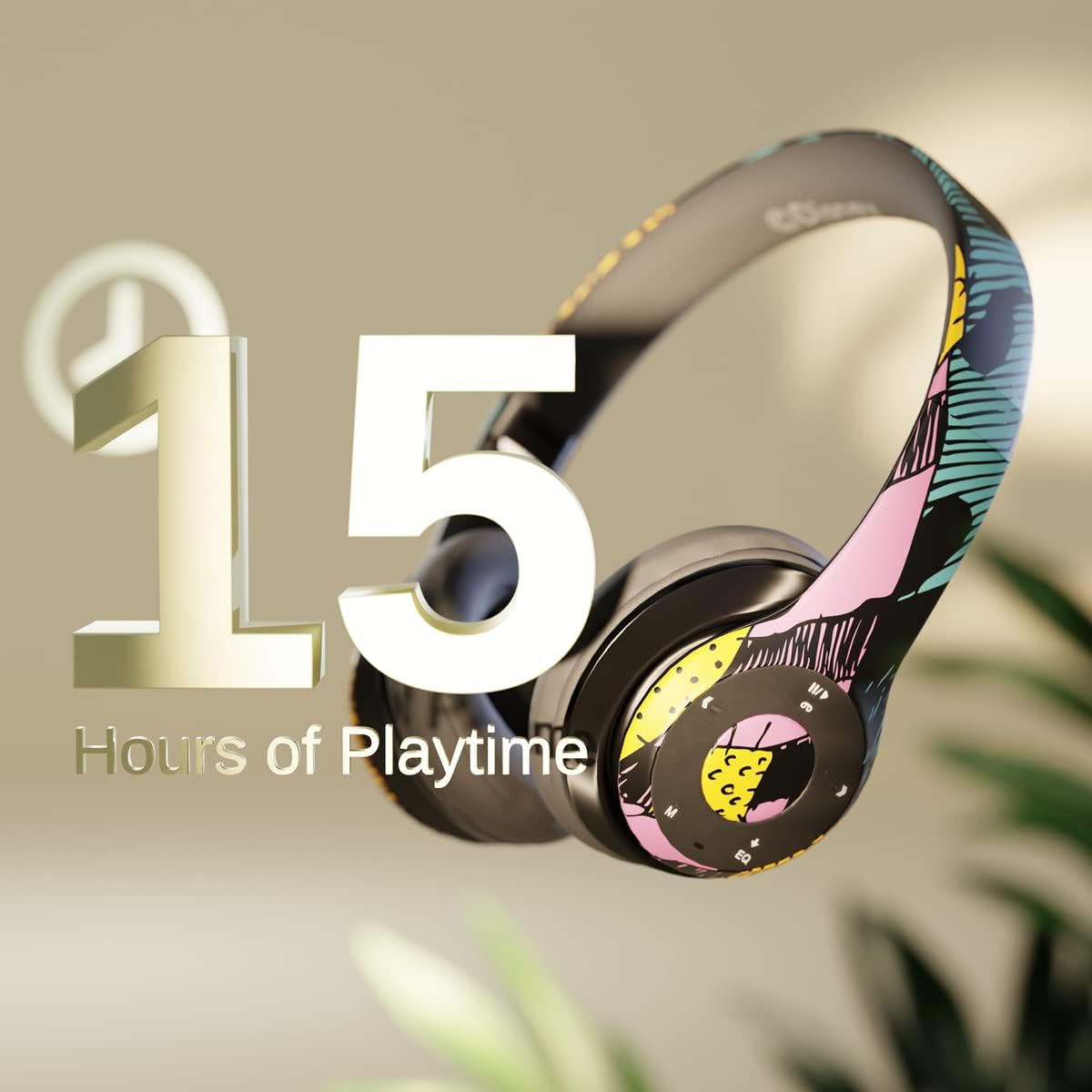
Prent: Graphic indicating 15 hours of playtime for the headphones, highlighting battery endurance.
Before first use, fully charge your headphones. Connect the provided charging cable to the charging port on the headphones and a USB power source. The LED indicator will show charging status and turn off when fully charged. A full charge provides approximately 15 hours of battery life.
2. Bluetooth-koppeling

Prent: The headphones with a graphic illustrating universal compatibility with both Apple and Android devices.
- Maak seker dat die oorfone afgeskakel is.
- Druk en hou die aan/af-knoppie in totdat die LED-aanwyser blou en rooi flikker, wat paringsmodus aandui.
- On your Bluetooth-enabled device (smartphone, tablet, computer), go to Bluetooth settings and search for available devices.
- Select "iJoy DHP2431" (or similar name) from the list.
- Sodra dit gekoppel is, flits die LED -aanwyser stadig blou.
3. Using the Auxiliary Cable
For a wired connection, plug one end of the 3.5mm auxiliary cable into the headphone's audio jack and the other end into your audio device. This allows for continued listening even if the battery is depleted.
4. Mikro SD-kaartweergawe
Insert a Micro SD card with your favorite music into the designated slot on the headphones. The headphones will automatically switch to Micro SD card playback mode. Use the control buttons to manage your music.
Bedryfsinstruksies
Krag aan/af
- Om aan te skakel: Druk en hou die aan/af-knoppie in totdat die LED-aanwyser aanskakel.
- Om af te skakel: Druk en hou die aan/af-knoppie in totdat die LED-aanwyser afskakel.
5-Button Control System
The headphones feature a convenient 5-button control system located on the ear cup for easy management of audio and calls.

Prent: Gedetailleerd view of the 5-button control panel on the headphone ear cup, indicating functions for volume, track navigation, equalizer, and call management.
- Play/Pause/Answer/Hang-up: Press the center button to play or pause music, or to answer/end a phone call.
- Volume op / volgende snit: Press the '+' button to increase volume. Hold the '+' button to skip to the next track.
- Volume af / Vorige snit: Press the '-' button to decrease volume. Hold the '-' button to go to the previous track.
- Gelykmaker: Press the 'EQ' button to cycle through different equalizer presets.
- Moduskeuse: Press the 'M' button to switch between Bluetooth, Micro SD card, and FM Radio modes.
Handvrye oproepe
With the built-in microphone, you can make and receive calls directly through your headphones when connected via Bluetooth to your smartphone. Use the center button to answer or end calls.
Ingeboude radio-ontvanger
Switch to FM Radio mode using the 'M' button. The headphones will automatically scan and tune into available radio stations. Use the track navigation buttons to change stations.
Opvoubare ontwerp

Prent: The headphones are shown in their folded configuration, highlighting their compact and portable design for easy storage and transport.
The headphones feature a foldable design, allowing for easy storage and portability. Simply fold the ear cups inwards towards the headband to reduce their size for travel or storage in a backpack.
Noise Canceling Design

Prent: 'n ontplof view of the headphone's ear cup, illustrating the internal speaker components and the connection point for the auxiliary cable, emphasizing the noise-canceling technology.
The over-ear cup design helps to isolate audio, providing a more immersive listening experience by reducing external noise interference.
Onderhoud
- Skoonmaak: Gebruik 'n sagte, droë lap om die oorfone skoon te maak. Moenie skuurmiddels of oplosmiddels gebruik nie.
- Berging: When not in use, store the headphones in a cool, dry place. Utilize the foldable design for compact storage.
- Batterysorg: Om die batterylewe te verleng, vermy om die oorfone gereeld heeltemal te ontlaai. Laai hulle gereeld, selfs al word hulle nie voortdurend gebruik nie.
- Waterweerstand: These headphones are not water-resistant. Avoid exposure to liquids.
Probleemoplossing
- Geen krag: Maak seker dat die oorfone volledig gelaai is. Koppel aan 'n kragbron en kyk na die laai-aanwyser.
- Kan nie via Bluetooth koppel nie:
- Maak seker dat die oorfone in paringsmodus is (LED flikker blou en rooi).
- Make sure Bluetooth is enabled on your device and it's within range (typically 10 meters).
- Vergeet die toestel van jou foon se Bluetooth-lys en probeer weer om te koppel.
- Herbegin beide die oorfone en jou toestel.
- Geen klank:
- Kontroleer die volumevlak op beide die oorfone en jou gekoppelde toestel.
- Ensure the headphones are properly connected via Bluetooth or auxiliary cable.
- If using an SD card, ensure the audio files is in 'n versoenbare formaat.
- Swak klankgehalte:
- Beweeg nader aan jou Bluetooth-toestel om steuring te vermy.
- Kontroleer die klankbron vir kwaliteitsprobleme.
- Ensure the ear cups are properly positioned over your ears for optimal sound isolation.
Spesifikasies
| Model Naam | DHP2431 |
| Verbindingstegnologie | Draadloos (Bluetooth) |
| Draadlose kommunikasietegnologie | Bluetooth |
| Ingesluit komponente | Headphones, Charging Cable, Auxiliary Cable |
| Ouderdomsreeks (beskrywing) | Adult (suitable for kids) |
| Materiaal | Plastic, Metal, Fabric, Memory Foam |
| Aanbevole gebruike vir produk | Musiek, Roeping |
| Versoenbare toestelle | Bluetooth-geaktiveerde toestelle |
| Tipe beheer | Volume Control, Track Navigation, Equalizer, Mode Selector |
| Kabelkenmerk | Retractable, Without Cable (for wireless use) |
| Item gewig | 0.26 kilogram (9.1 onse) |
| Waterweerstandvlak | Nie waterbestand nie |
| Styl | Sally Dress |
| Beheer metode | Knoppie |
| Aantal items | 1 |
| Batterylewe | 15 ure |
| Tipe oudiobestuurder | Dinamiese bestuurder |
| Oorstukvorm | Oor-oor |
| Hardeware-koppelvlak | 3.5 mm oudio |
| UPC | 842700197150 |
| Spesiale kenmerk | Built-in Radio Receiver, Foldable and Adjustable headband, Micro SD Card Plug-in, Microphone Included |
| Vervaardiger | iJoy |
| Pakket afmetings | 6.57 x 6.1 x 3.19 duim |
| Batterye | 1 Litium Polimeer battery benodig (ingesluit) |
Waarborg
iJoy provides a 6-month exchange warranty for these headphones. If your headset breaks or is damaged for any reason within this period, iJoy will provide you with a free replacement.
Ondersteuning
For further assistance, troubleshooting, or warranty claims, please contact iJoy customer support. You can often find contact information on the product packaging or by visiting the official iJoy webwebwerf.
Produkvideo's
iJoy Disney Nightmare Before Christmas Headphones Overview
Video: 'n Amptelike produkvideovertoningasing the iJoy Disney Nightmare Before Christmas Headphones, highlighting their design and features.
Ask a question about this manual
Ask about setup, troubleshooting, compatibility, parts, safety, or missing instructions. Manuals+ will review the question and use this page’s manual context to help answer it.