
Inleiding
Thank you for choosing the LC-dolida Bluetooth Headband Headphones. This manual provides detailed instructions on how to set up, operate, and maintain your device. Please read this manual thoroughly before use to ensure optimal performance and longevity of your product.
Pakketinhoud
Kontroleer asseblief die pakket vir die volgende items:
- LC-dolida Bluetooth Headband Headphones (Model LC001)
- USB-laaikabel
- Gebruikershandleiding
Indien enige items ontbreek of beskadig is, kontak asseblief kliëntediens.
Produk verbyview
The LC-dolida Bluetooth Headband Headphones (Model LC001) are designed for versatile use, combining a comfortable headband with integrated audio technology. They are suitable for various activities including sleep, sports, and general audio listening.

Beeld: Voorkant view of the LC-dolida Bluetooth Headband Headphones, highlighting the control panel.
Sleutel kenmerke:
- 3-in-1 ontwerp: Functions as a sports headband, sleep mask, and Bluetooth headphones.
- Gerieflike materiaal: Made from highly elastic, breathable, and sweat-wicking fabric.
- Ultra-Thin Speakers: Designed for comfort, especially for side sleepers, with adjustable positioning.
- Bluetooth 5.2-verbinding: Provides stable connections and clear audio.
- Ingeboude mikrofoon: Maak handvrye oproepe moontlik.

Image: Visual representation of the headband's material properties: soft, sweat-absorbing, elastic, and breathable.

Image: Depiction of the headband's comfort for side sleepers, highlighting the super thin speakers and zero pressure design.
Opstelling
1. Aanvanklike laai
- Connect the provided USB charging cable to the charging port on the headband.
- Koppel die ander kant van die USB-kabel aan 'n USB-kragadapter (nie ingesluit nie) of 'n rekenaar se USB-poort.
- Die LED-aanwyserliggie sal tydens laai brand.
- 'n Volle lading neem gewoonlik 1-2 uur. Die LED-aanwyser sal verander of afskakel sodra die laai voltooi is.

Image: Visual guide for charging time (2 hours) and approximate playtime (14 hours).
2. Bluetooth-koppeling
- Maak seker dat die kopband volledig gelaai is.
- Press and hold the Power button on the control panel until the LED indicator light flashes blue and red, indicating pairing mode.
- Aktiveer Bluetooth op jou toestel (slimfoon, tablet, ens.) en soek vir beskikbare toestelle.
- Select "LC-dolida" from the list of devices.
- Once connected, the LED indicator will typically show a solid blue light or flash blue slowly.
- Outomatiese herverbinding: After the initial pairing, the headband will automatically attempt to connect to the last paired device when powered on, provided the device's Bluetooth is active and within range.
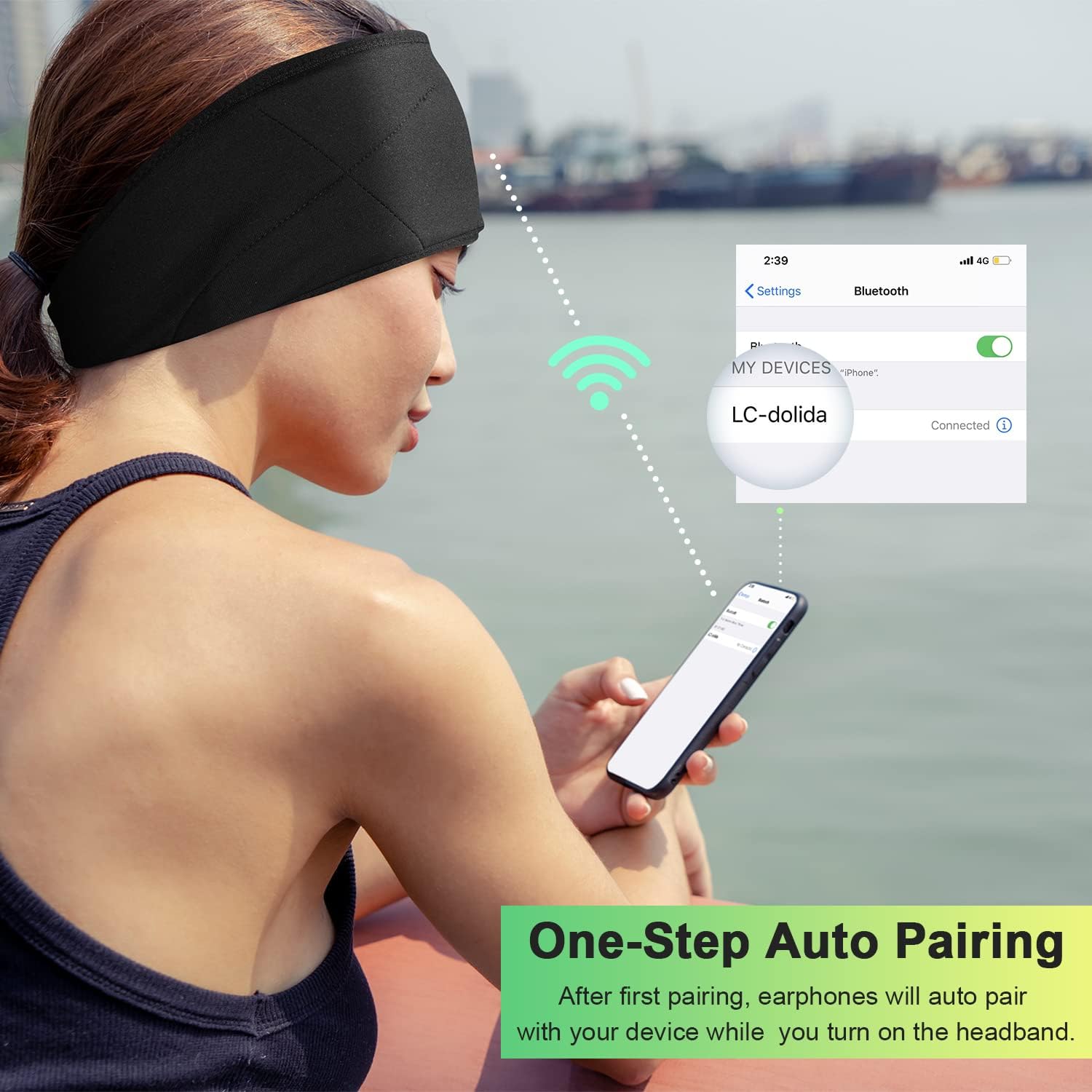
Image: Illustration of the one-step auto pairing process with a smartphone.

Image: Visual confirmation of strong compatibility with various Bluetooth-enabled devices (Android, iOS, Windows).
Bedryfsinstruksies
Beheerpaneel funksies
The control panel on the headband allows you to manage power, music playback, and calls.
- Krag aan/af: Press and hold the Power button (center button) for approximately 3 seconds.
- Speel/onderbreek musiek: Druk die aan / uit -knoppie een keer.
- Volume op: Druk die "+"-knoppie.
- Volume af: Druk die "-" knoppie.
- Volgende snit: Druk en hou die "+" knoppie vir 2 sekondes in.
- Vorige snit: Druk en hou die "-" knoppie vir 2 sekondes in.
- Beantwoord/beëindig oproep: Druk die aan / uit -knoppie een keer.
- Verwerp oproep: Druk en hou die Power-knoppie vir 2 sekondes.
- Herbel laaste nommer: Dubbeldruk die aan/uit-knoppie.

Image: Visual highlighting of the HIFI music and HD stereo sound capabilities.
Luidsprekerverstelling
The ultra-thin speakers inside the headband can be gently moved to align with your ears for optimal sound and comfort. Simply slide them within the fabric casing to find your preferred position.
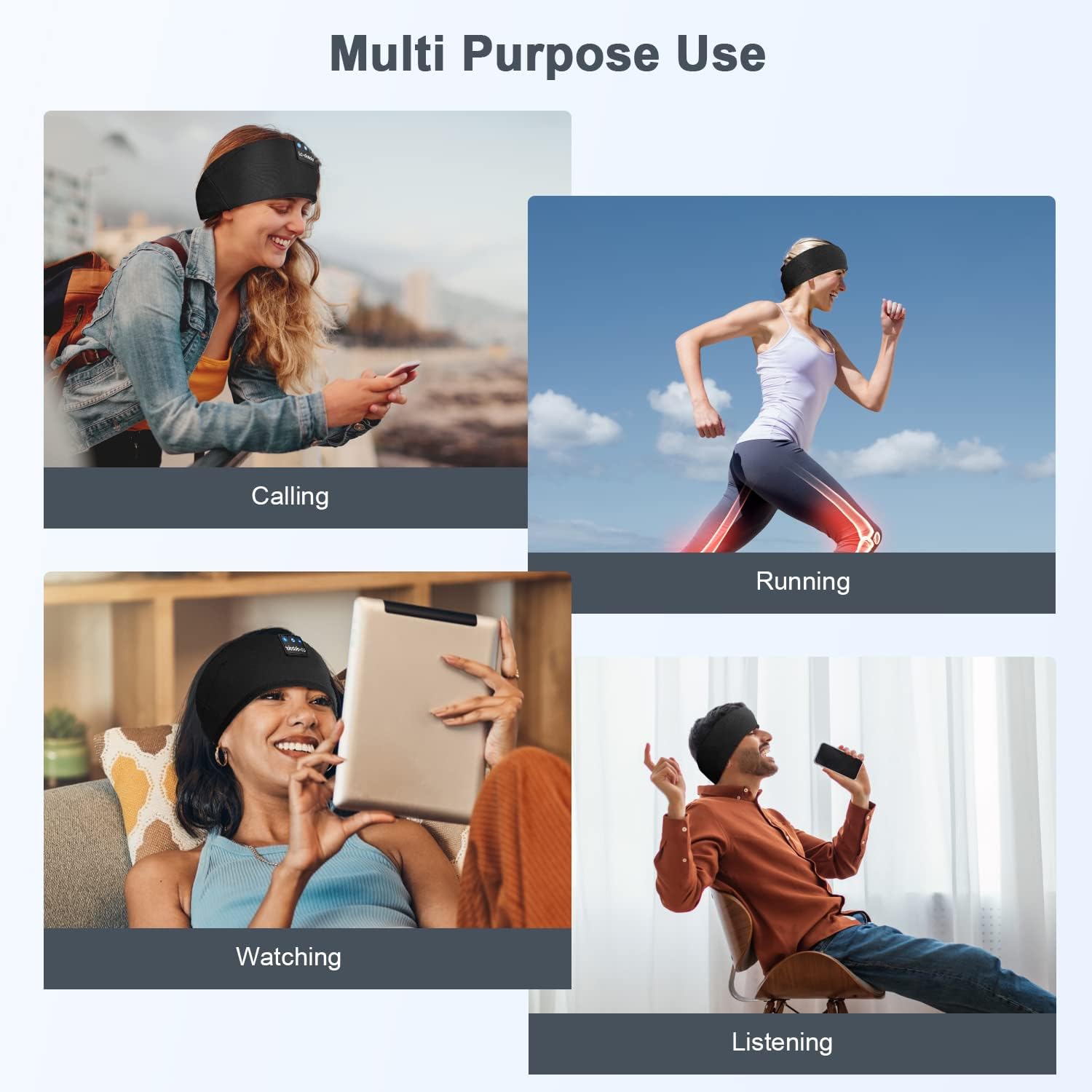
Beeld: Bvamples of multi-purpose use, including hands-free calling, running, watching media, and general listening.
Onderhoud
Cleaning the Headband
- Before cleaning, ensure the headband is powered off and disconnected from any charging source.
- Gently remove the electronic module (control panel and speakers) from the fabric headband.
- The fabric headband can be hand-washed with mild soap and cold water. Do not machine wash or tumble dry.
- Allow the fabric headband to air dry completely before reinserting the electronic module.
- Wipe the electronic module with a dry, soft cloth. Do not immerse it in water.
Berging
- Store the headband in a cool, dry place away from direct sunlight and extreme temperatures.
- Avoid placing heavy objects on the headband to prevent damage to the speakers or internal components.
Probleemoplossing
| Probleem | Moontlike oorsaak | Oplossing |
|---|---|---|
| Headband does not power on. | Lae battery. | Charge the headband for 1-2 hours. |
| Kan nie met toestel koppel nie. | Bluetooth is off on your device; headband is not in pairing mode; device is too far. | Ensure Bluetooth is enabled on your device. Put the headband into pairing mode (flashing blue/red LED). Move device closer to the headband. |
| Geen geluid of lae volume nie. | Volume too low on headband or device; speakers misaligned; connection issue. | Increase volume on both the headband and your device. Adjust speaker position within the headband. Re-pair the device. |
| Onderbroke verbinding. | Toestel te ver; interferensie; lae battery. | Move closer to your device. Avoid strong electromagnetic interference. Charge the headband. |
| Mikrofoon werk nie. | Microphone blocked; device settings. | Ensure the microphone area is clear. Check your device's audio input settings. |
If you encounter issues not listed here, please refer to the Warranty and Support section for assistance.
Spesifikasies
| Model Naam | LC001 |
| Verbindingstegnologie | Draadloos (Bluetooth) |
| Bluetooth weergawe | 5.2 |
| Bluetooth-reeks | 45 Voet |
| Tipe oudiobestuurder | Dinamiese bestuurder |
| Frekwensiereeks | 20 Hz - 20,000 XNUMX Hz |
| Batterylewe | Up to 13 Hours (Playback) |
| Laai tyd | 1-2 uur |
| Tipe beheer | Mediabeheer (Knoppies) |
| Waterweerstandvlak | Nie waterbestand nie |
| Item gewig | 2.89 onse |
| Pakket afmetings | 7.95 x 3.98 x 0.94 duim |
Opmerking: Spesifikasies kan sonder kennisgewing verander word.
Waarborg en Ondersteuning
Vervaardiger se waarborg
This LC-dolida product comes with a one-year manufacturer's warranty from the date of purchase, covering defects in materials and workmanship under normal use.
Additionally, a 30-day satisfaction guarantee allows for a refund within 30 days of purchase if you are not satisfied with the product.
Kliënte ondersteuning
For any questions, technical assistance, or warranty claims, please contact our after-sales team via email. We aim to provide a satisfactory solution within 6 hours.
Please visit the official LC-dolida website or your purchase platform for specific contact details.