
1. Inleiding
This manual provides essential instructions for the safe and efficient operation of your RONGTA SE4770 Rugged PDA Barcode Scanner. This device is a high-performance mobile handheld terminal designed for various applications including retail, warehouse management, logistics, and inventory control. It combines the functionality of an Android 11 smartphone with an integrated Zebra SE4770 barcode scanner, offering robust performance and durability.
Lees asseblief hierdie handleiding deeglik deur voordat u die toestel gebruik en bewaar dit vir toekomstige verwysing.
2. Produk verbyview
2.1 Toestelkomponente
The RONGTA SE4770 features a rugged design with a 6-inch HD touch screen and an integrated barcode scanner. Key components include:
- Voorskerm: 6-inch FHD+ 1080P HD screen for clear visual interaction.
- Agter Paneel: Integrated Zebra SE4770 barcode scanner, camera, and battery compartment.
- Syknoppies: Power button, volume controls, and dedicated scan buttons.
- Poorte: USB-C-poort vir laai en data-oordrag.

Figuur 2.1: Voor en agter view of the RONGTA SE4770 PDA Barcode Scanner, showing the display and rear scanner module.
2.2 Sleutelkenmerke
- Bedryfstelsel: Android 11 for a familiar and versatile user experience.
- Verwerker: Octa-core 2.0GHz CPU for high performance and stability.
- Geheue en berging: 4GB RAM + 64GB ROM, expandable via microSD card (not included).
- Vertoon: 6-inch FHD+ (1080P) HD touch screen, visible in strong outdoor light, supports multi-touch with gloves or wet hands.
- Streepkodeskandeerder: Integrated Zebra SE4770 for fast and accurate scanning of 1D, 2D, and QR barcodes, even if blurred, dirty, or worn.
- Duursaamheid: IP68 rated for water and dust resistance, and 1.5m drop resistance.
- Battery: 5000mAh large capacity battery with QC3.0 18W fast charging. Features a SuperCap power change solution for seamless battery swaps without shutdown.
- Verbinding: 2.4G/5G Dual-band Wi-Fi, 4G Full Network support, and Bluetooth 5.1.
- Kamera: 1600W+500W Pixel Camera (details on usage in Operating Instructions).
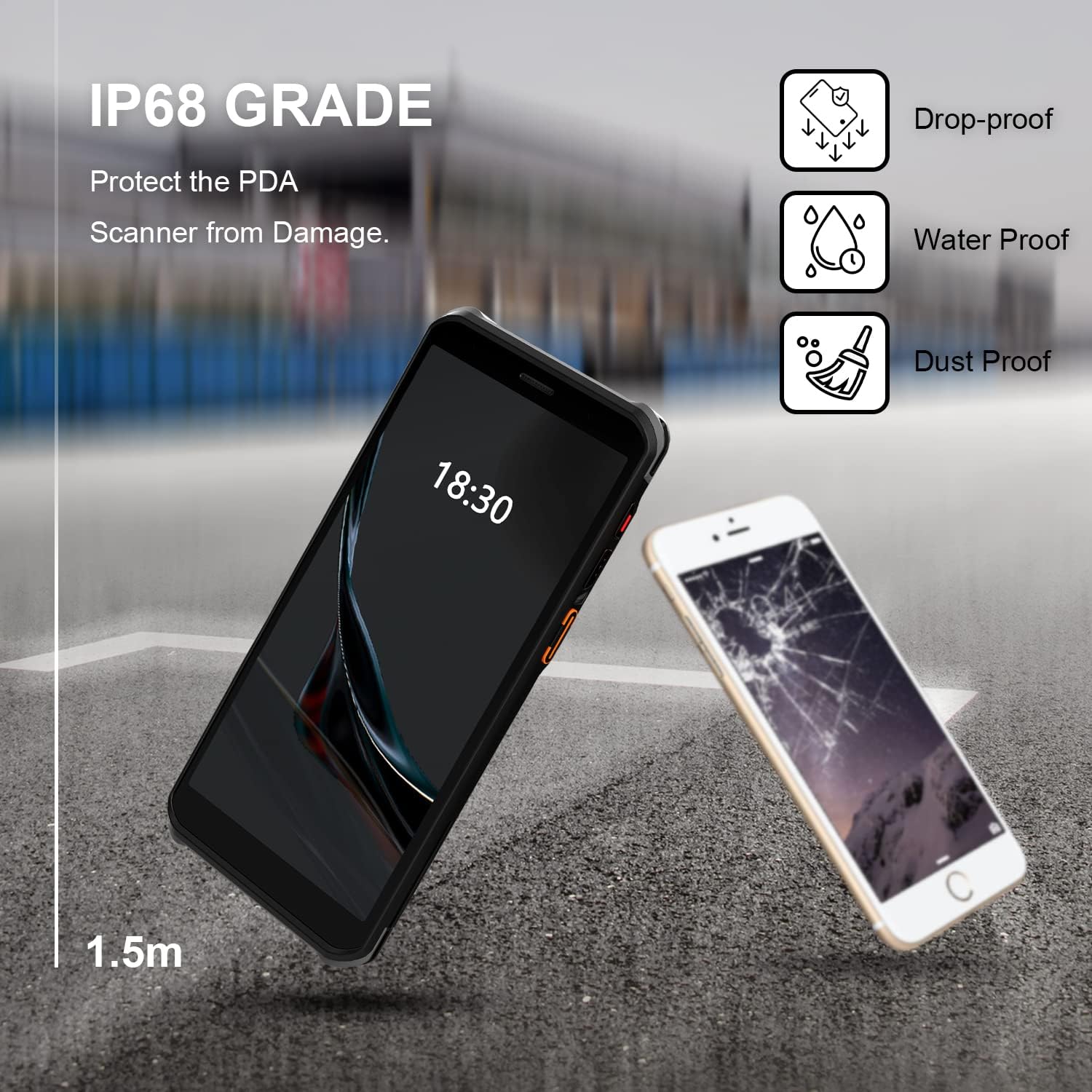
Figure 2.2: The RONGTA SE4770 PDA is designed with IP68 water and dust resistance and 1.5m drop protection, ensuring durability in demanding environments.

Figure 2.3: The device supports 2.4G/5G Dual-band WIFI and Bluetooth 5.1 for reliable wireless connectivity.
3. Opstelling
3.1 Uitpak en Aanvanklike Inspeksie
Carefully remove all components from the packaging. Verify that all items are present and undamaged. The package should include the RONGTA SE4770 PDA, a USB-C cable, a power adapter, and a hand-strap belt.
3.2 Batteryinstallasie en -laai
- Vind die batterykompartement aan die agterkant van die toestel.
- If the battery is not pre-installed, insert the 5000mAh Lithium-Ion battery, ensuring correct orientation.
- Maak die batterykompartement stewig toe.
- Connect the USB-C cable to the device's charging port and the other end to the power adapter. Plug the adapter into a power outlet.
- Allow the device to charge fully before first use. The 18W fast charging feature will expedite this process.

Figure 3.1: The device charging, indicating battery status.
3.3 Aan-/afskakel
- Om aan te skakel: Press and hold the Power button on the side of the device until the RONGTA logo appears on the screen.
- Om af te skakel: Press and hold the Power button until the power options menu appears. Select 'Power Off'.
- Om weer te begin: Druk en hou die aan/af-knoppie in totdat die kragopsies-kieslys verskyn. Kies 'Herbegin'.
3.4 Aanvanklike Android-opstelling
Upon first power-on, follow the on-screen prompts to complete the initial Android 11 setup. This typically includes selecting your language, connecting to a Wi-Fi network, setting up a Google account (optional), and configuring security settings.
4. Bedryfsinstruksies
4.1 Gebruik die strepieskodeskandeerder
The RONGTA SE4770 is equipped with a high-performance Zebra SE4770 scanner capable of reading various 1D, 2D, and QR barcodes.
- Open an application that requires barcode input (e.g., inventory management software, POS application).
- Point the scanner window, located on the top rear of the device, towards the barcode.
- Press one of the dedicated scan buttons on the side of the device. A red aiming beam will appear.
- Align the aiming beam with the center of the barcode. The device will emit a beep or vibrate upon successful scan, and the data will be entered into the active field of your application.

Figure 4.1: A user scanning a package barcode using the RONGTA SE4770 PDA.

Figure 4.2: The SE4770 Zebra scanner in use, demonstrating fast and accurate scanning in a warehouse environment.
4.2 Navigasie deur Android 11
The device operates on Android 11, providing a familiar interface. Use touch gestures to navigate:
- Tik: Om 'n item te kies of 'n toepassing oop te maak.
- Swiep: Om deur lyste te blaai of tussen tuisskerms te wissel.
- Knyp-om-te-Zoem: Om in of uit te zoem op beelde en web bladsye.
- Kennisgewings: Vee van die bokant van die skerm af om toegang tot kennisgewings en kitsinstellings te verkry.
4.3 Konnektiwiteit
Die toestel ondersteun verskeie konnektiwiteitsopsies:
- Wi-Fi: Go to Settings > Network & internet > Wi-Fi to connect to available wireless networks. Supports 2.4GHz and 5GHz bands.
- Bluetooth: Go to Settings > Connected devices > Connection preferences > Bluetooth to pair with Bluetooth-enabled devices like headsets or printers.
- Mobiele data (4G): If equipped with a SIM card slot (check device specifications), insert a compatible SIM card to access mobile data.
4.4 Kameragebruik
The device includes a camera for capturing images or videos. Open the Camera application from the home screen or app drawer. Tap the screen to focus and press the shutter button to take a photo or start/stop video recording.
5. Onderhoud
5.1 Die skoonmaak van die toestel
Om optimale prestasie en voorkoms te handhaaf:
- Wipe the screen and device body with a soft, lint-free cloth.
- Vir hardnekkige vlekke, effens dampMaak die lap skoon met water of 'n skermreiniger. Vermy harde chemikalieë of skuurmiddels.
- Ensure the scanner window is clean and free of dust or debris for accurate scanning.
5.2 Batterysorg
Proper battery care extends the lifespan of your device:
- Charge the battery regularly using the provided charger.
- Vermy om die battery gereeld heeltemal te ontlaai.
- If storing the device for an extended period, charge the battery to approximately 50% and store in a cool, dry place.
- The SuperCap power change solution allows for hot-swapping batteries without device shutdown, ensuring continuous operation.
5.3 Sagteware-opdaterings
Periodically check for software updates to ensure your device has the latest features and security patches. Go to Settings > System > System update.
6. Probleemoplossing
This section addresses common issues you might encounter with your RONGTA SE4770 PDA.
| Probleem | Moontlike oorsaak | Oplossing |
|---|---|---|
| Toestel skakel nie aan nie | Low or depleted battery; device malfunction. | Laai die toestel vir ten minste 30 minute. Kontak ondersteuning as dit steeds nie aanskakel nie. |
| Skandeerder lees nie strepieskodes nie | Dirty scanner window; incorrect aiming; unsupported barcode type; application issue. | Clean the scanner window. Ensure the aiming beam covers the entire barcode. Verify the barcode type is supported. Restart the scanning application or the device. |
| Wi-Fi/Bluetooth-verbindingsprobleme | Out of range; incorrect password; interference. | Move closer to the Wi-Fi router or Bluetooth device. Re-enter the password. Restart Wi-Fi/Bluetooth on the device. |
| Toestel is stadig of reageer nie | Too many applications running; low storage; software glitch. | Close unnecessary applications. Clear cache. Restart the device. Consider a factory reset if issues persist (backup data first). |
7. Spesifikasies
Detailed technical specifications for the RONGTA SE4770 PDA Barcode Scanner:
- Produk afmetings: 3.03 x 0.51 x 6.41 duim
- Item gewig: 10.6 onse
- Batterye: 1 Litium-ioonbattery benodig (ingesluit)
- Kragbron: Battery aangedrewe
- Vervaardiger: RONGTA
- Versoenbare toestelle: Desktop, Laptop, Smartphone (for data transfer/management)
- Verbindingstegnologie: Bluetooth, Wi-Fi (2.4G/5G Dual-band), 4G
- Bedryfstelsel: Android 11
- Verwerker: Octa-kern 2.0GHz
- Geheue: 4GB RAM
- Berging: 64GB ROM
- Skermgrootte: 6 inches FHD+ (1080P) HD Touch Screen
- Skandeerder: Zebra SE4770 (1D, 2D, QR)
- Duursaamheid: IP68 Water and Dust Resistant, 1.5m Drop Protection
- Battery kapasiteit: 5000mAh
- Laai: QC3.0 18W Fast Charge
8. Waarborg en Ondersteuning
For warranty information and technical support, please refer to the documentation included with your purchase or visit the official RONGTA website. If you encounter any issues not covered in this manual, please contact RONGTA customer service for assistance.